מָבוֹא
This manual provides essential information for the proper setup, operation, and maintenance of your Defunc Home 40W Multiroom Smart Speaker. Please read these instructions carefully before using the product to ensure optimal performance and longevity.
המוצר נגמרview
רכיבים כלולים
- Defunc Home 40W Speaker
- מתאם מתח
- מעמד בסיס
- מדריך למשתמש (מסמך זה)
- תעודת אחריות
תכונות מפתח
- קישוריות חלקה: Connect and control up to 32 speakers using the Defunc HOME app. Stream the same audio everywhere or select different tracks for each room.
- Uninterrupted Playback: Enjoy continuous playback via Wi-Fi, ensuring phone calls do not interrupt your audio.
- תאימות רב-תכליתית: Supports Wi-Fi, Bluetooth 5.0, and AUX IN for flexible connection options.
- עיצוב להתאמה אישית: Adapt the speaker's appearance with interchangeable front covers (available separately) or personalize with your own image.
- Advanced App Functions: The Defunc HOME app allows volume adjustment, equalizer configuration, speaker grouping/ungrouping, and easy switching between stereo/mono modes.
- שילוב עוזר חכם: Compatible with Alexa and Airplay2.
הגדרה
1. פריקה והשמה
Carefully remove all components from the packaging. Place the speaker on a stable, flat surface or mount it using a compatible wall or floor stand (sold separately). Ensure adequate ventilation around the speaker.
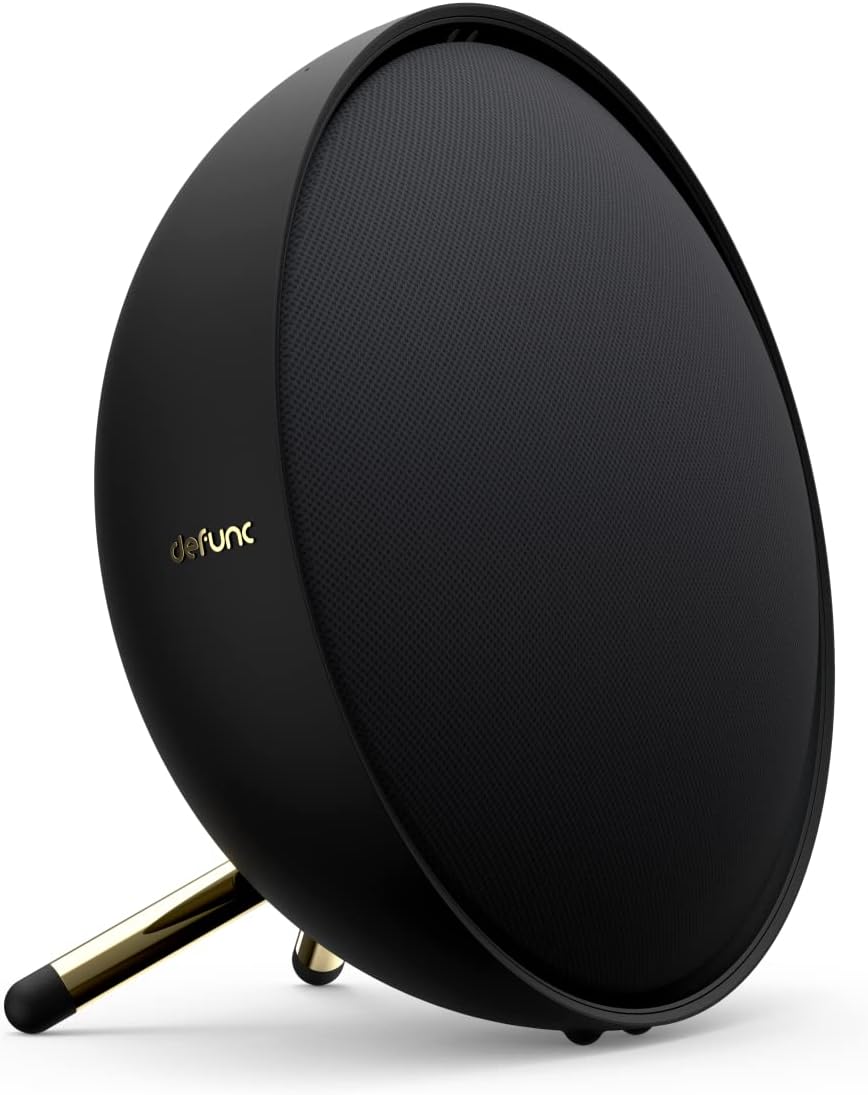
Image: Defunc Home speaker with its stand.
2. חיבור חשמל
- Connect the power adapter to the DC input port on the back of the speaker.
- Plug the power adapter into a wall outlet. The speaker will power on automatically or enter standby mode.

תמונה: אחורי view of the Defunc Home speaker, highlighting connection ports.
3. Initial App Setup (Recommended)
- הורד את ה Defunc HOME אפליקציה מחנות האפליקציות של המכשיר שלך.
- Open the app and follow the on-screen instructions to connect your speaker to your Wi-Fi network. This step is crucial for multiroom functionality and smart assistant integration.
- During setup, you may be prompted to link your Alexa or Airplay2 accounts.
הוראות הפעלה
הפעלה/כיבוי
The speaker powers on when connected to an electrical outlet. To put it into standby mode or fully power off, use the Defunc HOME app or refer to the specific power button instructions if available on your model.
בקרת עוצמת הקול
- Via Defunc HOME App: Adjust the volume precisely within the application.
- Via Source Device: Control volume from your connected smartphone, tablet, or computer.
- On Speaker: Use the physical volume buttons located on the top of the speaker (if present).
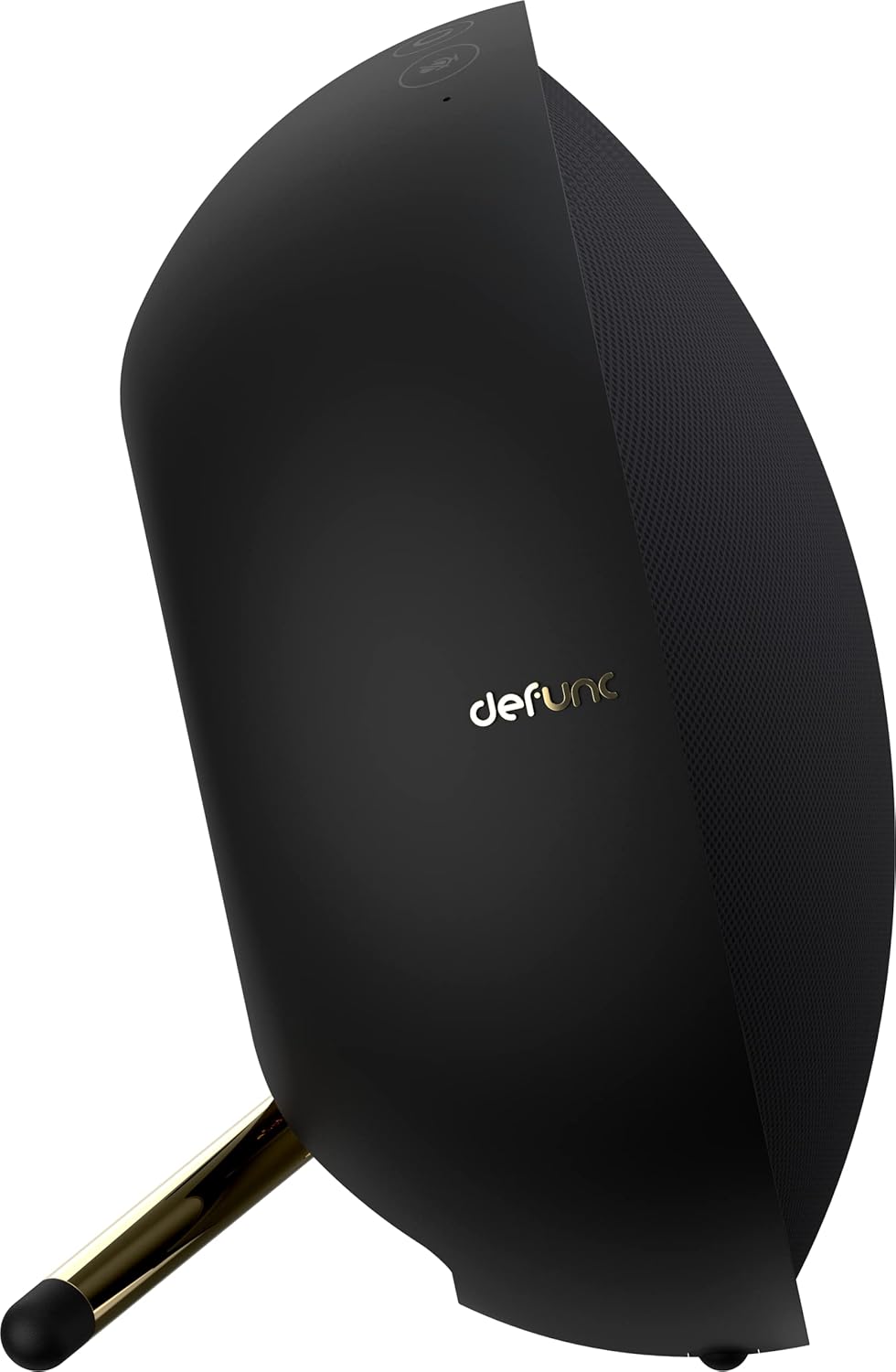
תמונה: למעלה view of the Defunc Home speaker, displaying control buttons.
בקרת השמעה
Playback (play, pause, skip tracks) can be controlled through the Defunc HOME app, your streaming application, or the physical controls on the speaker.
קישוריות
Wi-Fi Connection (Defunc HOME App)
For multiroom audio, Alexa, and Airplay2 functionality, connect your speaker to your home Wi-Fi network using the Defunc HOME app. This provides the most stable and feature-rich experience.
Bluetooth
- ודא שהרמקול מופעל.
- Press and hold the Bluetooth pairing button on the speaker (refer to the diagram in the app or on the speaker for exact location) until the indicator light flashes, indicating pairing mode.
- On your device (smartphone, tablet), go to Bluetooth settings and select "Defunc Home" from the list of available devices.
- לאחר הצימוד, נורית החיווי תידלק באופן קבוע.
חיבור AUX IN
Connect an external audio source (e.g., MP3 player, CD player) to the AUX IN port on the speaker using a 3.5mm audio cable. The speaker will automatically switch to AUX mode or you may need to select it via the app or speaker controls.
Defunc HOME App Functionality
The Defunc HOME app is central to managing your speaker system. It allows you to:
- Multiroom Control: Group up to 32 speakers for synchronized audio or assign different audio to individual speakers.
- הגדרות אקולייזר: Customize audio profiles כדי להתאים להעדפות שלך.
- מצב סטריאו/מונו: Switch between stereo and mono playback for individual speakers or grouped pairs.
- בחירת מקור: Easily switch between Wi-Fi, Bluetooth, and AUX input.
- עדכוני קושחה: Receive and install updates to enhance speaker performance and features.
- שילוב עוזר חכם: Manage Alexa and Airplay2 settings.
תַחזוּקָה
ניקוי
Wipe the speaker's exterior with a soft, dry cloth. Do not use liquid cleaners or abrasive materials, as these can damage the finish. Ensure the speaker is unplugged before cleaning.
אִחסוּן
כאשר הרמקול אינו בשימוש למשך תקופות ממושכות, יש לאחסן אותו במקום קריר ויבש, הרחק מאור שמש ישיר וטמפרטורות קיצוניות.
פתרון בעיות
| בְּעָיָה | סיבה אפשרית | פִּתָרוֹן |
|---|---|---|
| אין כוח | כבל חשמל לא מחובר; שקע לא פעיל. | Ensure power cable is securely connected to speaker and a working electrical outlet. |
| אין סאונד | Volume too low; incorrect input source; device not paired/connected. | Increase volume. Check selected input source (Wi-Fi, Bluetooth, AUX). Re-pair Bluetooth device or check Wi-Fi connection in app. |
| ניתוק Bluetooth | Device out of range; interference. | Move device closer to speaker. Avoid obstacles. Re-pair if necessary. |
| בעיות קישוריות Wi-Fi | Incorrect Wi-Fi password; router issues; speaker too far from router. | Verify Wi-Fi password in the Defunc HOME app. Restart your router. Move speaker closer to router. |
| Alexa/Airplay2 Not Responding | Not properly linked; network issues. | Check account linking in the Defunc HOME app. Ensure stable Wi-Fi connection. |
מפרטים
| תכונה | פְּרָט |
|---|---|
| מותג | הושבת |
| מספר דגם | D2072 |
| מידות המוצר | 8.5D x 20W x 20H סנטימטרים |
| משקל פריט | 2 קילוגרם |
| צֶבַע | שָׁחוֹר |
| טכנולוגיית קישוריות | בלוטות ', Wi-Fi |
| טכנולוגיית תקשורת אלחוטית | Wi-Fi |
| כוח פלט רמקול | 40 Watts (for this model) |
| תגובת תדר | 20 גיגה-הרץ |
| מצב פלט שמע | סטריאו |
| שיטת בקרה | בַּקָשָׁה |
| מכשירים תואמים | סמארטפון |
| שימושים מומלצים | אודיו ביתי |
| מקור כוח | חשמלי עם כבלים |
| חוֹמֶר | פּלָסטִי |
| תכונות מיוחדות | Bluetooth, Multi-room capability, Alexa, Airplay2 |
אחריות ותמיכה
מידע על אחריות
Your Defunc Home speaker comes with a standard manufacturer's warranty. Please refer to the included Warranty Card for specific terms, conditions, and duration of coverage. Keep your proof of purchase for warranty claims.
תמיכת לקוחות
For technical assistance, troubleshooting beyond this manual, or warranty inquiries, please visit the official Defunc website or contact their customer support. Contact details can typically be found on the warranty card or the Defunc webאֲתַר.