1. הקדמה
Thank you for choosing the MAXTOP T5 Smartwatch. This device is designed to help you monitor your health and fitness activities, receive notifications, and manage various daily functions. Please read this manual carefully to ensure proper use and optimal performance.

Image: The MAXTOP T5 Smartwatch in use during a run, highlighting its fitness and health tracking capabilities.
2. תכולת החבילה
ודא שכל הפריטים נמצאים בחבילה:
- MAXTOP T5 Smartwatch Head
- רצועת שעון
- כבל טעינה מגנטי
- מדריך למשתמש
3. התקנה ושימוש ראשוני
3.1. טעינת השעון החכם
Before first use, fully charge the smartwatch.
- חברו את כבל הטעינה המגנטי לנקודות הטעינה בגב השעון החכם.
- Connect the USB end of the cable to a standard USB power adapter (5V/1A recommended) or a computer's USB port.
- תצוגת השעון תציג את מצב הטעינה. טעינה מלאה אורכת בדרך כלל כשעתיים.
פֶּתֶק: The battery life is approximately 3 to 5 days with normal use and up to 7 days in standby mode. Actual battery life may vary based on usage.
3.2. התקנה וצימוד של אפליקציה
To access all features and synchronize data, download and install the companion app on your smartphone.
- Scan the QR code in the manual or search for "MAXTOP" or "H BAND" in your smartphone's app store (Google Play Store for Android, Apple App Store for iOS).
- הורד והתקן את האפליקציה.
- ודא שה-Bluetooth מופעל בטלפון החכם שלך.
- Open the app and follow the on-screen instructions to create an account and pair your MAXTOP T5 Smartwatch.
- During pairing, select "T5" from the list of available devices.
תְאִימוּת: Requires iOS 9.0 or higher, or Android 6.0 or higher.
4. הפעלת השעון החכם
4.1. ניווט בסיסי
- מסך מגע: החלק שמאלה/ימינה, למעלה/למטה כדי לנווט בין תפריטים ופונקציות. הקש כדי לבחור.
- כפתור צד: לחץ כדי לחזור למסך הבית או להעיר את המכשיר.

Image: The MAXTOP T5 Smartwatch showing its main display with time, steps, distance, and calories.
4.2. מעקב כושר
The smartwatch tracks various fitness metrics throughout the day.
- מונה צעדים: Automatically records your daily steps.
- מֶרְחָק: מחשב את המרחק שעברת בהתבסס על הצעדים שלך.
- קלוריות שנשרפו: מעריך את צריכת הקלוריות.

Image: A visual representation of the smartwatch's 24-hour tracking feature, showing steps, distance, and calorie data.
4.3. מצבי ספורט
The smartwatch offers 10 exercise modes to track specific workouts.
- Access the "Sports" menu on the watch.
- Select your desired activity (e.g., Running, Walking, Cycling).
- The watch will record duration, distance, and calories for the selected activity.

Image: A man running, with icons representing the 10 available sports modes on the MAXTOP T5 Smartwatch.

Image: A man exercising with weights, illustrating the 10 sports modes available on the smartwatch.
4.4. ניטור בריאות
The smartwatch provides continuous monitoring of key health metrics.
- מד דופק: Measures your heart rate in real-time. Access this function from the watch menu or view נתונים באפליקציה.
- מוניטור לחץ דם: Provides blood pressure readings. For medical accuracy, consult a professional medical device.
- מעקב שינה: מנטר את דפוסי השינה שלך, כולל שינה עמוקה, שינה קלה ושעת ערות. View detailed analysis in the app to adjust sleep habits.
- מעקב אחר המחזור החודשי: For female users, the app can track and predict menstrual cycles.

Image: A man sleeping, with the smartwatch displaying heart rate and icons indicating deep sleep, light sleep, and awake time tracking.

Image: The smartwatch screen showing sleep data, including duration and quality.

Image: The smartwatch displaying a heart rate reading.

Image: The smartwatch displaying a blood pressure reading.

Image: A woman wearing the smartwatch, with an overlay showing the menstrual period management feature.
4.5. הודעות
Receive call and message notifications directly on your smartwatch when paired with your phone.
- שיחות נכנסות: The watch will vibrate and display caller ID. You can reject calls from the watch.
- התראות הודעה: Receive notifications from SMS, Facebook, WhatsApp, Twitter, Instagram, LinkedIn, etc.
חָשׁוּב: The smartwatch cannot answer calls or reply to messages.
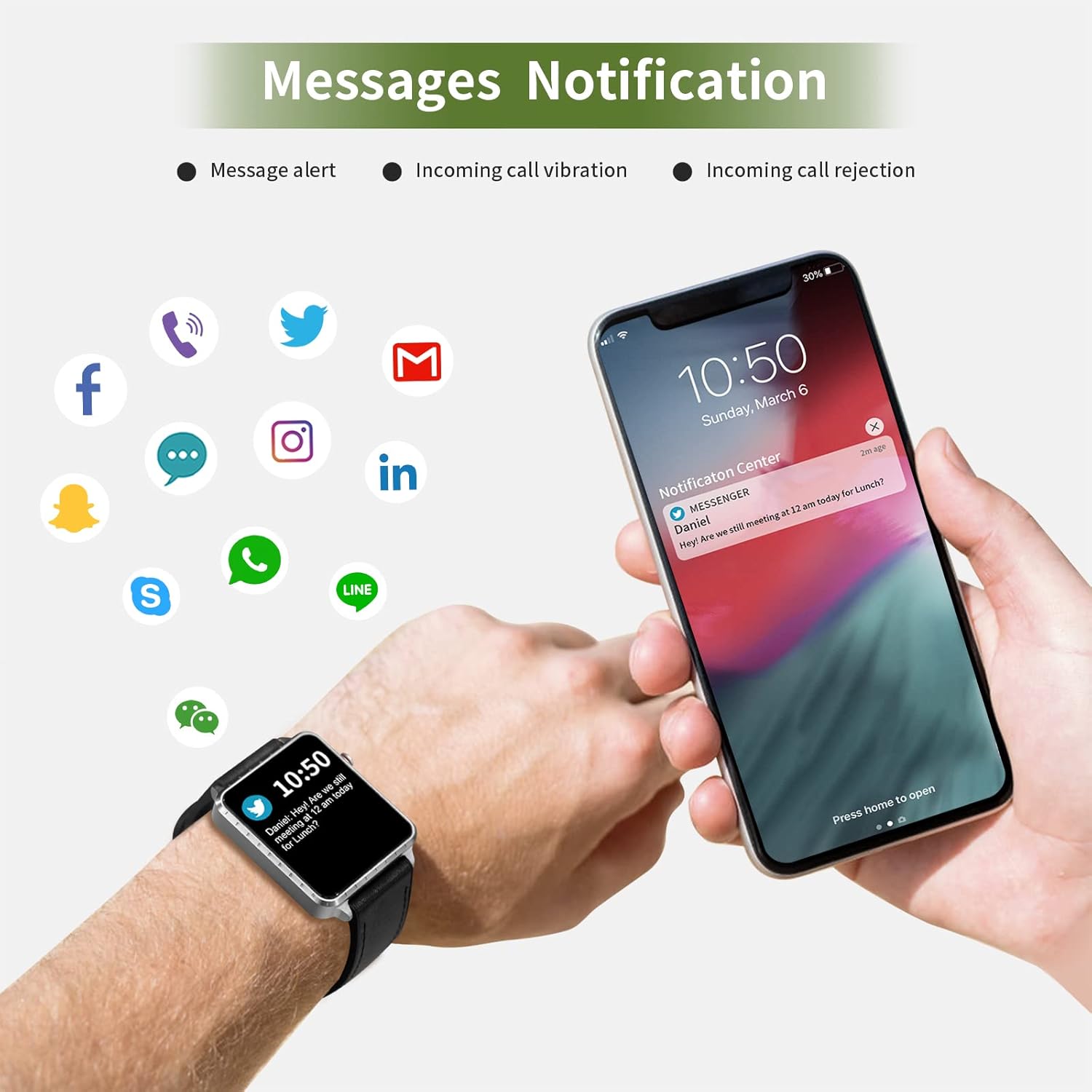
Image: The smartwatch and a smartphone displaying message notifications from social media and communication apps.

Image: The smartwatch screen showing icons for various social media and communication app notifications.
4.6. תכונות נוספות
- בקרת מוזיקה: שלטו בהשמעת מוזיקה בטלפון החכם שלכם (הפעלה, השהיה, דילוג על רצועות) ישירות מהשעון.
- שלט רחוק למצלמה: השתמשו בשעון כמצמד מרחוק למצלמת הסמארטפון שלכם.
- שעון מעורר: הגדירו התראות דרך האפליקציה, והשעון ירטוט כדי להתריע בפניכם.
- שעון עצר/טיימר: פונקציות בסיסיות של מדידת זמן.
- מצא טלפון: אתר את הסמארטפון המשויך שלך על ידי הפעלת צליל התראה מהשעון.
- תזכורת בישיבה: The app can remind you to move if you've been inactive for too long.
- פני שעונים הניתנים להתאמה אישית: Choose from various watch faces via the app.

Image: The smartwatch screen showing the camera icon, indicating its remote camera control function.

Image: The smartwatch screen showing music control icons (play, pause, skip).

Image: A collage of different watch faces available for the MAXTOP T5 Smartwatch.
5. תחזוקה
5.1. דירוג עמידות למים (IP68)
The MAXTOP T5 Smartwatch is IP68 waterproof, meaning it is dust-tight and protected against continuous immersion in water up to 1.5 meters for a maximum of 30 minutes.
- You can wear the watch while washing hands, running in the rain, or swimming in shallow water.
- אל תעשה immerse the watch in seawater, hot water, or use it in hot springs or saunas.
- Avoid exposing the watch to high-pressure water jets.
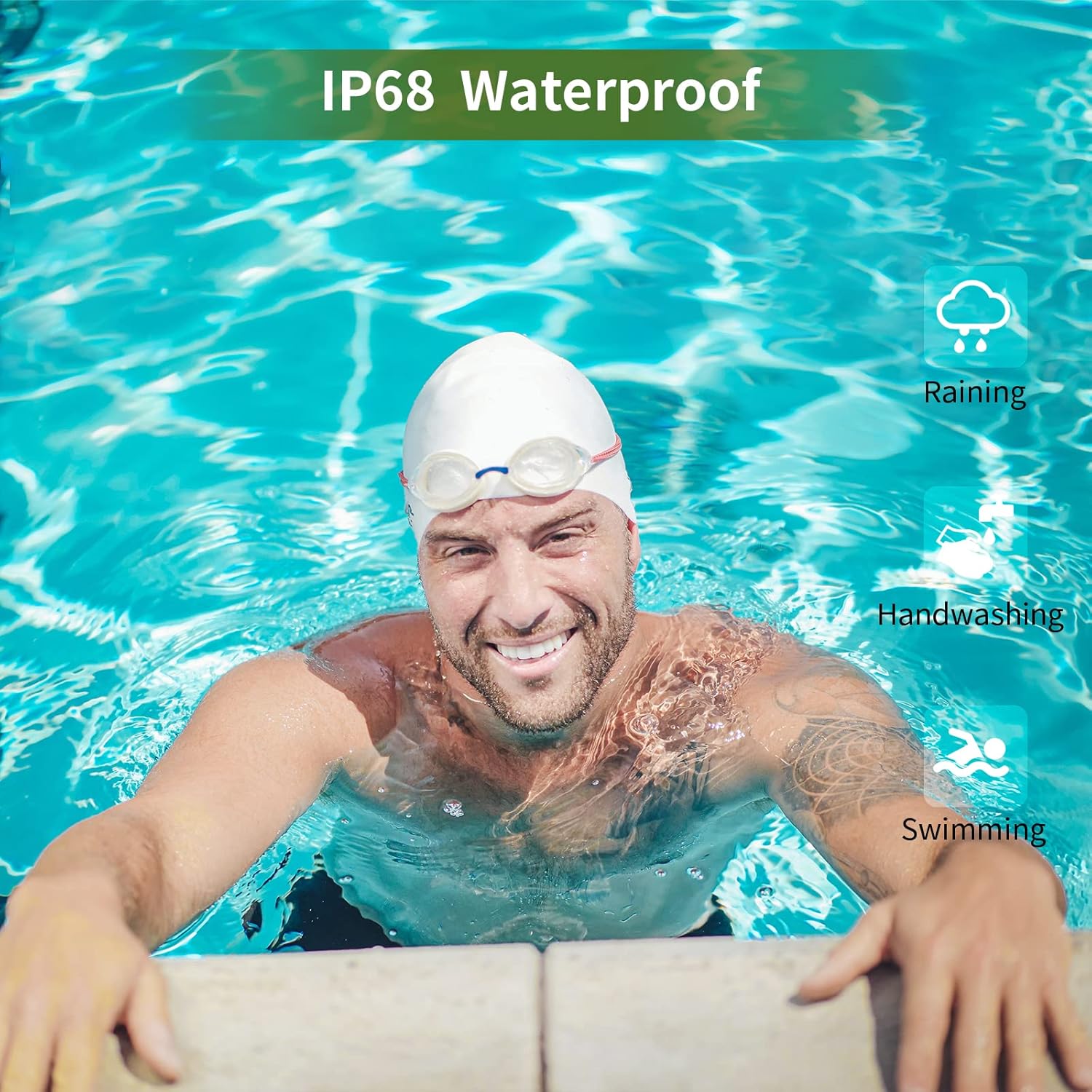
Image: A man swimming, demonstrating the IP68 waterproof capability of the MAXTOP T5 Smartwatch.

Image: The smartwatch with water droplets, visually confirming its IP68 waterproof rating.
5.2. ניקיון
נגבו את השעון והרצועה באופן קבוע בעזרת מטלית רכה ויבשה. במידת הצורך, השתמשו במטלית רכה קלות.amp cloth and dry thoroughly. Avoid harsh chemicals.
6. פתרון תקלות
- שעון לא נדלק: ודא שהשעון טעון במלואו. חבר אותו למטען למשך 10 דקות לפחות.
- לא ניתן להתאים לסמארטפון:
- ודא שה-Bluetooth מופעל בטלפון שלך.
- ודא שהשעון נמצא בטווח Bluetooth (בדרך כלל 10 מטרים).
- הפעל מחדש גם את השעון וגם את הטלפון החכם שלך.
- בדוק אם האפליקציה מעודכנת לגרסה העדכנית ביותר.
- אם בוצעה התאמה בעבר, נסה לנתק את ההתאמה מהגדרות ה-Bluetooth של הטלפון שלך ולבצע התאמה מחדש דרך האפליקציה.
- נתוני בריאות לא מדויקים:
- ודאו שהשעון צמוד לפרק כף היד, לא הדוק מדי או רפוי מדי.
- הימנעו מתנועה מוגזמת במהלך המדידות.
- Environmental factors can affect readings. For medical accuracy, consult a professional medical device.
- התראות שלא התקבלו:
- Check app permissions on your smartphone to ensure the app has access to notifications.
- Verify that notification settings are enabled within the MAXTOP/H BAND app.
- ודא שהשעון מחובר דרך בלוטות'.
- חיי סוללה קצרים:
- Frequent use of features like continuous heart rate monitoring, bright screen, and numerous notifications can reduce battery life.
- Reduce screen brightness and notification frequency if extended battery life is desired.
7. מפרטים

Image: Detailed physical dimensions of the MAXTOP T5 Smartwatch, including watch face and strap measurements.
| תכונה | פְּרָט |
|---|---|
| מותג | MAXTOP |
| דֶגֶם | T5 |
| גודל מסך | 1.54 אינץ' |
| מידות | 4.5 x 3.8 x 1 ס"מ |
| מִשׁקָל | 250 גרם |
| דירוג עמיד למים | IP68 |
| קישוריות | בלוטות' |
| מַעֲרֶכֶת הַפעָלָה | iOS (9.0 and above), Android (6.0 and above) |
| סוג סוללה | ליתיום פולימר |
| זמן טעינה | כ. 2 שעות |
| חיי סוללה (שימוש אופייני) | 3-5 ימים |
| חיי סוללה (המתנה) | עד 7 ימים |
| רכיבים כלולים | Watch head, strap, magnetic charging cable, manual |
8. אחריות ותמיכה
For warranty information and customer support, please refer to the warranty card included in your package or visit the official MAXTOP webאֲתַר.
כתב ויתור: The health monitoring features of this device are for general wellness and fitness purposes only and are not intended for medical diagnosis, treatment, or prevention of any disease. Always consult a medical professional for health-related concerns.


