1. המוצר נגמרview
These SUPVAN KATASYMBOL thermal labels are designed for use with SUPVAN E10, E11, and E16 label printers. They feature a self-adhesive backing and utilize thermal printing technology, eliminating the need for ink or toner. This specific product is a 15 mm x 6 m roll with a charming hearts pattern.
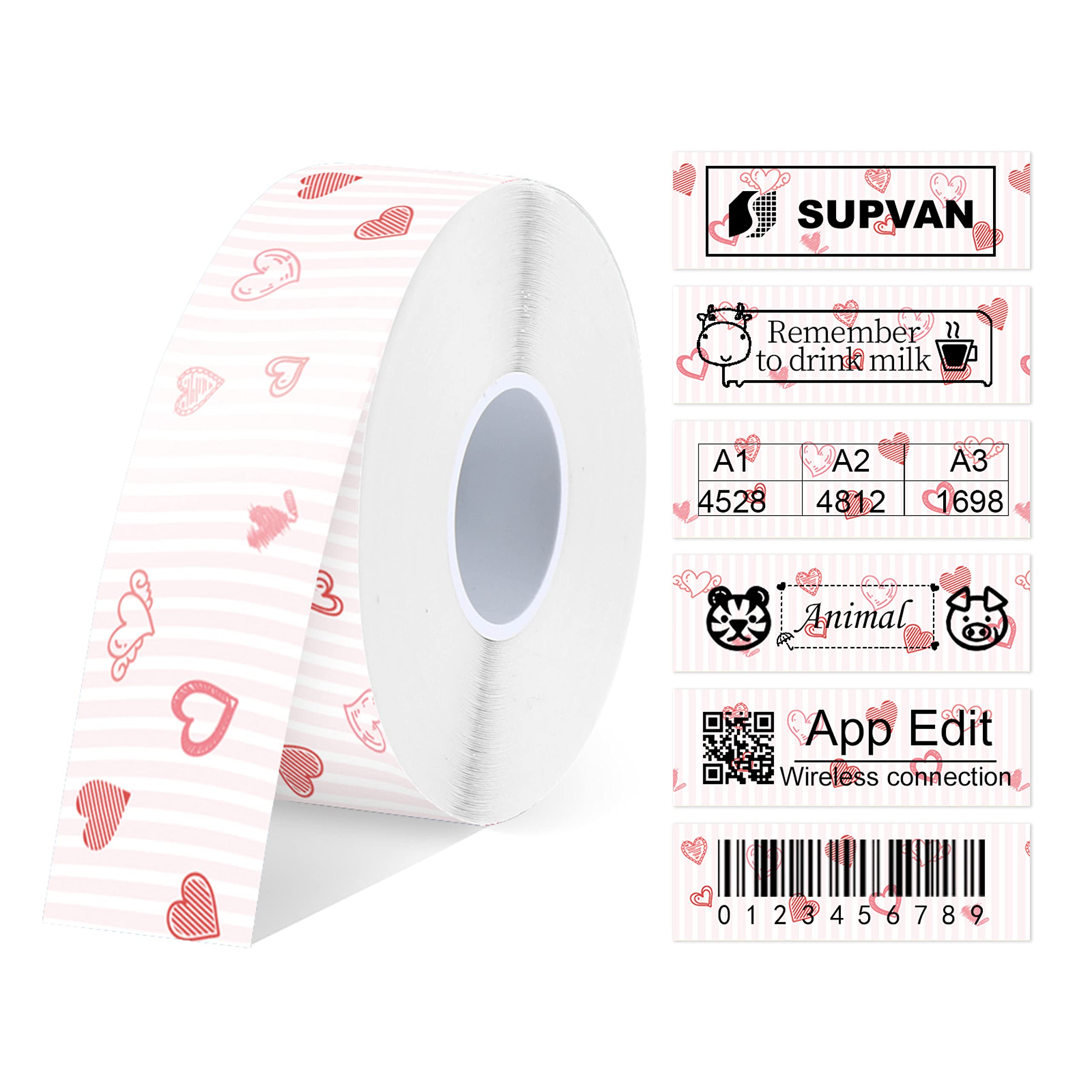
A roll of SUPVAN thermal labels with a heart pattern, alongside examples of printed labels demonstrating various uses like branding, reminders, numbering, icons, app editing, and barcodes.
2. תכונות עיקריות
- תְאִימוּת: Designed for SUPVAN E10, E11, and E16 label makers. This roll measures 15 mm x 6 m and features a hearts pattern.
- עֲמִידוּת: Constructed with a multi-layer synthetic design, these labels offer a lifespan of over 5 years. They are waterproof, oil-proof, possess high adhesive strength, and resist both high and low temperatures.
- יישומים מגוונים: Suitable for a wide range of uses in home, office, and school environments. They meet applicable baby product standards, making them safe for labeling food, cosmetics, and various household items.
- Cost-Effective and High Quality: Utilizing thermal printing technology, these labels require no ink or toner, leading to cost savings while providing clear and crisp print clarity.
- קלות שימוש: The "Katasymbol" application automatically identifies the label type and size. It offers access to over 600 templates, 35 fonts, and more than 1000 icons for customization. Note: Do not remove the smart chip sticker on the back of the label roll, as the application requires it for proper identification.

A visual representation of the labels' durability, highlighting their resistance to water, oil, low temperatures, and scratches, ensuring longevity and reliability.
3. תאימות
These thermal labels are specifically designed to be compatible with the following SUPVAN label printers:
- מדפסת תוויות SUPVAN E10
- מדפסת תוויות SUPVAN E11
- מדפסת תוויות SUPVAN E16

An image displaying several SUPVAN E10, E11, and E16 label printers in different colors, alongside various rolls of compatible labels, illustrating the range of compatible devices.
4. התקנה והתקנה
4.1. Loading the Label Roll
Follow these steps to correctly load the label roll into your SUPVAN label printer:
- Open the label compartment of your SUPVAN E10/E11/E16 label printer.
- Insert the label roll into the compartment, ensuring the printing surface faces the print head.
- Feed the leading edge of the label tape through the printer's output slot.
- סגור היטב את תא התוויות.
- חָשׁוּב: Ensure the smart chip sticker on the back of the label roll is not removed, as the "Katasymbol" application uses it for automatic identification of label type and size.

An image illustrating the dimensions of the label roll, indicating it is 15 mm wide and 6 meters long, emphasizing its continuous label format.
5. הוראות הפעלה
5.1. Using the Katasymbol Application
The "Katasymbol" application is essential for designing and printing your labels. Follow these steps to operate your label printer with the app:
- Download and install the "Katasymbol" application on your smartphone or tablet from your device's app store.
- Ensure your SUPVAN label printer is powered on and successfully connected to your device via Bluetooth.
- Open the "Katasymbol" app. The app should automatically detect the label type and size from the installed roll.
- Select a template from the extensive library of over 600 available options.
- Customize your label design using the app's features, including adding text (choose from 35 fonts), incorporating icons (over 1000 available), and integrating graphics.
- מִרֹאשׁview your label design to ensure it meets your requirements.
- Initiate printing directly from the application.
For more detailed app-specific instructions, refer to the "Katasymbol" application's in-app help section or the digital manual provided with your label printer.

The Katasymbol application interface, demonstrating various customization options for labels, including text, barcodes, graphics, frames, dates, and QR codes.
6. יישומים
These versatile thermal labels are suitable for a wide range of organizational and identification needs across various environments.
6.1. Home Organization
- Labeling storage bins for toys, clothes, or general household items.
- Organizing kitchen pantry items, spices, and food containers.
- Identifying personal belongings to prevent mix-ups.

Examples of labels used for domestic organization, such as categorizing family items in storage bins, organizing kitchen ingredients, and general household labeling.
6.2. Office and School Use
- תִיוּג files, folders, and documents for efficient archiving and retrieval.
- Organizing office supplies and equipment.
- Personalizing school supplies, books, and lunchboxes for students.
- Creating temporary signs or notices.

Labels applied to various school items such as notebooks, water bottles, and lunchboxes, demonstrating their utility in educational environments.

Labels used in an office setting for organizing files, binders, and various desk items, showcasing their effectiveness in professional environments.
7. תחזוקה וטיפול
Proper care and maintenance will ensure the longevity and optimal performance of your SUPVAN thermal labels:
- Store label rolls in a cool, dry place away from direct sunlight to preserve adhesive quality and printability.
- Avoid exposing labels to extreme temperatures or high humidity, which can affect their performance.
- Do not touch the printing surface of the labels unnecessarily to prevent smudges or damage to the thermal coating.
- Ensure the label printer's print head is clean for optimal print quality. Refer to your printer's manual for specific cleaning instructions.
The labels are designed to be waterproof and oil-proof, allowing for easy cleaning of labeled items without compromising the label's integrity.
8. פתרון תקלות
8.1. בעיות נפוצות ופתרונות
- Poor Print Quality / Faded Text
- Ensure the label roll is correctly inserted with the printing surface facing the print head. Check if the printer's print head is clean. Verify that the "Katasymbol" app settings are correct for the label type.
- Labels Not Detected by App
- Confirm that the smart chip sticker on the back of the label roll has not been removed. Ensure the label printer is properly connected via Bluetooth and the app is updated to the latest version.
- Labels Not Sticking Properly
- Ensure the surface where the label is applied is clean, dry, and smooth. Avoid applying labels to heavily textured or oily surfaces. The labels are designed for high adhesive strength, but surface conditions are crucial.
- Labels Jamming in Printer
- Check for any obstructions in the label path. Ensure the label roll is not too tight or loose in the compartment. Make sure the label roll is compatible with your specific printer model.
For further assistance, please refer to the SUPVAN official webאתר או צור קשר עם תמיכת הלקוחות.
9. מפרטים
| תְכוּנָה | עֵרֶך |
|---|---|
| מותג | SUPVAN |
| מספר דגם | BFE15*6m |
| מידות תווית | 15 מ"מ x 6 מ' |
| סוג חומר | Paper (Thermal) |
| צבע/דוגמה | לבבות |
| סוג דבק | דבק עצמי |
| תכונות עמידות | Waterproof, Oil-proof, High/Low Temperature Resistance |
| תְאִימוּת | SUPVAN E10, E11, E16 Label Printers |
| משקל פריט | 17 גרם |
| מידות המוצר (L x W x H) | 4.98 x 1.5 x 4.98 ס"מ |
הערה: המפרט נתון לשינויים ללא הודעה מוקדמת.
10. אחריות ותמיכה
For information regarding product warranty, returns, or technical support, please visit the official SUPVAN webאתר או צרו קשר עם מחלקת שירות הלקוחות שלהם. שמרו את קבלת הרכישה כהוכחת קנייה.
Official SUPVAN Webאֲתַר: www.supvan.com


