1. הקדמה
This manual provides essential information for setting up, operating, maintaining, and troubleshooting your HP Pavilion 15 Laptop. Designed for everyday computing, this laptop features an 11th Gen Intel Core i3-1115G4 Processor, 16 GB RAM, and a 512 GB PCIe SSD, running on Windows 10. Please read this manual thoroughly to ensure optimal performance and longevity of your device.

איור 1.1: The HP Pavilion 15 Laptop in a typical usage environment, demonstrating its compact design suitable for various settings.
2. התקנה
2.1 פתיחת הקופסה ובדיקה ראשונית
הוצא בזהירות את כל הרכיבים מהאריזה. ודא שכל הפריטים המפורטים להלן קיימים ולא ניזוקו.

איור 2.1: Contents of the box, including the HP 15 Laptop, 45 W Smart AC power adapter, and setup poster. The image also details the laptop's dimensions and port locations.
- מחשב נייד HP 15
- מתאם מתח חכם AC 45 W
- פוסטר התקנה
2.2 חיבור ספק הכוח
Connect the AC power adapter to the laptop's power port and then plug it into a wall outlet. It is recommended to fully charge the battery before initial use.
2.3 הפעלה ראשונית והגדרת מערכת הפעלה
לחץ על לחצן ההפעלה כדי להפעיל את המחשב הנייד. פעל לפי ההוראות שעל המסך כדי להשלים את הגדרת Windows 10 Home, כולל בחירת שפה, חיבור רשת ויצירת חשבון משתמש.
3. הפעלת המחשב הנייד
3.1 מקלדת ומשטח מגע
The HP Pavilion 15 features a full-size keyboard with an integrated numeric keypad for efficient data entry. The touchpad supports multi-touch gestures for navigation.
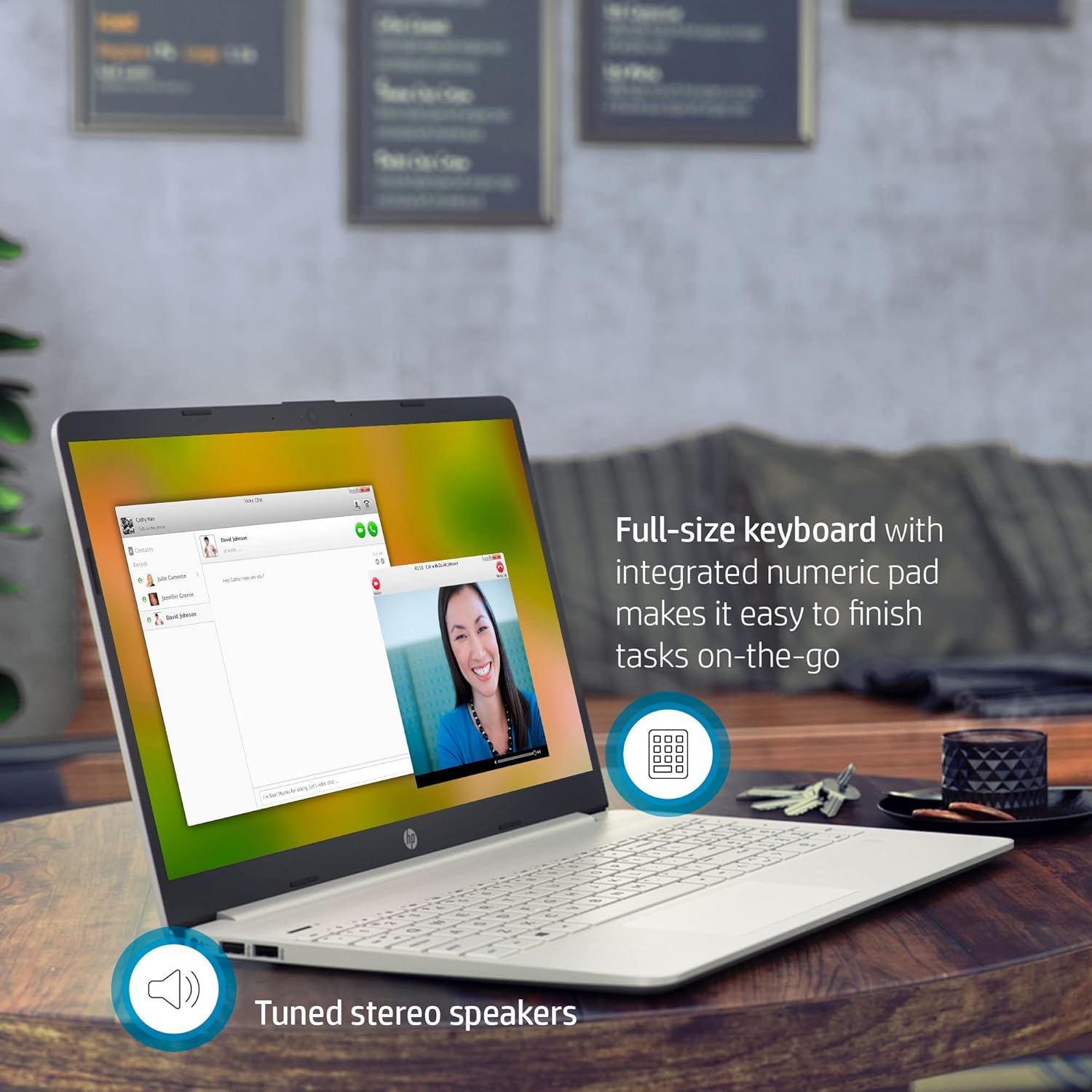
איור 3.1: The HP Pavilion 15 Laptop showcasing its full-size keyboard with numeric pad and the location of the tuned stereo speakers.
3.2 חיבור התקנים חיצוניים (יציאות)
המחשב הנייד שלך מצויד במגוון יציאות לחיבור התקנים חיצוניים:
- 1 SuperSpeed USB Type-C® 5Gbps signaling rate: להעברת נתונים במהירות גבוהה וחיבור התקני USB-C תואמים.
- 2 SuperSpeed USB Type-A 5Gbps signaling rate: לחיבור התקני USB סטנדרטיים כמו עכברים, מקלדות או כוננים חיצוניים.
- 1 HDMI 1.4b: לחיבור לצגים חיצוניים או מקרנים.
- 1 AC smart pin: לחיבור מתאם החשמל.
- 1 Headphone/microphone combo: עבור קלט ופלט שמע.
- Multi-format SD media card reader: לקריאת כרטיסי זיכרון SD.
3.3 קישוריות אלחוטית
The laptop supports Intel Wireless Wi-Fi for internet access and Bluetooth for connecting wireless peripherals.
- Wi-Fi: Access network settings in Windows to connect to available Wi-Fi networks.
- בלוטות': Enable Bluetooth in Windows settings to pair with devices such as headphones or speakers.
3.4 מצלמה ואודיו
The HP Pavilion 15 includes an HP True Vision Camera with a dual array digital microphone, ideal for video conferencing and online communication. Tuned stereo speakers provide clear audio output.

איור 3.2: The HP Pavilion 15 Laptop in use for a video call, demonstrating the HP True Vision Camera and the edge-to-edge HD micro-edge display.
3.5 ניהול סוללה
The laptop is designed to provide up to 11 hours of battery life under optimal conditions. To maximize battery longevity:
- כוונן את בהירות המסך לרמה נוחה.
- סגור יישומים שאינם בשימוש.
- Utilize Windows power-saving modes.
- הימנע מטמפרטורות קיצוניות.
4. תחזוקה
4.1 ניקוי המחשב הנייד
- השתמש במטלית רכה נטולת מוך מעט דampנשטפו במים או בחומר ניקוי למסך.
- עבור המקלדת והמארז, השתמשו במטלית רכה. הימנעו מכימיקלים חזקים.
- Periodically use compressed air to clear dust from vents.
4.2 עדכוני תוכנה
Regularly update your Windows operating system and drivers to ensure security and optimal performance. Access Windows Update through the Settings menu.
4.3 ניהול אחסון
מעת לעת מחדשview ולמחוק מיותר files to maintain sufficient free space on your 512 GB PCIe SSD, which contributes to faster system performance.
5. פתרון תקלות
5.1 בעיות ופתרונות נפוצים
- המחשב הנייד לא נדלק: ודא שמתאם החשמל מחובר היטב ושהסוללה טעונה מספיק. נסה שקע חשמל אחר.
- אין תצוגה: חבר צג חיצוני כדי לבדוק אם הבעיה היא במסך המחשב הנייד. הפעל מחדש את המחשב הנייד.
- בעיות קישוריות Wi-Fi: בדוק אם ה-Wi-Fi מופעל בהגדרות Windows. הפעל מחדש את הנתב ואת המחשב הנייד.
- ביצועים איטיים: סגור יישומים מיותרים, בדוק אם יש תוכנות זדוניות וודא שיש מספיק מקום אחסון פנוי.
לפתרון בעיות מפורט יותר, עיין בתמיכה של HP website or the Windows Help documentation.
6. מפרטים
| תכונה | פְּרָט |
|---|---|
| שם הדגם | HP Pavilion 15 |
| מעבד | אינטל Core i3-1115G4 מדור 11 (עד 4.1 גיגה-הרץ) |
| גרָפִיקָה | כרטיס גרפי אינטל UHD (משולב) |
| אַיִל | 16 GB DDR4 SDRAM |
| אִחסוּן | כונן מצב מוצק PCIe NVMe M.2 בנפח 512 ג'יגה-בייט |
| לְהַצִיג | 15.6-inch HD (1366 x 768) Micro-Edge, Anti-Glare |
| מַעֲרֶכֶת הַפעָלָה | Windows 10 Home (64 סיביות) |
| נמלים | 1x SuperSpeed USB Type-C, 2x SuperSpeed USB Type-A, 1x HDMI 1.4b, 1x AC Smart Pin, 1x Headphone/Mic Combo, Multi-format SD Card Reader |
| קישוריות אלחוטית | Intel Wireless Wi-Fi, Bluetooth |
| מַצלֵמָה | HP True Vision Camera with dual array digital microphone |
| שֶׁמַע | High Definition Audio, Tuned stereo speakers |
| חיי סוללה | עד 11 שעות (ממוצע) |
| מידות (LxWxH) | 14.11 x 9.53 x 0.71 אינץ' (35.84 x 24.21 x 1.80 ס"מ) |
| מִשׁקָל | 3.72 פאונד (1.69 ק"ג) |
| צֶבַע | כסף טבעי |
7. מידע על אחריות
Your HP Pavilion 15 Laptop is covered by a standard manufacturer's warranty. Specific warranty terms and conditions may vary by region and purchase date. Please refer to the warranty documentation included with your product or visit the official HP support website for detailed information regarding your warranty coverage, including duration and service options.
8. תמיכת לקוחות
לקבלת סיוע טכני, הורדות מנהלי התקנים או תמיכה נוספת, אנא בקרו באתר התמיכה הרשמי של HP webאתר. תוכלו למצוא שם גם שאלות נפוצות ופורומים קהילתיים.
- תמיכה של HP Webאֲתַר: support.hp.com
- תיעוד מקוון: Access additional manuals and guides specific to your model.