מָבוֹא
תודה על הרכישהasing the Fenton FT210LED Party Speaker. This manual provides essential information for the safe and correct operation of your device. Please read it thoroughly before use and retain it for future reference.
The FT210LED is a versatile portable party speaker designed for various audio needs, featuring Bluetooth connectivity, a built-in MP3 player, AUX input, and a microphone for karaoke. Its integrated battery and trolley system ensure portability, while colorful LED lighting enhances the atmosphere.
הוראות בטיחות חשובות
- קרא בעיון את כל ההוראות לפני הפעלת המכשיר.
- שמור מדריך זה לעיון עתידי.
- אין לחשוף את המכשיר לגשם או לחות כדי למנוע שריפה או התחשמלות.
- ודא את אספקת החשמל כרךtage תואם לדרישות שצוינו על היחידה.
- אל תפתח את ה-casinז. אין חלקים בפנים הניתנים לתיקון על ידי המשתמש. יש לפנות לכל טיפול וטיפול באנשי מקצוע מוסמכים.
- הימנע מהצבת היחידה ליד מקורות חום או באור שמש ישיר.
- נקה רק עם מטלית יבשה.
- אין לחסום פתחי אוורור.
- השתמש רק בתוספות/אביזרים שצוינו על ידי היצרן.
- Disconnect the unit during lightning storms or when unused for long periods.
תוכן החבילה
בעת פירוק האריזה, ודאו שכל הפריטים המפורטים להלן נמצאים ובמצב תקין:
- Fenton FT210LED Party Speaker
- מיקרופון קווי
- שְׁלַט רָחוֹק
- כבל חשמל
- מדריך למשתמש (מסמך זה)

איור 1: The Fenton FT210LED speaker shown with its accompanying remote control, power cable, and wired microphone.
הגדרה
1. טעינת הסוללה
The FT210LED features an integrated rechargeable battery for portable use. Before first use, fully charge the speaker.
- Connect the provided power cable to the speaker's power input and a suitable wall outlet (230V / 50Hz).
- נורית חיווי הטעינה תידלק.
- Allow several hours for a full charge. The indicator light may change or turn off when fully charged (refer to the specific behavior of your unit's indicator).
ניתן להפעיל את הרמקול בזמן טעינה.
2. מיקום הרמקול
The FT210LED is designed for portability and can be used in various locations. It features a trolley system for easy transport.
- Using the Trolley System: Extend the retractable handle and tilt the speaker to roll it on its integrated wheels.
- על חצובה: The speaker is equipped with a hat (pole mount) for placement on a standard speaker tripod (not included). Ensure the tripod is stable and rated for the speaker's weight (11.55 kg).

איור 2: The base of the speaker, illustrating the wheels, retractable handle, and the pole mount for tripod placement.
הוראות הפעלה
לוח הבקרה מעלview

איור 3: The main control panel located on the rear of the speaker, featuring media player controls, volume, tone adjustments, and input ports.

איור 4: א מפורט view of the input section and control knobs on the speaker's rear panel.
Familiarize yourself with the control panel (Figures 3 & 4) before operation. Key controls include:
- מתג הפעלה: מפעיל/מכבה את הרמקול.
- מתג אור: שולט על תאורת ה-LED.
- נגן מדיה: USB/MicroSD slots, display, and playback controls (Play/Pause, Next, Previous, Mode).
- ידית עוצמת הקול: כוונון עוצמת הקול הראשית הכוללת.
- כפתור טרבל: מכוון תדרים גבוהים.
- כפתור בס: מכוון תדרים נמוכים.
- כפתור עוצמת המיקרופון: מכוונן את עוצמת המיקרופון.
- ידית הד: כוונון אפקט ההד עבור המיקרופון.
- כניסת מיקרופון: 6.3mm jack for microphone connection.
- AUX In: שקע 3.5 מ"מ עבור התקני שמע חיצוניים.
- DC12V חיצוני: Input for external 12V power source (e.g., car battery, not for charging).
1. הפעלה / כיבוי
אתר את כּוֹחַ switch on the control panel and toggle it to the ON position to power on the speaker. Toggle to כבוי כדי לכבות.
2. חיבור Bluetooth
Stream audio wirelessly from your smartphone, tablet, or laptop.
- הפעל את הרמקול.
- הקש על MODE button on the control panel or remote control until "Bluetooth" or "BT" appears on the display. The speaker will enter pairing mode, indicated by a flashing Bluetooth icon or sound.
- במכשיר שלך, הפעל את Bluetooth וחפש מכשירים זמינים.
- Select "Fenton FT210LED" from the list.
- לאחר החיבור, הרמקול ישמיע צליל אישור, ומחוון ה-Bluetooth יפסיק להבהב.
- כעת ניתן להשמיע אודיו מהמכשיר דרך הרמקול.
3. ניגון USB/MicroSD
נגן אודיו MP3 files directly from a USB flash drive or MicroSD card.
- הכנס כונן הבזק מסוג USB לתוך USB port or a MicroSD card into the MICROSD חָרִיץ.
- The speaker will automatically switch to USB/MicroSD mode and begin playing audio. If not, press the MODE כפתור כדי לבחור את הקלט הנכון.
- Use the playback controls (PLAY/PAUSE, הַבָּא, קוֹדֵם) on the control panel or remote control to manage playback.
4. קלט AUX
חברו התקני שמע חיצוניים באמצעות כבל שמע 3.5 מ"מ.
- חבר קצה אחד של כבל שמע 3.5 מ"מ (לא כלול) ל- AUX IN יציאה ברמקול.
- Connect the other end to the headphone jack or audio output of your external device (e.g., MP3 player, TV).
- הקש על MODE לחצו על הכפתור עד להופעת "AUX" על הצג.
- Adjust the volume on both the speaker and your external device.
5. שימוש במיקרופון (קריוקי)
The speaker comes with a wired microphone for karaoke or public address.
- חבר את המיקרופון החוטי אל כניסת מיקרופון שקע בלוח הבקרה.
- Ensure the microphone's ON/OFF switch is in the ON מַצָב.
- כוונן את עוצמת הקול של המיקרופון באמצעות MIC VOL כַּפתוֹר.
- Apply an echo effect using the הֵד כַּפתוֹר.

איור 5: The wired microphone, model DM-100, with its power switch.
6. תאורת לד
The integrated colorful LED lights on the woofers can be turned on or off.
- אתר את אוֹר switch on the control panel.
- העבר את המתג ל ON to activate the LED lights.
- העבר את המתג ל כבוי to deactivate the LED lights.

איור 6: The speaker with its LED lights active, displaying blue and purple hues.

איור 7: זווית view of the speaker showcasing its dynamic green and blue LED lighting.
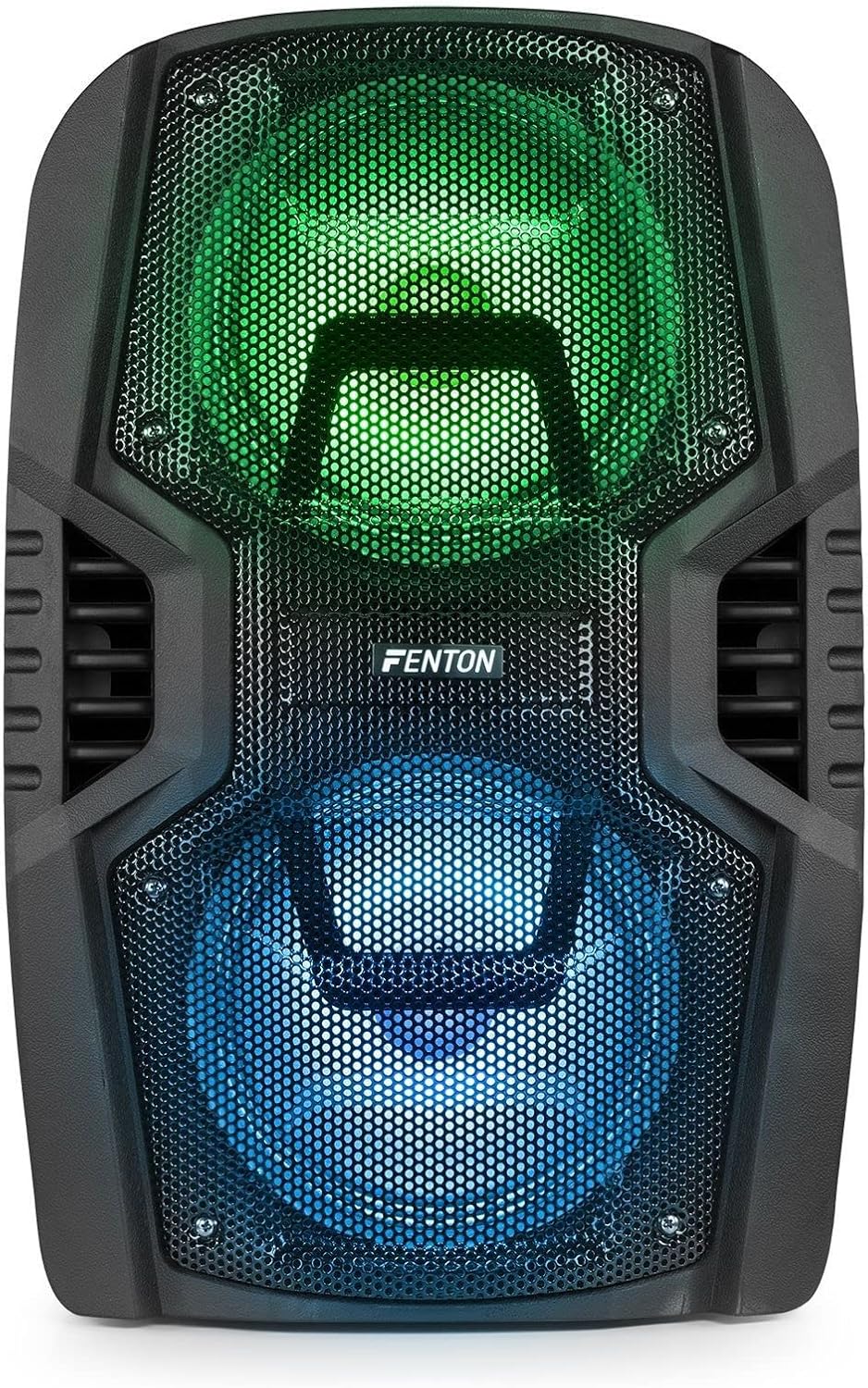
איור 8: The front of the speaker with its LED lights displaying vibrant green and blue colors.

איור 9: The speaker positioned in a room with low lighting, demonstrating the atmospheric effect of its blue LED lights.
תַחזוּקָה
- ניקוי: השתמשו במטלית רכה ויבשה לניקוי החלק החיצוני של הרמקול. אין להשתמש בחומרי ניקוי שוחקים, שעווה או ממסים.
- אִחסוּן: כאשר הרמקול אינו בשימוש למשך תקופות ממושכות, יש לאחסן אותו במקום קריר ויבש, הרחק מאור שמש ישיר וטמפרטורות קיצוניות.
- טיפול בסוללה: To prolong battery life, avoid fully discharging the battery frequently. Recharge the battery periodically if the speaker is stored for a long time.
- אוורור: ודאו שפתחי האוורור נקיים מאבק ופסולת כדי למנוע התחממות יתר.
פתרון בעיות
| בְּעָיָה | סיבה אפשרית | פִּתָרוֹן |
|---|---|---|
| אין כוח | Battery discharged; Power cable not connected; Power switch OFF. | Charge the battery; Connect power cable securely; Turn power switch ON. |
| אין קול | עוצמת קול נמוכה מדי; מצב קלט שגוי נבחר; המכשיר אינו מחובר כראוי. | Increase volume; Select correct input (Bluetooth, USB, AUX); Reconnect device. |
| בלוטות' לא מתאמת | Speaker not in pairing mode; Device Bluetooth OFF; Too far from speaker. | Ensure speaker is in BT mode; Enable Bluetooth on device; Move device closer (within 10m). |
| המיקרופון לא עובד | Microphone OFF; Mic Vol too low; Microphone not connected. | Turn microphone ON; Increase Mic Vol; Connect microphone securely. |
| נורות LED לא עובדות | Light switch OFF. | Turn Light switch ON. |
מפרטים
| מותג | פנטון |
| מספר דגם | FT210LED (170.022) |
| פלט כוח | 700 W |
| תגובת תדר | 50 הרץ - 18000 הרץ |
| וופרים | כפול 10 אינץ' |
| סוֹלְלָה | 7.4 V / 3 Ah |
| חיבור כרךtage | 230 וולט / 50 הרץ |
| כניסות שמע | Bluetooth, USB, MicroSD, AUX (3.5mm), Wired Microphone (6.3mm) |
| תכונות מיוחדות | Integrated LED lighting, Trolley system, Echo effect for microphone |
| מידות המוצר (L x W x H) | 48.5 x 39.5 x 75.5 ס"מ |
| משקל פריט | 11.55 ק"ג |
| יַצרָן | Tronios BV |
אחריות ותמיכה
למידע על אחריות או תמיכה טכנית, אנא עיין בתיעוד שסופק בעת הרכישה או פנה לספק. שמור את הוכחת הרכישה שלך עבור כל תביעת אחריות.


