1. הקדמה
Thank you for choosing the PS-TECH 24-Hour Mechanical Outdoor Timer. This analog plug-in timer is designed for outdoor use, featuring IP44 protection against splashing water and solid objects larger than 1mm. It allows for daily programming with a minimum interval of 30 minutes, making it ideal for controlling lights, pumps, and other electrical appliances. This manual provides detailed instructions for safe operation, setup, programming, and maintenance.
2. מידע בטיחות
- קרא בעיון את כל ההוראות לפני השימוש.
- This timer is designed for outdoor use with IP44 protection. Ensure the protective cover for the socket is securely closed when not in use or during operation in wet conditions.
- אין לטבול את הטיימר במים או לחשוף אותו לסילוני מים ישירים.
- Ensure the total load of connected devices does not exceed the maximum rating of 3680W (16A resistive load).
- חברו תמיד את הטיימר לשקע מוארק.
- אין לפתוח או לנסות לתקן את הטיימר. יש לפנות לכל טיפול וטיפול באנשי מקצוע מוסמכים.
- הרחק מהישג ידם של ילדים.
- Unplug the timer from the power outlet before cleaning or when not in use for extended periods.
3. המוצר נגמרview
The PS-TECH outdoor timer features a robust design suitable for various environments. Key components include:
- חיוג 24 שעות: Used for setting the current time and programming on/off cycles.
- Programming Segments (Pins): 48 push-down segments around the dial, each representing 30 minutes.
- מתג עקיפה ידנית: Allows selection between ON, OFF, and AUTO modes.
- European Schuko Plug: For connecting the timer to a power outlet.
- Schuko Socket with Protective Cover: For connecting your appliance, protected by an IP44 rated cover.

איור 3.1: חזית view of the PS-TECH 24-Hour Mechanical Outdoor Timer, showing the 24-hour dial and the protective top cover.
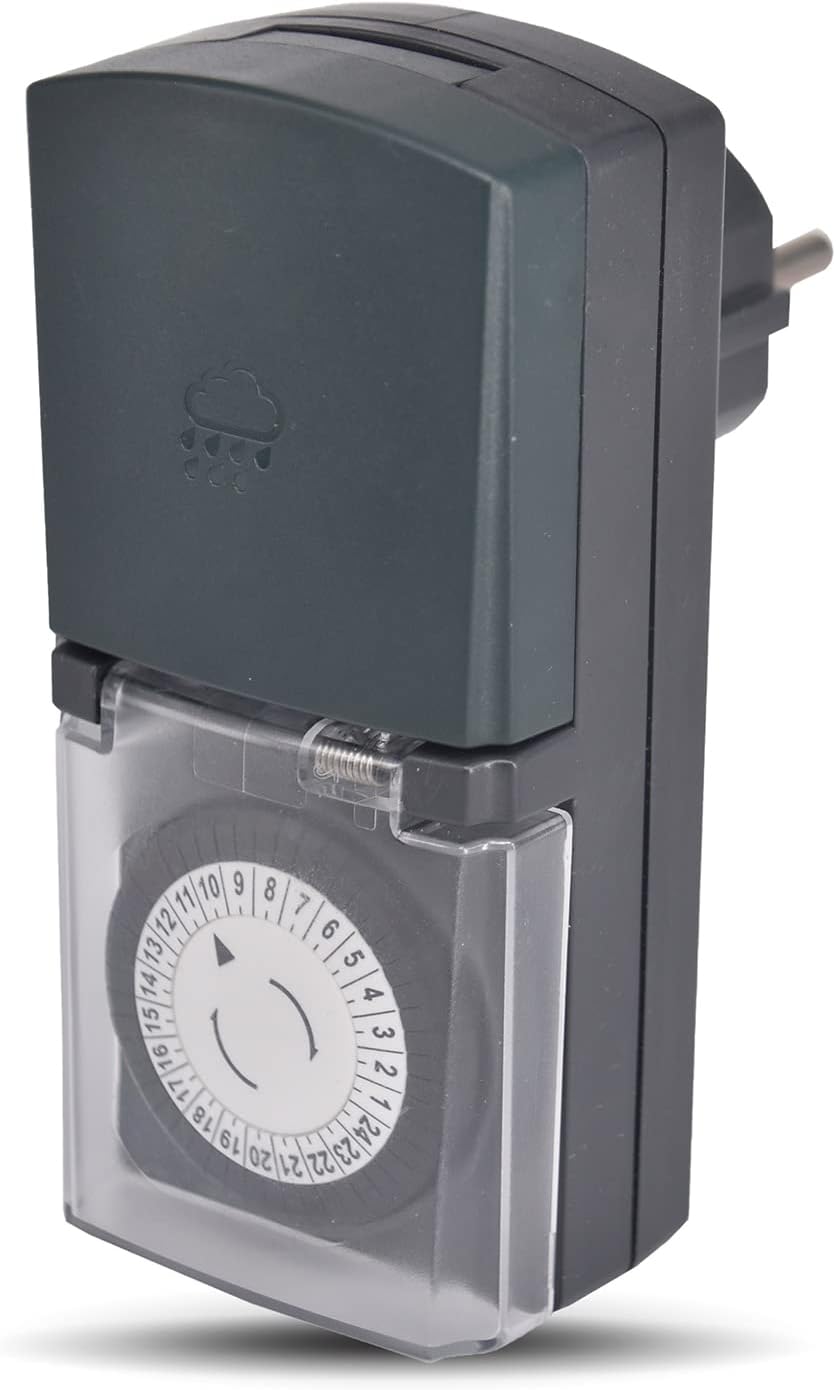
איור 3.2: זוויתי view of the timer, highlighting its compact design and the IP44 rated top cover.
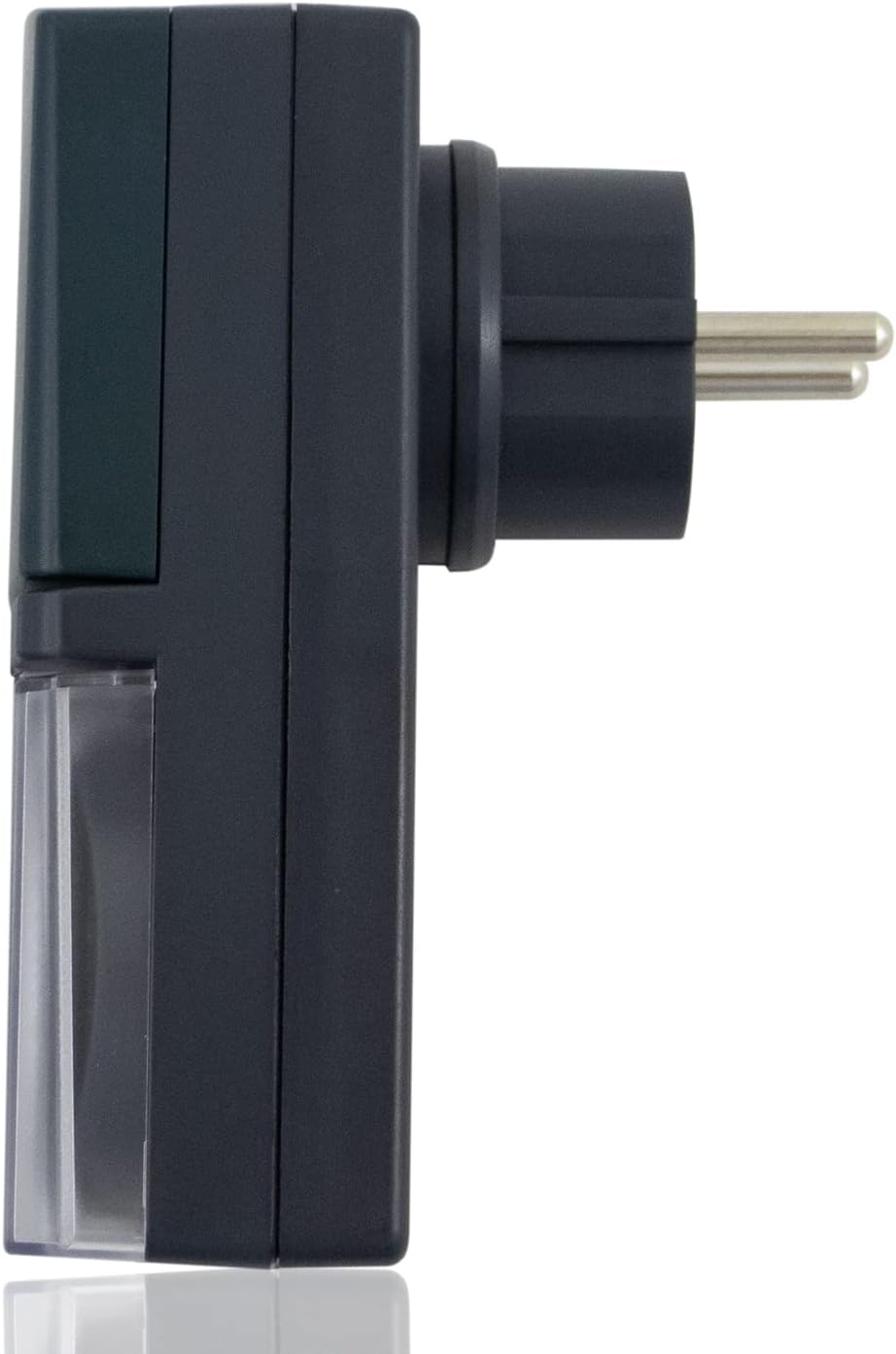
איור 3.3: צד view of the timer, showing the European Schuko plug for power connection.

Figure 3.4: The timer with its protective socket cover open, revealing the internal Schuko socket for appliance connection.
4. התקנה
בצע את השלבים הבאים להגדרה ראשונית:
- לִפְרוֹק: הוציאו בזהירות את הטיימר מהאריזה שלו.
- הגדר זמן נוכחי: Rotate the 24-hour dial clockwise until the arrow on the inner ring points to the current time. The dial is marked from 1 to 24 hours.
- Program On/Off Cycles: Push down the segments (pins) corresponding to the times you want the connected appliance to be ON. Each segment represents 30 minutes. If a segment is pushed down, the appliance will be ON during that 30-minute interval. If it's up, the appliance will be OFF.
- הגדר מתג עקיפה ידני: Locate the switch on the side of the timer. Set it to 'AUTO' for programmed operation. You can temporarily switch to 'ON' for continuous power or 'OFF' to cut power, overriding the program.
- לִתְקוֹעַ תֶקַע: Insert the timer's plug into a suitable outdoor-rated, grounded power outlet.
- חבר מכשיר: Open the protective cover of the timer's socket and plug in the appliance you wish to control. Ensure the appliance's power consumption does not exceed the timer's maximum rating. Close the protective cover securely.
5. הוראות הפעלה
5.1 קביעת השעה
The timer's dial continuously rotates. To set the current time, simply turn the entire dial clockwise until the current hour aligns with the arrow indicator. For example, if it's 3 PM, align the '15' mark with the arrow.
5.2 Programming On/Off Cycles
The outer ring of the dial has 48 segments. Each segment represents a 30-minute interval. To program the timer:
- להדליק: Push down the segments corresponding to the time periods when you want the connected appliance to be active.
- לכבות: Leave the segments in the 'up' position for the time periods when you want the connected appliance to be inactive.
The timer will activate the connected appliance when the dial rotates to a 'pushed down' segment and deactivate it when it rotates to an 'up' segment.
5.3 Manual Override Switch (ON/OFF/AUTO)
The manual override switch provides flexibility:
- עַל: The connected appliance will remain continuously ON, overriding any set program.
- OFF The connected appliance will remain continuously OFF, overriding any set program.
- אוטומטי: The timer will operate according to the programmed ON/OFF cycles set on the dial. This is the standard operating mode for automated control.
6. תחזוקה
- ניקוי: Disconnect the timer from the power outlet before cleaning. Wipe the timer with a soft, damp בַּד. אין להשתמש בחומרי ניקוי שוחקים או ממסים.
- אִחסוּן: When not in use, store the timer in a dry, cool place, away from direct sunlight and extreme temperatures.
- בְּדִיקָה: Periodically inspect the timer and its cord for any signs of damage. Do not use if damaged.
7. פתרון תקלות
| בְּעָיָה | סיבה אפשרית | פִּתָרוֹן |
|---|---|---|
| המכשיר אינו נדלק/כבה כפי שתוכנת. |
|
|
| חוגת הטיימר לא מסתובבת. |
|
|
| Appliance remains continuously ON or OFF. | Manual override switch is not in AUTO mode. | Set the manual override switch to 'AUTO'. |
8. מפרטים
| תכונה | פְּרָט |
|---|---|
| מותג | PS-TECH |
| דֶגֶם | Mechanical 24-Hour Outdoor Timer |
| צֶבַע | שָׁחוֹר |
| חוֹמֶר | פּלָסטִי |
| ספק כוח | 230 וולט, 50 הרץ |
| Max. Power / Resistive Load | 3680W / 16A |
| Programming Interval | 30 minutes (48 segments) |
| דירוג הגנה | IP44 (Splash-proof, protected against solid objects > 1mm) |
| משקל המוצר | 10 גרם |
| מידות חבילה | 16.1 x 8.6 x 5.8 ס"מ |
| ASIN | B09FLS1SJC |
9. אחריות ותמיכה
PS-TECH products are manufactured to high-quality standards. For warranty information or technical support, please refer to the contact details provided with your purchase or visit the official PS-TECH website. Do not attempt to open or repair the device yourself, as this may void the warranty and pose a safety risk.


