מָבוֹא
Thank you for choosing the realme Techlife Robot 2-in-1 Vacuum Cleaner with Mopping. This device is designed to provide efficient and convenient floor cleaning with advanced features. This manual provides essential information for safe operation, setup, maintenance, and troubleshooting to ensure optimal performance of your robot vacuum cleaner.

The realme Techlife Robot 2-in-1 Vacuum Cleaner, showcasinהעיצוב החלקלק וגורם הצורה הקומפקטי שלו.
מידע בטיחות
Before using the appliance, please read this user manual carefully and keep it for future reference. This device is intended for indoor use only. Do not use it in commercial or industrial environments. Ensure the charging dock is placed on a flat surface against a wall, with no obstacles within 1 meter in front and 0.5 meters on either side. Keep the device away from water and moisture. Do not allow children or pets to play with the device. Always supervise children when the device is in operation. Do not use the device to clean liquids, burning objects, or sharp objects. Regularly check the brushes and wheels for tangled hair or debris.
תוכן החבילה
ודא שכל הפריטים נמצאים ובמצב תקין בעת פירוק האריזה.
- realme Techlife Robot Vacuum Cleaner
- תחנת עגינה לטעינה
- מתאם מתח
- מיכל מים
- שְׁלַט רָחוֹק
- מברשות צד (2 זוגות)
- מברשת ראשית
- כלי ניקוי
- מדריך למשתמש
המוצר נגמרview
רֹאשׁ View
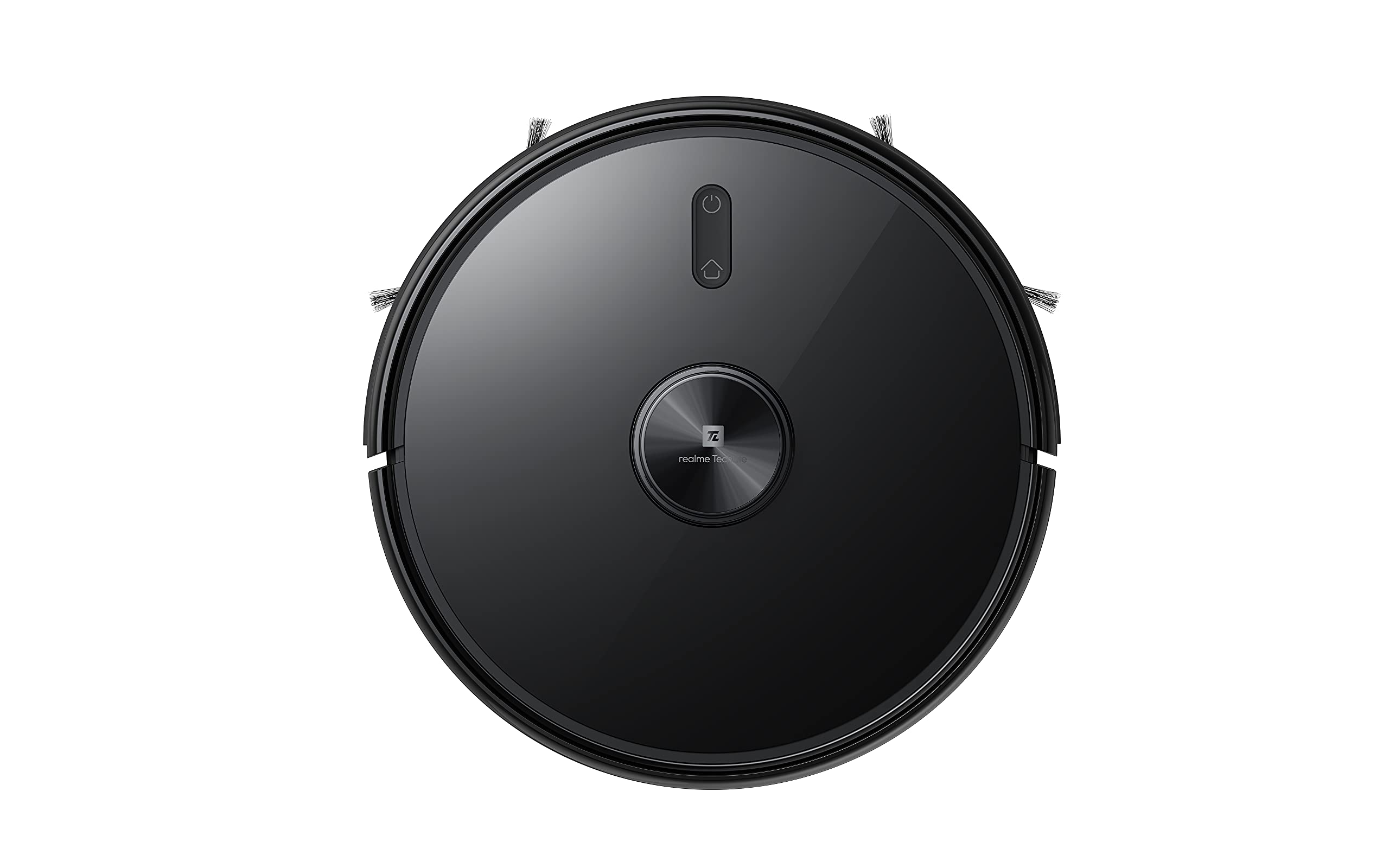
החלק העליון view of the robot vacuum, showing the power button and LiDAR sensor housing.
The top of the robot features the LiDAR navigation sensor for accurate mapping and navigation, along with control buttons for starting/pausing cleaning and returning to the charging dock.
תַחתִית View
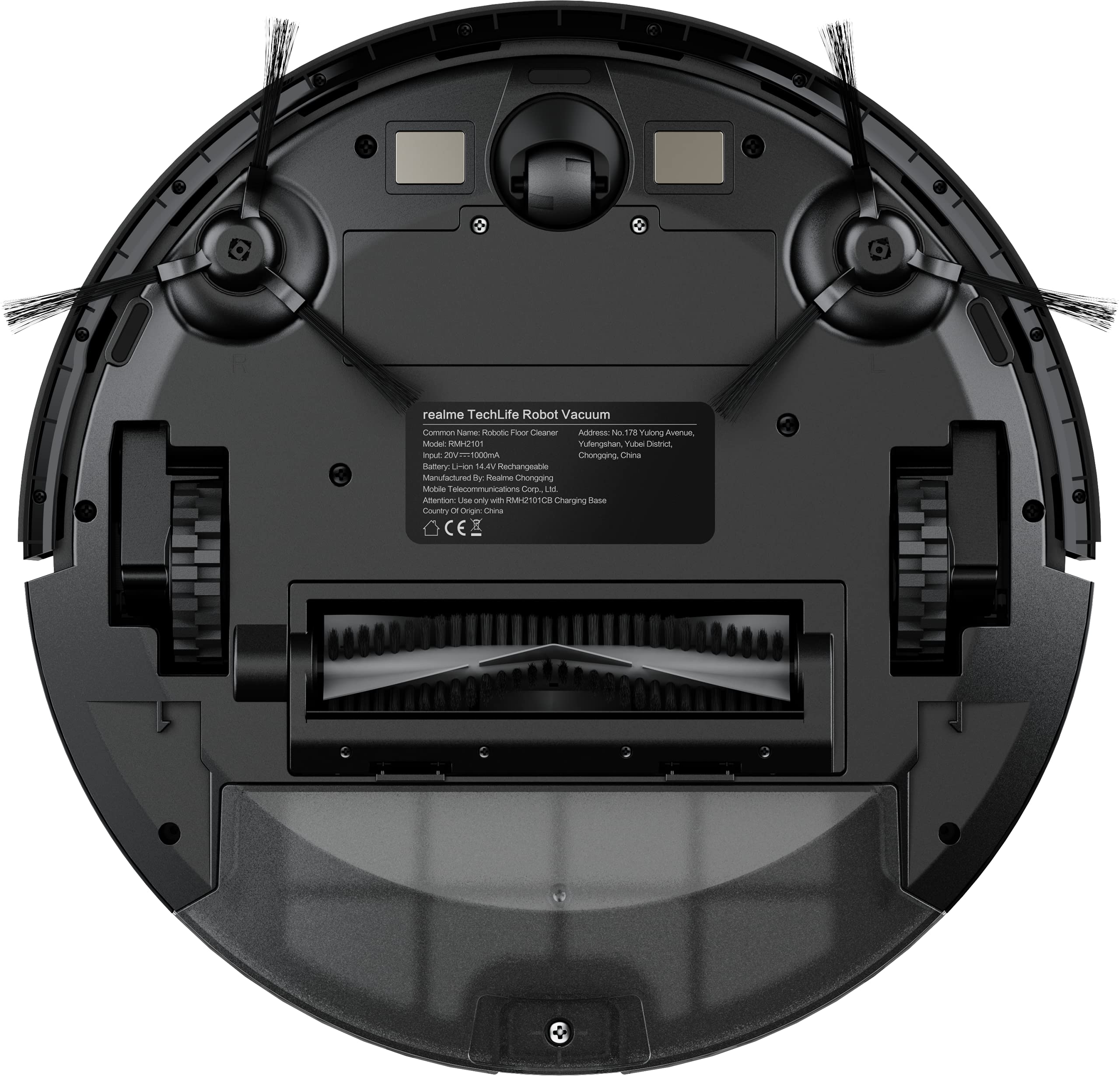
The underside of the robot vacuum, displaying the main brush, side brushes, and wheels.
The bottom of the robot includes the main rolling brush, two side brushes for edge cleaning, driving wheels, and cliff sensors to prevent falls.
הגדרה
1. מיקום תחנת הטעינה
Place the charging dock against a wall on a hard, level surface. Ensure there are no obstacles within 1 meter (3 feet) in front of the dock and 0.5 meters (1.5 feet) on either side to allow the robot to easily dock and undock.
2. טעינה ראשונית
Connect the power adapter to the charging dock and plug it into a wall outlet. Place the robot onto the charging dock. The robot will automatically begin charging. For first-time use, ensure the robot is fully charged (approximately 6 hours) before its initial cleaning cycle. The 5200mAh battery provides up to 300 minutes of cleaning time on a full charge.
3. App Connection (realme Link App)
- הורד את ה קישור של realme אפליקציה מחנות האפליקציות של הסמארטפון שלך.
- צור חשבון או היכנס.
- Follow the in-app instructions to add your realme Techlife Robot Vacuum Cleaner. This typically involves turning on the robot, resetting its Wi-Fi, and connecting to your home Wi-Fi network.
- לאחר החיבור, תוכלו לשלוט ברובוט, view cleaning maps, set schedules, and adjust cleaning modes remotely.
הוראות הפעלה
1. התחלת מחזור ניקוי
Press the power button on the robot or use the realme Link app to start a cleaning cycle. The robot will use its advanced LiDAR navigation technology to map your home and plan an efficient cleaning path.
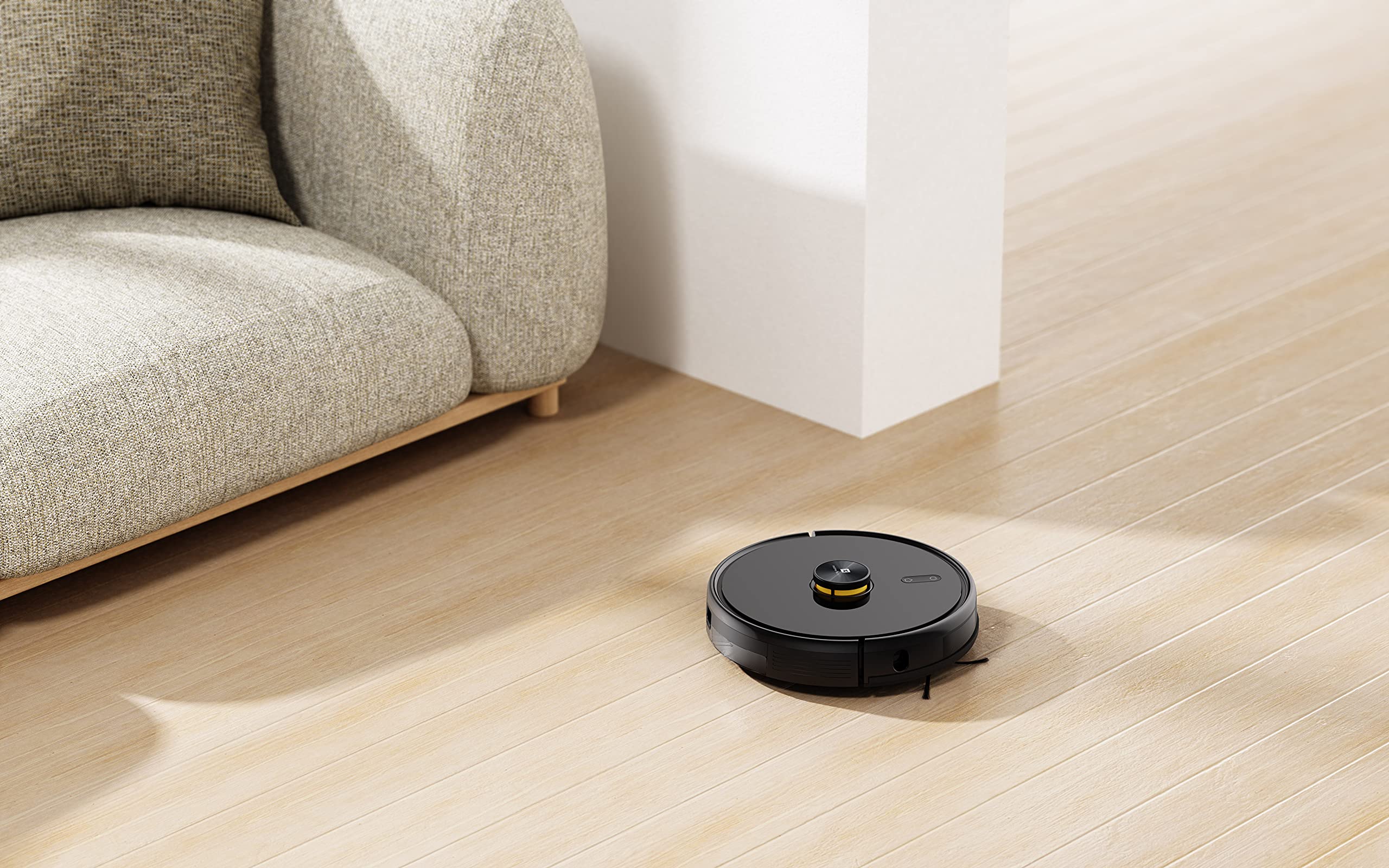
The robot vacuum actively cleaning a hard floor surface in a modern living space.
2. מצבי ניקוי
The robot offers 4 cleaning modes, which can be selected via the app or remote control:
- ניקוי אוטומטי: הרובוט מנקה את כל האזור בצורה חכמה.
- נקי כתמים: מנקה אזור ספציפי בצורה אינטנסיבית יותר.
- ניקוי קצה: מתמקד בניקוי לאורך קירות וקצוות רהיטים.
- ניקיון מתוכנן: הגדירו זמנים ספציפיים לניקוי אוטומטי של הרובוט.
The 3000Pa strong suction power ensures effective removal of dust and debris across various floor types.
3. פונקציית מטאטא
To use the mopping function, fill the intelligent water tank with clean water and attach it to the robot. The robot features 4 water output modes, allowing you to adjust water flow based on floor surface and cleaning requirements. The Y-shape cleaning path is specifically designed for effective mopping.
The robot vacuum performing its mopping function on a hard floor, demonstrating its 2-in-1 capability.
4. תכונות חכמות
- realme Link App Control: Control cleaning force, schedule tasks, and monitor progress in real-time.
- מיפוי רב-קומתי: The robot can build and memorize maps for multiple floors, improving cleaning efficiency.
- תאימות קול עוזר: Supports Google Assistant and Alexa for convenient voice control.
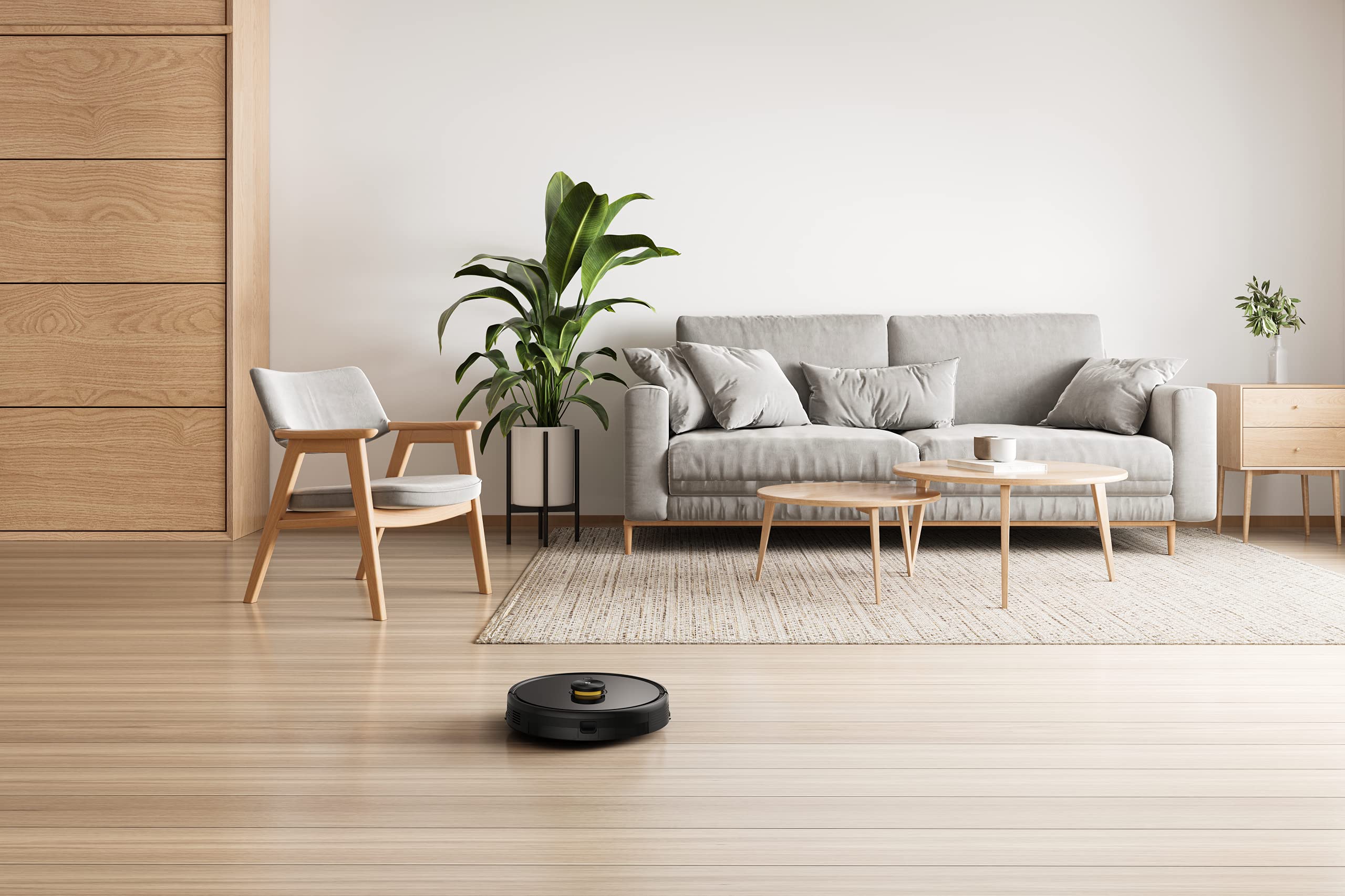
The robot vacuum navigating and cleaning under furniture, highlighting its low-profile לְעַצֵב.
תַחזוּקָה
Regular maintenance ensures the longevity and optimal performance of your robot vacuum cleaner.
1. ריקון מיכל האבק
Open the top cover of the robot and remove the dust box. Empty its contents into a trash bin. Clean the filter regularly by tapping it gently to remove dust. Rinse the dust box with water if necessary, ensuring it is completely dry before reinserting.
2. ניקוי המברשת הראשית
Remove the main brush cover and lift out the main brush. Use the provided cleaning tool to cut and remove any tangled hair or debris. Reinstall the main brush and cover.
3. ניקוי מברשות צד
Periodically check the side brushes for wear or entanglement. Remove any hair or debris. If brushes are damaged, replace them with new ones.
4. Cleaning the Water Tank and Mopping Pad
After each mopping session, empty any remaining water from the tank. Remove and clean the mopping pad. Wash the mopping pad thoroughly and allow it to air dry completely before reuse.
5. ניקוי חיישנים ומגעי טעינה
נגבו את חיישני הצוק, חיישני הקיר ומגעי הטעינה הן ברובוט והן בתחנת הטעינה בעזרת מטלית נקייה ויבשה כדי להבטיח תפקוד תקין.
פתרון בעיות
אם נתקלתם בבעיות עם שואב האבק הרובוטי שלכם, עיינו בפתרונות הנפוצים הבאים:
- הרובוט לא נטען: ודאו שתחנת הטעינה דולקת ושמגעי הטעינה של הרובוט נקיים ומיושרים כראוי עם תחנת הטעינה.
- Robot stuck or navigating erratically: Clear any obstacles, loose cables, or rugs that may be impeding movement. Clean the sensors.
- יניקה גרועה: רוקנו את מיכל האבק, נקו את המסנן ובדקו את המברשת הראשית לאיתור סתימות.
- Mopping not working: Ensure the water tank is filled, properly installed, and the mopping pad is attached. Check water output settings in the app.
- בעיות קישוריות לאפליקציות: Ensure your robot and smartphone are connected to the same 2.4GHz Wi-Fi network. Restart the robot and your router if necessary.
- רעש יוצא דופן: בדוק את המברשת הראשית, מברשות הצד והגלגלים לאיתור חפצים זרים או פסולת.
For persistent issues, consult the realme Link app for further diagnostics or contact customer support.
מפרטים
| תכונה | מִפרָט |
|---|---|
| מותג | תחום |
| שם הדגם | 6941399050860 |
| תכונה מיוחדת | LiDAR Navigation, Smart |
| צֶבַע | שָׁחוֹר |
| מידות המוצר | 33L x 33W x 7H סנטימטרים |
| חיי סוללה | 100 Minutes (Mopping), 300+ Minutes (Vacuuming) |
| קיבולת סוללה | 5200mAh |
| כוח יניקה | 3000Pa |
| קיבולת תיבת אבק | 0.3 ליטר |
| שיטת בקרה | Remote, App (realme Link), Voice (Google Home, Alexa) |
| רמת רעש | נמוך עד 55dB |
| יַצרָן | Realme |
אחריות ותמיכה
Your realme Techlife Robot 2-in-1 Vacuum Cleaner is covered by a limited warranty. Please refer to the warranty card included in your package for specific terms and conditions. For technical support, service, or inquiries, please visit the official realme support webאתר או צרו קשר עם קו שירות הלקוחות החם שלהם. שמרו את קבלת הרכישה כהוכחת קנייה לתביעות אחריות.


