מָבוֹא
This manual provides essential information for the safe and efficient operation, installation, and maintenance of your IRIS USA 3-in-1 WOOZOO Portable Air Conditioner and Dehumidifier. Please read this manual thoroughly before using the appliance and retain it for future reference.
מידע בטיחות
יש להקפיד תמיד על אמצעי זהירות בסיסיים בעת שימוש במכשירים חשמליים כדי להפחית את הסיכון לשריפה, התחשמלות ופציעות אדם.
- ודא שספק הכוח מתאים לנפחtagכפי שצוין על תווית הדירוג של היחידה.
- אין להפעיל את היחידה עם כבל או תקע פגומים.
- אין לחסום את כניסות או יציאות האוויר.
- Keep children away from the appliance. Activate the child lock function for added safety.
- Do not insert fingers or foreign objects into the air outlet.
- נתקו את המכשיר מהחשמל לפני ניקוי או ביצוע כל תחזוקה.
- This unit is UL listed to meet U.S. safety standards.
המוצר נגמרview
Familiarize yourself with the components and features of your portable air conditioner.

איור 1: The IRIS USA WOOZOO Portable Air Conditioner shown with its accompanying remote control. The unit is white with a black top panel and front grille, featuring wheels for easy mobility.

איור 2: An illustration highlighting the powerful cooling capabilities of the unit, including 10,000 BTU AC cooling power, 3 adjustable fan speeds, and a dehumidifying capacity of 74 pints per day.

איור 3: A diagram illustrating the detailed dimensions of the portable air conditioner, showing its height (30 inches), depth (16 inches), and width (12 inches). Key specifications like weight (55 lbs), wattage (1010W), cable length (71 inches), and temperature range (61°F - 86°F) are also displayed.

איור 4: This image shows the full-function remote control with a digital display, allowing easy operation of the unit. Below, a close-up of the built-in casters demonstrates the unit's easy maneuverability.
התקנה והתקנה
Proper installation is crucial for optimal performance. This unit includes a window kit for exhaust ventilation.
- פריקת אריזה: Carefully remove the unit and all accessories from the packaging. Check for any damage.
- מיקום: Place the unit on a flat, stable surface. Ensure there is at least 20 cm (8 inches) of space around the unit for proper airflow. The unit is equipped with wheels for easy movement.
- התקנת ערכת חלונות:
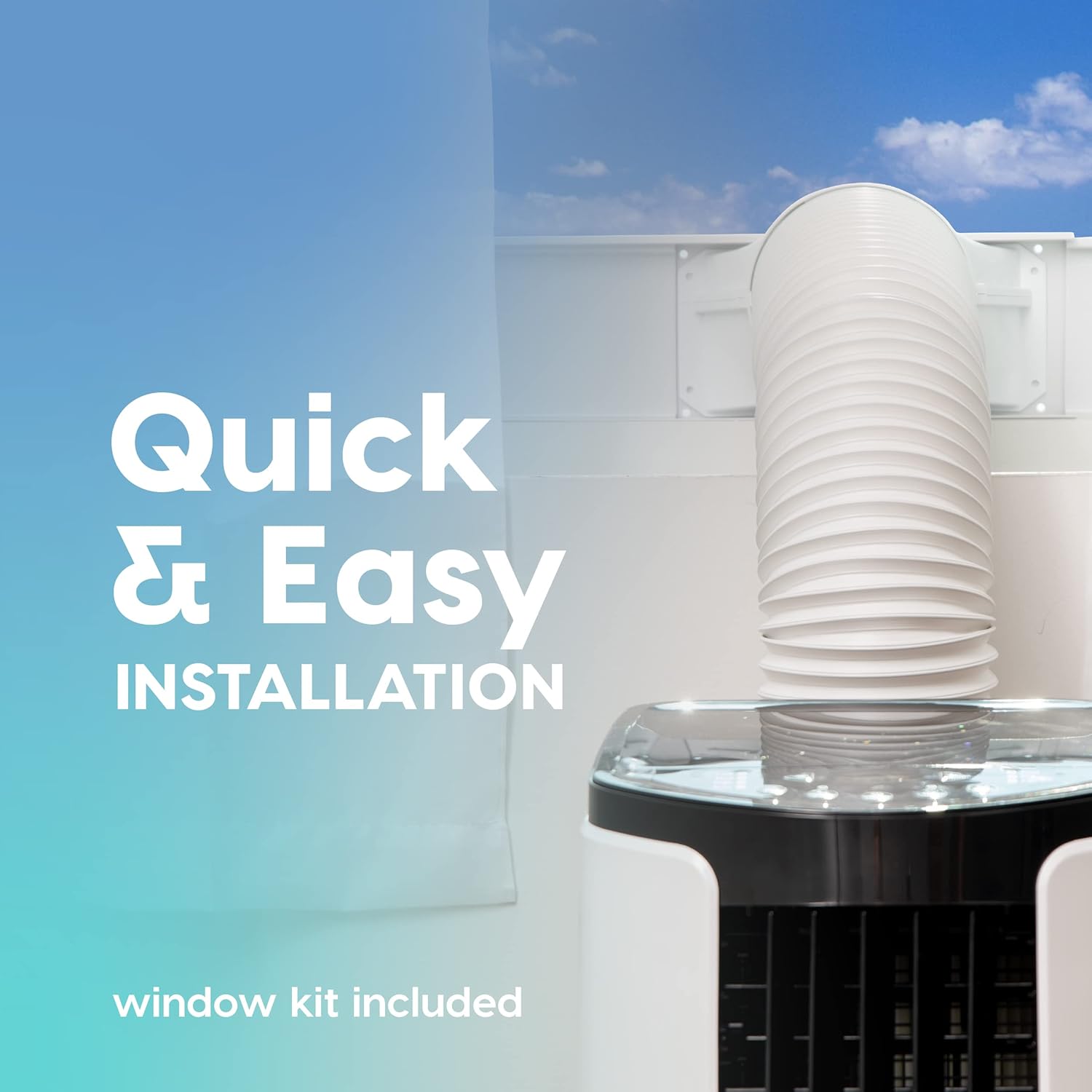
איור 5: This image illustrates the quick and easy installation process, showing the exhaust hose connected to the unit and extended through a window using the included window kit.
- Assemble the window sealing plate kit according to the instructions provided in the separate window kit manual.
- Connect the exhaust hose to the unit's exhaust outlet and extend it to the window kit.
- Ensure the hose is not kinked or bent sharply, as this can restrict airflow and reduce efficiency.
- חיבור חשמל: חבר את כבל החשמל לשקע חשמל מוארק.
הוראות הפעלה
Your portable air conditioner offers multiple modes for customized comfort. All functions can be easily operated with the included remote control.
לוח בקרה ושלט רחוק
The unit can be controlled via the top-mounted control panel or the remote control. The remote control features a digital display for easy viewing.
מצבי הפעלה
- מצב קירור: Provides powerful cooling for rooms up to 450 square feet.
- הקש על MODE button until the cooling indicator light is on.
- Adjust the desired temperature using the + or - buttons (range: 61°F / 16°C to 86°F / 30°C).
- כוונן את מהירות המאוורר באמצעות מאוורר button (3 speeds available).
- מצב מאוורר: מזרימת אוויר ללא קירור.
- הקש על MODE button until the fan indicator light is on.
- כוונן את מהירות המאוורר באמצעות מאוורר לַחְצָן.
- מצב מסיר לחות: מסיר לחות עודפת מהאוויר.
- הקש על MODE button until the dehumidifier indicator light is on.
- The unit will automatically exhaust condensate in most environments.
פונקציות נוספות
- מצב שינה: Activates quiet operation and gradually adjusts temperature for comfortable sleep. Press the לִישׁוֹן לַחְצָן.
- פונקציית טיימר: Set the unit to turn on or off automatically within a 24-hour period. Press the שָׁעוֹן עֶצֶר כפתור והשתמש + or - כדי להגדיר את הזמן הרצוי.
- מנעול ילדים: Prevents accidental changes to settings. Refer to the remote control instructions for activation.
- תְנוּדָה: Both vertical and horizontal oscillation can be adjusted manually to direct airflow.
תַחזוּקָה
תחזוקה שוטפת מבטיחה את אורך החיים והיעילות של המזגן הנייד שלכם.
ניקוי מסננים

איור 6: This image shows the reusable air filter being cleaned under running water, emphasizing the ease of maintenance with simple soap and water.
The unit is equipped with a washable air filter that can be cleaned with simple soap and water. Clean the filter every two weeks or more frequently depending on usage and air quality.
- נתק את היחידה משקע החשמל.
- אתר והסר את מסנן האוויר מגב או צד היחידה.
- Wash the filter under running water with a mild detergent.
- יש לשטוף היטב את המסנן ולאפשר לו להתייבש לחלוטין באוויר לפני הכנסתו מחדש ליחידה.
טיפול כללי
- נגב את החלק החיצוני של היחידה בעזרת חומר רך, דamp בַּד. אין להשתמש בכימיקלים קשים או בחומרי ניקוי שוחקים.
- For long-term storage, drain any accumulated water, clean the filter, and store the unit in a dry place.
פתרון בעיות
עיין בסעיף זה לקבלת בעיות נפוצות ופתרונותיהן.
| בְּעָיָה | סיבה אפשרית | פִּתָרוֹן |
|---|---|---|
| היחידה לא נדלקת. | אין חשמל, כבל החשמל מנותק, מפסק החשמל מופעל. | בדוק את חיבור החשמל, אפס את מפסק החשמל. |
| היחידה לא מקררת ביעילות. | Air filter dirty, exhaust hose blocked/kinked, room too large, windows/doors open. | Clean air filter, check exhaust hose, ensure proper room size, close windows/doors. |
| היחידה רועשת. | היחידה אינה על משטח ישר, חסימה במאוורר. | Place on a level surface, check for obstructions in fan area. |
| דליפת מים. | Drain plug not properly sealed, unit tilted. | ודא שפקק הניקוז מאובטח, הנח את היחידה על משטח ישר. |
מפרטים
| תכונה | פְּרָט |
|---|---|
| דֶגֶם | WOOZOO Portable Air Conditioner |
| ASIN | B096SHCS8J |
| קיבולת קירור | 10,000 BTU (אשראי) |
| אזור כיסוי | עד 450 מ"ר |
| קיבולת לחות | 74 ליטר ליום |
| טווח טמפרטורה | 61°F (16°C) עד 86°F (30°C) |
| מהירויות מאוורר | 3 |
| צריכת חשמל | 1010 W |
| כרך ידtage | 115 וולט |
| רמת רעש | 30 dB |
| מידות (D x B x H) | מידות: 31.5D x 39.5W x 77H סנטימטרים (כ-12.4D x 15.6W x 30.3 אינץ') |
| מִשׁקָל | 55 פאונד (כ-24.9 ק"ג) |
| תכונות מיוחדות | LED Temperature Display, Remote Controlled, Sleep Mode, Timer, Child Lock, Auto Drain Function |
אחריות ותמיכה
For warranty information or technical support, please refer to the warranty card included with your product or contact IRIS USA customer service. Keep your purchase receipt as proof of purchase.
For further assistance, visit the official IRIS USA webאתר או צרו קשר עם קו תמיכת הלקוחות שלהם.


