1. הקדמה
This manual provides comprehensive instructions for the installation, operation, and maintenance of your CALEX Smart Mini Indoor IP Camera. Please read this manual thoroughly before using the product to ensure proper functionality and safety.
The CALEX Smart Mini Indoor IP Camera is a Wi-Fi surveillance camera offering 1080P Full HD resolution, night vision capabilities, two-way audio communication, and flexible storage options via MicroSD card or cloud.
2. תכולת החבילה
ודא שכל הפריטים נמצאים בחבילה:
- 1 x CALEX Smart Mini Indoor IP Camera
- 1 x Power Adapter (AC 220-240 V, 50/60 Hz input; DC 5 V output)
- 1 x כבל USB
- מדריך למשתמש אחד (מסמך זה)
- אביזרי הרכבה (אם רלוונטי, לא מופיעים ברשימה במפורש אך נפוצים במצלמות)

Figure 2.1: CALEX Smart Mini Indoor IP Camera and its retail packaging. The packaging highlights 1080P Full HD, Wi-Fi 2.4 GHz, and compatibility with the Calex Smart app.
3. המוצר נגמרview
Familiarize yourself with the components of your CALEX Smart Mini Indoor IP Camera.
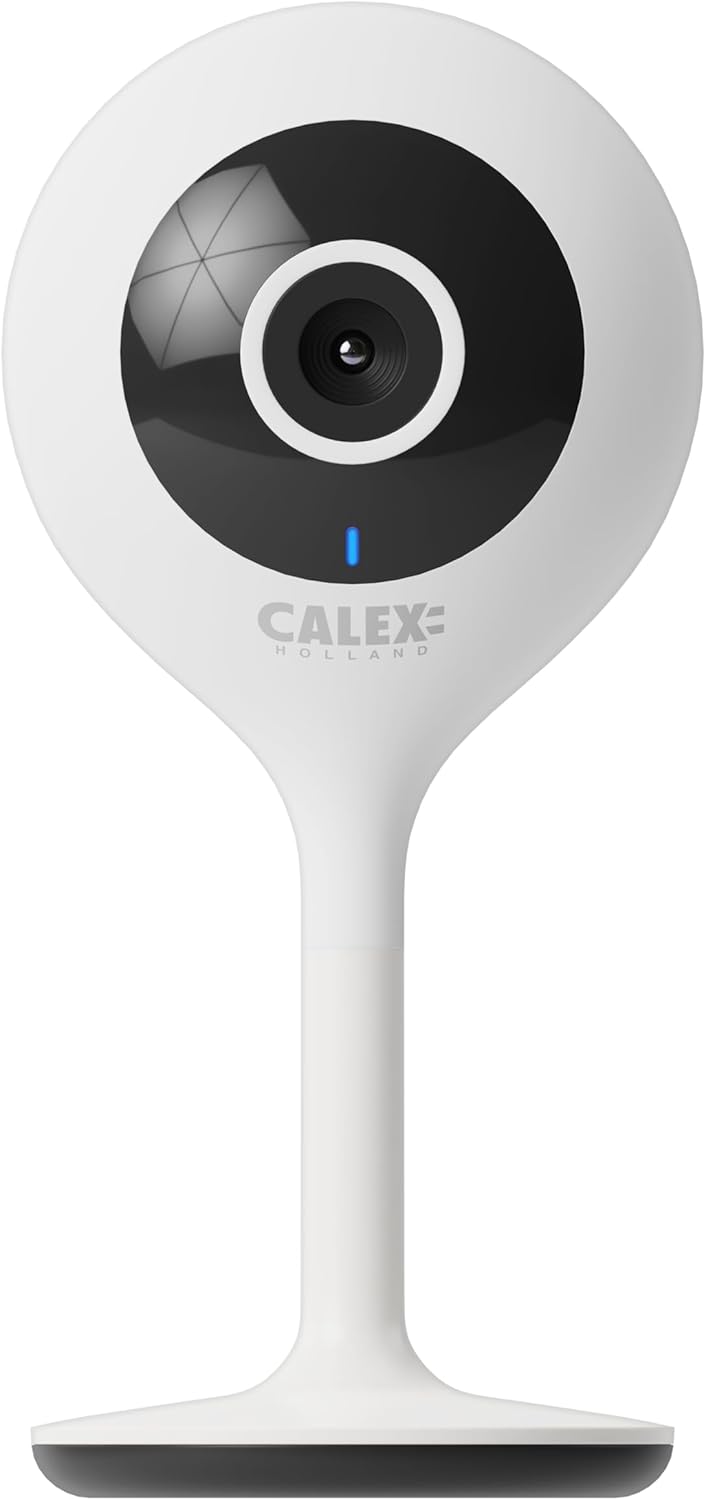
איור 3.1: חזית view of the CALEX Smart Mini Indoor IP Camera. It features a central lens, an indicator light, and the CALEX HOLLAND logo.

איור 3.2: אחורי view of the CALEX Smart Mini Indoor IP Camera. This view shows the speaker grille, a reset button, and the MicroSD card slot. The USB power input is located at the base.
תכונות עיקריות:
- רזולוציית Full HD 1080P: מספק סרטון וידאו ברור ומפורטtage.
- ראיית לילה: Equipped with infrared LEDs for clear monitoring in low-light or dark conditions.
- שמע דו כיווני: מיקרופון ורמקול מובנים לתקשורת.
- קישוריות Wi-Fi: Connects to your home Wi-Fi network (2.4 GHz only).
- אחסון מקומי: Supports MicroSD card for continuous recording or event-triggered recording.
- אחסון בענן: שירות אחסון ענן אופציונלי להקלטה מאובטחת מחוץ לאתר.
- זיהוי תנועה: Alerts and records upon detecting movement.
- בקרת אפליקציה לנייד: נהל ו view live feed via the Calex Smart app.
- תאימות קול עוזר: Works with Amazon Alexa and Google Home.
4. התקנה והתקנה
4.1 לפני שתתחיל
- Ensure your Wi-Fi network is 2.4 GHz. The camera does not support 5 GHz Wi-Fi.
- הכן את שם רשת ה-Wi-Fi (SSID) והסיסמה שלך.
- Download the "Calex Smart" app from your mobile device's app store.
- Place the camera within range of your Wi-Fi router.

Figure 4.1: QR codes for downloading the Calex Smart app. Scan the appropriate QR code for your device (iOS or Android) to download the application.
Download the Calex Smart app here: חנות האפליקציות של iOS | חנות Google Play
4.2 שלבי ההתקנה הראשוניים
- הפעלה: Connect the camera to a power outlet using the provided USB cable and power adapter. The camera's indicator light will begin to flash, indicating it is ready for pairing.
- Open Calex Smart App: Launch the Calex Smart app on your smartphone. If you are a new user, register an account. If you already have an account, log in.
- הוסף מכשיר: Tap the "+" icon in the top right corner of the app to add a new device. Select "Security & Video Surveillance" and then "Smart Camera".
- אישור סטטוס מחוון: Follow the in-app instructions. Confirm that the indicator light on your camera is flashing rapidly.
- הזן פרטי Wi-Fi: Enter your 2.4 GHz Wi-Fi network name and password when prompted.
- סרוק קוד QR: The app will generate a QR code. Hold your phone with the QR code approximately 15-20 cm (6-8 inches) in front of the camera lens. The camera will emit a sound when it successfully scans the QR code.
- קֶשֶׁר: Tap "I heard a prompt" in the app. The camera will then attempt to connect to your Wi-Fi network. Once connected, the indicator light will turn solid blue.
- שם התקן: Once connected, you can name your camera (e.g., "Living Room Camera", "Nursery Camera").


איור 4.2: דוגמהamples of the Calex Smart app interface. The left image shows a live camera feed with options for screenshot, speaking, and recording. The right image shows a settings screen within the app.
5. הפעלת המצלמה
5.1 בשידור חי View
Open the Calex Smart app and select your camera from the device list to access the live video feed. You can view the feed in portrait or landscape mode.

איור 5.1: משתמש viewing the live feed from the CALEX Smart Mini Indoor IP Camera on their smartphone.
5.2 שמע דו-כיווני
בזמן שידור חי view, tap the microphone icon to speak through the camera's speaker. Tap the speaker icon to listen to audio from the camera's microphone.
5.3 הקלטה והשמעה
- הקלטה ידנית: Tap the "Record" button in the live view interface to start or stop manual recording. Recordings are saved to your phone's gallery.
- צילום מסך: Tap the "Screenshot" button to capture a still image from the live feed.
- הקלטה בכרטיס MicroSD: Insert a MicroSD card (up to 128GB, not included) into the camera's slot for continuous or event-triggered recording. Ensure the card is formatted within the app settings.
- אחסון בענן: Subscribe to the cloud storage service via the app for secure, off-site storage of event recordings.
- השמעה: גישה foo מוקלטtage from the "Playback" section within the camera's settings in the app.

Figure 5.2: The Calex Smart app interface displaying options for cloud storage and video playback. This allows users to review אירועים מוקלטים.
5.4 זיהוי תנועה והתראות
Configure motion detection sensitivity and alert settings in the app. You will receive push notifications on your smartphone when motion is detected.
5.5 שליטה קולית (אלקסה/גוגל הום)
To integrate your camera with Amazon Alexa or Google Home, follow the instructions in the respective voice assistant app to enable the "Calex Smart" skill/action. You can then use voice commands to view הזנת המצלמה בצגים חכמים תואמים.

Figure 5.3: A couple using voice commands with an Amazon Echo device, demonstrating the camera's compatibility with smart home ecosystems like Alexa and Google Home.
6. תחזוקה
- ניקוי: השתמשו במטלית רכה ויבשה לניקוי עדשת המצלמה וגוף המצלמה. אין להשתמש בחומרי ניקוי נוזליים או בתרסיסים.
- עדכוני קושחה: Periodically check the Calex Smart app for available firmware updates for your camera. Keeping the firmware updated ensures optimal performance and security.
- איפוס המצלמה: If you experience connectivity issues or need to reconfigure the camera, locate the reset button on the back of the device (refer to Figure 3.2). Use a pin or a straightened paperclip to press and hold the reset button for approximately 5-10 seconds until the indicator light flashes rapidly. This will restore the camera to factory settings.
7. פתרון תקלות
| בְּעָיָה | סיבה אפשרית | פִּתָרוֹן |
|---|---|---|
| המצלמה לא מצליחה להתחבר ל-Wi-Fi. | Incorrect Wi-Fi password; 5 GHz Wi-Fi network; camera too far from router; Wi-Fi signal interference. |
|
| אין שידור וידאו חי. | Camera offline; poor internet connection; app issue. |
|
| כרטיס MicroSD לא מזוהה. | Card not inserted correctly; card corrupted; unsupported card size/format. |
|
| שמע דו-כיווני לא עובד. | Microphone/speaker muted in app; low volume; app permissions. |
|
8. מפרטים
| תכונה | פְּרָט |
|---|---|
| שם הדגם | אבטחה חכמה |
| מספר דגם | 5501000300 |
| הַחְלָטָה | 1080p HD מלא |
| קישוריות | Wi-Fi (2.4 גיגה-הרץ בלבד) |
| קלט כוח | מתח זרם חילופין 220-240 וולט, 50/60 הרץ |
| תפוקת חשמל (מתאם) | DC 5 וולט |
| צריכת חשמל | 5 וואט |
| מידות (L x W x H) | 3.2 x 5.3 x 11 ס"מ (1.26 x 2.09 x 4.33 אינץ ') |
| מִשׁקָל | 167 גרם (0.37 פאונד) |
| חוֹמֶר | פּלָסטִי |
| צֶבַע | לָבָן |
| אפשרויות אחסון | MicroSD (עד 128GB), אחסון בענן |
| תכונות מיוחדות | Night Vision, Two-Way Audio, Motion Detection, Compatible with Alexa/Google Home |
| סביבת שימוש | מקורה |
9. אחריות ותמיכה
CALEX products are designed and manufactured to the highest quality standards. For warranty information and technical support, please refer to the official CALEX webאתר או צרו קשר ישירות עם שירות הלקוחות שלהם.
יַצרָן: CALEX
לסיוע נוסף, בקר ב- CALEX Official Webאֲתַר.
10. מידע בטיחות
- אין לחשוף את המצלמה למים או ללחות. מוצר זה מיועד לשימוש פנימי בלבד.
- אל תנסה לפרק או לתקן את המצלמה בעצמך. יש לפנות לכל מטפל מוסמך בתחום התחזוקה.
- Use only the provided power adapter and cable to prevent damage or fire.
- Keep the camera away from direct sunlight, heat sources, and strong magnetic fields.
- Ensure the camera is placed on a stable surface to prevent it from falling.


