1. המוצר נגמרview
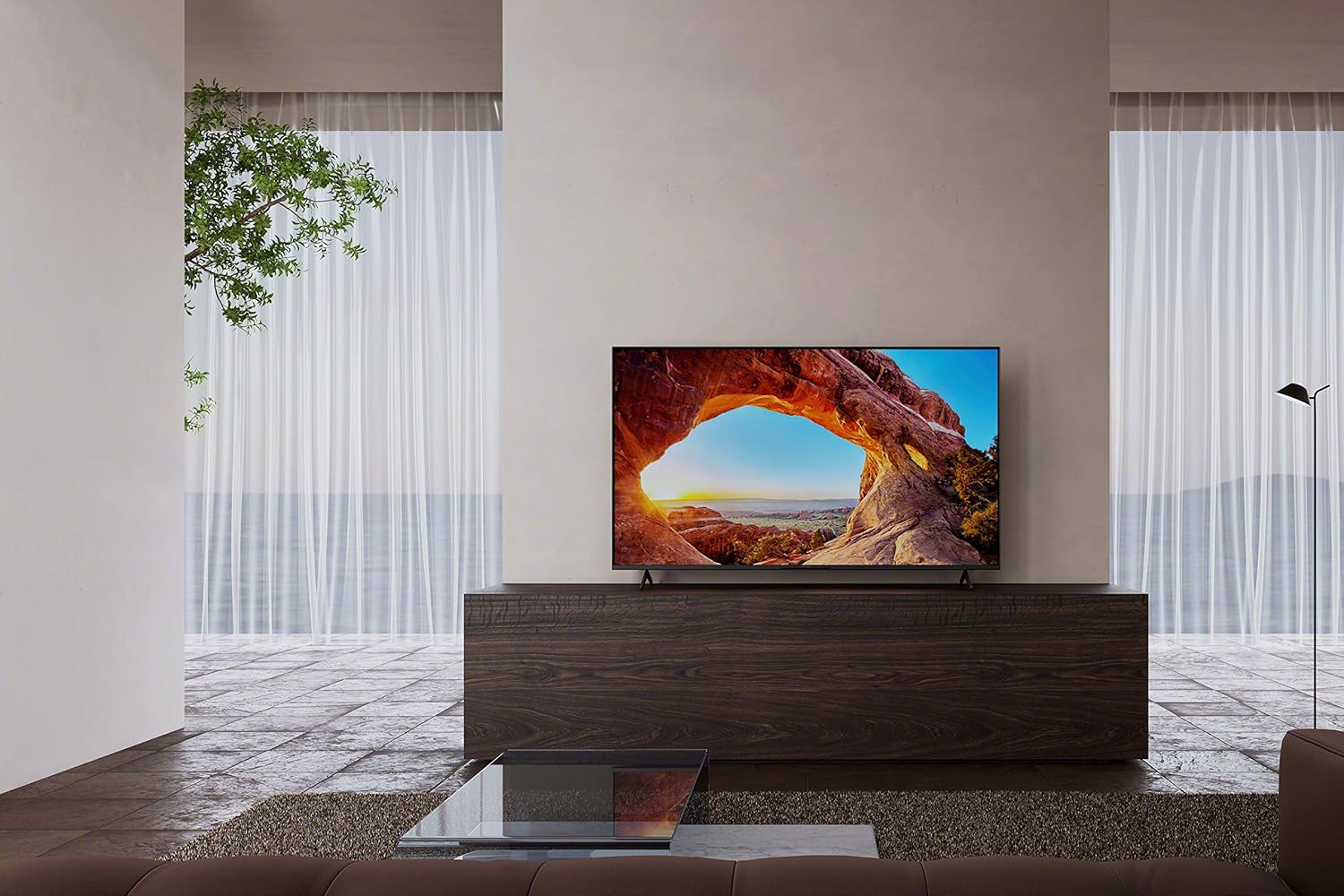
The Sony BRAVIA X85J is a 50-inch 4K Ultra HD LED Smart Google TV designed to deliver a clear and vibrant viewing experience. It features the X1 4K HDR Processor for enhanced picture quality, a native 120Hz refresh rate for smooth motion, and TRILUMINOS PRO technology for a wide color spectrum. Integrated with Google TV, it offers seamless access to a vast library of streaming content and smart home functionalities.
תכונות עיקריות:
- מעבד 4K HDR X1: Powerful processing for smooth, clear pictures with rich colors and detailed contrast.
- Motionflow XR with Native 120Hz Refresh Rate: Ensures smooth and clear on-screen motion, ideal for sports, action movies, and gaming.
- טרילומינוס פרו: Reproduces a wider range of colors for natural and precise picture quality.
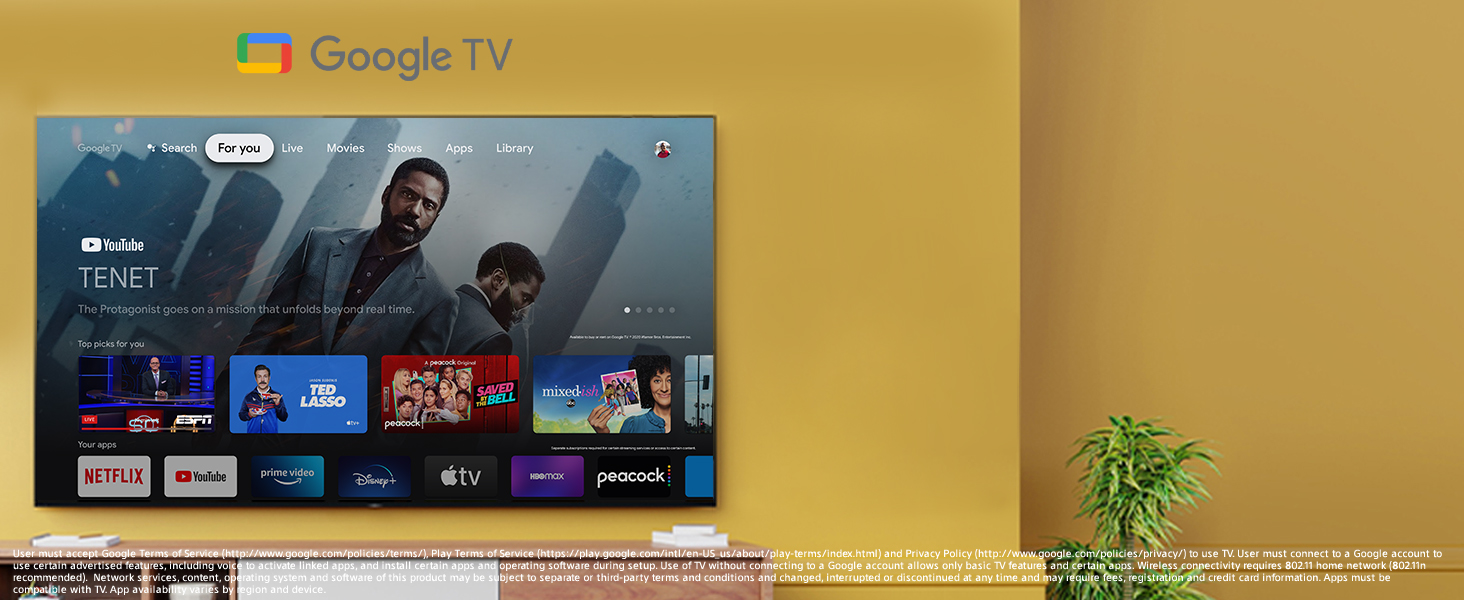
- גוגל טיוי: Provides access to over 700,000 movies and TV episodes from various streaming services in one centralized interface.
- 4K X-Reality PRO: Upscales HD content to near-4K resolution, enhancing detail and texture.
- עובד עם Alexa: Compatible with Alexa-enabled devices for voice control of TV functions.
- High Dynamic Range (HDR) & Dolby Vision: Delivers immersive cinematic content as intended by creators.
- Google Assistant: Voice control for finding content, getting answers, and managing smart home devices.
- אפל איירפליי 2: Allows easy streaming of content from Apple devices.

2. מדריך התקנה
2.1 מה בקופסה
Upon unboxing your Sony BRAVIA X85J TV, ensure all components are present:
- יחידת טלוויזיה
- Table-top stand
- כבל מתח AC
- Voice remote control with batteries
- מדריך התקנה מהיר
- הוראות הפעלה

2.2 מבנה פיזי
You can either install the included table-top stand or mount the TV on a wall using a compatible VESA mount (sold separately). Follow the instructions provided in the quick setup guide for safe and secure installation.
2.3 חיבור התקנים
The Sony X85J TV offers various ports for connecting external devices:
- כניסות HDMI: Multiple HDMI ports are available for connecting devices like gaming consoles (e.g., PlayStation 5, Xbox), Blu-ray players, and cable/satellite boxes. Some HDMI ports support 4K 120Hz and eARC/ARC for enhanced audio.
- יציאות USB: Two USB ports (5V 500mA MAX and 5V 900mA MAX) are provided for connecting external storage devices or other USB accessories.
- יציאת שמע דיגיטלית (אופטי): For connecting to a soundbar or audio receiver via an optical cable.
- Video In (Composite): For connecting older devices using composite video and analog audio L/R.
- רשת מקומית (אתרנט): עבור חיבור רשת קווי.
- כניסת כבלים/אנטנה: לחיבור אנטנה או טלוויזיה בכבלים.

2.4 Initial Power On & Configuration
After connecting your devices and power cable, press the power button on the remote or TV. Follow the on-screen instructions to complete the initial setup, including network connection, Google account login, and channel scanning.
3. הוראות הפעלה
3.1 פונקציות שלט רחוק
The included voice remote control provides intuitive navigation and quick access to your favorite content and TV features. Key buttons include power, input selection, volume, channel, navigation pad, and dedicated buttons for popular streaming services like YouTube and Netflix. The integrated Google Assistant button allows for voice commands.

3.2 תכונות טלוויזיה חכמה (Google TV)
Your Sony X85J TV runs on Google TV, offering a personalized content experience. The 'For You' tab provides recommendations based on your viewing history and subscriptions. You can browse movies, shows, and apps, or use the search function to find specific content. The TV supports a wide array of streaming applications, including Netflix, Amazon Prime Video, Disney+, YouTube, and Apple TV.
3.3 הגדרות תמונה וקול
The TV's 4K HDR Processor X1 and TRILUMINOS PRO technology work together to optimize picture quality, delivering stunning clarity, color, and contrast. The native 120Hz refresh rate ensures smooth motion, which is particularly beneficial for fast-paced content. For audio, the X-Balanced Speaker system provides clear, multidimensional sound. The TV also supports Dolby Vision and Dolby Atmos for an enhanced cinematic experience.
3.4 קישוריות
The TV supports Wi-Fi for wireless internet access and features Apple AirPlay 2 for seamless content streaming from your Apple devices. Chromecast built-in allows you to cast content from your smartphone or tablet directly to the TV.
4. תחזוקה
4.1 ניקוי הטלוויזיה
כדי לנקות את המסך, נגבו אותו בעדינות בעזרת מטלית מיקרופייבר רכה ויבשה. עבור כתמים עקשניים, נגבו אותו קלות.ampen the cloth with water or a screen-specific cleaning solution (avoid harsh chemicals). For the TV's frame and stand, use a soft, dry cloth. Ensure the TV is unplugged before cleaning.
4.2 טיפול כללי
Avoid placing the TV in direct sunlight or near heat sources. Ensure adequate ventilation around the TV to prevent overheating. Do not block the ventilation openings on the back of the TV. Protect the remote control from spills and extreme temperatures.
5. פתרון תקלות
If you encounter issues with your Sony X85J TV, consider the following common solutions:
- אין כוח: ודא שכבל החשמל מחובר היטב הן לטלוויזיה והן לשקע חשמלי תקין. נסה שקע אחר.
- אין תמונה/קול: Verify that the correct input source is selected. Check all cable connections (HDMI, audio, etc.) for looseness or damage.
- איכות תמונה ירודה: Adjust picture settings (brightness, contrast, sharpness, color). Ensure the content source is high-quality. For upscaling issues, ensure 4K X-Reality PRO is enabled.
- אין חיבור אינטרנט: Check your Wi-Fi router and internet service. Reconnect the TV to your Wi-Fi network or try a wired Ethernet connection.
- Apps Glitching/Freezing: Restart the TV by unplugging it from the power outlet for a few minutes, then plugging it back in. Ensure all apps and the TV's operating system are updated to the latest version. Clear app cache if the issue persists.
- השלט הרחוק לא עובד: החלף את הסוללות. ודא שאין חסימות בין השלט לחיישן ה-IR של הטלוויזיה.
For more complex issues, refer to the full operating instructions or contact Sony customer support.
6. מפרטים
| תכונה | מִפרָט |
|---|---|
| שם מותג | סוני |
| משקל פריט | 27.9 פאונד (12.7 קילוגרם) |
| מידות המוצר | 44.25 x 11.38 x 25.63 אינץ' (2.87 אינץ' עומק x 44.12 אינץ' רוחב x 25.62 אינץ' גובה) |
| מספר דגם של פריט | KD50X85J |
| שם צבע | שָׁחוֹר |
| תכונות מיוחדות | מיראקאסט |
| סוג רמקול | מובנה |
| גודל תצוגת מסך עומד | 50 אינץ' |
| יחס גובה-רוחב | 16:9 |
| כרך ידtage | 120 וולט (AC) |
| טכנולוגיית תצוגה | LED |
| הַחְלָטָה | 4K |
| קצב רענון | 120 הרץ |
| טכנולוגיית קישוריות | Wi-Fi |
| רכיבים כלולים | טֵלֶוִיזִיָה |

7. אחריות ותמיכה
למידע על אחריות, אנא עיינו בכרטיס האחריות המצורף למוצר שלכם או בקרו באתר התמיכה הרשמי של סוני website. For technical assistance, troubleshooting, or service inquiries, please contact Sony customer support through their official channels.


