מָבוֹא
The Laserliner ThermoControl Air is a wireless thermometer designed to achieve perfect cooking results for various types of meat, poultry, and fish. It precisely measures the core temperature and the temperature of the cooking chamber. Data is conveniently transmitted via a dedicated app compatible with both iOS and Android devices. The app provides clear warnings to prevent overcooking or burning your food.
This manual provides detailed instructions on how to set up, operate, and maintain your ThermoControl Air thermometer to ensure optimal performance and longevity.
מידע בטיחות
- Always handle the probe with care as it can be sharp.
- Do not expose the main unit to direct heat or flames. The probe is designed for high temperatures, but the main unit is not.
- הרחק את המכשיר מהישג ידם של ילדים.
- ודאו שהגשוש מוכנס במלואו לחלק העבה ביותר של הבשר, תוך הימנעות מעצמות, לקבלת קריאות מדויקות.
- Clean the probe thoroughly after each use to prevent bacterial contamination.
- Do not immerse the main unit in water. The device has an IP66 rating, meaning it is protected against powerful water jets, but not full immersion.
- Use only the specified battery type (1 x 1.5V LR03 AAA).
תוכן החבילה
אנא ודאו שכל הפריטים נמצאים בחבילה שלכם:
- 1 x Laserliner ThermoControl Air Main Unit
- 1 x טמפרטורה בדיקה
- 1 x סוללת AAA

Image: The ThermoControl Air main unit and its detachable temperature probe.
המוצר נגמרview
Familiarize yourself with the components of your ThermoControl Air thermometer:
- יחידה ראשית: Houses the electronics, battery compartment, and Bluetooth module. It features a magnetic back for convenient attachment to metal surfaces.
- חיישן טמפרטורה: A durable, stainless steel probe designed to withstand high temperatures, used for measuring internal food temperature and ambient cooking chamber temperature.
- לחצן TEST: Located on the main unit, used for checking connectivity or status.
- מחוון LED: Provides visual feedback on device status (e.g., power, connection).
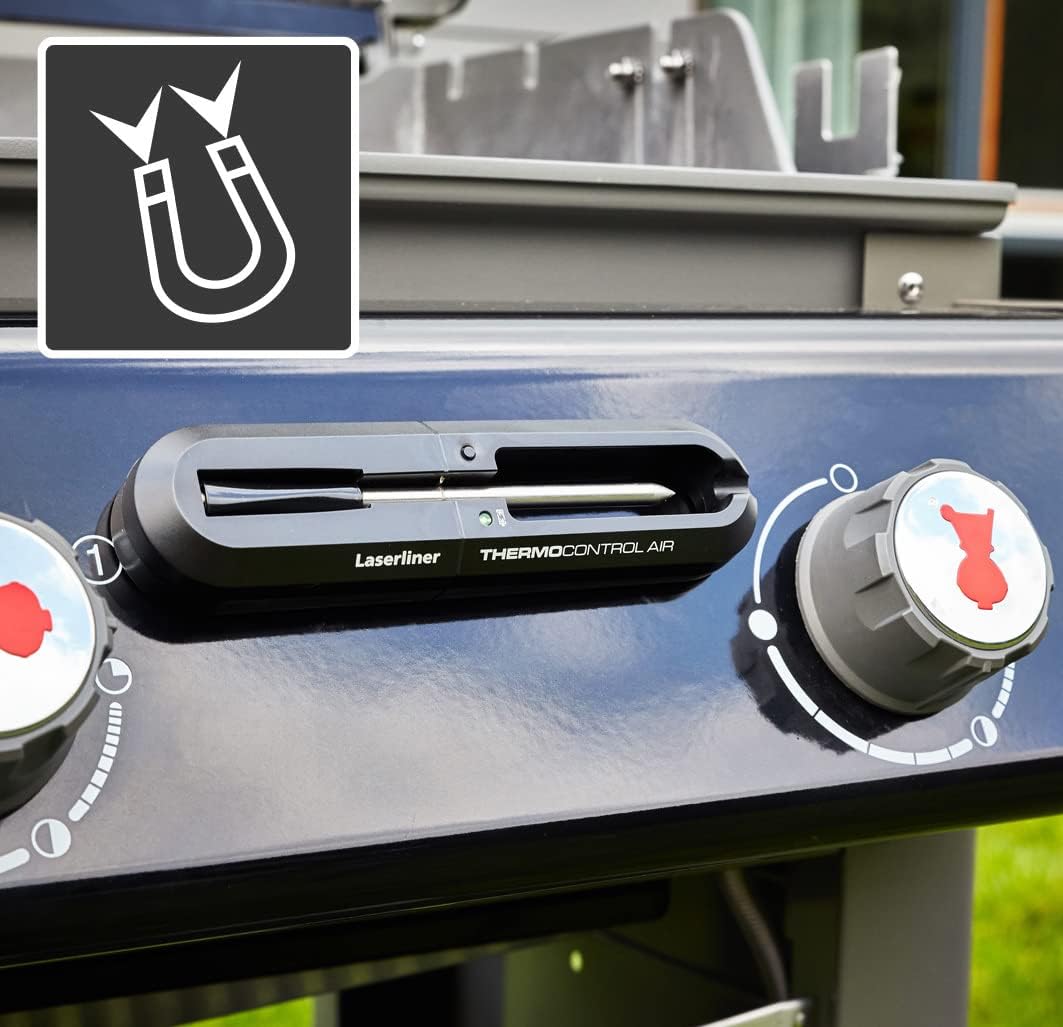
Image: The ThermoControl Air main unit magnetically attached to the side of a grill, demonstrating its convenient placement.
הגדרה
1. התקנת סוללה
- Locate the battery compartment on the back of the ThermoControl Air main unit.
- פתח את מכסה התא.
- Insert the provided 1.5V AAA battery, ensuring correct polarity (+/-).
- סגור היטב את מכסה תא הסוללות.

Image: The ThermoControl Air main unit with an illustration of an AAA battery, indicating the required battery type for operation.
2. הורדת אפליקציה וחיבור
- Download the "Grill ProbeE" app from your device's app store (available for iOS and Android).
- ודא ש-Bluetooth מופעל בטלפון החכם או בטאבלט שלך.
- Open the "Grill ProbeE" app.
- The app will automatically search for and connect to your ThermoControl Air device. If prompted, allow necessary permissions for the app to function correctly (e.g., Bluetooth access).
- Once connected, the LED indicator on the ThermoControl Air unit may change color or state, and the app will display a connected status.
הוראות הפעלה
1. הכנה למדידה
- Insert the temperature probe firmly into the jack on the ThermoControl Air main unit.
- For meat, insert the probe into the thickest part, avoiding bones. For ambient temperature, position the probe in the cooking chamber without touching the food or heating elements.
- Place the ThermoControl Air main unit outside the cooking chamber, ideally attached magnetically to a metal surface nearby, ensuring it is not exposed to excessive heat.
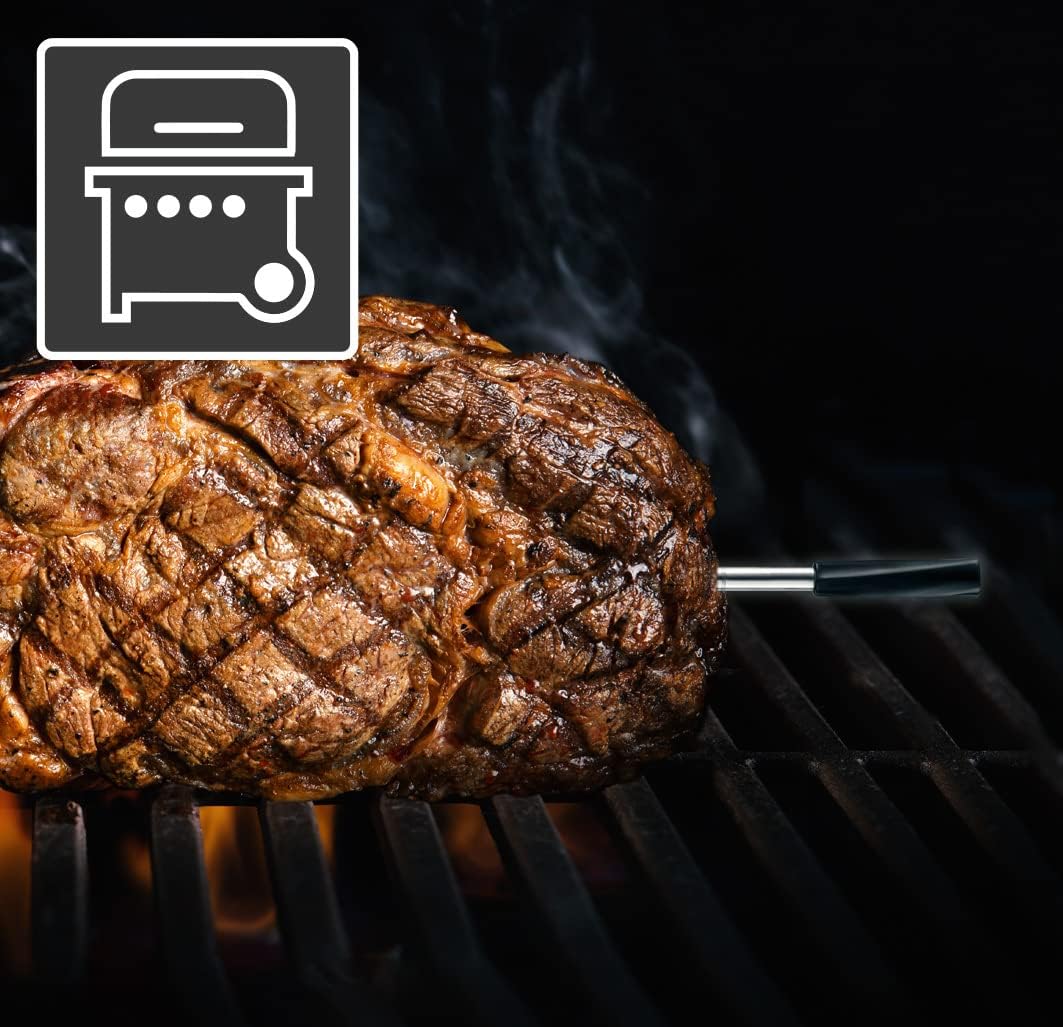
Image: A piece of meat cooking on a grill with the ThermoControl Air probe accurately inserted to monitor its internal temperature.
2. שימוש באפליקציה לבישול
- Open the "Grill ProbeE" app on your connected device.
- Select the type of meat or food you are cooking from the app's menu.
- Choose your desired doneness level (e.g., rare, medium, well-done). The app will automatically set the target internal temperature.
- Monitor the real-time temperature readings on the app. The app displays both the current internal temperature of the food and, if applicable, the ambient temperature of the cooking environment.
- The app will provide visual and audible alerts when the target temperature is reached, or if the temperature deviates significantly.
- You can also set custom temperature alarms or timers within the app.

Image: A smartphone screen showing the "Grill ProbeE" app interface, displaying real-time temperature data for a chicken being cooked on a rotisserie.

תמונה: דוגמה להמחשה view of the ThermoControl Air probe inserted into a chicken roasting in an oven, with a smartphone displaying the app's cooking level options and temperature monitoring.
תַחזוּקָה
ניקוי
- After each use, allow the temperature probe to cool down.
- Wash the probe with warm, soapy water. Do not use abrasive cleaners or scouring pads.
- נגב את היחידה הראשית עם המודעהamp אין לטבול את היחידה הראשית במים או להכניס אותה למדיח כלים.
- Ensure both the probe and the main unit are completely dry before storage.
אִחסוּן
- Store the ThermoControl Air and its probe in a clean, dry place when not in use.
- If storing for an extended period, it is recommended to remove the battery to prevent leakage.
פתרון בעיות
| בְּעָיָה | סיבה אפשרית | פִּתָרוֹן |
|---|---|---|
| המכשיר לא נדלק. | הסוללה מתה או שהוכנסה בצורה שגויה. | החלף את סוללת ה-AAA או בדוק את הקוטביות שלה. |
| App not connecting to the device. | Bluetooth is off; device is out of range; app permissions not granted; device not active. | Ensure Bluetooth is on. Move closer to the device. Check app permissions in phone settings. Press the TEST button on the device to activate it. |
| קריאת טמפרטורה לא מדויקת. | Probe not fully inserted; probe damaged; probe tip touching bone. | Re-insert the probe into the thickest part of the food, avoiding bones. If damaged, replace the probe. |
| האפליקציה קורסת או קופאת. | תקלת תוכנה; גרסה מיושנת של האפליקציה. | Restart the app and your phone. Check for app updates in your app store. |
מפרטים
| תכונה | פְּרָט |
|---|---|
| דֶגֶם | 082.425A |
| טווח טמפרטורה | 0°C עד 300°C (32°F עד 572°F) |
| קישוריות | Bluetooth (App controlled) |
| תאימות אפליקציות | iOS ואנדרואיד |
| ספק כוח | 1 x 1.5V AAA סוללת (כלול) |
| מידות (יחידה ראשית) | מידות בקירוב: 16.8 x 2.4 x 4 ס"מ (6.6 x 0.9 x 1.6 אינץ') |
| מִשׁקָל | משוער. 200 גרם (0.44 פאונד) |
| מחלקת הגנה | IP66 (אטום לאבק ומוגן מפני סילוני מים חזקים) |
אחריות ותמיכה
Laserliner products are manufactured with high quality standards. For information regarding warranty terms and conditions, please refer to the warranty card included with your product or visit the official Laserliner webאֲתַר.
For technical support, troubleshooting assistance, or spare parts, please contact Laserliner customer service. Contact details can typically be found on the product packaging or the official Laserliner webאֲתַר:
Laserliner Official Webאֲתַר: www.laserliner.com
אנא ודאו כי מספר הדגם (082.425A) ותאריך הרכישה שלכם מוכנים בעת פנייה לתמיכה.


