מָבוֹא
This manual provides essential information for the proper use and care of your Heyday 6-ft Lightning to USB-A Braided Cable. This cable is designed for charging and syncing compatible Apple devices with a Lightning port to devices with a USB-A port.
The braided TPU cord and metal-wrapped connectors are engineered for durability and ease of use, providing a reliable connection for your daily charging and data transfer needs.
המוצר נגמרview

Image: The Heyday 6-ft Lightning to USB-A Braided Cable in Midnight Purple, displaying the USB-A connector on the left and the Lightning connector on the right. Both connectors are purple, and the braided cable is a mix of purple and black.
The Heyday 6-ft Lightning to USB-A Braided Cable features:
- Lightning to USB-A Connectivity: Enables charging and data synchronization for compatible devices.
- אורך מורחב: A 6-foot (approximately 1.8 meters) cable provides flexibility for use at home, work, or while traveling.
- מוסמך MFi: Ensures compatibility and safe operation with Apple devices.
- בנייה עמידה: Features a braided nylon cord and metal-wrapped connectors for enhanced longevity and resistance to wear.
- ביצועים גבוהים: תומך עד 2.4 Amps for efficient charging and a data transfer rate of 480 Mbps.
הגדרה
Setting up your Heyday Braided Cable is straightforward. No software installation is required.
- זיהוי מחברים: Locate the Lightning connector (smaller, reversible end) and the USB-A connector (larger, rectangular end).
- חיבור למקור חשמל/מחשב: Insert the USB-A connector into a compatible USB-A port on a wall charger, power bank, computer, or other USB-A enabled device. Ensure the connection is firm.
- התחבר למכשיר: Insert the Lightning connector into the Lightning port of your compatible Apple device (e.g., iPhone, iPad, iPod). The Lightning connector is reversible, so it can be inserted in either orientation.
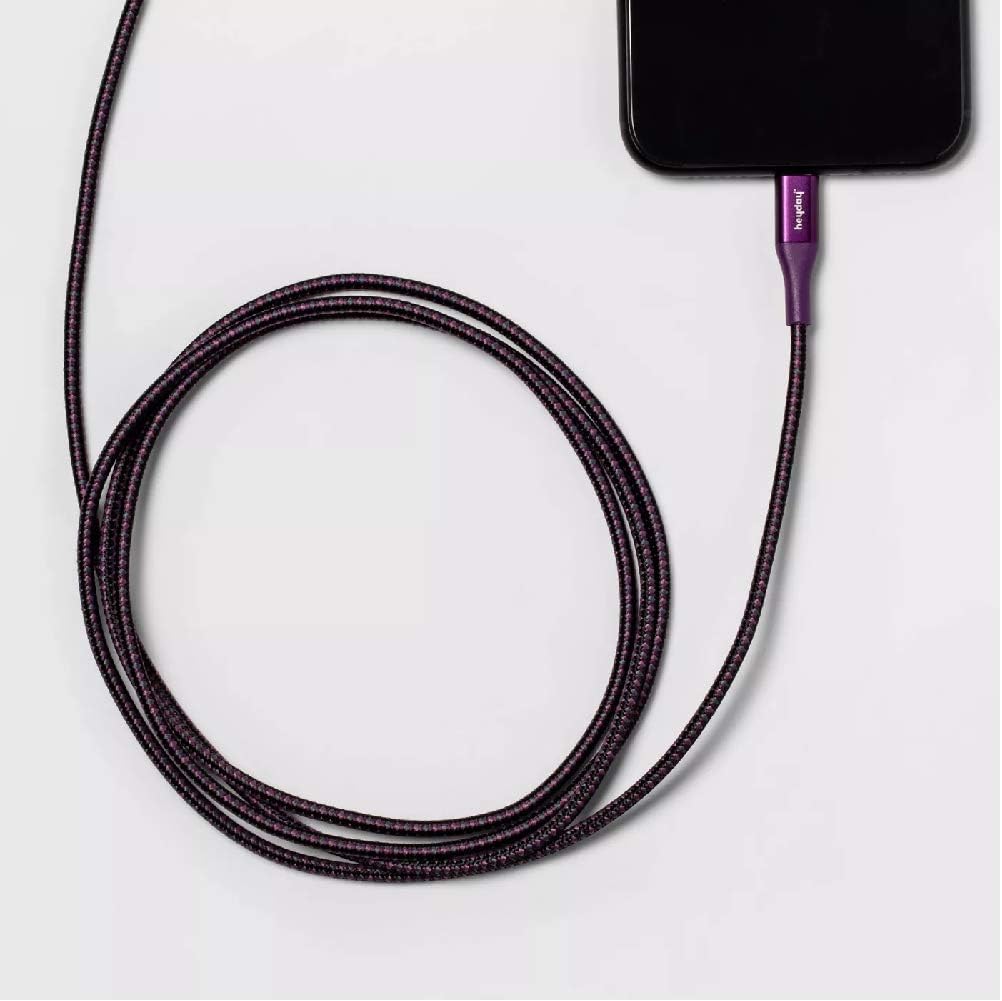
Image: The Heyday Lightning cable with its Lightning connector securely plugged into the charging port of a smartphone, demonstrating a typical connection for charging or data transfer.
הוראות הפעלה
Once connected, the cable will facilitate charging or data transfer automatically, depending on the connected devices and their settings.
- טְעִינָה: When connected to a power source (e.g., wall adapter, power bank), your Apple device will begin charging. The charging indicator on your device will confirm this.
- Data Transfer/Syncing: When connected to a computer, your device may prompt you to "Trust This Computer." Follow the on-screen instructions to allow data transfer and syncing with applications like iTunes or Finder.
- ביצועים אופטימליים: For best charging results, use with a power adapter that provides at least 2.4 Amps (e.g., 12W USB power adapter).
תַחזוּקָה
Proper care will extend the life of your cable.
- אִחסוּן: כאשר אינו בשימוש, יש לגלגל את הכבל באופן רופף. יש להימנע מליפוף הדוק או כיפופים חדים, במיוחד ליד המחברים, שכן הדבר עלול לגרום נזק לחוטים הפנימיים.
- ניקוי: If the cable or connectors become dirty, gently wipe them with a soft, dry, lint-free cloth. Do not use harsh chemicals or abrasive materials.
- טיפול: Always grasp the connector housing when plugging or unplugging the cable. Do not pull directly on the cable itself, as this can strain the connection points.
- תנאים סביבתיים: Avoid exposing the cable to extreme temperatures, direct sunlight for prolonged periods, or excessive moisture.

Image: The Heyday 6-ft Lightning to USB-A Braided Cable neatly coiled, demonstrating proper storage to prevent damage and tangling.
פתרון בעיות
If you encounter issues with your cable, try the following steps:
- Cable Not Charging/Syncing:
- ודא ששני קצוות הכבל מחוברים במלואם ובצורה מאובטחת ליציאות המתאימות.
- Try using a different USB-A port or power adapter.
- Test the cable with a different compatible device to rule out an issue with your device.
- Check the Lightning port on your device for any debris or lint that might be obstructing the connection.
- Restart your device and the connected computer/power source.
- טעינה איטית:
- Ensure you are using a power adapter that provides sufficient amperage (e.g., 2.4A or higher).
- Avoid using the device heavily while it is charging.
- "Accessory Not Supported" Message:
- This message can sometimes appear if the cable is not fully inserted or if there's debris in the port. Re-insert the cable firmly.
- ודא שהתוכנה של המכשיר שלך מעודכנת.
- As the cable is MFi certified, this message is less likely but can occur with very old or damaged devices.
If problems persist after trying these steps, the cable may be damaged or defective. Please refer to the warranty information if applicable.
מפרטים
| מותג | תְקוּפַת הַשִׂיא |
| מספר דגם | 0818009024695 |
| סוג כבל | Lightning to USB-A |
| מֶשֶׁך | 6 רגל (כ-1.8 מטרים) |
| צֶבַע | Midnight Purple |
| קצב העברת נתונים | 480 Mbps (0.48 Gigabits Per Second) |
| זרם טעינה | עד 2.4 Amps |
| תכונות מיוחדות | Braided, MFi Certified |
| דגמי טלפונים תואמים | iPhone 12, iPhone 12 Pro, iPhone 12 Pro Max, iPhone 12 mini, iPhone SE (2020), iPhone 11, iPhone 11 Pro, iPhone 11 Pro Max, iPhone XR, iPhone XS, iPhone XS Max, iPhone X, iPhone 8, iPhone 8 Plus |
| משקל פריט | 2.89 אונקיות |
אחריות ותמיכה
Specific warranty details for this product are not provided in the available information. Please refer to the product packaging or the manufacturer's official webאתר לקבלת תנאי האחריות.
For further assistance or technical support, please contact Heyday customer service through their official channels, typically found on their webאתר או אריזת מוצר.