מָבוֹא
The Amazon Echo Show 5 (2nd Gen, 2021 release) is a smart display designed to simplify your daily routines and enhance your connected home experience. This certified refurbished device has been tested and certified to function like new, offering all the features of a new unit.
With Alexa built-in, you can manage your day, stay entertained, and connect with others using just your voice. The compact 5.5-inch screen provides visual feedback for alarms, timers, news, video calls, and more.

Image: The Echo Show 5 on a nightstand, illustrating its use as a smart display for time and daily information.
הגדרה
Setting up your Echo Show 5 is a straightforward process. The device is designed for simple setup, allowing you to connect to your Wi-Fi network with ease.
מה יש בקופסה:
- מכשיר Echo Show 5
- Glacier White power adapter (15W) with cable (4.9 ft.)
- מדריך להתחלה מהירה
שלבי הגדרה ראשוניים:
- לִתְקוֹעַ תֶקַע: Connect the power adapter to your Echo Show 5 and plug it into a wall outlet.
- פעל לפי ההוראות על המסך: The device will power on and guide you through the initial setup process on its touch screen.
- התחבר ל-Wi-Fi: Select your Wi-Fi network from the list and enter the password. The Echo Show 5 supports dual-band 802.11a/b/g/n/ac Wi-Fi networks.
- כניסה לחשבון אמזון: Log in with your Amazon account credentials.
- התאמה אישית של הגדרות: Customize settings such as time zone, device name, and privacy preferences.
- הורד את אפליקציית Alexa: For full functionality and advanced controls, download the Alexa app on your Fire OS, Android, or iOS device. The app is also accessible via a web דפדפן.
Amazon's Wi-Fi simple setup technology helps streamline the connection process, making it easier to get your device up and running quickly.
הפעלת Echo Show שלך 5
The Echo Show 5 offers a wide range of functionalities, primarily controlled by voice commands to Alexa and through its interactive touch screen.
Daily Assistance:
- אזעקות וטיימרים: Set alarms and timers with voice commands.
- Calendar & News: Check your calendar, get news updates, and view תחזיות מזג האוויר.
- רוטינות: Create routines to automate actions, such as gradually turning on compatible lights in the morning.
בקרת בית חכם:
Manage compatible smart home devices using the interactive display, your voice, or motion detection.
- מצלמה מובנית: Use the 2 MP camera to look in on your home when you're away.
- בקרת מכשיר: Control lights, cameras, and other smart devices.

Image: A man carrying a laundry basket, with an Echo Show 5 in the foreground, demonstrating how the device can be used to control smart home devices, possibly through motion detection.
תִקשׁוֹרֶת:
- שיחות וידאו: Make video calls to friends and family who have the Alexa app or an Echo device with a screen using the 2 MP camera.
- הודעות: Send announcements to other compatible devices in your home.

Image: The Echo Show 5 displaying an active video call, highlighting its communication capabilities.
בידור:
- נְהִירָה: Play TV shows and movies from services like Prime Video and Netflix on the 5.5-inch screen.
- מוזיקה ואודיו: Stream music from Amazon Music, Apple Music, Spotify, and others.
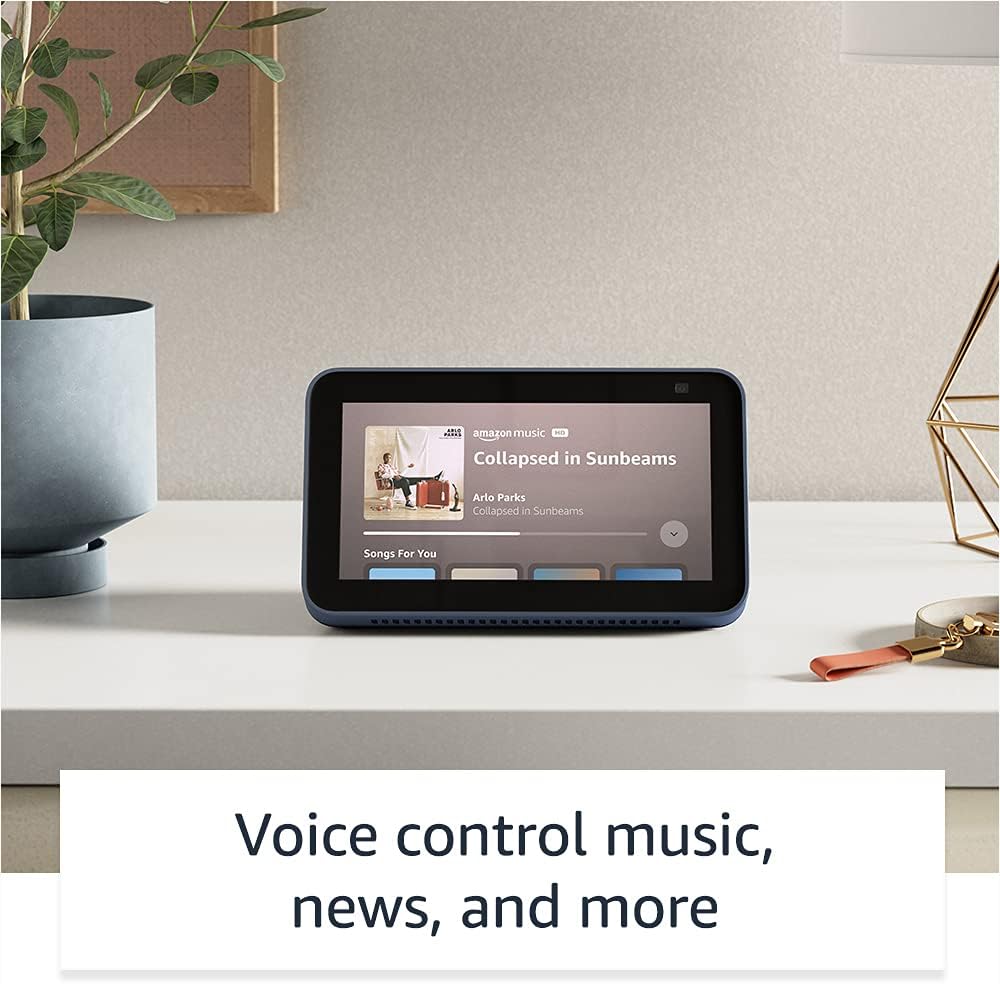
Image: The Echo Show 5 displaying a music playback screen, demonstrating its entertainment features.
התאמה אישית:
- מסגרת תמונה דיגיטלית: Use Amazon Photos to turn your home screen into a digital photo frame.

Image: The Echo Show 5 displaying a personal photo, illustrating its use as a digital photo frame.
תכונות פרטיות:
ה-Echo Show 5 מתוכנן עם מספר שכבות של בקרות פרטיות:
- Mic/Camera Off Button: A physical button to electronically disconnect the microphones and camera.
- תריס מצלמה מובנה: A physical shutter to cover the camera lens.
- Voice Recording Controls: יכולת ל view ולמחוק את הקלטות הקול שלך.
- טכנולוגיית Wake Word: The device only begins listening after detecting your chosen wake word.
- אינדיקטורים של סטרימינג: Visual indicators show when audio or video is being streamed to the cloud.

תמונה: תקריב view of the Echo Show 5's top, highlighting the physical camera shutter button for privacy control.
תכונות נגישות:
ה-Echo Show 5 כולל מגוון תכונות נגישות כדי להתאים אישית את Alexa ליכולות שלך. ניתן לגשת אליהן דרך הגדרות ← נגישות במכשיר שלך.
- הקש כדי להגיע לאלכסה: Interact with Alexa via touch through on-screen tiles or a keyboard.
- האזנה אדפטיבית: מספק יותר זמן לסיים את הדיבור לפני שאלכסה תגיב.
- קצב דיבור מועדף: שלוט במהירות או באיטיות של דיבור של אלקסה.
- כיתוב: Alexa Captioning, Call Captioning, and Closed Captioning provide text for supported content.
- הראה וספר: מסייע בזיהוי מוצרים עבור משתמשים עיוורים או לקויי ראייה.
- קוֹלView קורא מסך: Enables access for blind or visually impaired users.
- מגדיל מסך: הגדלה/הקטנה של התצוגה וזיזת מסך.
- הודע כשנמצא בקרבת מקום: משמיע צלילי התראות כאשר מזוהה בקרבת המכשיר.
- קינדל קרא בקול רם: אלכסה יכולה לקרוא את ספרי הקינדל שלך בקול רם.
- טקסט בזמן אמת: Type live text during a video call.
- הגדרות נוספות עבור היפוך צבע, תיקון צבע, בקשת צליל ועוד.
תַחזוּקָה
The Certified Refurbished Echo Show 5 has undergone rigorous testing and certification to ensure it looks and works like new. Regular maintenance is minimal.
- ניקוי: Gently wipe the screen and device exterior with a soft, lint-free cloth. Avoid abrasive cleaners or sprays.
- עדכוני תוכנה: Ensure your device is connected to Wi-Fi to receive automatic software security updates, which are guaranteed for at least four years after the device is last available for purchase as a new unit.
פתרון בעיות
If you encounter issues with your Echo Show 5, consider the following general troubleshooting steps:
- מחזור הפעלה: Unplug the device from the power outlet, wait for 30 seconds, and then plug it back in.
- בדוק חיבור Wi-Fi: Ensure your Wi-Fi network is active and the device is connected. You can check network status in the device settings.
- Verify Internet Connectivity: Confirm your internet service is working by testing other devices on the same network.
- Check Microphone/Camera: Ensure the mic/camera off button is not activated and the camera shutter is open if you are trying to use these features.
- אפליקציית אלקסה: Use the Alexa app on your smartphone or tablet to manage device settings, check for updates, and access further support resources.
- פקודות קוליות: Speak clearly and ensure you are within range of the device's microphones.
For more detailed troubleshooting or specific issues, refer to the help section within the Alexa app or visit the official Amazon support webאֲתַר.
מפרטים
| תכונה | פְּרָט |
|---|---|
| גוֹדֶל | 5.8 אינץ' x 3.4 אינץ' x 2.9 אינץ' (148 מ"מ x 86 מ"מ x 73 מ"מ) |
| מִשׁקָל | 14.5 אונקיות (410 גרם) |
| לְהַצִיג | מסך מגע בגודל 5.5 אינץ' |
| מַצלֵמָה | 2 MP camera with built-in shutter |
| קישוריות WiFi | Dual-band wifi (802.11a/b/g/n/ac). Does not support ad-hoc networks. |
| קישוריות בלוטות' | A2DP support for audio streaming; AVRCP for voice control of connected mobile devices. PIN-code speakers not supported. |
| שֶׁמַע | Full range 1.65” built-in speaker |
| מעבד | MediaTek MT 8163 |
| דוֹר | Echo Show 5 (2nd Gen) - 2021 release |
| שָׂפָה | אלכסה דוברת אנגלית וספרדית |
אחריות ותמיכה
Your Certified Refurbished Echo Show 5 comes with the same limited warranty as a new device. For specific details regarding your warranty, please refer to the documentation included with your device or visit the official Amazon website for Certified Refurbished Amazon devices.
For customer support, troubleshooting, and to manage your device settings, utilize the Alexa app on your compatible smartphone or tablet. You can also find extensive support resources and FAQs on the Amazon support webאֲתַר.
עדכוני אבטחת תוכנה: מכשיר זה מקבל עדכוני אבטחת תוכנה מובטחים עד לפחות ארבע שנים לאחר שהמכשיר יהיה זמין לרכישה לאחרונה כיחידה חדשה באתר האינטרנט של אמזון. webאתרים.
מסמכים קשורים - Echo Show 5 (דור שני, שחרור 2)
 |
מדריך התחלה מהירה לאמזון אקו שואו 8 (דור שני) מדריך לתחילת העבודה עם Amazon Echo Show 8 (דור שני), הכולל הגדרות, תכונות ופרטיות. |
 |
מדריך למשתמש של Amazon Echo Show 8 (דור שני) מדריך מקיף למשתמש עבור Amazon Echo Show 8 (דור שני), המפרט את ההתקנה, תכונות הפרטיות, פקודות קוליות וטיפים לשימוש ב-Alexa. |
 |
הנחיות שימוש במותג Amazon Echo ו-Alexa עבור שותפים חיצוניים הנחיות רשמיות לשותפים חיצוניים בנוגע לשימוש נכון בנכסי המותג Amazon Echo ו-Alexa, כולל לוגואים, טיפוגרפיה, צבעים וייצוג בחומרי שיווק. הבטחת עקביות ויושרה של המותג. |
 |
מדריך התחלה מהירה ל-Amazon Echo Show 8 (דור שני): התקנה ותכונות למד כיצד להגדיר ולהשתמש ב-Amazon Echo Show 8 (דור שני). מדריך זה מכסה את תכונות המכשיר, בקרות הפרטיות ופקודות Alexa חיוניות למשימות יומיומיות. |
 |
מדריך התחלה מהירה לאמזון אקו שואו 5 (דור שני) מדריך התחלה מהירה עבור Amazon Echo Show 5 (דור שני), המכסה הגדרה, תכונות פרטיות ושימוש בסיסי עם Alexa. |
 |
מדריך התחלה מהירה לאמזון אקו שואו 5 (דור שני) התחילו עם Amazon Echo Show 5 (דור שני). מדריך זה מכסה הגדרה, תכונות מכשיר, בקרות פרטיות וכיצד להשתמש ב-Alexa לבידור, בית חכם ותקשורת. |