מָבוֹא
This manual provides detailed instructions for the installation, operation, and maintenance of your GEREE C108WX-UK Wireless Outdoor Wifi IP Home Security Camera. Please read this manual thoroughly before using the product to ensure proper functionality and safety.
The GEREE C108WX-UK camera features 1080P Full HD video, 360° pan/tilt functionality, night vision, two-way audio, smart motion tracking, and is designed for outdoor use with IP66 waterproofing.
תוכן החבילה
ודא שכל הפריטים נמצאים בחבילה:
- 1 x WiFi IP Camera
- מדריך למשתמש אחד (מסמך זה)
- 1 x כבל חשמל
- 1 x Screw Pack for mounting
מידע בטיחות
- Ensure the power supply is 12V 2.5A (included). Using an incorrect power supply may damage the device.
- The camera is IP66 waterproof and dustproof, designed to operate in temperatures from -10°C to 45°C (14°F to 113°F).
- אל תנסה לפרק או לשנות את המצלמה. פעולה זו תגרום לביטול האחריות ועלולה לגרום נזק.
- Keep the camera away from strong magnetic fields or corrosive environments.
מדריך התקנה
1. התקנת אפליקציה ויצירת חשבון
The camera operates with the "ICSee" application, compatible with iOS and Android devices.
- Download the "ICSee" app from your device's app store.
- פתחו את האפליקציה וצרו חשבון משתמש חדש.
2. Camera Power-On and Initial Connection
- Connect the camera to the provided 12V 2.5A power supply and plug it into an electrical outlet.
- Wait for the camera to power on and initiate its self-test.
- In the "ICSee" app, select the '+' icon to add a new camera.
3. הגדרת רשת Wi-Fi
The camera supports 2.4GHz Wi-Fi networks only. 5GHz Wi-Fi is not supported.
- Select your 2.4GHz Wi-Fi network from the list in the app and enter your Wi-Fi password. Then, select "Connect to Wi-Fi".
- The app will display a QR code. Position your camera to scan this QR code.
- Once the QR code is scanned successfully, select "Next" in the app.
- Select "Save" and then "Start using" to complete the pairing process.
- If the connection fails, please push the Reset button on the camera and try again.

Image: The GEREE CCTV Camera, illustrating its physical design and dual antenna setup for wireless connectivity.
הוראות הפעלה
1. לחיות View ובקרת סיבוב/הטיה
Access the live video feed through the "ICSee" app. The camera offers 355° horizontal and 110° vertical rotation.
- השתמשו בבקרות הכיוון בתוך האפליקציה כדי לכוונן מרחוק את המצלמה viewזווית ing.
- The 1080P Full HD resolution provides clear video streaming.

Image: The camera providing a wide-angle view of a house, with an overlay showing app controls for pan and tilt.
2. ראיית לילה
The camera is equipped with 8 Array LEDs (4 IR LEDs + 4 full-color LEDs) for enhanced night vision up to 40 meters (132ft).
- המצלמה עוברת אוטומטית בין מצבי יום ולילה בהתאם לתאורת הסביבה.
- Minimal illumination required: Color: 0.4 Lux (Day), Black/White: 0.01 Lux (Night).
3. שמע דו-כיווני
The built-in microphone and speaker enable two-way communication.
- Use the app to speak through the camera or listen to audio from the camera's location.

Image: Demonstrates the two-way audio function, allowing communication with visitors via the camera.
4. Smart Motion Detection and Tracking
The camera can detect motion and send alerts to your phone. It also features smart motion tracking.
- Configure motion detection zones and sensitivity settings within the "ICSee" app.
- Upon detecting movement, the camera sends an alert notification and a 6-second video clip to your phone.
- When someone moves in front of the lens, the camera will automatically follow their direction. It returns to its original position after the person leaves the frame.

Image: A smartphone displaying a "Smart Motion Detection Alarm" notification from the camera, showing a detected intruder.

Image: Illustrates the mobile tracking feature, where the camera automatically follows moving subjects.
5. אפשרויות אחסון
The camera supports both local and cloud storage for video recordings.
- אחסון כרטיס SD: Insert a Micro SD card (up to 128GB) into the designated slot on the camera for local recording.
- אחסון בענן: Cloud storage is available as an optional service through the "ICSee" app. Cloud servers are located in the United States for privacy protection.
6. גישה מרובה משתמשים
Share camera access with family and friends.
- The "ICSee" app allows up to 6 users to view the camera feed simultaneously.
- You can share access to your camera system with relatives, friends, or neighbors through the app.
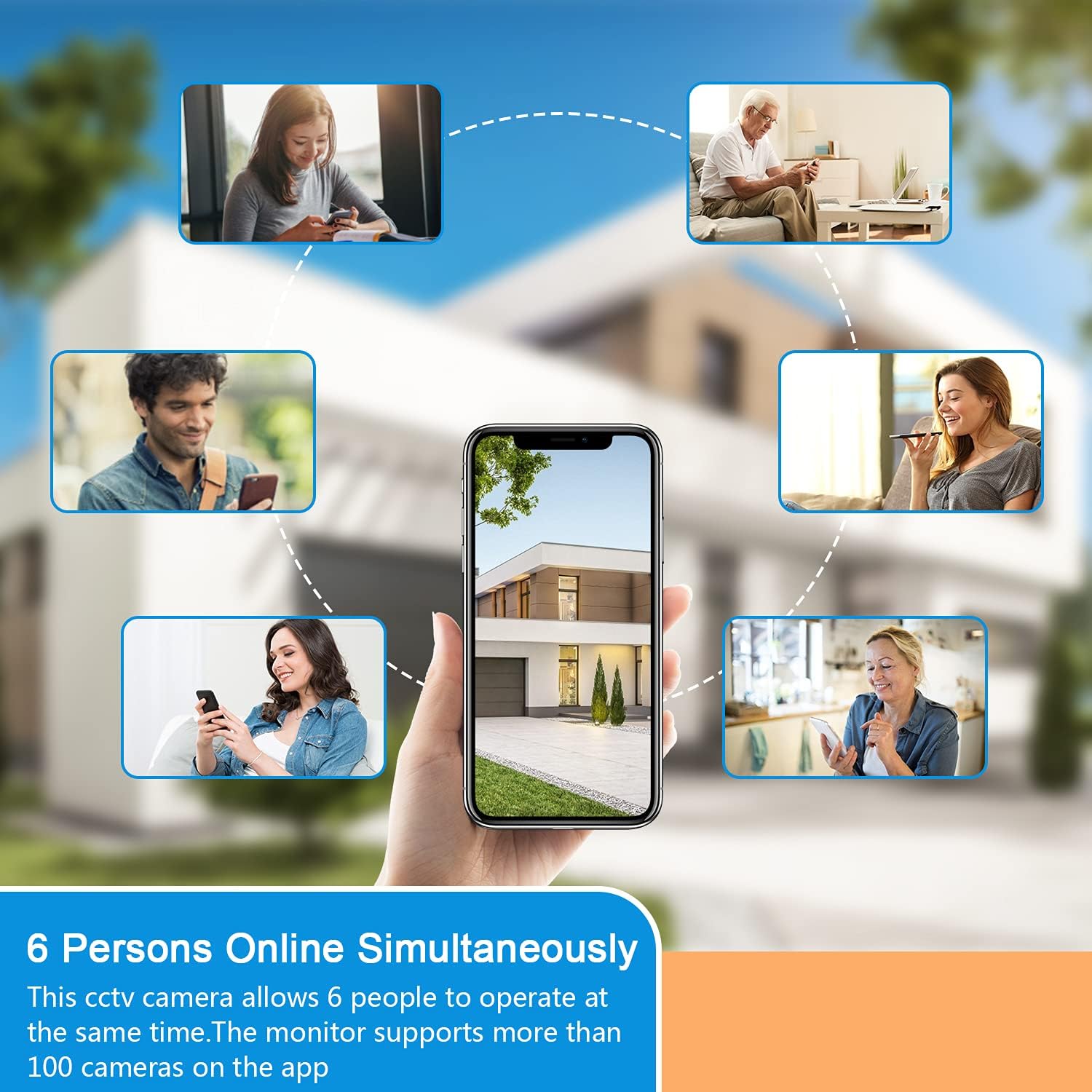
Image: Depicts multiple users simultaneously accessing the camera feed via their smartphones.
7. עובד עם אלקסה
Integrate your GEREE camera with Amazon Alexa for voice control.
- Follow the instructions in the "ICSee" app or Alexa app to link your camera.
- Once linked, you can use voice commands like "Alexa, show me the Garden" to view the camera feed on compatible Alexa devices.
Image: An Echo Show device displaying the camera's live feed, demonstrating compatibility with Alexa.
תַחזוּקָה
1. ניקיון
- נקו מעת לעת את עדשת המצלמה ואת ביתה בעזרת מטלית רכהamp בַּד.
- אין להשתמש בכימיקלים חזקים או בחומרי ניקוי שוחקים, מכיוון שאלה עלולים לפגוע בגימור המצלמה או בעדשה.
2. עדכוני קושחה
- Check the "ICSee" app regularly for available firmware updates.
- שמירה על עדכון הקושחה מבטיחה ביצועים ואבטחה אופטימליים.

Image: The camera shown with water droplets, highlighting its IP66 waterproof and dustproof capabilities for all-weather use.
פתרון בעיות
1. בעיות חיבור
- המצלמה לא מתחברת ל-Wi-Fi:
- ודא שרשת ה-Wi-Fi שלך היא 2.4GHz. רשתות 5GHz אינן נתמכות.
- ודא שסיסמת ה-Wi-Fi נכונה.
- קרב את המצלמה לנתב ה-Wi-Fi שלך כדי לשפר את עוצמת האות.
- אפס את המצלמה באמצעות כפתור האיפוס ונסה שוב את תהליך ההגדרה.
- App not finding the camera:
- Ensure the camera is powered on and in pairing mode (indicated by a specific LED status, refer to app for details).
- Check if your phone is connected to the same 2.4GHz Wi-Fi network.
2. Video Quality Issues
- Blurry or unclear video:
- נקו את עדשת המצלמה בזהירות.
- Ensure adequate lighting, especially during night vision operation.
- בדוק את מהירות חיבור האינטרנט שלך. חיבור איטי יכול לפגוע באיכות הסטרימינג.
3. זיהוי תנועה לא פועל
- לא התקבלו התראות:
- Verify motion detection is enabled in the "ICSee" app settings.
- כוונון רגישות זיהוי תנועה.
- ודא שהתראות אפליקציה מופעלות בטלפון החכם שלך.
מפרטים
| תכונה | פְּרָט |
|---|---|
| מספר דגם | C108WX-UK |
| הַחְלָטָה | 1920*1080P (HD מלא) |
| Processor & Sensor | XM530+SC2235 |
| ספק כוח | 12V 2.5A (כלול) |
| IR Cut Minimal Illumination | Color: 0.4 Lux (Day), B/W: 0.01 Lux (Night) |
| IR LED Configuration | 8pcs Array LED (4pcs IR led + 4pcs full-color led) |
| מרחק IR | 40 מטר / 132 רגל |
| פרוטוקולים אלחוטיים | Support 2.4GHz (802.11b/g/n), No support for 5GHz Wi-Fi |
| ממשק רשת | 10/100M Base-TX Ethernet, RJ45 Connector |
| דחיסת וידאו | H.264 |
| טווח פאן/הטיה | 355° אופקי, 110° אנכי |
| אִחסוּן | Max 128GB SD Card, Cloud Storage (optional) |
| טמפרטורת הפעלה | -10°C עד 45°C (14°F עד 113°F) |
| דירוג עמיד למים | IP66 |
| תאימות מערכת הפעלה | אנדרואיד, iOS |
| משקל פריט | 640 גרם |
| מידות חבילה | 23.1 x 21.4 x 13.5 ס"מ |
אחריות ותמיכה
GEREE products come with a 12-month warranty from the date of purchase.
For technical support or warranty claims, please contact GEREE customer service through the contact information provided with your purchase or on the official GEREE webאֲתַר.


