1. הקדמה
This manual provides essential information for the installation, operation, and maintenance of your ASUS Prime A520M-K motherboard. The ASUS Prime A520M-K is a Micro-ATX motherboard designed for AMD AM4 socket processors, supporting 3rd Gen AMD Ryzen processors. It features DDR4 memory support, PCIe expansion, and multiple display outputs for a reliable computing experience.
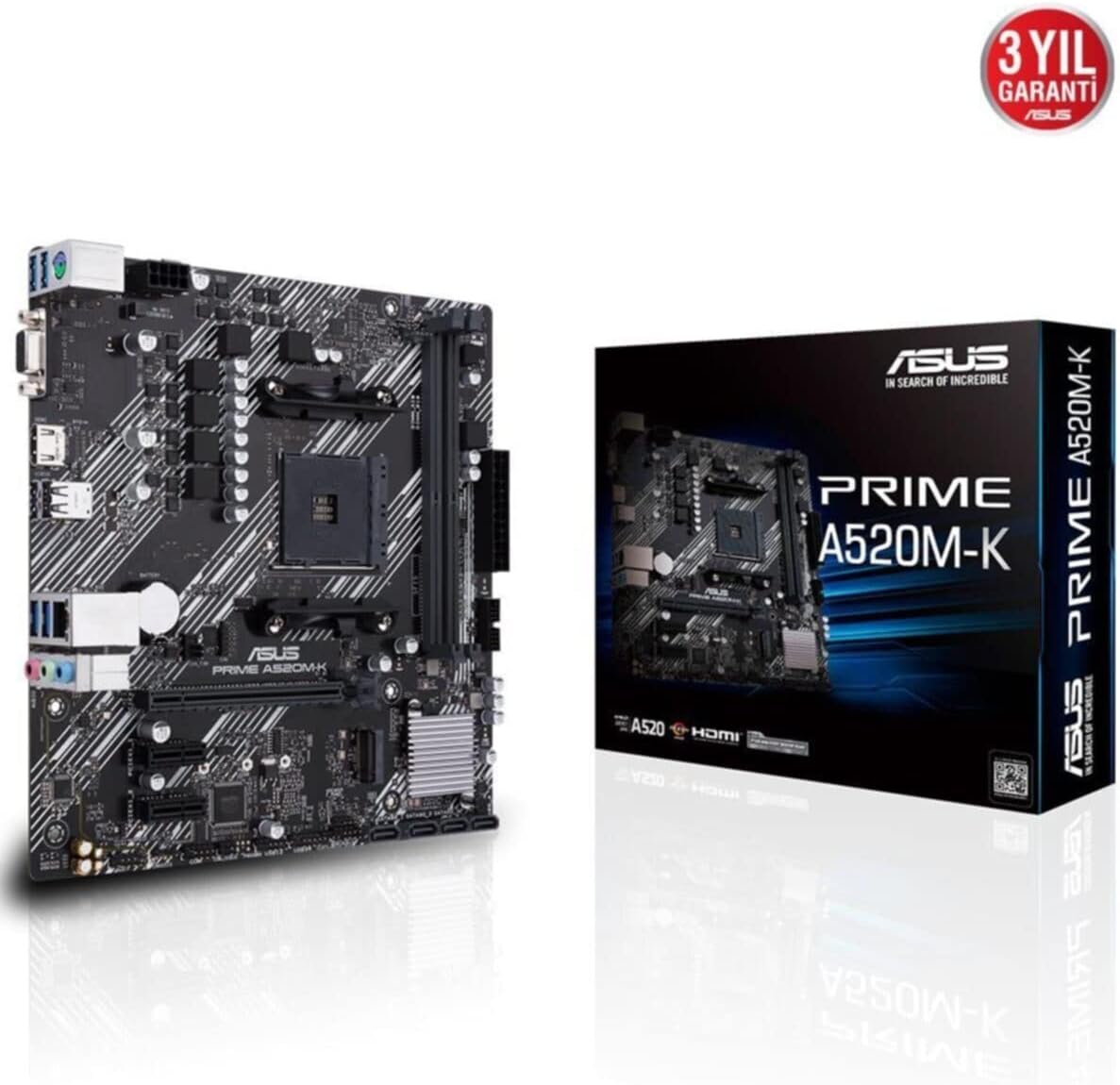
Figure 1: ASUS Prime A520M-K Motherboard and Retail Box.
2. התקנה והתקנה
Careful installation is crucial for optimal performance. Ensure your system components are compatible with the ASUS Prime A520M-K motherboard.
2.1. התקנת מעבד
The motherboard features an AMD AM4 socket. Align your AMD AM4 processor with the socket, ensuring the triangular markers on the CPU and socket match. Gently place the CPU into the socket without applying force, then secure it with the retention lever.
2.2. התקנת זיכרון
The ASUS Prime A520M-K supports up to 64GB of DDR4 RAM across two DIMM slots. Insert DDR4 memory modules into the slots, ensuring they are properly seated until the clips on both ends lock into place.
2.3. כרטיסי הרחבה
Utilize the PCIe expansion slots for graphics cards or other expansion cards. Align the card with the slot and press firmly until it is fully seated. Secure the card with a screw to the chassis.
2.4. Storage Devices
Connect SATA storage devices (HDDs/SSDs) to the available SATA 6Gb/s ports using SATA data cables. Ensure power cables from your power supply are also connected to these devices.
2.5. חיבורי חשמל
Connect the 24-pin ATX main power connector and the 8-pin ATX 12V power connector from your power supply to the corresponding ports on the motherboard.
2.6. מחברי לוח קדמי
Connect your chassis's front panel cables (power button, reset button, USB ports, audio jacks, LED indicators) to the designated headers on the motherboard. Refer to the motherboard diagram for precise locations.
2.7. פאנל קלט/פלט אחורי
The rear I/O panel includes various ports for peripherals:
- D-SUB (VGA) Port: For connecting to older monitors.
- יציאת HDMI: For connecting to modern displays.
- יציאות USB 2.0: For connecting peripherals like keyboards and mice.
- יציאת LAN: עבור קישוריות רשת.
- שקעי אודיו: עבור רמקולים, אוזניות ומיקרופונים.

Figure 2: Rear I/O panel with D-SUB, HDMI, USB, LAN, and audio ports.
סרטון 1: מוצר נגמרview of the ASUS Prime A520M-K Motherboard, demonstrating key features and connectivity options for easy installation.
3. הוראות הפעלה
לאחר שכל הרכיבים מותקנים ומחוברים, ניתן להפעיל את המערכת.
3.1. אתחול ראשון
Upon the first boot, the system may enter the BIOS/UEFI setup utility. This allows you to configure system settings, boot order, and monitor hardware status. Press the designated key (usually דל or F2) during startup to access the BIOS.
3.2. התקנת מערכת הפעלה
Install your preferred operating system (e.g., Windows) from a bootable USB drive or DVD. Follow the on-screen instructions provided by the operating system installer.
3.3. התקנת דרייבר
After installing the operating system, install the necessary drivers for the motherboard's chipset, audio, LAN, and any other integrated components. These drivers are typically provided on a support DVD or can be downloaded from the ASUS official webאֲתַר.
4. תחזוקה
תחזוקה שוטפת מסייעת להבטיח את אורך החיים והפעולה היציבה של לוח האם שלך.
- הסרת אבק: יש לנקות מעת לעת אבק מלוח האם והרכיבים באמצעות אוויר דחוס. יש לוודא שהמערכת כבויה ומנותקת מהחשמל לפני הניקוי.
- עדכוני BIOS/UEFI: Keep your BIOS/UEFI firmware updated to benefit from performance improvements, bug fixes, and support for new hardware. Download updates only from the official ASUS webאֲתַר.
- ניהול כבלים: Ensure all cables are neatly routed and secured to prevent obstruction of airflow and accidental disconnections.
- סוללת CMOS: The motherboard uses a small lithium-ion battery (CR2032) to retain BIOS settings and system time. If your system consistently loses time or BIOS settings, this battery may need replacement.
5. פתרון תקלות
אם נתקלת בבעיות, עיין בשלבים הנפוצים הבאים לפתרון בעיות:
- אין כוח: Check all power connections, including the 24-pin and 8-pin connectors to the motherboard, and ensure the power supply is switched on.
- אין תצוגה: Verify that your monitor is connected to the correct display output (D-SUB or HDMI) on the motherboard or dedicated graphics card. Reseat the graphics card and RAM modules.
- חוסר יציבות/קריסות מערכת: This can be caused by incompatible RAM, overheating, or outdated drivers. Check RAM compatibility, ensure proper cooling, and update all drivers.
- שגיאות בקוד POST: If your motherboard has diagnostic LEDs or a POST code display, consult the ASUS website or full manual for the meaning of specific codes.
- איפוס BIOS: To reset BIOS settings to default, locate the CLRTC (Clear CMOS) jumper on the motherboard and follow the instructions in the full manual, or remove the CMOS battery for a few minutes.
6. מפרטים
Detailed technical specifications for the ASUS Prime A520M-K motherboard:
| תכונה | מִפרָט |
|---|---|
| מותג | ASUS |
| סִדרָה | פריים A520M-K |
| מספר דגם | 90MB1500-M0EAY0 |
| שקע מעבד | שקע AM4 |
| מעבדים תואמים | AMD AM4 Socket 3rd Gen AMD Ryzen |
| סוג ערכת שבבים | AMD A520 |
| טכנולוגיית זיכרון RAM | DDR4 SDRAM |
| חריצי זיכרון | 2 x DIMM |
| זיכרון מקסימלי נתמך | 64GB |
| מהירות שעון זיכרון | 2133 MHz (Base) |
| מספר יציאות USB 2.0 | 2 (קלט/פלט אחורי) |
| פלט וידאו | D-SUB, HDMI |
| גורם צורה | מיקרו ATX |
| מידות המוצר (LxWxH) | 8.9 x 8.7 x 0.79 אינץ' |
| משקל פריט | 1.19 פאונד |
| צֶבַע | שָׁחוֹר |
| פּלַטפוֹרמָה | חלונות |
| תאריך ראשון זמין | 18 באוגוסט 2020 |
7. אחריות ותמיכה
The ASUS Prime A520M-K motherboard typically comes with a manufacturer's warranty. Please refer to the warranty card included with your product or visit the official ASUS support website for detailed warranty terms and conditions. For technical assistance, driver downloads, and further support, please visit the תמיכה של ASUS webאֲתַר.

Figure 3: ASUS Prime A520M-K Motherboard, indicating a 3-year warranty.


