1. הקדמה
The roborock S4 Max is an advanced robotic vacuum cleaner designed to provide efficient and thorough cleaning for your home. Featuring precision LiDAR navigation, powerful 2000Pa suction, and multi-level mapping capabilities, it intelligently navigates and cleans various floor types, including carpets and hard floors. This manual provides essential information for setting up, operating, and maintaining your S4 Max to ensure optimal performance.
2. המוצר נגמרview
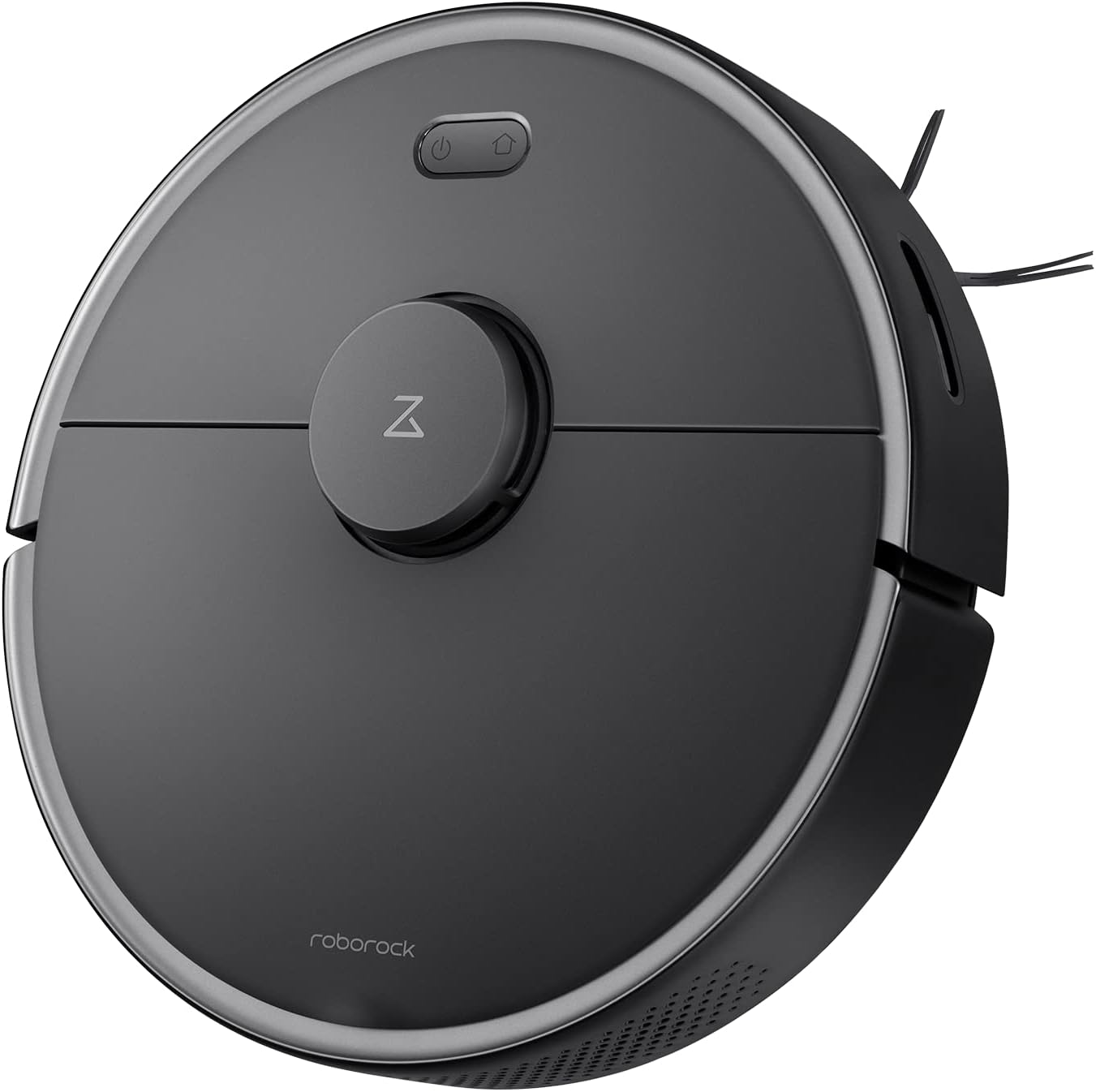
איור 2.1: למעלה view of the roborock S4 Max Robot Vacuum.
תכונות עיקריות:
- ניווט LiDAR מדויק: Ensures accurate mapping and efficient cleaning paths, even in low-light conditions.
- 2000Pa Strong Suction: Effectively picks up dirt, dust, and pet hair from various surfaces.
- מיפוי רב-מפלסי: Stores maps for up to four levels of your home, recognizing room locations automatically.
- Customizable Cleaning Zones: Set up to 10 No-Go Zones, 10 No-Mop Zones, and 10 Invisible Walls per level via the app.
- חיזוק שטיח: מגביר אוטומטית את עוצמת היניקה כאשר מזוהה שטיח לצורך ניקוי עמוק יותר.
- סוללה עמידה לאורך זמן: עד 180 דקות זמן פעולה בטעינה אחת.
- מסנן HEPA רחיץ: Captures 95% of particles and is reusable.
3. התקנה
- פרק את הרובוט: הוציאו בזהירות את שואב האבק הרובוטי ואת כל האביזרים מהאריזה.
- הנח את תחנת הטעינה: Position the charging dock against a wall in an open area with at least 0.5 meters (1.6 feet) of clear space on both sides and 1.5 meters (4.9 feet) in front. Ensure it is connected to a power outlet.
- חיוב ראשוני: Place the robot on the charging dock. The power indicator light will illuminate. Allow the robot to fully charge before its first use.
- הורד את האפליקציה: Download the roborock app from your mobile device's app store. The app is compatible with 2.4Ghz Wi-Fi networks only.
- התחבר ל-Wi-Fi: Follow the in-app instructions to connect your roborock S4 Max to your home Wi-Fi network.
- מיפוי ראשוני: For the first cleaning cycle, allow the robot to fully map your home. Open all doors to rooms you wish to be mapped. The robot will create a detailed map that can be saved and customized.
4. הוראות הפעלה
4.1 ניווט ומיפוי
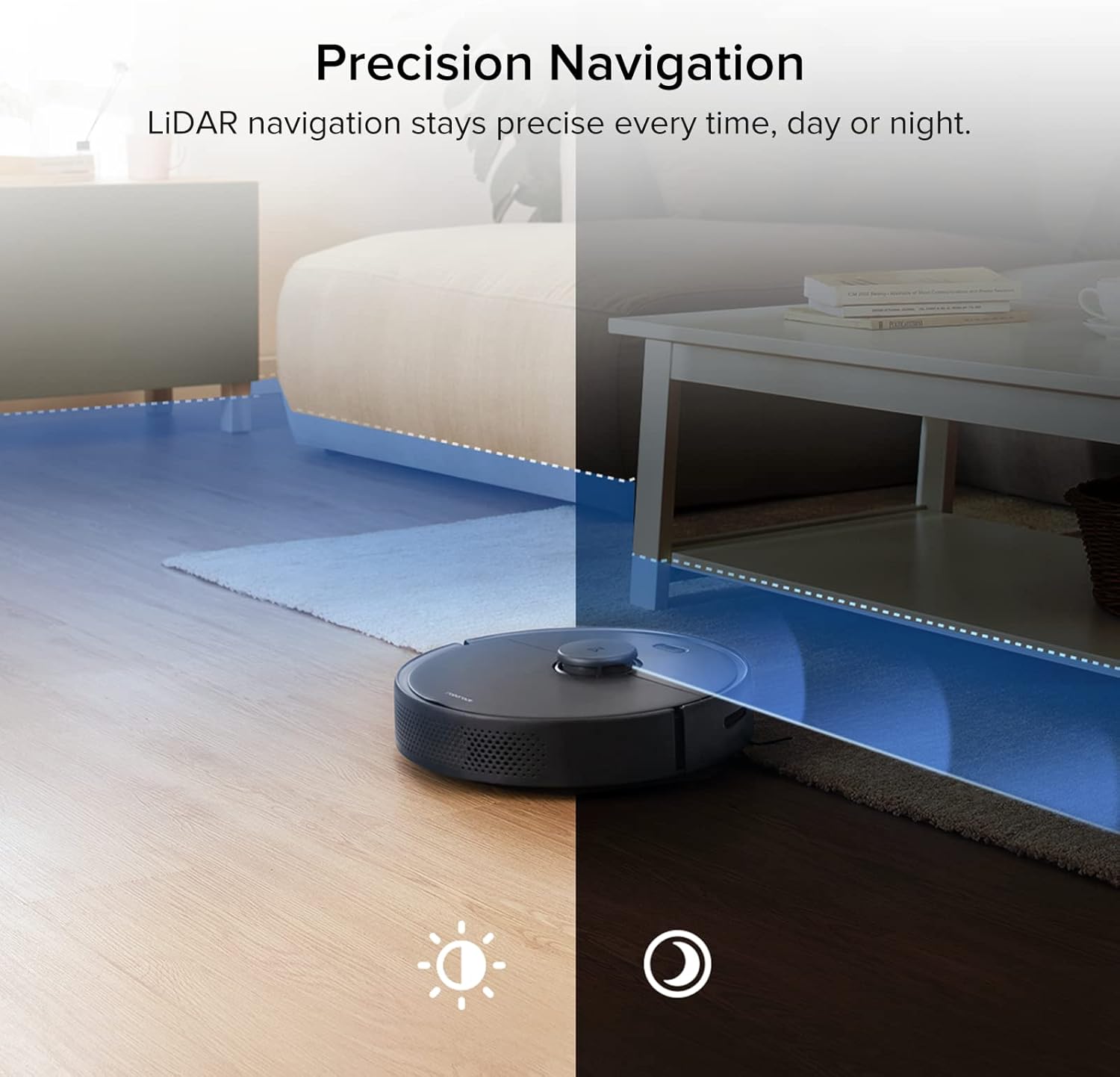
Figure 4.1: The S4 Max uses LiDAR for precise navigation in both bright and dark environments.

Figure 4.2: The robot can store and recognize maps for multiple levels of your home.
The S4 Max utilizes advanced LiDAR navigation to create accurate maps of your home. It cleans in methodical, straight lines, first along edges and then filling in the middle areas. This ensures comprehensive coverage and avoids missing spots. The robot can store up to four different floor plans, automatically recognizing which level it is on.
4.2 מצבי ניקוי ויניקה
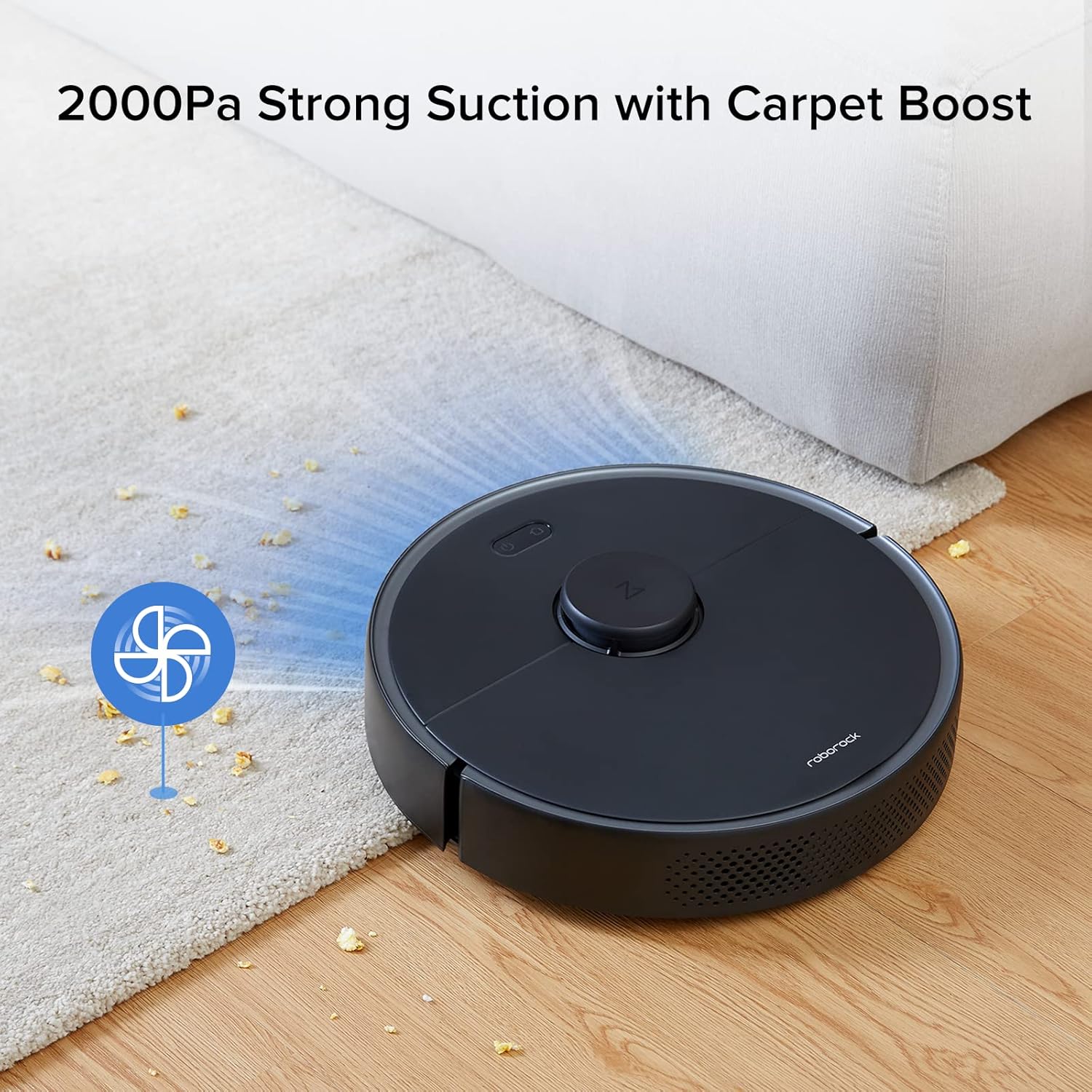
Figure 4.3: The S4 Max features 2000Pa suction power and automatically boosts suction on carpets.
The S4 Max offers multiple cleaning modes to suit your needs:
- שֶׁקֶט: For minimal noise during cleaning.
- נוֹרמָלִי: Standard cleaning power for everyday dirt.
- טורבו: Increased suction for tougher messes.
- מקסימום: Maximum suction power (2000Pa) for deep cleaning.
The robot is equipped with a Carpet Boost feature, which automatically detects carpets and increases suction to the Max level for effective deep cleaning.
4.3 שליטה והתאמה אישית של אפליקציות
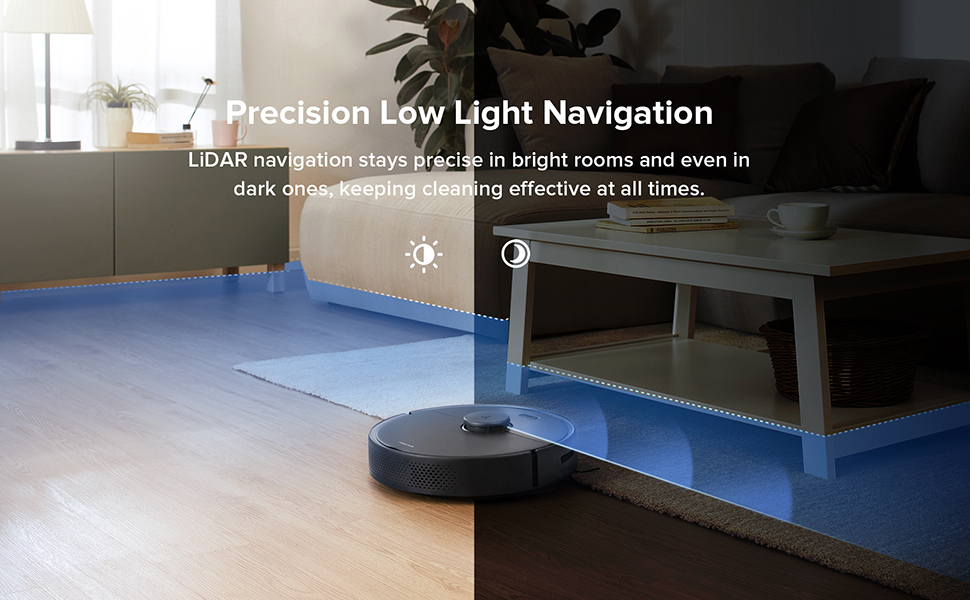
Figure 4.4: The roborock app provides comprehensive control over your robot vacuum.
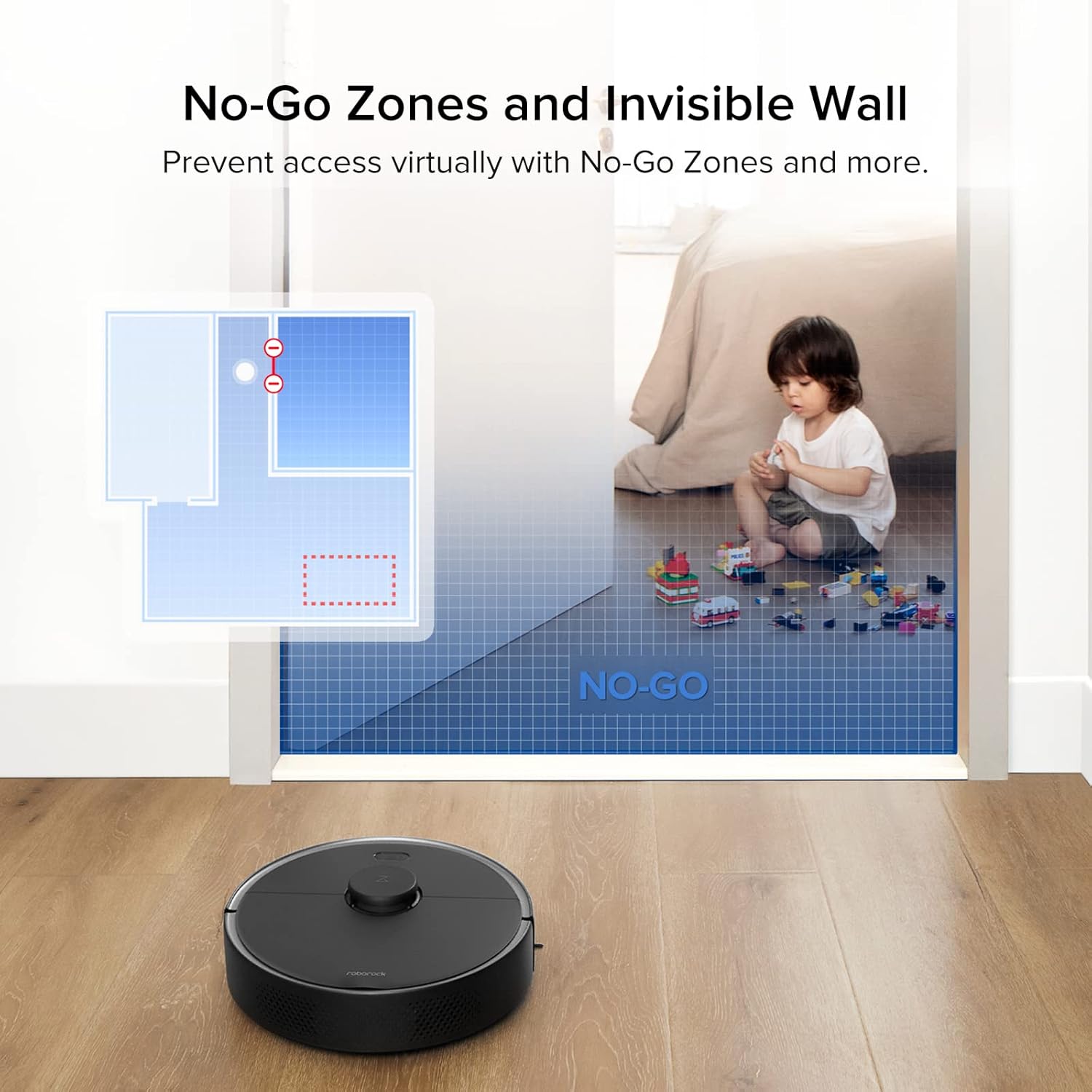
Figure 4.5: Set virtual boundaries to restrict the robot's access to certain areas.
The roborock app offers extensive control and customization options:
- מעקב בזמן אמת: View exact vacuuming routes and the robot's current location.
- לוחות זמנים לניקיון: Set daily or weekly cleaning schedules for specific times and days.
- ניקוי אזור: Select specific rooms or draw custom zones for targeted cleaning.
- אזורים אסורים וקירות בלתי נראים: Define areas the robot should avoid. Invisible Walls can be straight or diagonal lines, offering flexibility.
- התאמת כוח יניקה: Adjust suction power for different cleaning needs.
- שמות החדר: Name rooms on your map for easier control, including voice commands with compatible devices like Amazon Echo.
5. תחזוקה
Regular maintenance ensures your roborock S4 Max operates at peak efficiency.
5.1 פח אשפה ומסנן
- ריקון פח האשפה: The S4 Max features a 0.46-liter top-loading dustbin. Empty it after each cleaning cycle.
- ניקוי המסנן: The E11 rated HEPA filter is washable. Rinse it under running water and allow it to air dry completely before reinserting. An extra filter is included in the box for convenience.
מברשות 5.2
- מברשת ראשית: Regularly check the main brush for tangled hair or debris. Use the included cleaning tool to remove any wrapped hair.
- מברשת צד: Inspect the all-rubber side brush for wear or tangles. Clean as needed.
5.3 חיישנים
Wipe all sensors (LiDAR, cliff sensors, wall sensors) with a soft, dry cloth to ensure proper functionality and navigation.
6. מפרטים
| מותג | רובורוק |
| שם הדגם | S4 מקסימום |
| כוח יניקה | 2000Pa |
| ניווט | LiDAR |
| מיפוי | Multi-Level (up to 4 levels) |
| קיבולת פח אשפה | 0.46 ליטר |
| סוג מסנן | Washable HEPA (E11 rated) |
| סוג סוללה | 5200 mAh Lithium Ion (Integrated) |
| חיי סוללה | Up to 180 minutes (on lowest power setting) |
| שיטת בקרה | App, Voice (Amazon Echo compatible) |
| מידות מוצר (רובוט) | 13.8 אינץ' (קוטר) x 3.8 אינץ' (גובה) |
| משקל פריט | 7.28 פאונד |
| Airflow (Max Setting) | 20.58 CFM |
| Noise Level (Max Setting) | 64.1 dB |
7. פתרון תקלות
- Robot gets stuck on wires: Ensure all loose cables and wires are cleared from the cleaning path before operation.
- Robot pushes light rugs: Remove lightweight area rugs or those without rubber backing that the robot might push around.
- עוצמת יניקה מופחתת: Check and empty the dustbin. Clean or replace the HEPA filter. Inspect the main brush for tangles.
- בעיות ניווט: Clean all sensors on the robot. Ensure the LiDAR sensor is not obstructed.
- הרובוט לא נטען: ודאו שתחנת הטעינה מחוברת כראוי לחשמל ושהרובוט מיושר כהלכה עם מגעי הטעינה.
8. אחריות ותמיכה
For warranty information, technical support, or service inquiries, please refer to the official roborock webאתר או צרו קשר ישירות עם שירות הלקוחות שלהם. שמרו את קבלת הרכישה כהוכחת קנייה לתביעות אחריות.


