1. הקדמה
This manual provides comprehensive instructions for setting up, operating, and maintaining your Microsoft Surface Go 2 tablet. The Surface Go 2 is a versatile 10.5-inch touch-screen device, powered by an Intel Pentium processor, 8GB of RAM, and a 128GB SSD, running Windows 10. It is designed for portability and efficiency, suitable for various tasks from productivity to entertainment.
2. רכיבים ויציאות
Familiarize yourself with the physical components and connection ports of your Surface Go 2.
2.1 המכשיר נגמרview
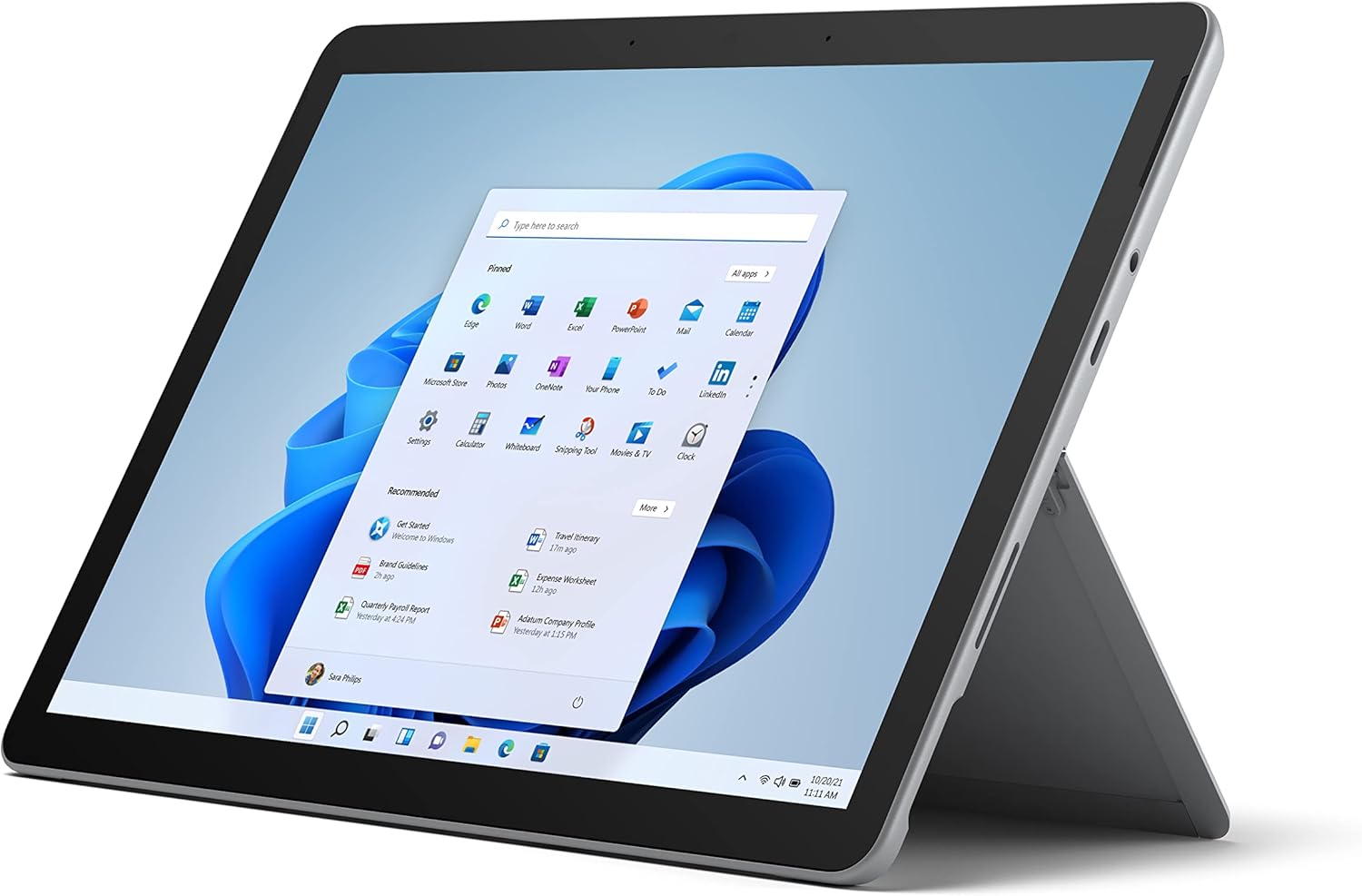
Figure 2.1: Microsoft Surface Go 2 tablet in landscape orientation, showcasing the Windows desktop interface.
2.2 Side Ports and Buttons
- יציאת USB Type-C: להעברת נתונים, פלט וידאו וטעינה.
- שקע אוזניות 3.5 מ"מ: לחיבור אוזניות או התקני שמע חיצוניים.
- יציאת חיבור משטח: Magnetic port for charging and connecting to Surface Dock (sold separately).
- קורא כרטיסי MicroSD: להרחבת אחסון באמצעות כרטיס microSD.
- לחצני עוצמת הקול: כדי לכוונן את עוצמת השמע.
- לחצן הפעלה: כדי להפעיל/לכבות את המכשיר או להעביר אותו למצב שינה.

איור 2.2: צד פרוfile of the Surface Go 2, illustrating the various ports and buttons along its edge.
2.3 Integrated Kickstand
The Surface Go 2 features an integrated kickstand on the back, allowing for multiple viewing angles. This enables comfortable use in various modes, such as tablet, laptop (with Type Cover), or studio mode.

Figure 2.3: The Surface Go 2 with its Type Cover keyboard attached and the kickstand deployed, demonstrating its laptop-like configuration.
3. הגדרה ראשונית
Follow these steps to set up your Surface Go 2 for the first time.
3.1 הפעלה ותצורה בסיסית
- טען את המכשיר: Connect the included power adapter to the Surface Connect port on your device and plug it into a power outlet.
- הפעלה: לחץ והחזק את לחצן ההפעלה הממוקם בקצה העליון של המכשיר עד להופעת סמל מיקרוסופט על המסך.
- פעל לפי ההנחיות שעל המסך: The device will guide you through selecting your region, language, and connecting to a Wi-Fi network.
- Microsoft Account Setup: Sign in with an existing Microsoft account or create a new one. This is essential for accessing Microsoft services and applications.
- הגדרות פרטיות: Review and adjust your privacy settings as prompted.
- הלו של חלונות: Set up facial recognition for faster and more secure sign-in (optional).
4. הוראות הפעלה
The Surface Go 2 offers flexible interaction methods.
4.1 ניווט מסך מגע
The 10.5-inch PixelSense display supports 10-point multi-touch. You can navigate Windows 10 using gestures similar to a smartphone or tablet:
- בֶּרֶז: בחר פריטים או פתח יישומים.
- לִגנוֹב: גלילה בין תוכן או ניווט בין מסכים.
- צביטה-להגדלה: הגדלה או הקטנה של גודל התוכן.
- לחץ והחזק: Access context menus (right-click equivalent).
4.2 Using the Type Cover Keyboard (Sold Separately)
Attach the Type Cover keyboard to transform your Surface Go 2 into a laptop. The keyboard connects magnetically to the bottom edge of the tablet.
- הִתקַשְׁרוּת: Align the Type Cover with the magnetic connector at the bottom of the Surface Go 2 until it snaps into place.
- הַקלָדָה: Use the physical keys for efficient text input.
- משטח עקיבה: The integrated trackpad allows for precise cursor control and multi-touch gestures.

Figure 4.1: The Surface Go 2 tablet separated from its Type Cover keyboard, illustrating the modular design.
4.3 Using the Surface Pen (Sold Separately)
The Surface Pen (sold separately) enhances creativity and productivity, allowing for natural writing and drawing directly on the screen.

Figure 4.2: The Surface Go 2 tablet displayed with a compatible Surface Pen, highlighting its digital inking capabilities.
5. תחזוקה
Proper care ensures the longevity and performance of your Surface Go 2.
- ניקוי המסך: השתמש במטלית רכה נטולת מוך מעט דampשטוף במים או בחומר ניקוי מסכים מאושר. הימנע מכימיקלים חזקים.
- ניקוי גוף המכשיר: נגב את החלק החיצוני עם מטלית רכה ויבשה.
- עדכוני תוכנה: בדוק באופן קבוע אם קיימים עדכוני Windows והתקן אותם כדי להבטיח ביצועים ואבטחה אופטימליים. עבור אל הגדרות > עדכון ואבטחה > Windows Update.
- טיפול בסוללה: כדי למקסם את חיי הסוללה, הימנעו מטמפרטורות קיצוניות ונסו לשמור על טעינת הסוללה בין 20% ל-80% במידת האפשר.
- ניהול אחסון: ניקוי זמני מעת לעת files and unnecessary data to free up storage space. Go to הגדרות > מערכת > אחסון.
6. פתרון תקלות
בעיות נפוצות ופתרונותיהן.
- המכשיר לא נדלק: ודא שהמכשיר טעון. חבר את ספק הכוח והמתן מספר דקות לפני שתנסה להפעיל אותו שוב.
- מסך מגע לא מגיב: Restart the device. If the issue persists, check for pending Windows updates or consider a system restore.
- בעיות חיבור Wi-Fi: Verify your Wi-Fi network is active. Restart your router and the Surface Go 2. Check Wi-Fi settings on the device.
- ביצועים איטיים: סגור יישומים מיותרים. בדוק אם יש תהליכי רקע הצורכים משאבים רבים (מנהל המשימות). ודא ששטח אחסון פנוי מספיק.
- הסוללה מתרוקנת במהירות: Adjust screen brightness, disable unnecessary background apps, and ensure all software is up to date.
7. מפרטים
| תכונה | פְּרָט |
|---|---|
| לְהַצִיג | 10.5" PixelSense 10-Point Touch Display |
| הַחְלָטָה | 1920 x 1280 (216 ppi) |
| מעבד | 1.6 GHz Intel Pentium 4425Y Dual-Core Processor |
| אַיִל | 8GB |
| אִחסוּן | SSD 128GB |
| גרָפִיקָה | כרטיס מסך משולב של אינטל HD Graphics 615 |
| אַלחוּט | Wi-Fi 5 (802.11ac) | Bluetooth 4.1 |
| מצלמות | 8MP Rear Camera | 5MP Front Camera |
| נמלים | USB Type-C, 3.5 mm Headphone Jack, Surface Connect, MicroSD Card Reader |
| חיי סוללה | עד 9 שעות (שימוש טיפוסי) |
| מַעֲרֶכֶת הַפעָלָה | Windows 10 |
| מִשׁקָל | 1.15 פאונד (בערך) |
| מידות | 6.8 x 9.64 x 0.32 אינץ' |
8. אחריות ותמיכה
This Microsoft Surface Go 2 is a renewed product. Renewed products are eligible for replacement or refund under the Amazon Renewed Guarantee if you are not satisfied with your purchase. For specific terms and conditions, please refer to the Amazon Renewed program details.
For further technical support or inquiries, please visit the official Microsoft Surface support webלאתר או לפנות לשירות הלקוחות שלהם.


