מָבוֹא
This manual provides detailed instructions for the installation, operation, and maintenance of your BINIZE Double Din Car Stereo. Please read this manual thoroughly before using the product to ensure proper functionality and to prevent damage. Keep this manual for future reference.
המוצר נגמרview
The BINIZE Double Din Car Stereo is a 10.1-inch multimedia player running on an Android 13 system. It offers a range of features designed to enhance your in-car entertainment and navigation experience.
תכונות עיקריות:
- מסך מגע קיבולי בגודל 10.1 אינץ' עם רזולוציה של 1024x600.
- Android 13 Operating System with Quad-core Coretex-A7 processor (up to 1.3GHz).
- זיכרון RAM בנפח 2 ג'יגה-בייט + אחסון פנימי בנפח 32 ג'יגה-בייט.
- תמיכה ב-CarPlay אלחוטי וב-Android Auto.
- Wired MirrorLink for Android and iOS devices.
- בלוטות' מובנה לשיחות ללא ידיים והזרמת אודיו.
- Integrated GPS receiver for online and offline navigation.
- FM Radio tuner.
- Support for AUX, front, and rear camera inputs.
- Steering Wheel Control compatibility (manual learning required).
- Built-in Wi-Fi receiver and support for 4G communication (via external dongle, not included).
- Expandable options for OBD and tire pressure monitoring (accessories sold separately).

Figure 1: BINIZE Double Din Car Stereo Front View עם הדגשת מאפיינים מרכזיים.
התקנה והתקנה
Proper installation is crucial for the optimal performance of your car stereo. If you are unfamiliar with car audio wiring and installation, professional assistance is recommended.
מידות פיזיות:
The unit measures approximately 251mm (width) x 146mm (height) x 56mm (depth). Ensure your vehicle's dashboard opening is compatible with these dimensions.
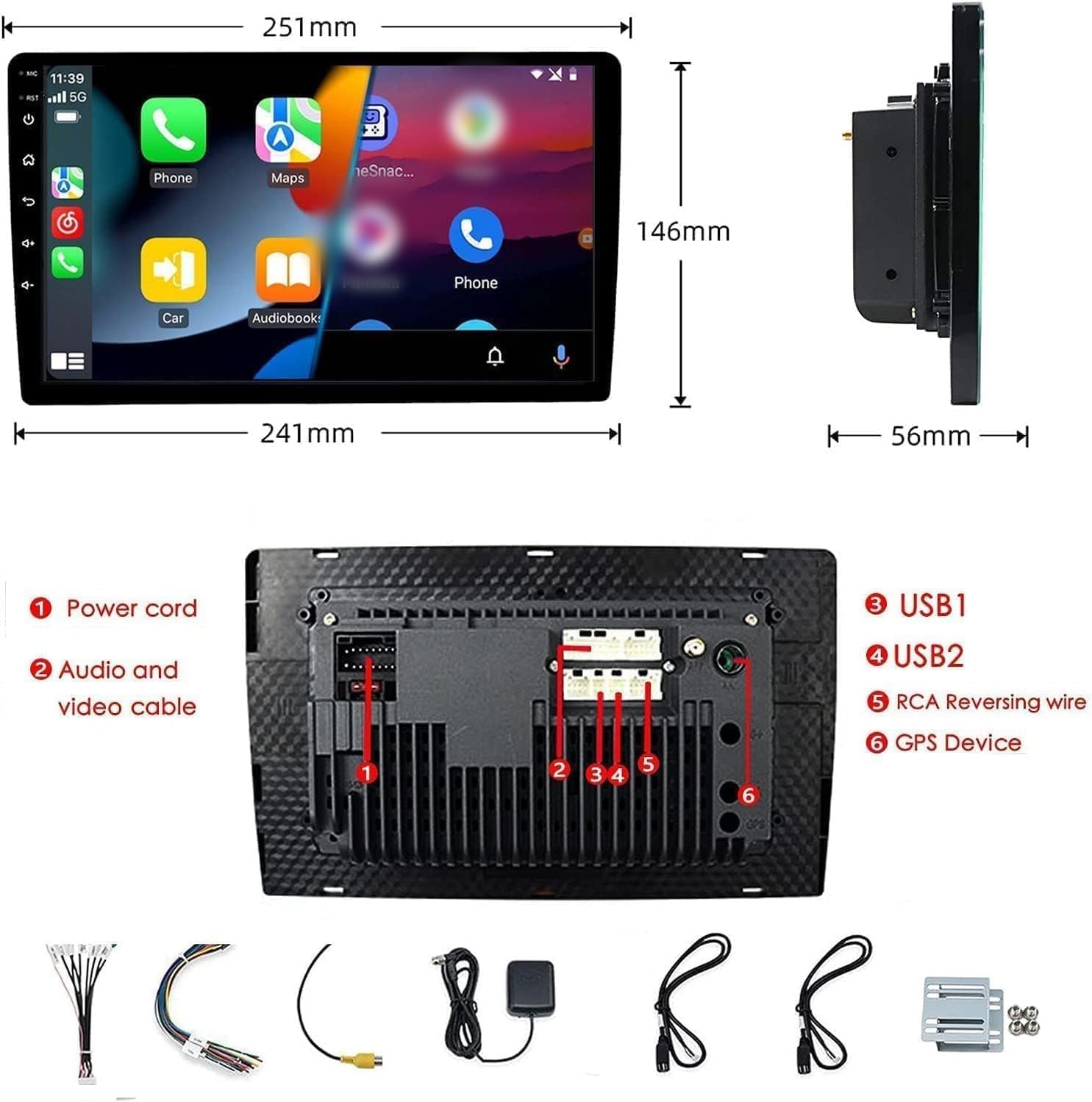
Figure 2: Unit dimensions and rear panel connection points.
חיבורי חיווט:
עיין בתרשים החיווט המצורף לקבלת חיבורים ספציפיים. חיבורים עיקריים כוללים:
- כבל חשמל: חבר לספק הכוח של הרכב (12V קבוע, 12V לאביזר, הארקה).
- Audio and Video Cable: עבור התקני שמע/וידאו חיצוניים.
- יציאות USB (USB1, USB2): For media playback, phone charging, and wired CarPlay/Android Auto.
- RCA Reversing Wire: Connect to the backup camera trigger wire.
- GPS Device: Connect the external GPS antenna for navigation functionality.
- Steering Wheel Control Wires (Key/SW): לשילוב עם פקדי ההגה של הרכב.
ודא שכל החיבורים מאובטחים ומבודדים כראוי כדי למנוע קצר חשמלי.
הוראות הפעלה
הפעלה/כיבוי:
The unit will power on automatically when the vehicle's ignition is turned on. To manually power off or restart, use the power button on the front panel.
תפעול מסך מגע:
Navigate the interface by tapping, swiping, and pinching on the 10.1-inch capacitive touch screen, similar to a smartphone or tablet.
רדיו FM:
Access the FM Radio application from the main menu. You can scan for stations, save presets, and adjust volume. The unit supports standard FM frequencies.

איור 3: ממשק רדיו FM.
זיווג Bluetooth:
- ודא שה-Bluetooth מופעל בטלפון הנייד שלך.
- On the car stereo, open the Bluetooth application.
- חפש available devices on your phone and select "BINIZE" or a similar device name.
- אשר את קוד הצימוד בשני המכשירים אם תתבקש לעשות זאת.
- לאחר הצימוד, תוכלו לבצע שיחות ללא ידיים ולהזרים אודיו.
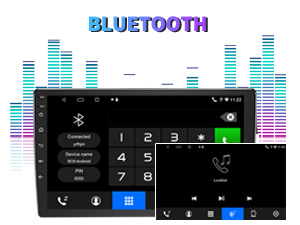
Figure 4: Bluetooth pairing screen.
בקרת הגה:
To use your vehicle's steering wheel controls, manual learning is required. Access the Steering Wheel Control settings in the system menu and follow the on-screen instructions to map your vehicle's buttons to the stereo functions.
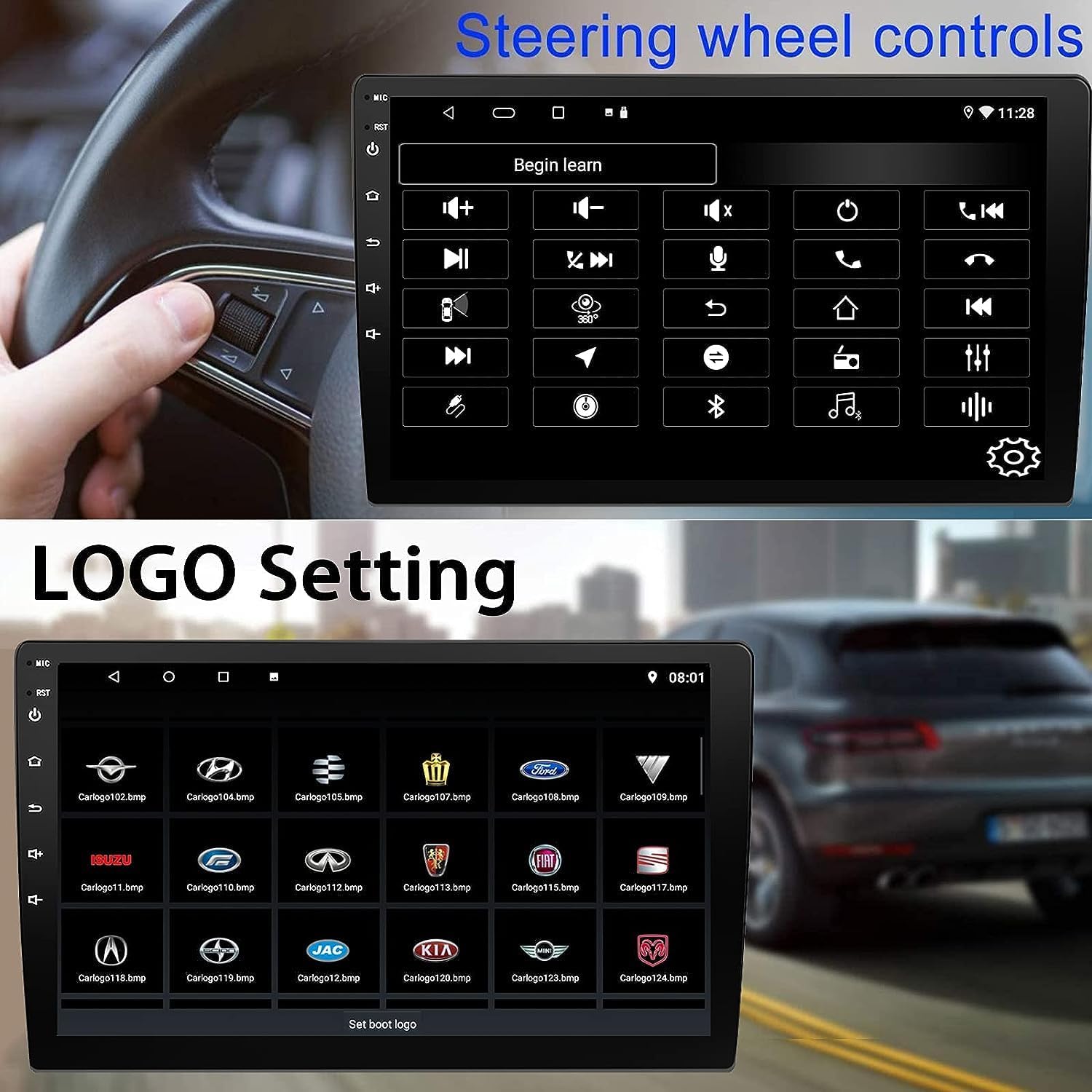
Figure 5: Steering Wheel Control setup screen.
Connectivity: CarPlay, Android Auto, and MirrorLink
CarPlay אלחוטי:
Connect your iPhone wirelessly to access CarPlay features such as navigation, music, messages, and calls directly on the stereo display. Ensure Wi-Fi and Bluetooth are enabled on your iPhone.
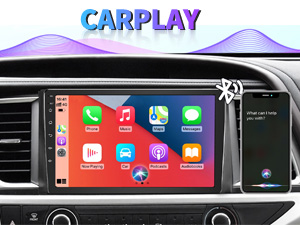
איור 6: ממשק CarPlay אלחוטי.
אנדרואיד אוטומטי אלחוטי:
Connect your Android phone wirelessly to use Android Auto for navigation, communication, and entertainment apps. Ensure Wi-Fi and Bluetooth are enabled on your Android device.

Figure 7: Wireless Android Auto interface.
קישור מראה:
MirrorLink allows you to display your smartphone's screen directly onto the car stereo. This feature works with both Android and iOS devices via a wired connection. Note that CarPlay/Android Auto and MirrorLink cannot be used simultaneously.

Figure 8: MirrorLink feature displaying a phone screen on the stereo.
ניווט
The car stereo features an integrated GPS receiver, supporting both online and offline navigation. Connect to Wi-Fi or a mobile hotspot to use online navigation apps. For offline navigation, you may need to download map data.

Figure 9: GPS navigation map display.
קלט מצלמה
מצלמת גיבוי:
The unit supports backup camera input. When properly connected, the display will automatically switch to the rear view when the vehicle is put into reverse, providing parking assistance with guidelines.
חֲזִית View מַצלֵמָה:
The stereo also supports front view camera input, allowing for enhanced visibility when maneuvering in tight spaces.

Figure 10: Backup camera and front view camera displays.
תַחזוּקָה
To ensure the longevity and optimal performance of your BINIZE car stereo, follow these maintenance guidelines:
- ניקוי המסך: השתמש במטלית רכה ונטולת סיבים כדי לנגב בעדינות את מסך המגע. עבור כתמים עקשניים, נגב קלותampשטפו את המטלית במים או בחומר ניקוי המתאים למסכים. הימנעו מכימיקלים חזקים או מחומרים שוחקים.
- ניקיון כללי: Keep the unit and surrounding areas free from dust and debris. Use a soft brush or compressed air to clean vents and button areas.
- עדכוני תוכנה: Periodically check for available software updates through the system settings to ensure you have the latest features and performance improvements.
- הימנע מטמפרטורות קיצוניות: אין לחשוף את המכשיר לחום או קור קיצוניים למשך תקופות ממושכות, שכן הדבר עלול לפגוע ברכיביו האלקטרוניים.
פתרון בעיות
אם נתקלתם בבעיות עם מערכת הסטריאו של הרכב, עיינו בבעיות הנפוצות ובפתרונות הבאות:
| בְּעָיָה | סיבה אפשרית | פִּתָרוֹן |
|---|---|---|
| היחידה לא נדלקת. | חיווט שגוי; נתיך שרוף; בעיית חשמל ברכב. | Check power connections and vehicle fuses. Ensure constant 12V and accessory 12V are correctly wired. |
| אין קול. | עוצמת קול נמוכה מדי; השתקה מופעלת; בעיה בחיווט הרמקול. | הגברת עוצמת הקול. בדיקה אם השתקה פעילה. בדיקת חיבורי הרמקולים. |
| CarPlay/Android Auto לא מתחברים באופן אלחוטי. | Bluetooth/Wi-Fi off on phone; Pairing issue; Software glitch. | Ensure phone's Bluetooth and Wi-Fi are on. Try re-pairing the device. Restart both phone and stereo. Some users reported needing to open phone's Bluetooth settings each time. |
| Screen too bright/dim at night. | הגדרות התצוגה אינן ממוטבות. | Adjust brightness settings in the display menu. Consider using a screen dimming app if available. |
| מצלמת רוורס לא מציגה. | Camera not connected; RCA reversing wire not connected or faulty. | Check camera and RCA reversing wire connections. Ensure the camera is powered. |
מפרטים
| תכונה | פְּרָט |
|---|---|
| מותג | בינייז |
| מספר דגם | Binize |
| מַעֲרֶכֶת הַפעָלָה | אנדרואיד 13 |
| גודל מסך | 10.1 אינץ' (אלכסון גלוי של 26 ס"מ) |
| הַחְלָטָה | 1024x600 |
| מעבד | Quad-core Coretex-A7, 1.3GHz |
| זיכרון (RAM) | 2GB |
| אחסון (ROM) | 32GB |
| קישוריות | Bluetooth, Wi-Fi, USB, Auxiliary |
| תכונות מיוחדות | Wireless CarPlay, Wireless Android Auto, MirrorLink, GPS Navigation, Touchscreen, Built-In Bluetooth |
| מצב פלט שמע | סטריאו (תצורת ערוץ סראונד 2.0) |
| משקל פריט | 2.94 פאונד |
| צֶבַע | שָׁחוֹר |
אחריות ותמיכה
מידע על אחריות:
The BINIZE Double Din Car Stereo comes with a אחריות לשנה חינם מתאריך הרכישה. אחריות זו מכסה פגמי ייצור ותקלות בשימוש רגיל. אנא שמור את הוכחת הרכישה שלך לצורך תביעות אחריות.
תמיכה טכנית:
For any technical assistance, questions, or issues not covered in this manual, please contact our professional technical support team. You can reach us via Amazon email for 24/7 online technical support. Our team is available to assist with system upgrades and parts replacement.
We are committed to providing enthusiastic customer service and ensuring your satisfaction with the BINIZE product.