1. הקדמה
This manual provides detailed instructions for the installation and care of your STINGER Polaris RZR SPXRZRDASH2 3-inch Aftermarket Multimedia Dash Kit. This kit is designed to integrate a 3-inch gauge-style radio into selected 2019+ Polaris RZR models, providing a factory-like appearance and secure mounting.
הערה חשובה: This dash kit is not compatible with Polaris RZR models equipped with TURBO S or Ride Command. It is also not compatible with Pro XP models. The radio itself is not included with this dash kit.
2. המוצר נגמרview
The STINGER SPXRZRDASH2 is constructed from thick, fade-free ASA plastic, engineered to withstand various weather conditions, impacts, and scratches. It allows for the seamless installation of popular 3-inch gauge-style radio platforms without requiring vehicle modifications.
2.1. תכולת החבילה
- STINGER SPXRZRDASH2 3-inch Aftermarket Multimedia Dash Kit
- Installation Hardware (if applicable, not explicitly listed but implied by "easy to install")
- Note: Multimedia radio is not included.
2.2. כלי רכב תואמים
- 2019+ Polaris RZR XP1000
- 2019+ XP Turbo (Note: Not compatible with TURBO S or Ride Command models)
3. הוראות התקנה
Installation of the STINGER SPXRZRDASH2 dash kit is designed to be straightforward, typically taking less than 30 minutes. No vehicle modifications are required.
3.1. כלים נדרשים
- Hex key set (Allen wrenches)
- Basic hand tools for panel removal (e.g., panel removal tool, screwdriver)
3.2. התקנה שלב אחר שלב
- הכן את הרכב: Ensure the vehicle is turned off and the parking brake is engaged. Disconnect the battery's negative terminal for safety.
- Remove Existing Dash Panel: Carefully locate and remove the screws or clips securing the factory dash panel where the multimedia unit will be installed. Use appropriate tools to avoid damaging the plastic.
- Install the Dash Kit: Position the STINGER SPXRZRDASH2 dash kit into the opening. Ensure all mounting points align correctly.
- Secure the Dash Kit: Use the provided hardware (or original hardware if specified) to secure the dash kit in place. Tighten screws firmly but do not overtighten to prevent stripping.
- Install Multimedia Unit: Follow the manufacturer's instructions for your 3-inch gauge-style multimedia radio to install it into the newly mounted dash kit.
- חיבור מחדש ובדיקה: Reconnect the vehicle battery. Turn on the vehicle and test the functionality of the newly installed multimedia unit and ensure all dash components are secure.

איור 1: חזית view of the STINGER SPXRZRDASH2 3-inch Aftermarket Multimedia Dash Kit. This image shows the main component with the circular opening for the multimedia unit.
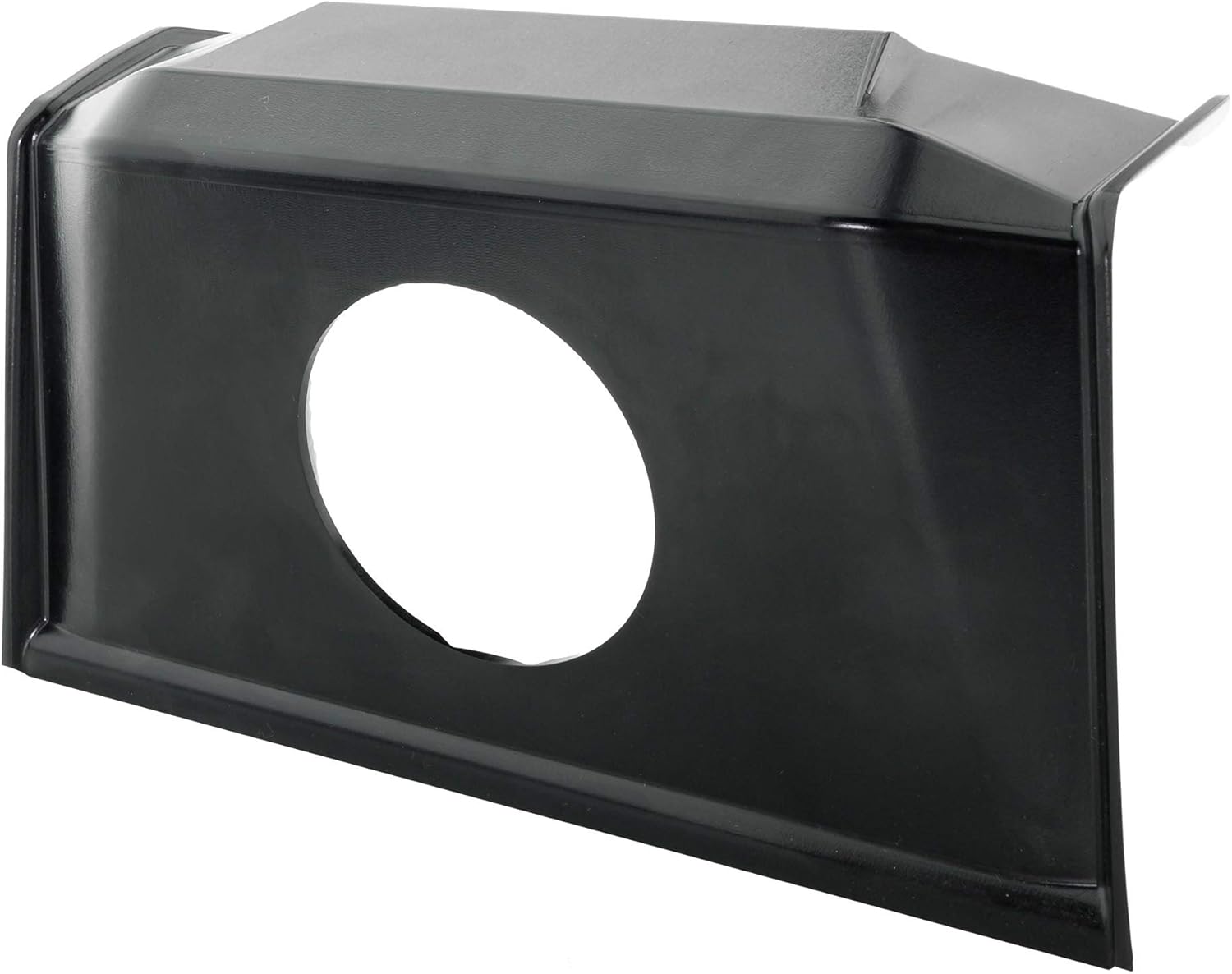
איור 2: זוויתי view of the STINGER SPXRZRDASH2 Dash Kit, highlighting its contours and mounting points.

איור 3: צד view of the STINGER SPXRZRDASH2 Dash Kit, showing its depth and structural design.

Figure 4: The STINGER SPXRZRDASH2 Dash Kit with a compatible multimedia unit installed, demonstrating the integrated appearance. Note: Multimedia unit is for illustration only and not included.

איור 5: זוויתי view of the STINGER SPXRZRDASH2 Dash Kit with a multimedia unit installed, showcasing the flush fit and factory-like integration. Note: Multimedia unit is for illustration only and not included.
4. תפעול
The STINGER SPXRZRDASH2 is a mounting kit and does not have operational functions itself. Its purpose is to securely house a 3-inch gauge-style multimedia radio. Refer to the instruction manual provided with your specific multimedia radio for operational details.
5. תחזוקה וטיפול
To ensure the longevity and appearance of your dash kit, follow these maintenance guidelines:
- ניקוי: Wipe the dash kit with a soft, damp cloth. Avoid abrasive cleaners or solvents, as these can damage the ASA plastic.
- בְּדִיקָה: Periodically check the mounting screws to ensure they remain tight. Vibrations from vehicle operation can sometimes loosen fasteners.
- הֲגָנָה: While the ASA plastic is fade-resistant, prolonged exposure to extreme UV radiation can still affect its finish over many years. Consider using a UV protectant spray designed for automotive plastics if desired.
6. פתרון תקלות
This section addresses common issues related to the dash kit itself. For issues with the multimedia radio, refer to its specific manual.
- גזרה רופפת: If the dash kit feels loose after installation, re-check all mounting screws and ensure they are properly tightened. Verify that the kit is correctly seated in the dash opening.
- Gap Around Radio: If there is an unexpected gap between the dash kit and the multimedia radio, ensure the radio is fully seated and secured according to its own installation instructions. Confirm that the radio is a compatible 3-inch gauge-style unit.
- Dash Kit Does Not Fit: Double-check your vehicle's make, model, and year against the compatibility list in Section 2.2. Ensure your RZR is not a TURBO S, Ride Command, or Pro XP model, as these are not compatible.
7. מפרטים
| תכונה | פְּרָט |
|---|---|
| מותג | סטינגר |
| מספר דגם | SPXRZRDASH2 |
| חוֹמֶר | ASA Plastic (Thick, fade-free) |
| תְאִימוּת | 2019+ Polaris RZR XP1000, 2019+ XP Turbo (Excludes TURBO S, Ride Command, and Pro XP models) |
| Radio Size Compatibility | 3-inch Gauge Style Radio Platforms |
| זמן התקנה | בערך 30 דקות |
| Vehicle Modification Required | אַף לֹא אֶחָד |
| משקל פריט | 10.8 אונקיות |
| מידות חבילה | 12.87 x 10.24 x 6.69 אינץ' |
8. אחריות ותמיכה
For warranty information and technical support regarding your STINGER SPXRZRDASH2 Dash Kit, please refer to the official STINGER webאתר או צרו קשר ישירות עם שירות הלקוחות שלהם. שמרו את קבלת הרכישה כהוכחת קנייה עבור כל תביעת אחריות.
סטינגר רשמי Webאֲתַר: Visit the STINGER Store on Amazon


