1. הקדמה
Thank you for choosing the FeinTech LED Desk Lamp LTL00600. This high-quality desk lamp is designed to provide optimal lighting for your workspace while offering convenient features such as a USB charging port, adjustable brightness, and customizable color temperature. Please read this manual thoroughly before use to ensure proper operation and to maximize the lifespan of your product.
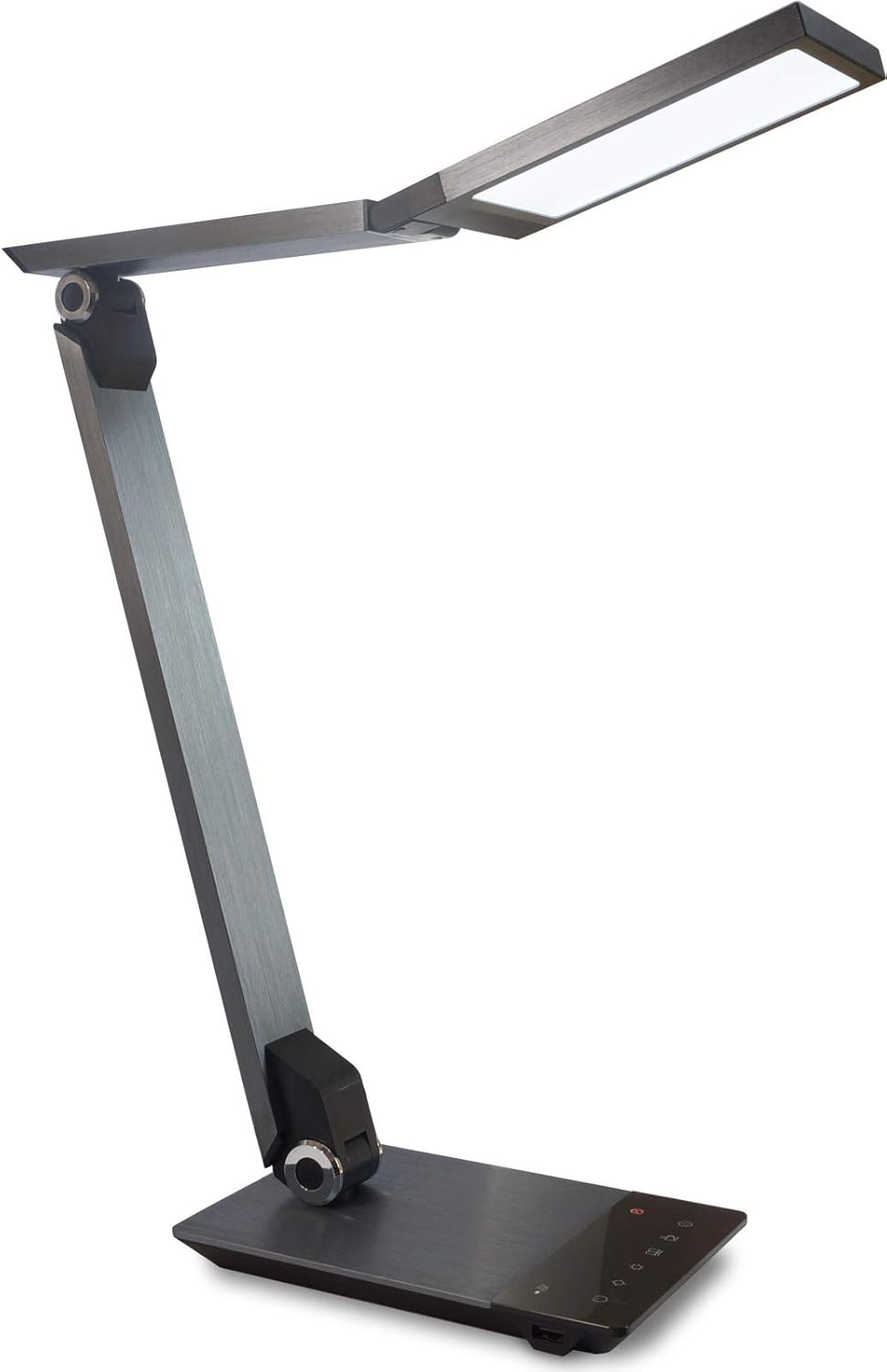
Image 1.1: FeinTech LED Desk Lamp LTL00600. This image displays the lamp במצב זקוף, מראהasing its brushed aluminum finish and sleek design.
2. הוראות בטיחות
כדי למנוע נזק או פציעה, אנא הקפידו על אמצעי הזהירות הבאים:
- Ensure the power adapter is connected to a suitable power outlet.
- אל תחשוף את ה-lamp to water or excessive humidity.
- Avoid disassembling or modifying the lampתיקונים צריכים להתבצע רק על ידי אנשי מקצוע מוסמכים.
- שמור את ה-lamp הרחק ממקורות חום ואור שמש ישיר.
- נקה את ה-lamp רק עם מטלית רכה ויבשה. אין להשתמש בחומרי ניקוי שוחקים או ממסים.
- אין להסתכל ישירות לתוך מקור אור ה-LED למשך פרקי זמן ממושכים.
3. תכולת החבילה
אנא ודאו שכל הפריטים נמצאים בחבילה:
- שולחן כתיבה FeinTech LED Lamp (Model: LTL00600)
- מתאם מתח (12V/2A)
4. המוצר נגמרview
Familiarize yourself with the components of your FeinTech LED Desk Lamp:
- Lamp רֹאשׁ: Contains the LED light source.
- זרועות מתכווננות: Multiple joints for flexible positioning.
- בָּסִיס: Provides stability and houses the control panel and USB port.
- לוּחַ בַּקָרָה: Touch-sensitive buttons for power, brightness, color temperature, and timer.
- יציאת טעינה מסוג USB: Located on the side of the base for device charging.

תמונה 4.1: מלמעלה למטה view של ה-lamp's base and control panel. This image highlights the touch-sensitive buttons for various functions.

תמונה 4.2: צד view של ה-lamp's base, showing the integrated USB charging port. This port allows for convenient charging of compatible devices.
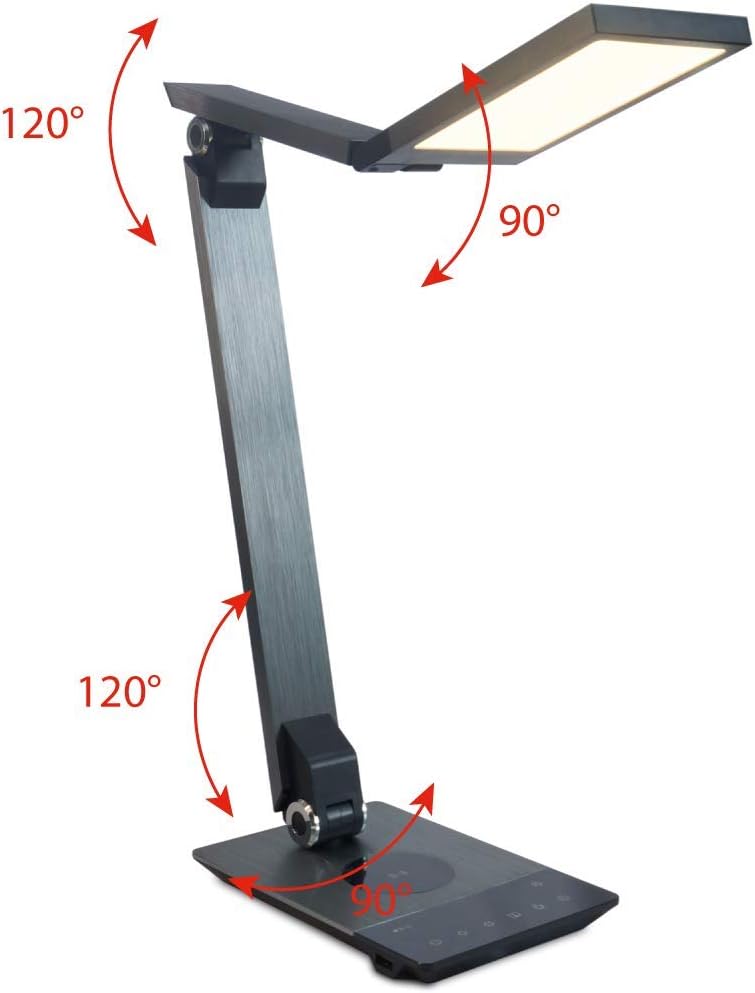
Image 4.3: Diagram illustrating the articulation angles of the lamp's joints. The lamp head can rotate 90 degrees, the upper arm 120 degrees, and the lower arm 120 degrees, allowing for flexible positioning.
5. התקנה
בצע את השלבים הבאים להגדרה ראשונית:
- לִפְרוֹק: הסר בזהירות את כל הרכיבים מהאריזה.
- מיקום: מניחים את ה-lamp base on a stable, flat surface. Ensure there is enough space for the lamp to be adjusted without obstruction.
- חבר חשמל: Insert the power adapter cable into the DC input port on the back of the lamp חבר את מתאם החשמל לשקע חשמלי רגיל.
6. הוראות הפעלה
The FeinTech LED Desk Lamp features intuitive touch controls on its base.
6.1 הפעלה/כיבוי
- גע ב- כפתור הפעלה on the control panel (refer to Image 4.1) to turn the lamp מופעל או כבוי.
6.2 כוונון בהירות (עמעום)
- עם ה-lamp פעיל, גע והחזק את בהירות למעלה or בהירות למטה buttons (refer to Image 4.1) to steplessly adjust the light intensity.
- ה- lamp base will vibrate slightly when the minimum or maximum brightness level is reached.
6.3 התאמת טמפרטורת צבע
- עם ה-lamp פעיל, גע והחזק את Color Temperature Up or Color Temperature Down buttons (refer to Image 4.1) to steplessly adjust the light color from warm white (2700K) to cool white (6500K).
- ה- lamp base will vibrate slightly when the minimum or maximum color temperature is reached.
6.4 Favorite Settings
- ה- lamp allows you to store and recall 3 favorite light settings (brightness and color temperature).
- To save a setting: Adjust the brightness and color temperature to your desired level. Then, touch and hold one of the כפתורים מועדפים (refer to Image 4.1) until the lamp flashes briefly, indicating the setting is saved.
- To recall a setting: Simply touch the corresponding כפתור מועדף.
- The last used brightness and color temperature settings are automatically saved even after the lamp כבוי.
6.5 פונקציית טעינת USB
- Connect your smartphone or other compatible device to the USB charging port on the side of the lamp base (refer to Image 4.2) using a suitable USB cable.
- The intelligent USB port delivers up to 2.4A for fast charging.
- An LED indicator will signal ongoing and completed charging status.
6.6 פונקציית טיימר
- גע ב- כפתור טיימר (refer to Image 4.1) to activate the timer function.
- The first touch activates a 3-minute timer.
- A second touch activates a 1-hour timer.
- ה- lamp will automatically turn off after the selected time period.
7. תחזוקה
כדי לשמור על ה-l שלךamp's appearance and functionality:
- תמיד נתק את ה-lamp מאספקת החשמל לפני הניקוי.
- נגב את ה-lamp עם מטלית רכה, יבשה, נטולת מוך.
- אין להשתמש בחומרי ניקוי נוזליים או בתרסיס, מכיוון שהם עלולים לפגוע בגימור או ברכיבים הפנימיים.
- Avoid scratching the brushed aluminum surface.
8. פתרון תקלות
אם אתם נתקלים בבעיות עם ה-l שלכםamp, עיין בבעיות הנפוצות והפתרונות הבאות:
| בְּעָיָה | סיבה אפשרית | פִּתָרוֹן |
|---|---|---|
| Lamp לא נדלק. | אין ספק כוח. | Check if the power adapter is securely connected to the lamp and the electrical outlet. Test the outlet with another device. |
| טעינת USB לא עובדת. | המכשיר אינו תואם או שהכבל פגום. | Ensure your device is compatible with USB charging. Try a different USB cable. Verify the lamp מופעל. |
| פקדי המגע אינם מגיבים. | תקלת תוכנה זמנית או בעיית חשמל. | Disconnect the power adapter for 30 seconds, then reconnect it. Ensure your fingers are clean and dry when operating the touch controls. |
9. מפרטים
| מספר דגם | LTL00600 |
| מידות (L x W x H) | 36 x 13.5 x 44 ס"מ (כ-14.2 x 5.3 x 17.3 אינץ') |
| מִשׁקָל | 1.84 ק"ג (כ-4.06 פאונד) |
| חוֹמֶר | אלומיניום מוברש |
| מקור אור | LED |
| Max. Light Output | 500 lumens (1000 lux at 40 cm distance) |
| טמפרטורת צבע (CCT) | 2700 K (Warm White) to 6500 K (Cool White) |
| Power Consumption (Lamp רַק) | מקסימום 10 W |
| Power Consumption (Lamp & Charging) | מקסימום 22 W |
| יציאת USB | עד 2.4 A |
| קלט כרךtage (מתאם) | 12 V / 2 A |
| סוג מתג | לָגַעַת |

Image 9.1: Diagram showing the dimensions of the FeinTech LED Desk Lamp. הamp measures approximately 36 cm in length, 13.5 cm in width, and 44 cm in height.
10. אחריות ותמיכה
FeinTech products are designed for reliability and performance. For warranty information or technical support, please refer to the warranty card included with your purchase or visit the official FeinTech webאתר. אנא שמור את הוכחת הרכישה שלך לצורך תביעות אחריות.


