מָבוֹא
This manual provides detailed instructions for the setup, operation, and maintenance of your LTC Nimbleback LK-301 Low Profile Mechanical Keyboard. Please read this manual thoroughly before using the product to ensure proper functionality and to maximize your user experience.

Image: The LTC Nimbleback LK-301 Low Profile Mechanical Keyboard, showcasinהפריסה המלאה והעיצוב האלגנטי שלה.
תכונות המוצר
- Pro נמוךfile מתגים מכניים: Equipped with responsive and comfortable white mechanical switches.
- קישוריות כפולה: Supports both Bluetooth 3.0 wireless and wired USB Type-C connections.
- מיתוג בין מכשירים מרובים: Seamlessly switch between up to three connected Bluetooth devices.
- פריסת 96 מקשים: A compact layout that retains essential keys, including a numeric keypad.
- תאורה אחורית לבנה: Features white backlighting with 17 different modes, adjustable brightness, and speed.
- RGB Side Lighting: Customizable RGB lighting on the sides of the keyboard.
- בנייה עמידה: Built with an all-metal frame for enhanced durability and a premium feel.
- Thin & Lightweight Design: Ideal for portability and comfortable use.
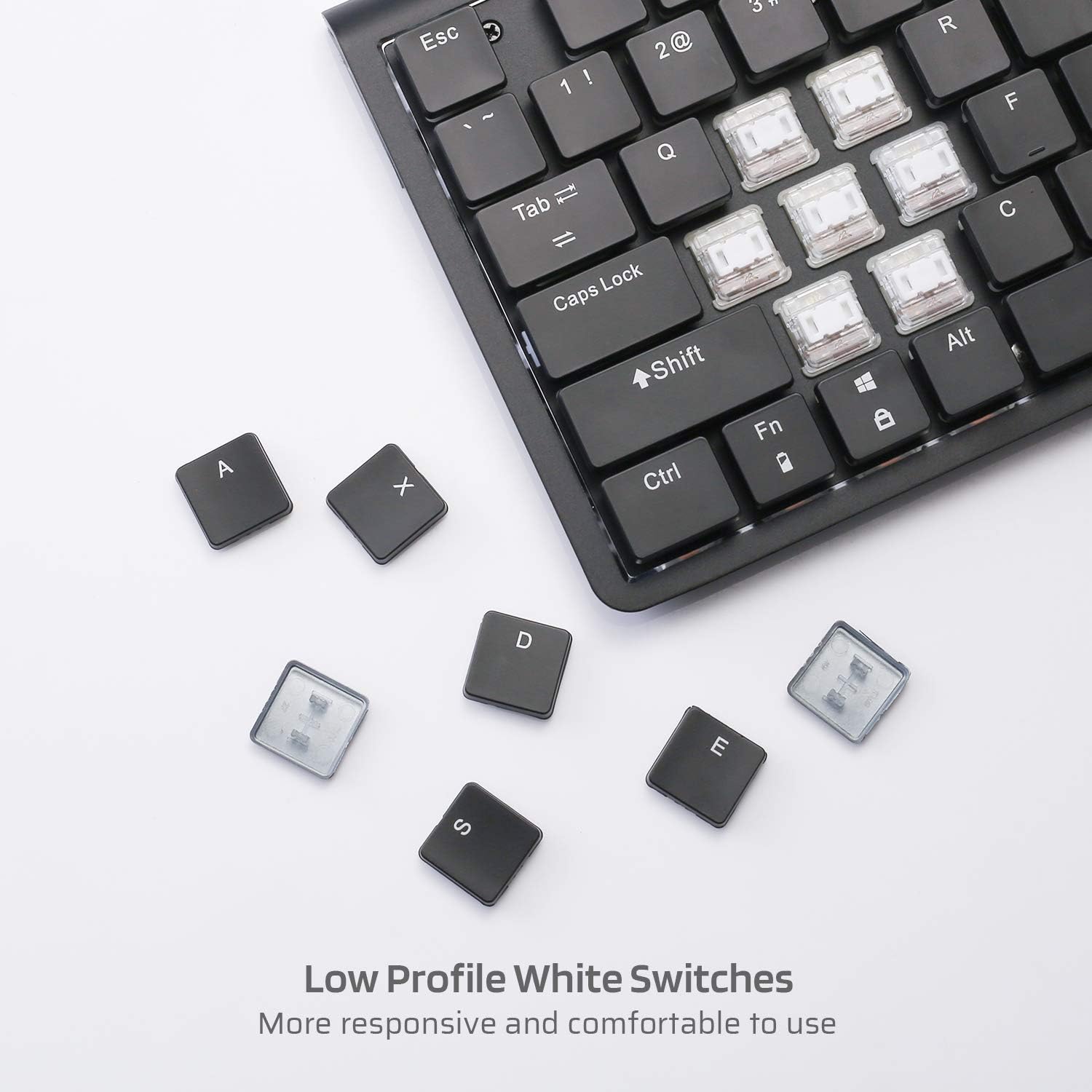
תמונה: תקריב view of the low profile white mechanical switches, highlighting their design.
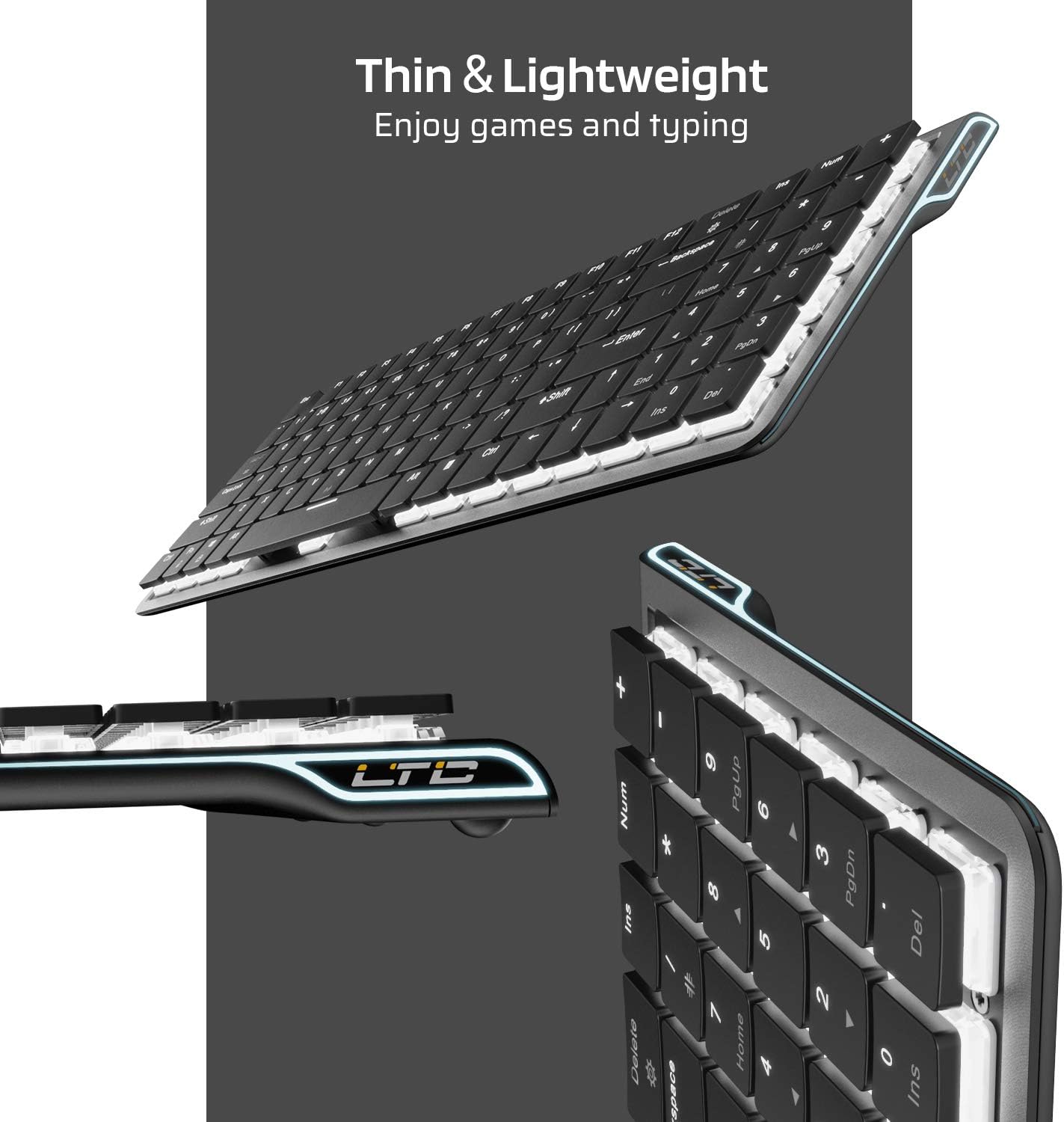
תמונה: צד view of the keyboard, emphasizing its thin and lightweight profile.
הוראות התקנה
חיבור קווי
- Locate the USB Type-C cable included in the package.
- Connect one end of the USB Type-C cable to the port on the keyboard.
- חבר את הקצה השני של הכבל ליציאת USB זמינה במחשב שלך.
- המקלדת תזוהה אוטומטית ותהיה מוכנה לשימוש.
Bluetooth חיבור אלחוטי
- Ensure the keyboard is charged or connected via USB-C initially.
- Locate the ON/OFF switch on the underside of the keyboard and slide it to the 'ON' position.
- לִלְחוֹץ Fn + Tab to switch the keyboard to wireless mode. The keyboard's backlight will blink twice to indicate wireless mode.
- To select a Bluetooth device slot, press Fn + Q, Fn + W, או Fn + E. The corresponding key will blink slowly.
- To enter pairing mode, long-press Fn+B for 3 seconds. The selected Bluetooth key (Q, W, or E) will blink quickly, indicating it is ready to pair.
- On your device (computer, tablet, or mobile phone), enable Bluetooth and search for available devices. Select "LTC Nimbleback LK-301" from the list.
- Once paired, the selected Bluetooth key will stop blinking and remain steadily lit.

Image: Illustration showing both wireless Bluetooth 3.0 and wired USB Type-C connection options for the keyboard.

Image: The keyboard connected to multiple devices (smartphone, tablet, laptop), demonstrating its multi-device switching capability.
וידאו: אוברview of the LTC Nimbleback LK-301 Low Profile Mechanical Keyboard, demonstrating its features and design. This video is provided by AceGadget.
הוראות הפעלה
בקרת תאורה אחורית
- שינוי מצב תאורה אחורית: לִלְחוֹץ Fn + מחק to cycle through 17 different white backlight modes.
- Pre-set Backlight Modes:
- לִלְחוֹץ Fn + 1 for FPS (First-Person Shooter) backlight mode.
- לִלְחוֹץ Fn + 2 for LOL (League of Legends) backlight mode.
- לִלְחוֹץ Fn + 3 for Office backlight mode.
- התאם את בהירות התאורה האחורית: לִלְחוֹץ Fn + חץ למעלה כדי להגביר את הבהירות, ו Fn + חץ למטה כדי להפחית את הבהירות.
- התאם את מהירות התאורה האחורית: לִלְחוֹץ Fn + חץ ימינה to increase animation speed, and Fn + חץ שמאלה כדי להפחית את מהירות האנימציה.
Side RGB Lighting Control
- Change Side Light Mode/Color: לִלְחוֹץ Fn + /? (located on the numeric keypad) to cycle through various RGB side lighting effects and colors.
וידאו: סקירה מפורטתview of the LTC Nimbleback LK-301 Low Profile Mechanical Keyboard, including demonstrations of its backlighting and side RGB effects. This video is provided by AngelPGC Store.
תַחזוּקָה
כדי להבטיח את אורך החיים והביצועים האופטימליים של המקלדת, יש לפעול לפי הנחיות התחזוקה הבאות:
- ניקוי: Use a soft, dry cloth to wipe down the keyboard surface. For deeper cleaning, use compressed air to remove dust and debris from between the keycaps. Avoid using harsh chemicals or abrasive materials.
- אִחסוּן: When not in use, store the keyboard in a cool, dry place away from direct sunlight and extreme temperatures. The included fabric bag can be used for protection during storage or travel.
- חשיפה לנוזלים: Avoid spilling liquids on the keyboard. In case of accidental spills, immediately disconnect the keyboard, turn it off, and allow it to dry completely before attempting to use it again.
פתרון בעיות
Keyboard Not Responding (Wired Mode)
- ודא שכבל ה-USB Type-C מחובר היטב הן למקלדת והן למחשב.
- נסה לחבר את המקלדת ליציאת USB אחרת במחשב שלך.
- בדוק את המקלדת במחשב אחר כדי לשלול בעיות ספציפיות למערכת.
Keyboard Not Connecting (Bluetooth Mode)
- Verify that the keyboard's ON/OFF switch is in the 'ON' position.
- Ensure the keyboard is in wireless mode (Fn + Tab).
- Confirm that the correct Bluetooth device slot is selected (Fn + Q/W/E).
- Re-enter pairing mode by long-pressing Fn+B למשך 3 שניות.
- Check your device's Bluetooth settings to ensure Bluetooth is enabled and the keyboard is visible or already paired. Try removing and re-pairing the device.
- ודא שסוללת המקלדת טעונה מספיק.
תאורה אחורית לא עובדת או עמומה
- כוונן את הבהירות באמצעות Fn + חץ למעלה.
- מעבר בין מצבי תאורה אחורית באמצעות Fn + מחק to see if a different mode activates the lights.
- Ensure the keyboard battery has sufficient charge, as low battery can affect backlight performance.
מפרטים
| תכונה | פְּרָט |
|---|---|
| מספר דגם | LK-301 |
| טכנולוגיית קישוריות | בלוטות' 3.0, USB Type-C (חוטי) |
| תיאור מקלדת | מקלדת משחקי מחשב |
| תכונות מיוחדות | Bluetooth, Lighting (White Backlit, RGB Side), Wireless |
| צֶבַע | שָׁחוֹר |
| חוֹמֶר | מַתֶכֶת |
| משקל פריט | 1.76 פאונד (כ-0.8 ק"ג) |
| מידות חבילה | 15.28 x 6.3 x 2.2 אינץ' |
| רכיבים כלולים | USB Receiver (Note: USB Type-C cable is also included for wired connection and charging) |
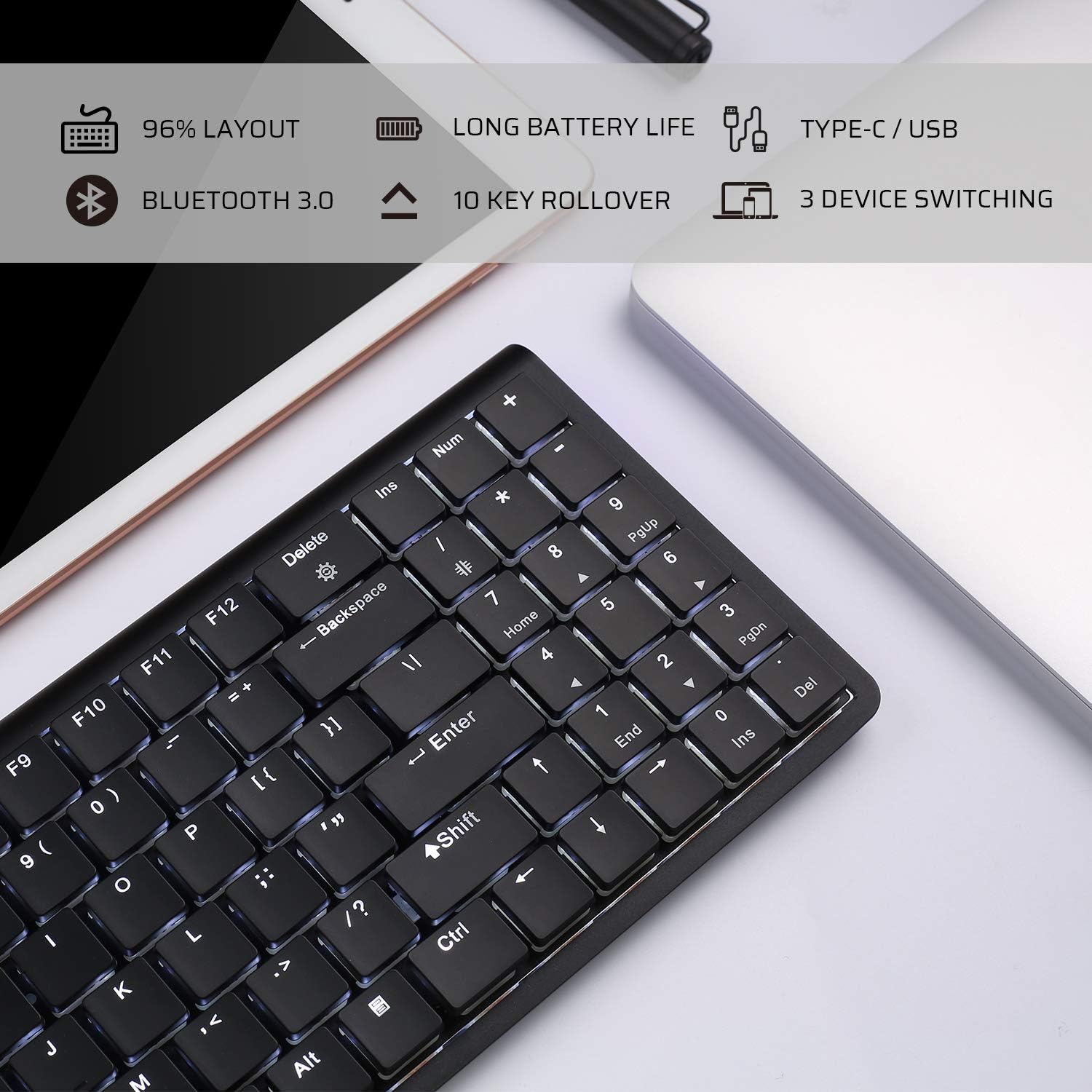
Image: An infographic highlighting key features such as 96% layout, long battery life, Type-C/USB, Bluetooth 3.0, 10-key rollover, and 3-device switching.
אחריות ותמיכה
For warranty information and customer support, please refer to the warranty card included in your product packaging or visit the official LTC webאתר. שמור את קבלת הרכישה כהוכחת קנייה עבור כל תביעת אחריות.


