1. הקדמה
This manual provides detailed instructions for the installation, operation, and maintenance of your IMOU LOOC C26E/IPC-C26E Outdoor Wi-Fi Security Camera. Please read this manual carefully before using the product and retain it for future reference. The IMOU LOOC C26E is designed for outdoor surveillance, offering 2MP resolution, Wi-Fi connectivity, and advanced features for enhanced security.
2. המוצר נגמרview
2.1 תכולת החבילה
The IMOU LOOC C26E/IPC-C26E package includes the following items:
- 1 x IMOU LOOC C26E/IPC-C26E Camera
- מדריך התחלה מהירה אחד (QSG)
- 1 x מתאם חשמל
- 1 x תושבת הרכבה
- 1 x חבילת ברגים (להרכבה)
- 1 x Position Card (for drilling template)
- 1 x Cable Clip Pack
2.2 תכונות המצלמה
The IMOU LOOC C26E/IPC-C26E camera offers a range of features to ensure comprehensive outdoor surveillance:
- 2 Megapixel (MP) Resolution: Provides clear 1080p video recording.
- Integrated Microphone and Speaker: מאפשר תקשורת שמע דו-כיוונית.
- קישוריות Wi-Fi: עבור חיבור רשת אלחוטית.
- עיצוב עמיד למים IP65: Ensures reliable operation in various outdoor conditions.
- ראיית לילה אינפרא אדום (IR): Up to 10 meters (33 feet) for clear visibility in complete darkness.
- זיהוי תנועה של PIR: Passive Infrared sensor reduces false alarms by detecting heat signatures.
- White LED Alarm: Activates upon motion detection to deter intruders.
- סירנה מובנית: A 110 dB siren can be triggered to scare away unwanted visitors.
- חריץ כרטיס MicroSD: תומך באחסון מקומי עד 128GB (כרטיס MicroSD אינו כלול).
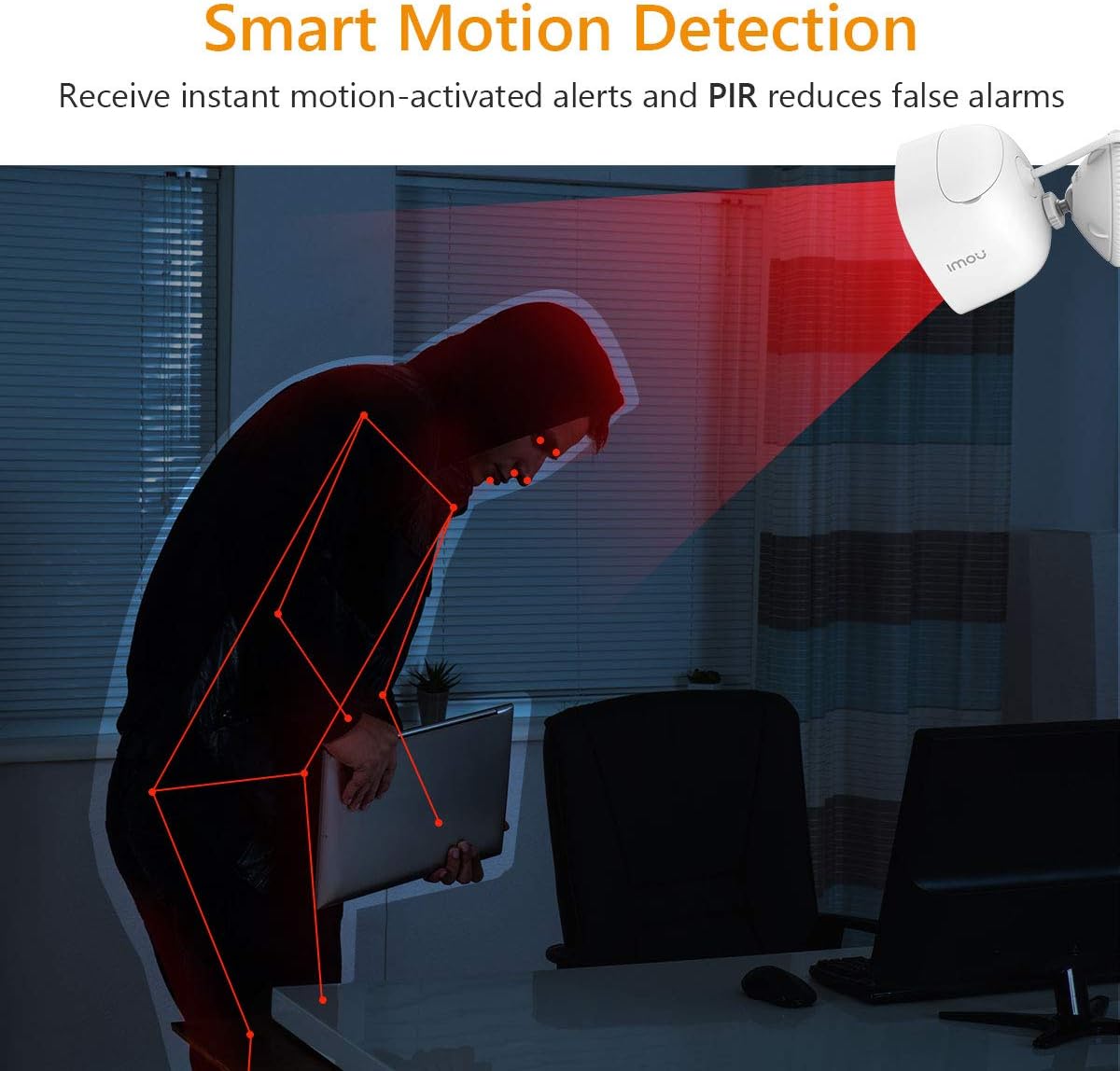
Figure 2.2.1: IMOU LOOC C26E/IPC-C26E Outdoor Wi-Fi Security Camera. This image shows the overall design of the camera, highlighting its compact and robust build suitable for outdoor use.
3. מדריך התקנה
3.1 לפני שתתחיל
- Ensure your Wi-Fi network is 2.4 GHz. The camera does not support 5 GHz Wi-Fi.
- הכן את שם רשת ה-Wi-Fi (SSID) והסיסמה שלך.
- Download the IMOU Life app from your smartphone's app store (iOS or Android).
- בחר מיקום הרכבה מתאים המספק ברור view ונמצא בטווח Wi-Fi.
3.2 הגדרת המצלמה הראשונית
- הפעלה: Connect the camera to the power adapter and plug it into an electrical outlet. The camera's indicator light will turn on.
- התקנת אפליקציה: Open the IMOU Life app on your smartphone and create an account or log in.
- הוסף מכשיר: הקש על סמל ה-"+" באפליקציה כדי להוסיף מכשיר חדש. סרוק את קוד ה-QR הממוקם על המצלמה או על האריזה שלה.
- תצורת רשת: Follow the on-screen prompts in the app to connect the camera to your Wi-Fi network. Ensure your phone is connected to the same 2.4 GHz Wi-Fi network.
- מתן שם למכשיר: Assign a name to your camera (e.g., "Front Door Camera", "Backyard Camera").
3.3 הרכבת המצלמה
The camera is designed for wall or ceiling mounting. Use the provided mounting bracket and screw pack.
- מיקום: Hold the position card against the desired mounting surface and mark the screw holes.
- הִתעַמְלוּת: Drill pilot holes at the marked positions. Insert wall anchors if mounting on masonry.
- חבר את התושבת: אבטחו את תושבת ההרכבה למשטח באמצעות הברגים המצורפים.
- חיבור מצלמה: Mount the camera onto the bracket and adjust its angle for optimal viewing. Ensure the camera is securely fastened.
- ניהול כבלים: Use the cable clips to neatly route the power cable, protecting it from damage and weather elements.
4. הוראות הפעלה
4.1 בשידור חי View והשמעה
- לִחיוֹת View: Open the IMOU Life app and select your camera to view הפיד החי.
- השמעה: גישה foo מוקלטtage from the app. Recordings are triggered by motion detection and stored on the MicroSD card (if installed) or cloud storage (if subscribed).
4.2 זיהוי תנועה והתראות

Figure 4.2.1: Smart Motion Detection. The camera utilizes PIR technology to detect human-like motion, reducing false alarms from environmental factors. When motion is detected, the camera can send instant alerts to your smartphone.
- הפעל זיהוי תנועה: In the IMOU Life app settings for your camera, enable motion detection.
- התאם את הרגישות: Customize the motion detection sensitivity to minimize false alarms. The PIR sensor helps in accurate detection.
- Set Detection Zones: הגדירו אזורים ספציפיים בתוך המצלמה view היכן שזיהוי תנועה אמור להיות פעיל.
- קבלת התראות: The app will send push notifications to your smartphone when motion is detected.
4.3 שיחה דו-כיוונית
The integrated microphone and speaker allow for two-way communication:
- Initiate Talk: בזמן שידור חי view, tap the microphone icon in the IMOU Life app to speak through the camera's speaker.
- לְהַקְשִׁיב: המיקרופון של המצלמה יקלוט אודיו מסביבתו, אותו תוכלו לשמוע דרך הטלפון החכם שלכם.
4.4 ראיית לילה
המצלמה עוברת אוטומטית למצב ראיית לילה בתנאי תאורה חלשים, ומספקת תמונות שחור-לבן ברורות.tage up to 10 meters (33 feet) using its IR LEDs.
4.5 הרתעה אקטיבית
Upon detecting motion, the camera can activate its built-in white LED light and 110 dB siren to deter potential intruders. This feature can be configured in the IMOU Life app settings.
5. תחזוקה
5.1 ניקוי
- Regularly clean the camera lens with a soft, dry cloth to ensure optimal image quality.
- אין להשתמש בכימיקלים קשים או בחומרי ניקוי שוחקים.
5.2 עדכוני קושחה
- Periodically check for firmware updates via the IMOU Life app. Updates often include performance improvements and security enhancements.
- Ensure the camera has a stable power supply and internet connection during firmware updates.
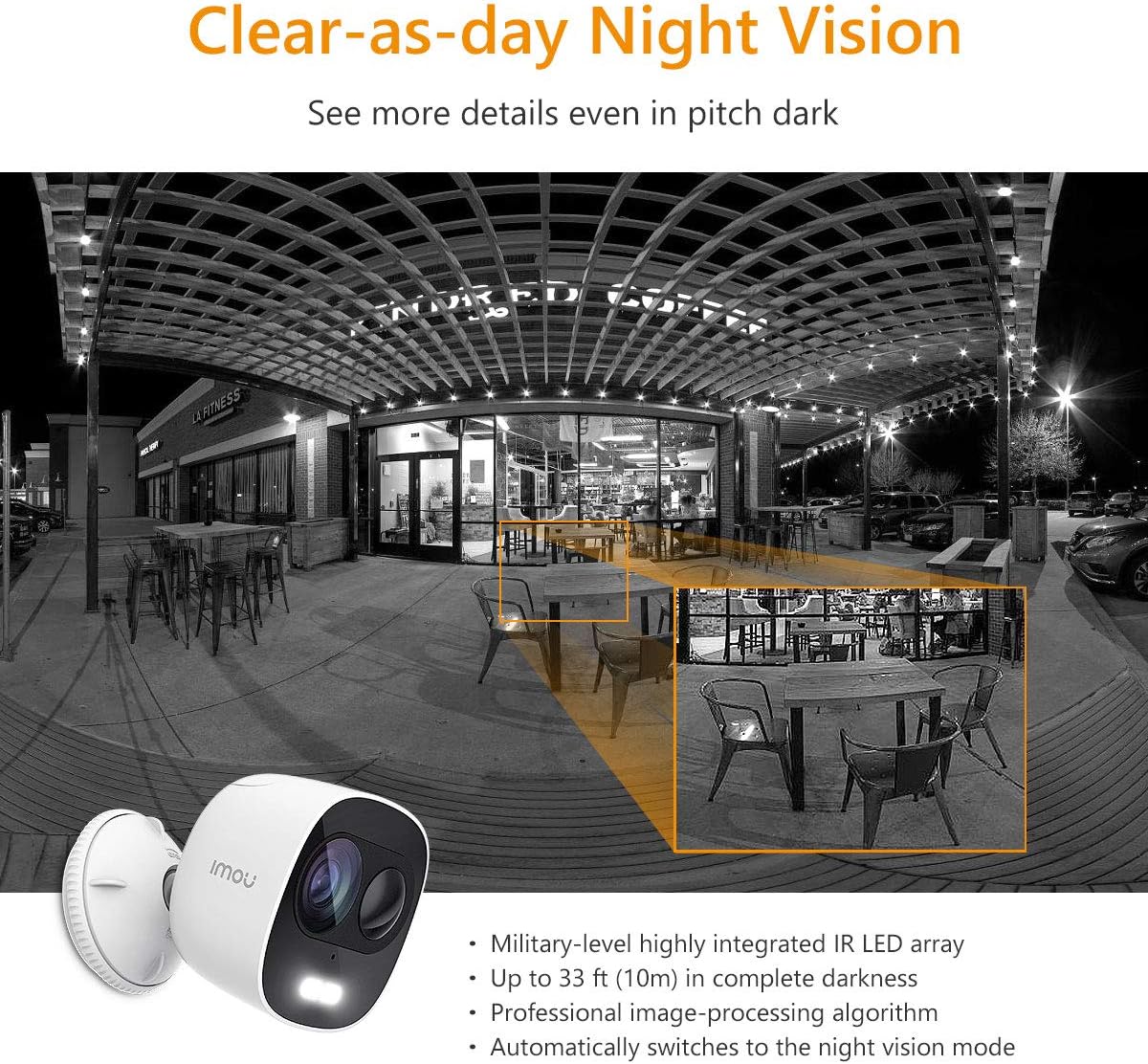
Figure 5.3.1: IP65 Weatherproof Design. The camera is built to withstand outdoor elements, including rain and dust, ensuring continuous operation in various weather conditions.
5.3 הגנת מזג האוויר
While the camera is IP65 rated for weather resistance, ensure its power connections are protected from direct exposure to heavy rain or prolonged moisture to prevent damage.
6. פתרון תקלות
6.1 בעיות קישוריות
- מצלמה במצב לא מקוון: Check if the camera is powered on and if your Wi-Fi router is working correctly. Ensure the camera is within range of your Wi-Fi signal.
- נכשלה ההתחברות ל-Wi-Fi: Verify your Wi-Fi password. Ensure your router is broadcasting a 2.4 GHz network. Try resetting the camera and repeating the setup process.
6.2 בעיות בזיהוי תנועה
- התראות ללא תנועה: Check if motion detection is enabled in the app and if notification permissions are granted for the IMOU Life app on your phone.
- Too Many False Alarms: Adjust the motion detection sensitivity settings in the app. Define specific detection zones to exclude areas with frequent irrelevant motion (e.g., trees swaying).
6.3 בעיות באיכות התמונה
- תמונה מטושטשת: נקו את עדשת המצלמה. ודאו שאין מכשולים לפני העדשה.
- ראיית לילה לקויה: Ensure the IR LEDs are not obstructed. Check for reflective surfaces close to the camera that might interfere with IR illumination.
7. מפרטים
| תכונה | מִפרָט |
|---|---|
| מספר דגם | IPC-C26E-IMOU |
| הַחְלָטָה | 2 MP (1080p) |
| עֲדָשָׁה | 2.8 מ"מ |
| טווח ראיית לילה | עד 10 מטר (33 רגל) |
| שֶׁמַע | Built-in Microphone & Speaker (Two-Way Talk) |
| סִירֶנָה | 110 dB |
| אִחסוּן | MicroSD Card Slot (up to 128GB), Cloud Storage (subscription required) |
| קישוריות אלחוטית | Wi-Fi (2.4 GHz) |
| עמידות בפני מזג אוויר | IP65 |
| ספק כוח | 5V DC (Power Adapter Included) |
| מידות (L x W x H) | 8 x 9 x 10 ס"מ |
| מִשׁקָל | 510 גרם |
| טמפרטורת הפעלה | Not explicitly stated, but typical for outdoor cameras. |
8. אחריות ותמיכה
IMOU cameras are guaranteed by Dahua TP and are subject to their RMA (Return Merchandise Authorization) warranty policy. This process is designed to facilitate and expedite any necessary repairs or replacements.
For detailed warranty information, technical support, or service requests, please refer to the official IMOU webאתר או צרו קשר ישירות עם תמיכת הלקוחות שלהם. שמרו את קבלת הרכישה כהוכחת קנייה לתביעות אחריות.
פֶּתֶק: These devices do not have a WEB interface. The IMOU series records data only after motion detection (no continuous recording). Recordings typically last 1 to 1.5 minutes, depending on the duration of motion in front of the camera.


