1. הקדמה
The MARATHON 100 Hour Direct Entry Digital Tabletop Timer is designed to assist with precise time management for various tasks. Featuring a large, easy-to-read LCD display and a direct entry keypad, this timer offers both countdown and count-up functionalities, a clock mode, and memory presets for repetitive events. Its robust design includes a magnetic back and an integrated kickstand for versatile placement.
2. המוצר נגמרview
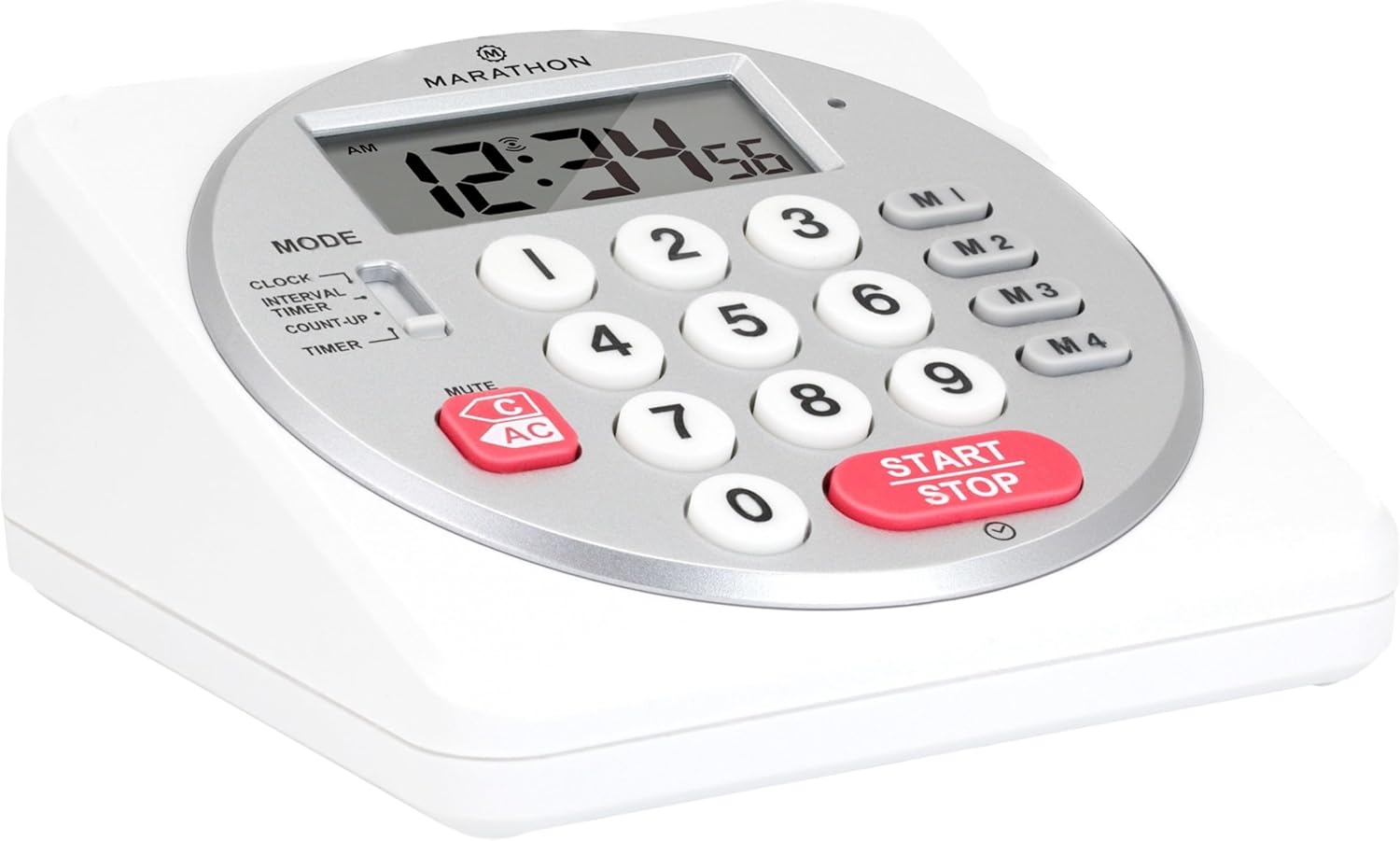
איור 1: חזית view of the Marathon Digital Timer.
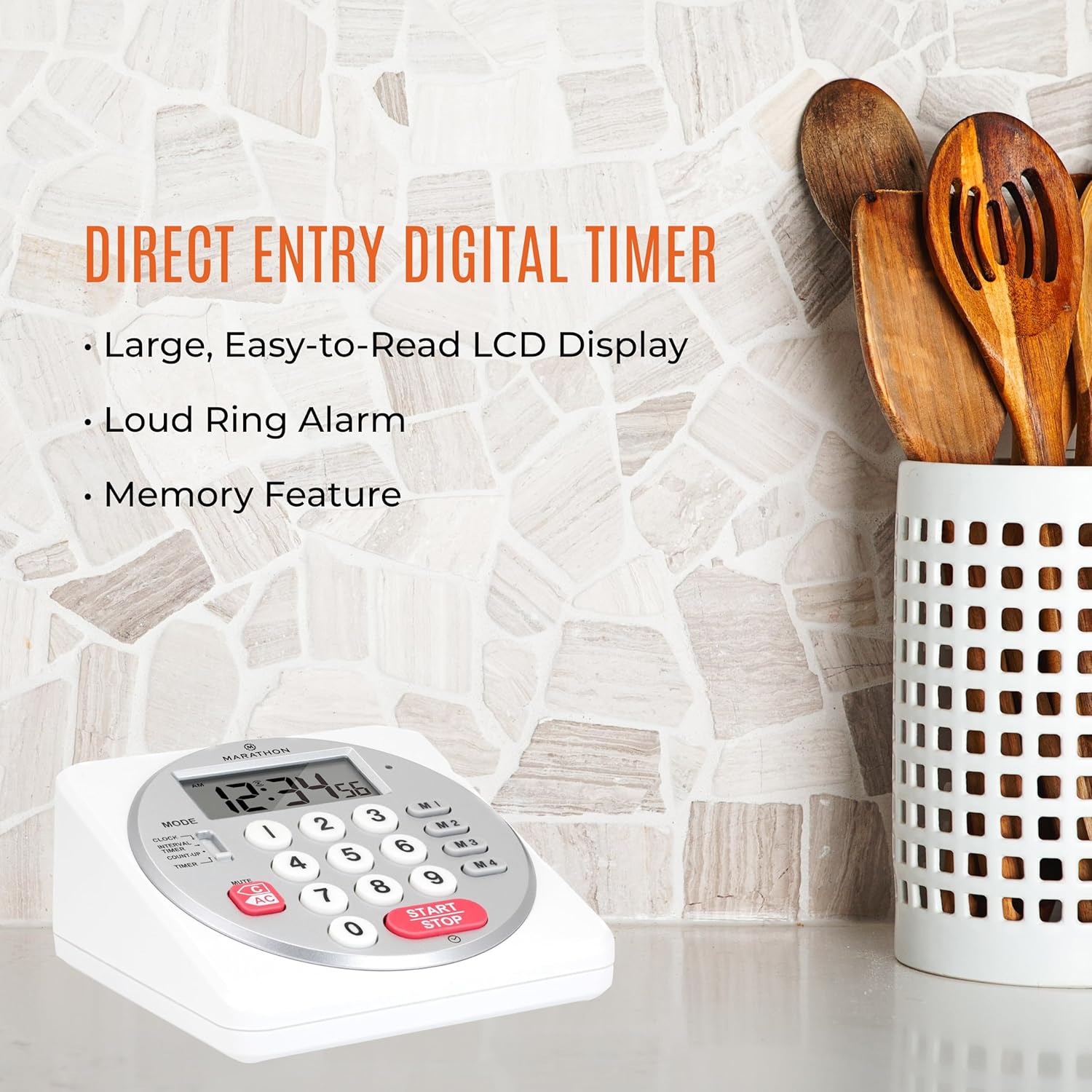
Figure 2: Timer on a kitchen counter, highlighting large display and loud alarm.

Figure 3: Timer showcasing dual function, included batteries, and versatile memory.
תכונות עיקריות:
- Direct Entry Keypad: For quick and precise time setting.
- תצוגת LCD גדולה: Easy-to-read numbers for clear visibility.
- Dual Function Alarm: Supports both countdown and count-up timing up to 99 hours, 59 minutes, and 59 seconds.
- Loud Ring Alarm: Audible across a room.
- מחוון LED: Flashing light for silent alarm or hearing impairment assistance.
- Clock Feature: Displays time in 12-hour or 24-hour format when not in timer mode.
- Built-in Memory Function: Stores up to four consecutive times for interval timing and four memory presets for repetitive events.
- מיקום רב תכליתי: Integrated kickstand for tabletop use and magnetic back for attachment to metal surfaces.
- סוללות כלולות: מגיע עם 2 סוללות AA.
3. התקנה
3.1. התקנת סוללה
- אתר את מכסה תא הסוללות בגב הטיימר.
- החלק את המכסה פתוח.
- Insert two (2) AA batteries, ensuring correct polarity (+/-) as indicated inside the compartment. The timer comes with batteries included.
- החזר היטב את מכסה תא הסוללות.

איור 4: אחורה view with battery compartment and kickstand.
4. הוראות הפעלה
4.1. בחירת מצב
השתמש ב- MODE switch located on the side of the timer to select between different functions:
- שָׁעוֹן: מציג את השעה הנוכחית.
- INTERVAL TIMER: For setting multiple consecutive timers.
- COUNT-UP: Functions as a stopwatch.
- שָׁעוֹן עֶצֶר: For setting a single countdown timer.

Figure 5: MODE switch for function selection.
4.2. כוונון השעון
- החלק את MODE לעבור ל שָׁעוֹן.
- לחץ והחזק את מַעֲרֶכֶת עד שספרות הזמן יתחילו להבהב.
- Use the number keypad (0-9) to enter the desired time (HH:MM).
- לִלְחוֹץ מַעֲרֶכֶת שוב כדי לאשר ולצאת ממצב כיוון שעון.
- כדי לעבור בין פורמט של 12 שעות לפורמט של 24 שעות, לחצו על הלחצן 12/24 שעות button (if available, or refer to specific model instructions).
4.3. Setting a Countdown Timer (TIMER Mode)
- החלק את MODE לעבור ל שָׁעוֹן עֶצֶר.
- Use the number keypad (0-9) to directly enter the desired countdown time (HH:MM:SS). The timer supports up to 99 hours, 59 minutes, 59 seconds.
- הקש על התחל/עצור כפתור כדי להתחיל את הספירה לאחור.
- כדי להשהות את הטיימר, לחצו התחל/עצור שוב. לחץ עליו פעם נוספת כדי לחדש את הפעולה.
- When the countdown reaches zero, the alarm will sound, and the LED indicator will flash. The timer will then automatically begin counting up to show elapsed time since the alarm.
- To stop the alarm and clear the display, press the בָּרוּר לַחְצָן.
4.4. Using the Count-Up Timer (COUNT-UP Mode)
- החלק את MODE לעבור ל לספור עד.
- Ensure the display shows 00:00:00. If not, press בָּרוּר.
- הקש על התחל/עצור כפתור כדי להתחיל לספור למעלה.
- כדי להשהות את הספירה לאחור, לחצו על התחל/עצור שוב. לחץ עליו פעם נוספת כדי לחדש את הפעולה.
- To reset the count-up timer to zero, press בָּרוּר.
4.5. Using Memory Functions (M1-M4 Presets)
The timer features four memory buttons (M1, M2, M3, M4) for storing and recalling frequently used times or for interval timing.
- In שָׁעוֹן עֶצֶר mode, enter the desired time using the number keypad.
- Press and hold one of the memory buttons (M1-M4) until the display confirms the time has been saved.
- To recall a saved time, simply press the corresponding memory button (M1-M4). The saved time will appear on the display, ready to start.
- For interval timing, set the first interval, save it to M1. Then set the second interval, save it to M2, and so on. You can then cycle through these presets as needed.
4.6. כוונון עוצמת השמע של האזעקה
The timer features a volume switch, typically located on the side or back, allowing you to select between different alarm levels (e.g., High, Low, Mute) or a flashing LED indicator for silent operation.
5. תחזוקה
- נקה את הטיימר עם רך, דamp מטלית. אין להשתמש בחומרי ניקוי שוחקים או לטבול את המכשיר במים.
- הימנעו מחשיפת הטיימר לטמפרטורות קיצוניות או לאור שמש ישיר למשך תקופות ממושכות.
- If the display becomes dim or the alarm weakens, replace the batteries promptly.
6. פתרון תקלות
| בְּעָיָה | סיבה אפשרית | פִּתָרוֹן |
|---|---|---|
| הטיימר לא נדלק. | הסוללות מתות או מותקנות בצורה לא נכונה. | בדוק את קוטביות הסוללה או החלף אותה בסוללות AA חדשות. |
| התצוגה עמומה. | כוח סוללה נמוך. | החלף סוללות. |
| האזעקה לא נשמעת. | Alarm volume is set to mute or low. | Check the alarm volume switch and adjust as needed. |
| הטיימר לא מגיב ללחיצות על כפתורים. | Unit may be in a locked state (if applicable) or requires a reset. | Remove and reinsert batteries to perform a hard reset. Check for any lock switches. |
7. מפרטים
- דֶגֶם: TI030018WH
- מותג: מרתון
- חוֹמֶר: פּלָסטִי
- מידות: 4.45 x 2.64 x 4.45 אינץ'
- משקל פריט: 7.1 אונקיות
- מקור כוח: 2 x סוללות AA (כלולות)
- Max Timer Duration: 99 שעות, 59 דקות, 59 שניות
- תכונות: Direct Entry, Dual Function (Count-up/Count-down), Clock, Memory Presets, LED Indicator, Magnetic Back, Kickstand
- UPC: 063442000342

איור 6: מידות המוצר.
8. אחריות ותמיכה
למידע על אחריות או תמיכה טכנית, אנא עיינו במדריך הרשמי של היצרן. webאתר או צרו קשר עם מחלקת שירות הלקוחות שלהם. שמרו את קבלת הרכישה כהוכחת קנייה.


