1. הקדמה
תודה על הרכישהasing the Marathon CL030050P Digital Desk Clock. This compact and versatile clock is designed for convenience, offering a clear digital display with a soft blue backlight, an alarm with snooze function, temperature display, and multi-language day of the week display. This manual provides detailed instructions for setup, operation, and maintenance to ensure optimal performance.
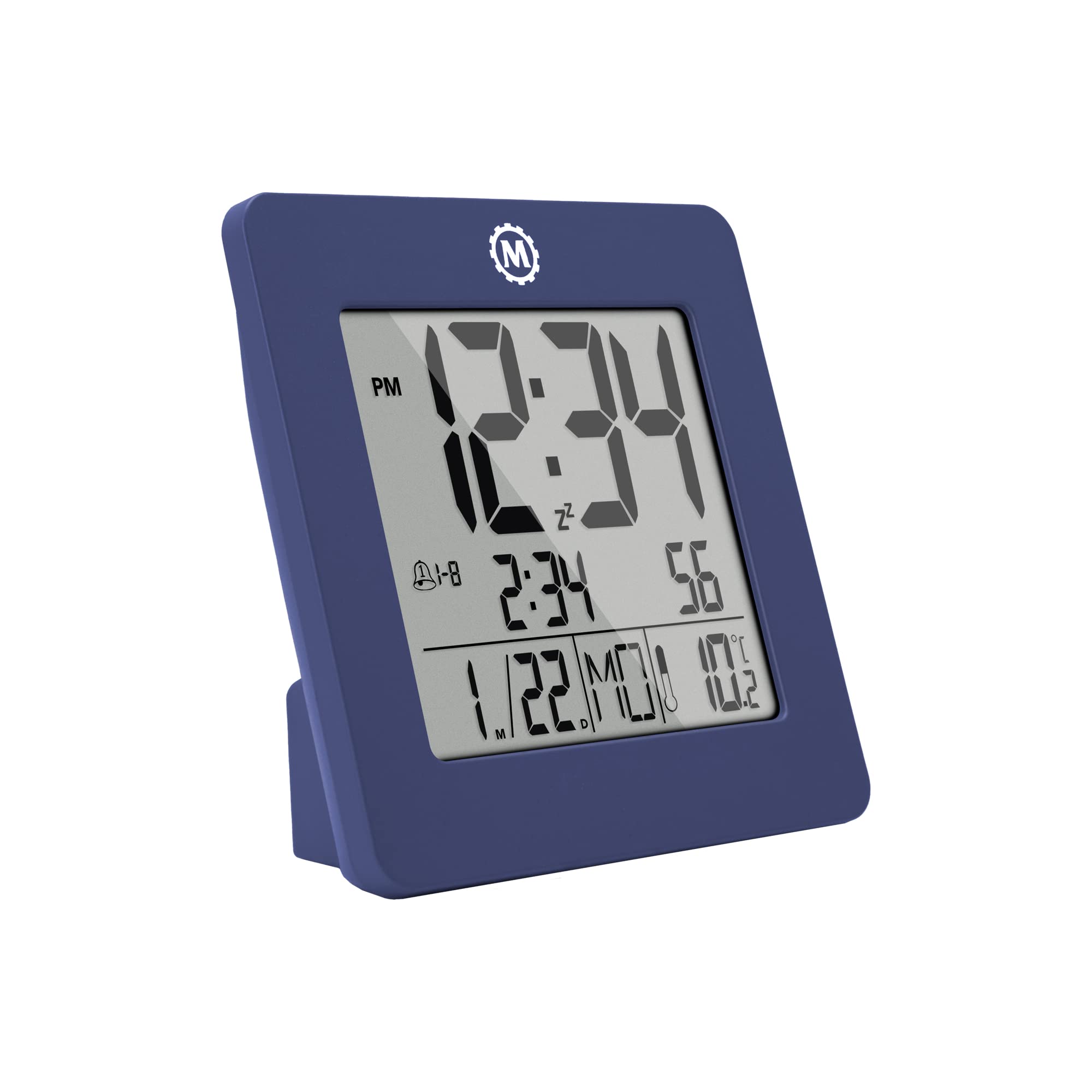
איור 1: חזית view of the Marathon CL030050P Digital Desk Clock.
2. תכולת החבילה
- Marathon CL030050P Digital Desk Clock
- מדריך למשתמש (מסמך זה)
- סוללות (מותקנות מראש או כלולות בנפרד)
3. התקנה
3.1 התקנת סוללה
The clock operates on batteries. If batteries are not pre-installed, open the battery compartment cover on the back of the clock and insert the required batteries, ensuring correct polarity (+/-). Close the cover securely.
3.2 Initial Settings (Time, Date, Language, Temperature Unit)
The back of the clock features several buttons for configuration:
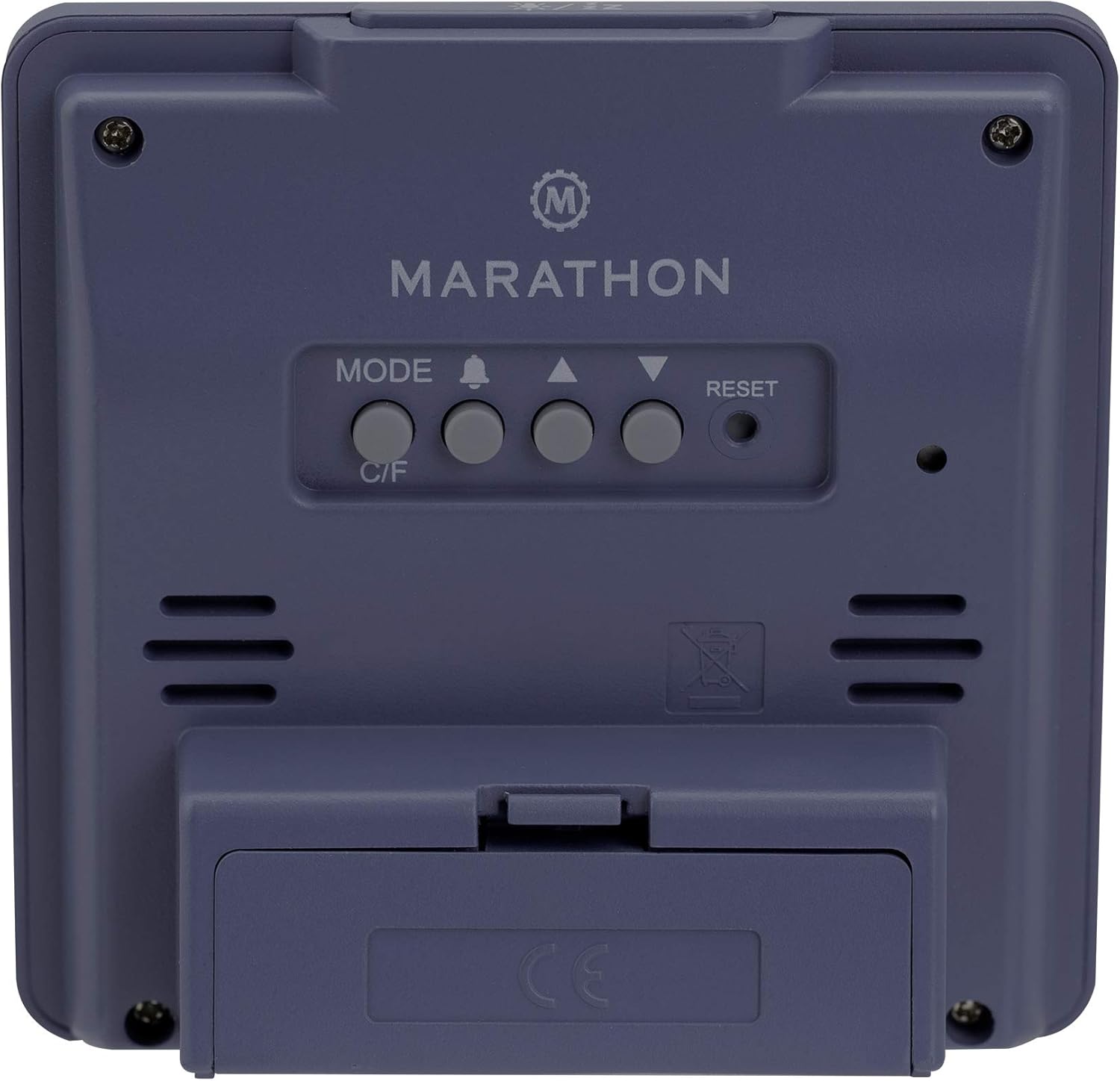
איור 2: אחורי view of the clock with control buttons.
- הגדר זמן ותאריך: לחץ והחזק את MODE כדי להיכנס למצב הגדרת זמן. השתמש בלחצן למעלה (▲) ו למטה (▼) buttons to adjust the flashing value (e.g., hour, minute, year, month, day). Press MODE שוב כדי לאשר ולעבור להגדרה הבאה.
- פורמט 12/24 שעות: While in time setting mode, press the למעלה (▲) כפתור כדי לעבור בין פורמטים של 12 שעות (עם מחוון AM/PM) לפורמטים של 24 שעות.
- Day of Week Language: The day of the week can be displayed in 7 languages (English, Dutch, French, Spanish, Italian, Danish, German). This setting is typically adjusted within the date setting sequence. Use למעלה (▲) or למטה (▼) to select your preferred language when the day of the week is flashing.
- Temperature Unit (C/F): הקש על C / F. button on the back of the clock to switch between Celsius (℃) and Fahrenheit (℉) temperature display.
4. הוראות הפעלה
4.1 מצבי תצוגה
The clock continuously displays time, date, and temperature. The large, high-contrast display ensures readability.
4.2 הפעלת תאורה אחורית
The clock features a soft blue Nightglow Super Glow backlight. To activate the backlight, press any button on the clock. The backlight will illuminate for a few seconds, providing temporary visibility in low-light conditions.
4.3 הגדרת אזעקה
- הקש על ALARM (🔔) לחצן פעם אחת כדי view זמן האזעקה הנוכחי.
- לחץ והחזק את ALARM (🔔) button to enter alarm setting mode. The hour digit will flash.
- השתמש ב- למעלה (▲) ו למטה (▼) לחצו על הכפתורים כדי לכוונן את השעה. ALARM (🔔) כדי לאשר ולעבור להגדרת הדקות.
- כוונן את הדקות באמצעות למעלה (▲) ו למטה (▼) כפתורים. ללחוץ ALARM (🔔) כדי לאשר ולצאת ממצב הגדרת אזעקה.
- כדי להפעיל/לבטל את האזעקה, לחצו על הלחצן ALARM (🔔) button briefly outside of setting mode. An alarm icon will appear/disappear on the display.
4.4 פונקציית נודניק
כאשר נשמעת האזעקה, לחצו על כל כפתור (למעט אִתחוּל) to activate the snooze function. The alarm will temporarily stop and sound again after a few minutes (snooze duration is typically fixed and cannot be adjusted). To turn off the alarm completely, press the אִתחוּל button or let it ring for its full duration.

Figure 3: The clock is compact and fits comfortably in hand.
5. תחזוקה
5.1 ניקוי
נגבו את השעון בעזרת מטלית רכה ויבשה. אין להשתמש בחומרי ניקוי שוחקים או ממסים, מכיוון שהם עלולים לפגוע בתצוגה או בשעון.asing.
5.2 החלפת סוללה
When the display becomes dim or the clock functions erratically, it is time to replace the batteries. Open the battery compartment on the back, remove the old batteries, and insert new ones, observing correct polarity. Dispose of old batteries responsibly.
6. פתרון תקלות
- התצוגה ריקה או עמומה: בדוק את התקנת הסוללה. החלף סוללות במידת הצורך.
- שעה/תאריך שגויים: הזן מחדש את הגדרות השעה והתאריך כמתואר בסעיף 3.2.
- אזעקה לא נשמעת: Ensure the alarm is activated (alarm icon visible on display). Check alarm volume if adjustable (this model may not have adjustable volume).
- Clock unresponsive: הקש על אִתחוּל button on the back of the clock using a pointed object (e.g., a paperclip). This will reset the clock to factory defaults, and you will need to set the time and date again.
7. מפרטים
| דֶגֶם | CL030050P |
| מותג | מָרָתוֹן |
| צֶבַע | French Blue |
| גוֹדֶל | קָטָן |
| חוֹמֶר | פּלָסטִי |
| סוג תצוגה | דִיגִיטָלי |
| תכונות | Alarm, Temperature Display |
| מקור כוח | מופעל על סוללה |
| מידות המוצר | 9.4 x 3.81 x 9.4 ס"מ (3.7 x 1.5 x 3.7 אינץ ') |
| משקל פריט | 0.1 קילוגרם (100 גרם) |
| שימוש פנימי/חיצוני | מקורה |

Figure 4: Product dimensions for the Marathon CL030050P Digital Desk Clock.
8. אחריות ותמיכה
For warranty information or technical support, please refer to the warranty card included with your product or visit the official Marathon webאתר. אם נתקלת בבעיות שאינן מכוסות במדריך זה, אנא פנה לשירות הלקוחות לקבלת סיוע.


