1. הקדמה
This manual provides detailed instructions for the MARATHON CL030068 Atomic Wall Clock. This clock is designed to automatically synchronize with the NIST radio signal for precise timekeeping, and it displays time, date, day of the week, and indoor temperature.

Image 1.1: The MARATHON CL030068 Atomic Wall Clock, showcasing its large digital display and sleek design.
2. תכולת החבילה
- MARATHON CL030068 Atomic Wall Clock
- AA Alkaline Batteries (included)
- מדריך למשתמש (מסמך זה)
3. התקנה
3.1 התקנת סוללה
- אתר את תא הסוללות בגב השעון.
- Insert the included AA batteries, ensuring correct polarity (+ and -).
- סגור את מכסה תא הסוללות.
3.2 Initial Synchronization and Time Zone Selection
Upon battery insertion, the clock will automatically begin searching for the NIST atomic time signal. This process may take several minutes to several hours, depending on your location and signal strength. The atomic time signal is broadcast from Colorado, USA, and is primarily effective in North America.
- אזור זמן: Locate the time zone switch or button on the back of the clock. Select your appropriate North American time zone: Pacific, Mountain, Central, Eastern, Atlantic, Newfoundland, Alaska, or Hawaii.
- קליטת אותות: For optimal signal reception, place the clock near a window, away from electronic devices that may cause interference. The signal is often strongest during nighttime hours.

Image 3.1: The atomic wall clock mounted on a wall, demonstrating its suitability for various environments.
4. הוראות הפעלה
4.1 מצבי תצוגה
The clock offers multiple display modes. Use the 'MODE' button (if available) or refer to specific buttons on the back of your clock to cycle through the following displays:
- תצוגת זמן: Choose between AM/PM or 24-hour format.
- תצוגת תאריך: Shows the month, weekday, and date.
- תצוגת טמפרטורה: Displays the indoor room temperature in Celsius or Fahrenheit. Use the ‘C/F’ button to switch between units.
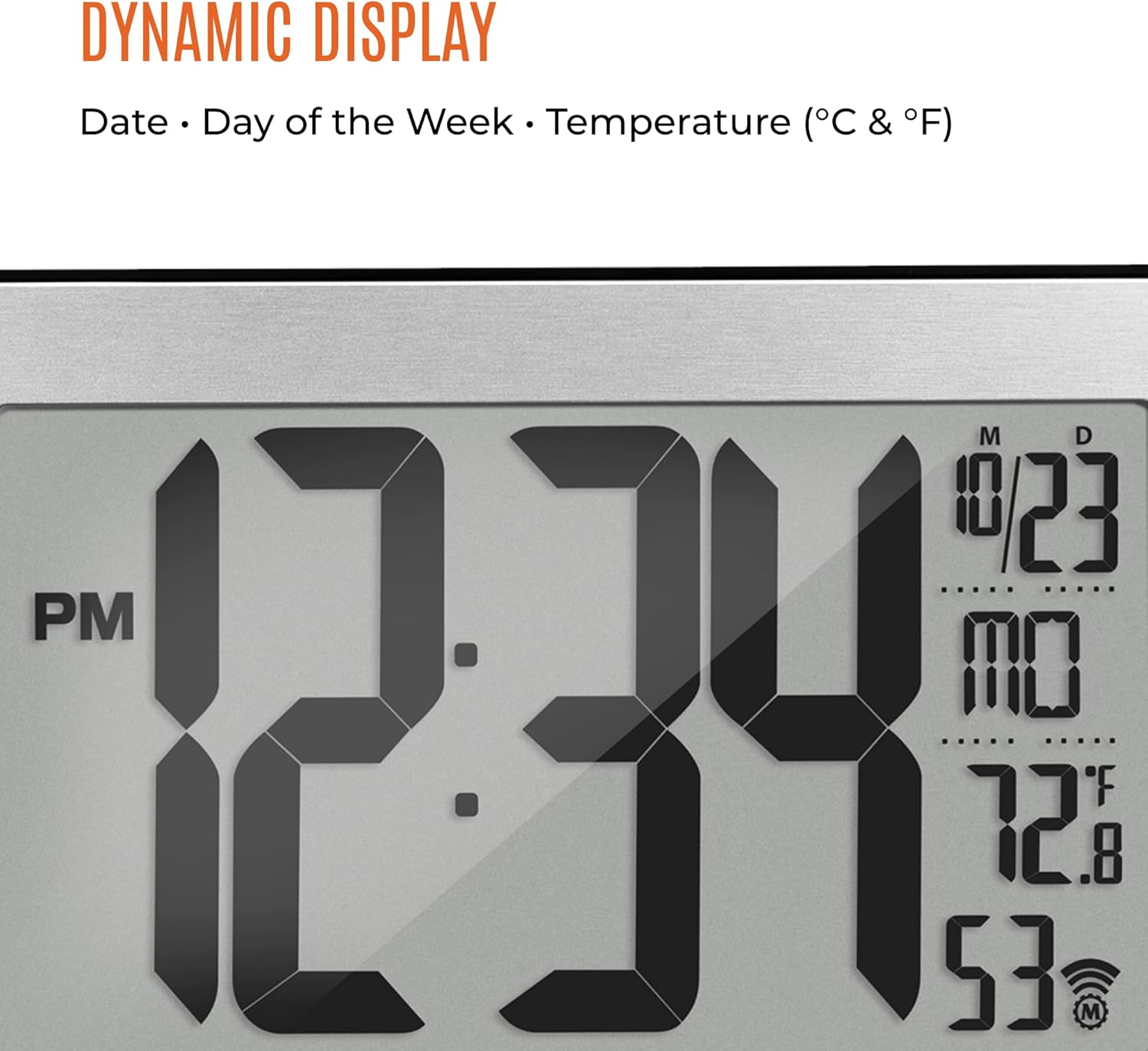
תמונה 4.1: תקריב view of the clock's dynamic display, showing time, date, day, and temperature.
4.2 הגדרת זמן ידנית
In the event that the atomic signal cannot be received, or if you wish to set the time manually, follow these steps:
- לחץ והחזק את כפתור 'SET' (או כפתור דומה) עד שתצוגת הזמן תתחיל להבהב.
- Use the '+' or '-' buttons to adjust the hour, then press 'SET' to confirm.
- חזור על הפעולה עבור דקות, שנה, חודש ויום.
- Press 'SET' one last time to exit manual setting mode.
5. תכונות מעלview
- Self-Setting and Self-Adjusting: Automatically synchronizes with the NIST atomic clock signal for accurate time, including Daylight Saving Time adjustments.
- תצוגה גדולה: Features a 9-inch display with large 4-inch digits for easy readability from a distance.
- מצבי תצוגה מרובים: Provides options for AM/PM or 24-hour time, full date (month, weekday, date), and indoor temperature in Celsius or Fahrenheit.
- Eight North American Time Zones: Supports Pacific, Mountain, Central, Eastern, Atlantic, Newfoundland, Alaska, and Hawaii standard times.
- מיקום רב תכליתי: Designed for both wall mounting and tabletop use with a sturdy fold-out stand.
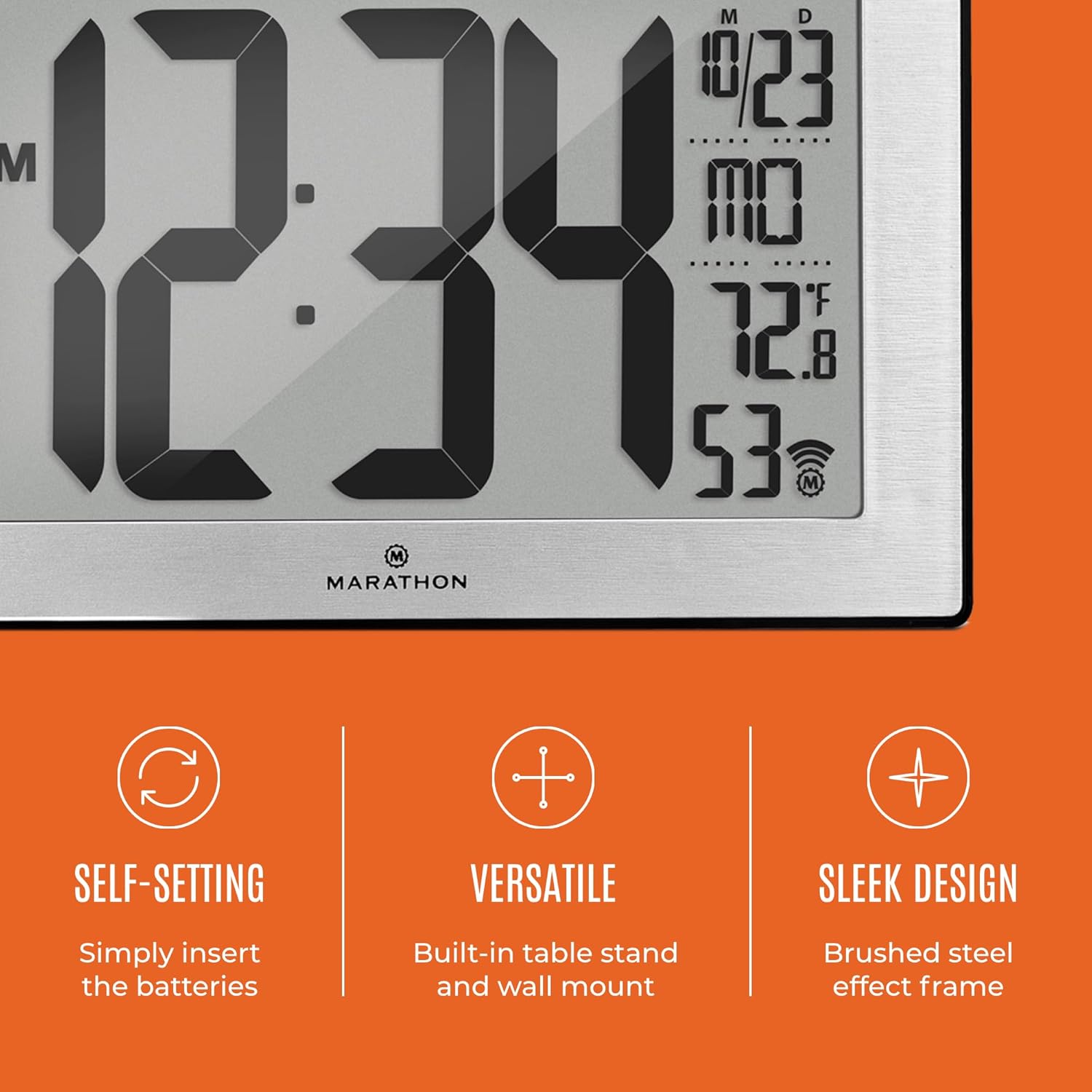
Image 5.1: Key features of the clock, including its self-setting capability, versatile placement options, and sleek design.
6. הרכבה ומיקום
6.1 הרכבה על הקיר
The clock features a keyhole slot on the back for easy wall mounting. Ensure the wall is suitable for supporting the clock's weight (approximately 558g).
6.2 מיקום השולחן
Utilize the integrated fold-out stand on the back of the clock to place it securely on any flat surface, such as a desk, shelf, or table.
6.3 Optimal Signal Reception
For best atomic signal reception, position the clock:
- Near a window.
- Away from large metal objects or electronic devices that may cause interference (e.g., televisions, computers, microwaves).
- In an area with minimal structural obstructions.

Image 6.1: The clock displayed in a home environment, illustrating its ease of placement and clear visibility.
7. תחזוקה
7.1 החלפת סוללה
When the display dims or becomes erratic, it is time to replace the batteries. Always replace all batteries at the same time with new, high-quality AA alkaline batteries. Do not mix old and new batteries or different types of batteries.
7.2 ניקוי
To clean the clock, use a soft, dry cloth. Do not use abrasive cleaners, solvents, or chemical sprays, as these may damage the display or casing.
8. פתרון תקלות
| בְּעָיָה | סיבה אפשרית | פִּתָרוֹן |
|---|---|---|
| Clock does not display anything. | הסוללות מתות או מותקנות בצורה לא נכונה. | בדוק את קוטביות הסוללה. החלף בסוללות AA חדשות. |
| Clock does not synchronize with atomic signal. | Poor signal reception due to location or interference. | Move the clock to a different location, preferably near a window and away from electronics. Allow several hours, especially overnight, for synchronization. Manually set the time if necessary. |
| מוצג זמן שגוי. | Incorrect time zone selected or atomic signal not received. | Verify the correct time zone is selected. Attempt to resynchronize or manually set the time. |
| קריאת הטמפרטורה אינה מדויקת. | שעון ממוקם ליד מקור חום או פתח אוורור. | העבר את השעון לאזור עם טמפרטורת סביבה יציבה. |
9. מפרטים
| תכונה | פְּרָט |
|---|---|
| מספר דגם | CL030068 |
| מותג | מרתון |
| סוג תצוגה | דִיגִיטָלי |
| צֶבַע | Black Frame with Steel Inset |
| מידות המוצר | 24 x 3.81 x 16 ס"מ (9.4 x 1.5 x 6.3 אינץ ') |
| משקל פריט | 558 גרם (1.23 פאונד) |
| מקור כוח | סוללות AA (כלולות) |
| תכונות מיוחדות | Atomic Time Synchronization, Calendar Display, Temperature Display |
| אזורי זמן | 8 North American Time Zones |

Image 9.1: Dimensions of the MARATHON CL030068 Atomic Wall Clock.
10. אחריות ותמיכה
למידע על אחריות ותמיכת לקוחות, אנא עיינו בהודעה הרשמית של היצרן. webאתר או צרו קשר עם מחלקת שירות הלקוחות שלהם. שמרו את קבלת הרכישה כהוכחת קנייה.

Image 10.1: The MARATHON brand logo and a brief historical note about the company.


