1. הקדמה
This manual provides essential information for setting up, operating, and maintaining your VIZIO D-Series 50-inch (49.5" Diag.) Ultra HD Full-Array LED Smart TV. Please read this guide thoroughly before using your television to ensure proper functionality and safety.
The VIZIO D-Series delivers stunning picture quality and clarity from innovative features that put greater beauty into every pixel. It distributes LEDs behind the entire screen, delivering superior light uniformity and picture performance. With more than 2 million screen pixels combining to form 1080p Full HD, it produces an incredible level of radiance and crystal-clear detail. VIZIO Internet Apps Plus (V.I.A. Plus) and Wi-Fi connectivity are built into every VIZIO D-Series Smart TV, offering a wide variety of popular apps with streaming content and internet radio at your fingertips. The simplified app home and app launcher make finding your favorite entertainment effortless. This TV is also more energy efficient than conventional LCD TVs.
2. מה בקופסה
Carefully unpack your VIZIO D-Series Smart TV. The package should contain the following items:
- VIZIO D-Series 50"-Class UHD Smart LED TV
- שלט רחוק עם סוללות (נדרשות 2 סוללות AAA)
- מידע על אחריות מוגבלת לשנה
3. התקנה
3.1 מבנה פיזי
Your VIZIO D-Series TV can be placed on a stand or mounted on a wall. Ensure the TV is placed on a stable, level surface or securely mounted according to VESA standards.

Figure 3.1: VIZIO D-Series 50-inch Smart TV on its included stand.

Figure 3.2: VIZIO D-Series 50-inch Smart TV wall-mounted in a modern living space.
3.2 חיבורים
Connect your devices to the TV using the available ports on the back panel. The VIZIO D-Series includes multiple HDMI, USB, and Ethernet ports for versatile connectivity.
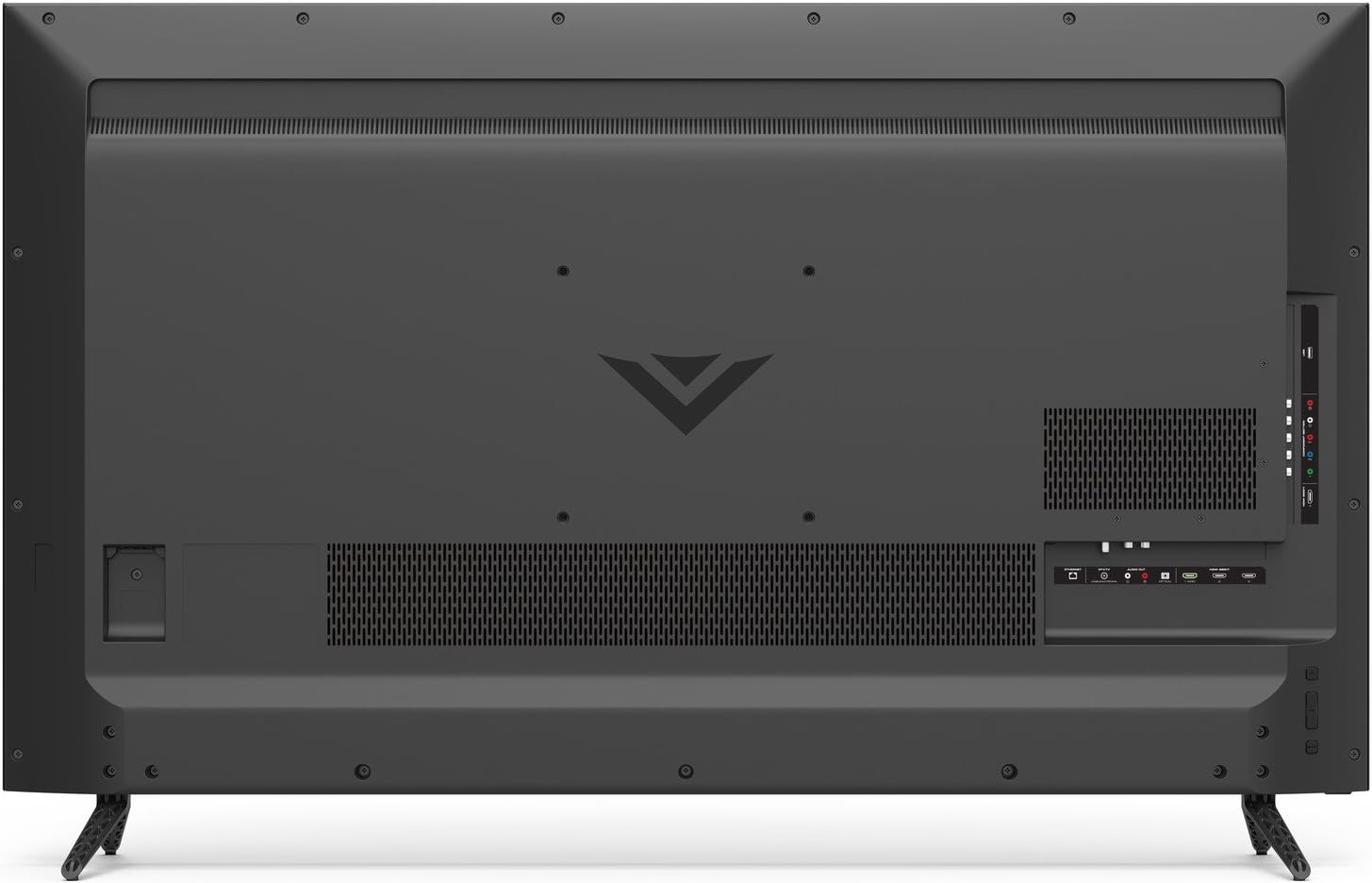
Figure 3.3: Back panel of the VIZIO D-Series TV with HDMI, USB, Ethernet, and other input/output ports clearly visible.
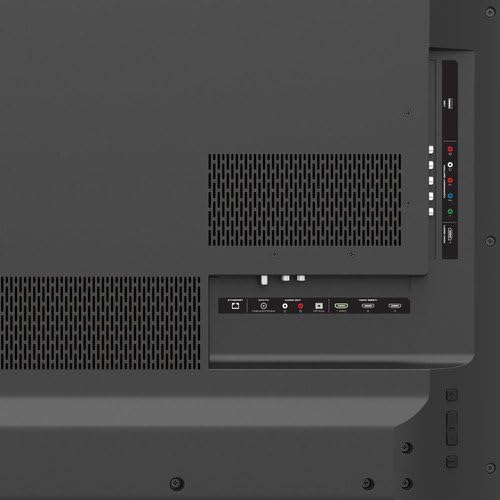
איור 3.4: מפורט view of the VIZIO D-Series TV's connectivity options, including HDMI, USB, and audio ports.
3.3 הפעלה ראשונית והגדרת רשת
After connecting all necessary cables, plug the TV into a power outlet. Press the power button on the remote or the TV. Follow the on-screen instructions to complete the initial setup, including connecting to your Wi-Fi network for Smart TV features.
4. הפעלה
4.1 פונקציות שלט רחוק
The included remote control provides full functionality for your VIZIO Smart TV. It features dedicated buttons for popular streaming apps and navigation controls.

Figure 4.1: The VIZIO remote control, highlighting quick access buttons for streaming services and navigation pad.
4.2 Smart TV Features (VIZIO Internet Apps Plus)
Access a wide range of streaming content and internet radio through VIZIO Internet Apps Plus. The simplified app home and app launcher make it easy to find and launch your favorite applications.
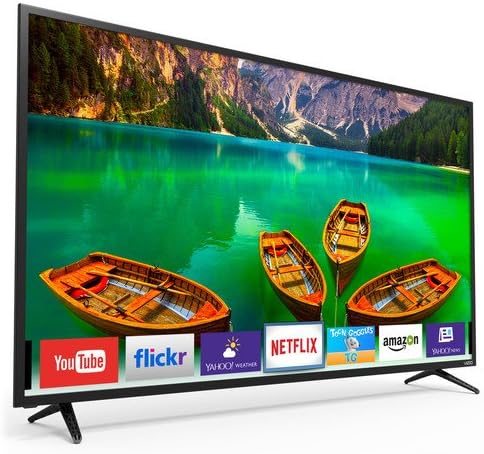
Figure 4.2: The VIZIO Smart TV interface showing available applications and content recommendations.
4.3 הגדרות תמונה וקול
התאם אישית את שלך viewing experience by adjusting picture and sound settings. Navigate to the settings menu to modify brightness, contrast, color, and various audio modes to suit your preferences.
4.4 Casting and Screen Mirroring
The VIZIO D-Series supports casting and screen mirroring features, allowing you to display content from compatible mobile devices directly onto your TV screen. Refer to your device's instructions for specific casting procedures.
5. תחזוקה
To ensure the longevity and optimal performance of your VIZIO D-Series TV, follow these maintenance guidelines:
- ניקוי המסך: נגבו בעדינות את המסך בעזרת מטלית מיקרופייבר רכה ויבשה. עבור כתמים עקשניים, נגבו קלותampשטפו את המטלית במים או בחומר ניקוי ייעודי למסכים. הימנעו מכימיקלים חזקים או מחומרים שוחקים.
- ניקוי המסגרת: השתמשו במטלית רכה ויבשה כדי לנגב את מסגרת הטלוויזיה והמעמד.
- אוורור: ודאו זרימת אוויר נאותה סביב הטלוויזיה. אין לחסום פתחי אוורור.
- כבל חשמל: Regularly check the power cord for any damage. If damaged, discontinue use and contact VIZIO support.
6. פתרון תקלות
If you encounter issues with your VIZIO D-Series TV, try the following steps:
- אין כוח: ודא שכבל החשמל מחובר היטב הן לטלוויזיה והן לשקע חשמלי תקין. נסה שקע אחר.
- אין תמונה/קול: ודא שנבחר מקור הקלט הנכון. בדוק את כל חיבורי הכבלים (HDMI וכו') לאיתור רופפות או נזק.
- איכות תמונה ירודה: Adjust picture settings (brightness, contrast, sharpness). Ensure your content source is providing a high-quality signal.
- שלט לא עובד: החלף את הסוללות בשלט הרחוק. ודא שאין חסימות בין השלט לחיישן ה-IR של הטלוויזיה.
- אפליקציות טלוויזיה חכמה לא נטענות: בדוק את חיבור האינטרנט שלך. הפעל מחדש את הטלוויזיה ואת הנתב שלך.
לסיוע נוסף, עיינו בתמיכה של VIZIO webאתר או צור קשר עם שירות הלקוחות.
7. מפרטים
| תכונה | מִפרָט |
|---|---|
| מותג | VIZIO |
| מספר דגם | D50-E1 |
| גודל מסך | 50 Inches (49.5" Diag.) |
| טכנולוגיית תצוגה | LED, Full-Array |
| הַחְלָטָה | 4K (אולטרה HD) |
| קצב רענון | 120 הרץ |
| יחס גובה-רוחב | 16:9 |
| טכנולוגיית קישוריות | Built-in Wi-Fi, HDMI, USB, Ethernet |
| שירותי אינטרנט נתמכים | Browser, Netflix (and other V.I.A. Plus apps) |
| משקל פריט | 35.71 פאונד |
| מידות המוצר | 48.58 x 6.34 x 29.92 אינץ' |
8. אחריות ותמיכה
Your VIZIO D-Series 50-inch Smart TV comes with a Limited 1-Year Warranty. For detailed warranty terms, conditions, and to register your product, please visit the official VIZIO support webאתר או עיין בתיעוד המצורף לאריזת המוצר שלך.
For technical support, troubleshooting, or service inquiries, please contact VIZIO Customer Support.


