1. הקדמה
תודה על הרכישהasing the wster WS-K66 Mini Portable Bluetooth Speaker. This manual provides important information on how to set up, operate, and maintain your device. Please read it carefully before use and retain it for future reference.
2. מידע בטיחות
- אין לחשוף את הרמקול לטמפרטורות קיצוניות, לאור שמש ישיר או לחות גבוהה.
- הימנע מהפלת הרמקול או הכפיפה למכות חזקות.
- אין לפרק או לנסות לתקן את הרמקול בעצמך. פעולה זו תגרום לביטול האחריות.
- הרחק את הרמקול ממים ומנוזלים אחרים.
- השתמש רק בכבל הטעינה ובמקור הכוח שצוינו.
- יש להשליך את הסוללה והרמקול באחריות בהתאם לתקנות המקומיות.
3. תכולת החבילה
אנא בדקו את החבילה עבור הפריטים הבאים:
- wster WS-K66 Mini Portable Bluetooth Speaker
- USB Charging / 3.5mm Audio Cable
- מדריך הוראות (מסמך זה)
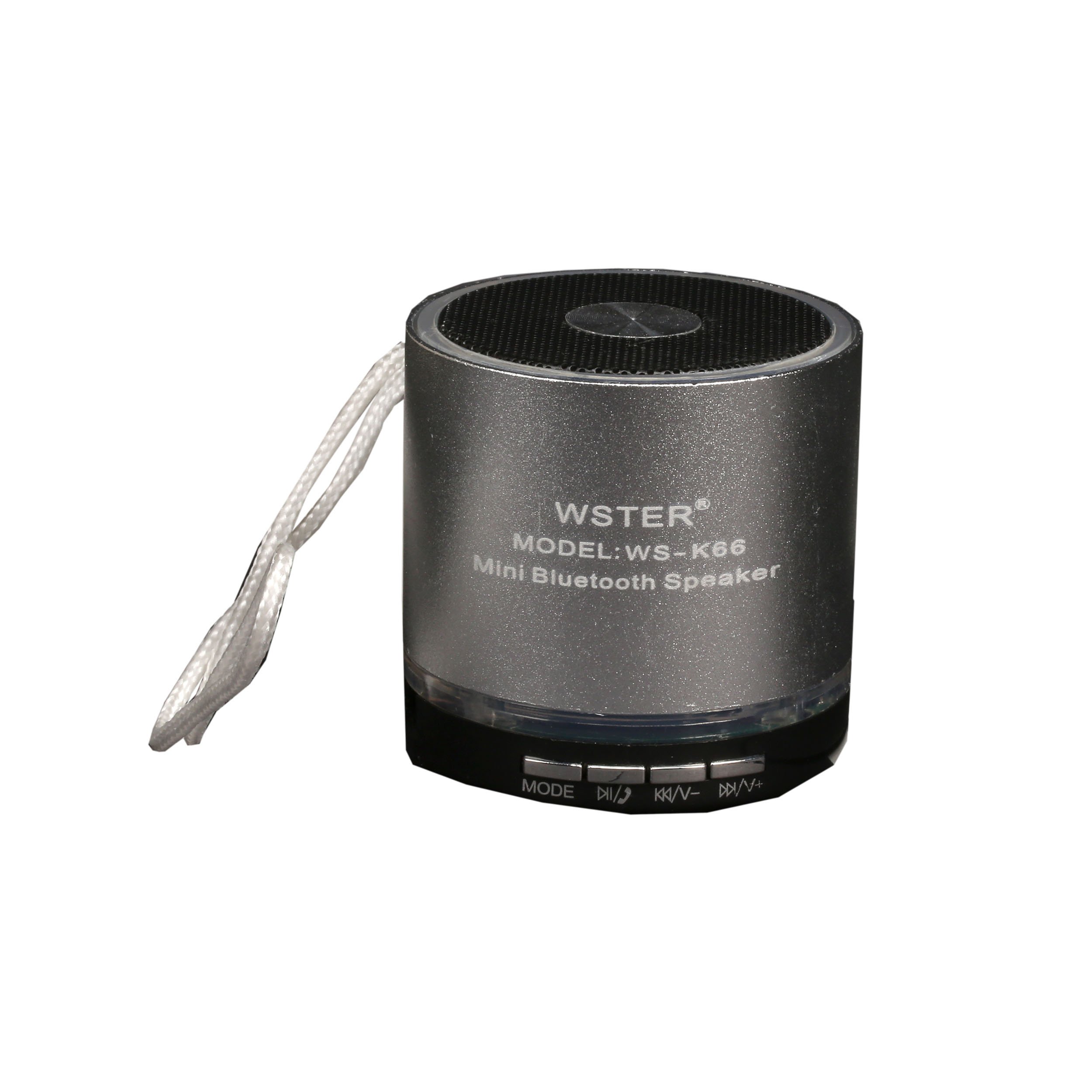
Image: The retail packaging for the wster WS-K66 speaker, showing the speaker and its features.

Image: The included USB charging and 3.5mm audio cable for connecting and powering the speaker.
4. המוצר נגמרview
הכירו את פקדי הרמקול והיציאות:

תמונה: למעלה view of the wster WS-K66 speaker, highlighting the speaker grille and control buttons.

תמונה: צד view of the wster WS-K66 speaker, illustrating the USB, Micro SD, AUX, and charging ports.
Controls and Ports (Typical Layout):
- מתג הפעלה: הפעלה/כיבוי.
- לחצן מצב (M): Switches between Bluetooth, FM Radio, USB/Micro SD, and AUX modes.
- Play/Pause Button (►/−−): Play/pause music; Answer/end calls.
- Volume Down / Previous Track (-/◀◀): Short press for previous track; Long press to decrease volume.
- Volume Up / Next Track (+/►►): Short press for next track; Long press to increase volume.
- יציאת USB: עבור כונני הבזק מסוג USB.
- חריץ לכרטיס מיקרו SD: עבור כרטיסי זיכרון Micro SD.
- כניסת AUX: לחיבור התקני שמע חיצוניים באמצעות כבל 3.5 מ"מ.
- יציאת טעינה: לטעינת הרמקול.
5. התקנה
טעינה ראשונית:
- לפני השימוש הראשון, טען את הרמקול במלואו.
- חבר את הקצה הקטן של כבל הטעינה USB לשקע הטעינה של הרמקול.
- Connect the larger USB end to a USB power adapter (not included) or a computer's USB port.
- נורית חיווי הטעינה תידלק במהלך הטעינה ותכבה כאשר המכשיר טעון במלואה.
6. הוראות הפעלה
הפעלה/כיבוי:
- Slide the Power Switch to the 'ON' position to turn on the speaker.
- Slide the Power Switch to the 'OFF' position to turn off the speaker.
מצב Bluetooth:
- Turn on the speaker. It will automatically enter Bluetooth pairing mode (a voice prompt or indicator light will confirm).
- הפעל את בלוטות' במכשיר הנייד שלך (סמארטפון, טאבלט וכו').
- חפש available Bluetooth devices and select "WS-K66" from the list.
- Once paired, the speaker will confirm with a voice prompt. You can now play audio from your device through the speaker.
- The Bluetooth range is up to 10 meters (33 feet) in an open area.
מצב רדיו FM:
- Turn on the speaker. Press the 'M' (Mode) button repeatedly until you hear the FM radio prompt.
- To auto-scan and save available stations, press and hold the Play/Pause button (►/−−). The speaker will scan and store stations automatically.
- Use the Previous Track (◀◀) and Next Track (►►) buttons to navigate between saved stations.
- For better FM reception, connect the USB charging cable to the speaker's charging port; it acts as an external antenna.
USB / Micro SD Card Mode:
- הכנס כונן הבזק מסוג USB או כרטיס Micro SD (עם קבצי שמע MP3) files) לתוך החריץ המתאים.
- The speaker will automatically detect the storage device and switch to USB/Micro SD mode, beginning playback.
- השתמשו בכפתורים הפעלה/השהיה, רצועה קודמת ורצועה הבאה כדי לשלוט בהפעלה.
מצב AUX:
- Connect one end of the 3.5mm audio cable to the speaker's AUX input.
- חבר את הקצה השני ליציאת השמע של המכשיר החיצוני שלך (למשל, נגן MP3, מחשב נייד).
- Press the 'M' (Mode) button until the speaker enters AUX mode.
- שליטה בהשמעה מהמכשיר החיצוני שלך.
פונקציית דיבורית:
- When connected via Bluetooth to your phone, incoming calls will be announced through the speaker.
- Press the Play/Pause button (►/−−) to answer an incoming call.
- Press the Play/Pause button (►/−−) again to end the call.
7. טעינה
- When the battery is low, the speaker may emit a warning tone or automatically power off.
- Connect the speaker to a USB power source using the provided cable.
- A full charge typically takes 2-3 hours, depending on the power source.
- Do not overcharge the speaker for extended periods.
8. תחזוקה
- נקו את הרמקול בעזרת מטלית רכה ויבשה. אין להשתמש בחומרי ניקוי שוחקים או ממסים.
- אחסן את הרמקול במקום קריר ויבש כאשר אינו בשימוש.
- Avoid exposing the speaker to dust, dirt, or sand, which can damage internal components.
9. פתרון תקלות
| בְּעָיָה | פִּתָרוֹן |
|---|---|
| הרמקול לא נדלק. | ודא שהסוללה טעונה. חבר למקור חשמל ונסה שוב. בדוק את מצב מתג ההפעלה. |
| אין קול. | Check the volume level on both the speaker and your connected device. Ensure the correct mode is selected (Bluetooth, AUX, etc.). |
| התאמת Bluetooth נכשלה. | Ensure the speaker is in Bluetooth mode and discoverable. Turn off and on Bluetooth on your device. Move the speaker closer to your device. Clear previous pairings on your device. |
| קליטת רדיו FM גרועה. | Connect the USB charging cable to act as an external antenna. Move to an area with better signal. Perform an auto-scan again. |
| USB/Micro SD card not playing. | Ensure the card/drive contains compatible audio files (e.g., MP3). Check if the card/drive is inserted correctly. Try a different card/drive. |
10. מפרטים
| תכונה | פְּרָט |
|---|---|
| מותג | wster |
| מספר דגם | WS-K66 |
| טכנולוגיית קישוריות | בלוטות', עזר |
| תכונות מיוחדות | Portable, Hands-free function, FM Radio |
| מקור כוח | Cable Electric, 1 Product-Specific Battery (included) |
| טווח בלוטות' | עד 10 מטר |
| תשומות | USB, Micro SD, AUX |
11. אחריות ותמיכה
מוצר זה מגיע עם אחריות יצרן סטנדרטית. לתנאי האחריות הספציפיים, אנא עיינו בתיעוד שסופק בעת הרכישה או צרו קשר עם הקמעונאי שלכם.
If you encounter any issues or require technical assistance, please contact the customer support of your retailer or the manufacturer.