1. הקדמה
This manual provides essential instructions for operating your Canon PowerShot SX620 HS Digital Camera. Designed for ease of use, this compact camera features a powerful 25x optical zoom, built-in Wi-Fi and NFC connectivity, and a 20.2 Megapixel CMOS sensor for capturing high-quality photos and Full HD videos.
2. מה בקופסה
- Canon PowerShot SX620 HS Digital Camera (Black)
- רצועת יד WS-800
- מארז סוללות NB-13L
- מטען סוללות CB-2LH
- Note: Memory card and interface cable are not included and must be purchased separately.
3. מצלמה מעלview

איור 3.1: חזית view של מצלמת הצילום הדיגיטלית קנון PowerShot SX620 HS. This image shows the camera's lens, flash, and the Canon branding.

איור 3.2: אחורי view של מצלמת הצילום הדיגיטלית קנון PowerShot SX620 HS. The large 3.0-inch LCD screen and control buttons are visible.

איור 3.3: צד view של מצלמת הצילום הדיגיטלית קנון PowerShot SX620 HS. This image highlights the connectivity ports, including HDMI and USB.
4. התקנה ותפעול בסיסי
4.1. טעינת הסוללה
Insert the provided Battery Pack NB-13L into the Battery Charger CB-2LH. Connect the charger to a power outlet. The charging indicator will show the charging status. A full charge typically takes approximately 295 shots, with an Eco Mode extending to 405 shots.
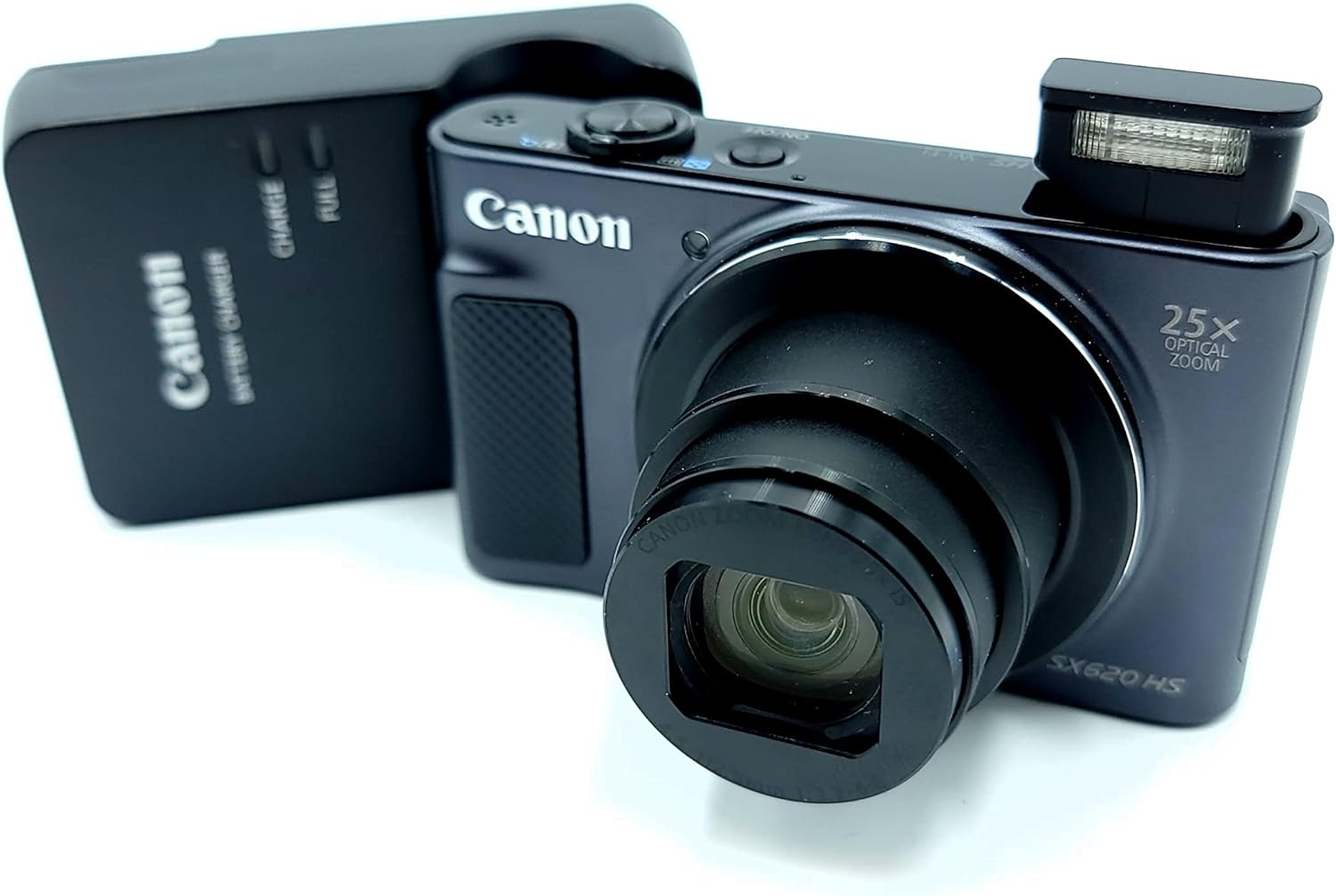
Figure 4.1: Canon PowerShot SX620 HS camera alongside its battery charger. Ensure the battery is correctly inserted into the charger for optimal performance.
4.2. הכנסת הסוללה וכרטיס הזיכרון
Open the battery/card cover on the bottom of the camera. Insert the charged Battery Pack NB-13L, ensuring correct orientation. Insert a compatible SDXC memory card (not included) into the memory card slot. Close the cover securely.
4.3. הפעלה / כיבוי
הקש על הפעלה/כיבוי כפתור הממוקם בחלק העליון של המצלמה כדי להפעיל או לכבות אותה.
4.4. צילום בסיסי
- זום: השתמש בידית הזום סביב כפתור הצילום כדי לכוונן את הזום האופטי של 25x.
- הֶבזֵק: The camera features a built-in flash. Adjust flash modes (Auto, Flash On, Off, Slow Sync) via the camera's menu or dedicated button.
- מצבי צילום: Select from various shooting modes like Smart AUTO, Program, Hybrid Auto, Creative Shot, Portrait, and more, to optimize settings for different scenes.
- לחצן תריס: לחץ עד חצי הלחיצה כדי להתמקד, ולאחר מכן לחץ עד הסוף כדי ללכוד את התמונה.
5. תכונות מתקדמות
5.1. הקלטת וידאו
The PowerShot SX620 HS supports spectacular 1080p Full HD video recording. Press the dedicated movie button to start and stop recording. Dynamic IS helps stabilize video footage, even when moving.
5.2. קישוריות Wi-Fi ו-NFC
Utilize built-in Wi-Fi and NFC to easily transfer photos and videos to compatible smartphones, tablets, or directly to select social networking sites via the Canon Camera Connect app. The Wi-Fi button allows for quick connection in both Shooting and Playback modes.
5.3. Intelligent IS (Image Stabilization)
Intelligent IS automatically analyzes camera movement and applies the most suitable shake correction method for the shooting conditions, ensuring virtually shake-free images and videos.
5.4. Auto Zoom
Enable Auto Zoom to allow the camera to automatically determine the correct size and framing by detecting subjects, zooming in to the appropriate length for well-composed shots.
6. תחזוקה
- Keep the lens and LCD screen clean using a soft, lint-free cloth.
- הימנעו מחשיפת המצלמה לטמפרטורות קיצוניות, אבק או לחות.
- יש לאחסן את המצלמה במקום יבש וקריר כאשר אינה בשימוש.
- Regularly back up your photos and videos from the memory card.
7. פתרון תקלות
- איכות תמונה ירודה בתאורה חלשה: The camera's small image sensor may struggle in very dim conditions. Use the flash or ensure adequate lighting for best results.
- המצלמה לא נדלקת: ודא שהסוללה טעונה במלואה ומוכנסת כהלכה.
- בעיות חיבור Wi-Fi/NFC: Refer to the Canon Camera Connect app instructions or the Canon website for detailed troubleshooting steps. Ensure your mobile device is compatible.
8. מפרטים
| תכונה | פְּרָט |
|---|---|
| שם הדגם | Canon PowerShot SX620 HS |
| רזולוציית חיישן תמונה | CMOS של 20.2 מגה פיקסל |
| זום אופטי | 25x |
| ייצוב תמונה | אופטי (IS חכם) |
| רזולוציית וידאו | 1080p HD מלא |
| גודל מסך | 3.0 Inches (approx. 922,000 dots) |
| קישוריות | Wi-Fi, NFC, HDMI, USB |
| חיי סוללה | Approx. 295 shots (405 in Eco Mode) |
| נתמך File פוּרמָט | JPEG |
| סוג זיכרון | SDXC (not included) |
| משקל פריט | 1 פאונד |
9. סרטון מוצר רשמי
Video 9.1: Canon PowerShot SX620 Digital Camera Review. הסרטון הזה מספק מעלהview of the camera's features and capabilities from the seller.
10. אחריות ותמיכה
For detailed warranty information, user guides, software downloads, and customer support, please visit the official Canon webאֲתַר: http://www.canon.com/icpd.
אזהרה לפי הצעה 65: מוצר זה עשוי להכיל כימיקלים הידועים למדינת קליפורניה כגורמים לסרטן ומומים מולדים או נזקים אחרים למערכת הרבייה.


