1. הקדמה
This manual provides essential information for the setup, operation, and maintenance of your Epson SureColor P400 Wireless Color Photo Printer. Please read this manual thoroughly before using the printer to ensure optimal performance and longevity.
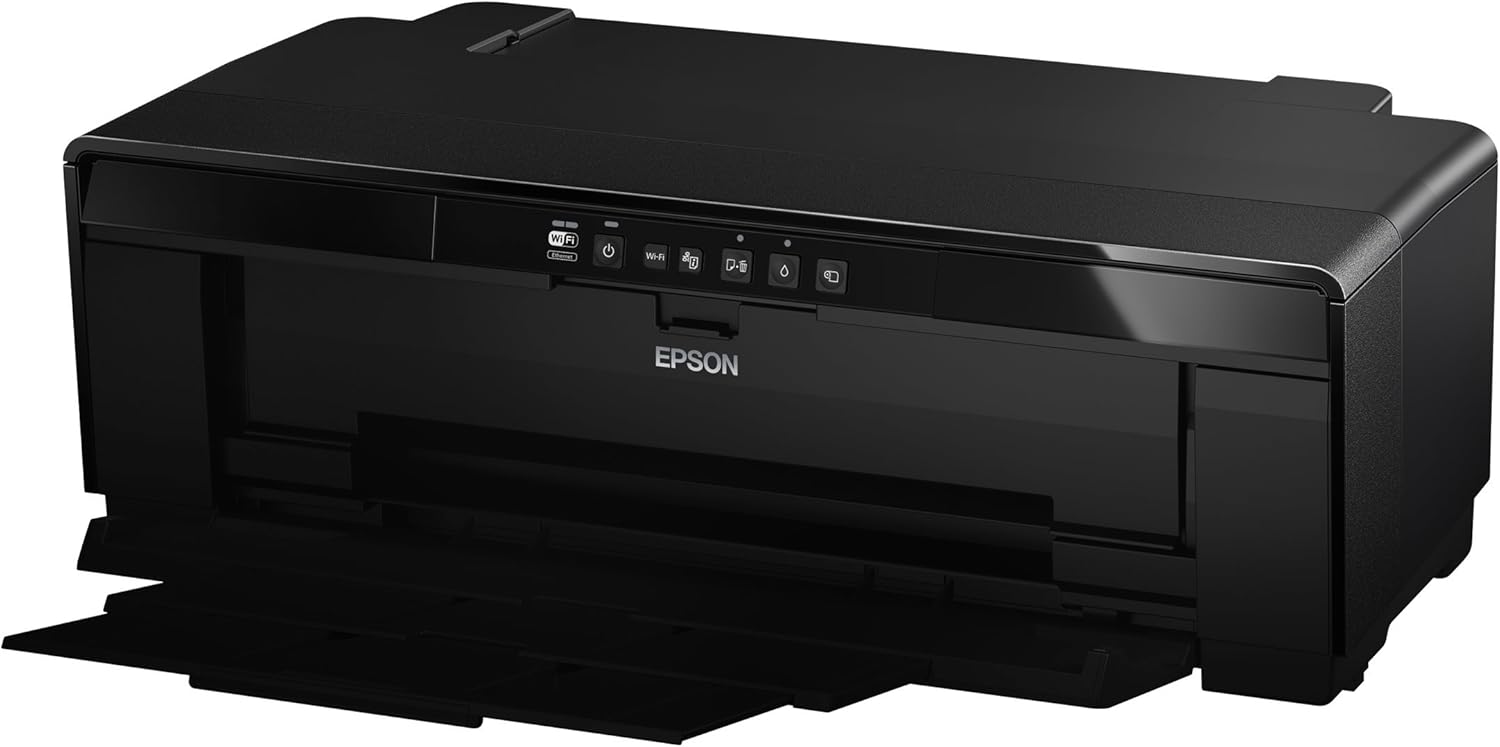
תמונה 1: חזית view of the Epson SureColor P400 Wireless Color Photo Printer.
2. תכונות עיקריות
- UltraChrome HG2 Ink: Utilizes an 8-color pigment ink set, including Red and Orange inks, for vibrant, true-to-life color and deep blacks.
- Gloss Optimizer: Provides a smooth, professional finish to prints.
- טיפול רב תכליתי במדיה: Supports 13-inch wide cut-sheet and roll paper, fine art paper, and art board up to 1.3 mm thick.
- קישוריות: Features Wireless (Wi-Fi), Ethernet, and USB 2.0 for flexible printing options.
- Individual Ink Cartridges: High-capacity 14 mL cartridges allow for replacement of only the color needed.

תמונה 2: נגמרview of the Epson SureColor P400 highlighting advanced paper handling, versatile connectivity, and the MicroPiezo printhead.
3. מדריך התקנה
3.1 פריקה ומיקום
- הוצא בזהירות את המדפסת מאריזתה.
- Place the printer on a stable, flat surface with adequate space around it for operation and ventilation.
- הסר את כל סרטי ההגנה וחומרי האריזה מהמדפסת.
3.2 התקנת מחסניות דיו
- Open the printer cover to access the ink cartridge slots.
- Unpack each 14 mL ink cartridge (Cyan, Gloss Optimizer, Magenta, Matte Black, Orange, Photo Black, Red, Yellow).
- Insert each cartridge into its corresponding color-coded slot until it clicks into place.
- סגור את מכסה המדפסת.
Video 1: Official Epson SureColor P400 overview, demonstrating key features and ink installation. This video provides a visual guide to the printer's capabilities and how to manage ink cartridges.
3.3 חיבור מתח
- חבר את כבל החשמל למדפסת ולאחר מכן לשקע חשמל.
- לחץ על לחצן ההפעלה כדי להפעיל את המדפסת.
3.4 התקנת תוכנה וקישוריות
- Install the printer software on your computer (PC or Mac) from the provided CD or Epson's official webאֲתַר.
- Follow the on-screen instructions to set up your preferred connection method:
- אלחוטי (Wi-Fi): חבר את המדפסת לרשת האלחוטית שלך.
- אתרנט: Connect an Ethernet cable from the printer to your router or network hub.
- USB 2.0: Connect a USB cable (not included) from the printer to your computer.

Image 3: Illustration of the Epson SureColor P400's compatibility and connectivity features, showing various devices and connection types.
4. הוראות הפעלה
4.1 טעינת נייר
The SureColor P400 offers multiple paper loading options:
- Auto Sheet Feeder: For photo, matte, and plain papers. Load paper into the top rear slot.
- Rear Single Sheet Fine Art Paper Path: For heavier fine art papers and specialty media.
- Roll Paper Holder: For 8.3-inch or 13-inch wide roll paper, ideal for panoramas up to 129 inches long.
- Front Straight-Through Path: Handles art board up to 1.3 mm thick.

Image 4: Diagram illustrating the three media feed options available on the Epson SureColor P400, including the top-loading auto-sheet feeder, front fine-art media feed, and roll media feed.

Image 5: The Epson SureColor P400 is capable of printing on a wide range of media, including various types of Epson Legacy Papers, Velvet Fine Art, Premium Photo Paper Luster, and Exhibition Canvas Gloss.
4.2 הדפסה
- ודא שהמדפסת דולקת ומחוברת למכשיר שלך.
- פתחו את המסמך או התמונה שברצונכם להדפיס במחשב שלכם.
- Select "Print" from your application's menu.
- Choose the Epson SureColor P400 as your printer.
- Adjust print settings such as paper type, size, and quality in the printer driver dialog box.
- Click "Print" to begin the printing process.
5. תחזוקה
5.1 החלפת מחסניות דיו
- When an ink cartridge is low or empty, a notification may appear on your computer or the printer's indicator light will signal.
- Press the ink droplet button on the printer's control panel to move the print head to the replacement position.
- פתח את מכסה מחסנית הדיו.
- Press the tab on the empty cartridge to release it, then pull it straight out.
- Unpack a new genuine Epson ink cartridge and insert it firmly into the correct slot until it clicks.
- Close the ink cartridge cover and press the ink droplet button again to return the print head to its home position.
5.2 ניקוי ראש ההדפסה
If print quality declines or you notice missing lines or incorrect colors, perform a print head cleaning:
- Access the printer utility software on your computer.
- Select "Head Cleaning" or "Nozzle Check" to initiate the cleaning cycle.
- Follow the on-screen prompts. Repeat if necessary.
5.3 Cleaning the Paper Path
If you experience streaks on your prints, the paper path may need cleaning. Refer to the user guide for detailed instructions on how to clean the internal components, such as the pad that collects excess ink.
6. פתרון תקלות
- המדפסת לא מגיבה:
- בדוק את חיבור החשמל וודא שהמדפסת דולקת.
- ודא חיבור רשת או כבל USB.
- הפעל מחדש את המדפסת ואת המחשב.
- איכות הדפסה ירודה (פסים, דהייה):
- בדוק את מפלסי הדיו והחלף מחסניות ריקות.
- Perform a print head cleaning and nozzle check.
- ודא שאתה משתמש בהגדרות הנייר המתאימות לסוג המדיה שלך.
- Clean the paper path if streaks persist.
- חסימות נייר:
- כבה את המדפסת והסר בזהירות כל נייר תקוע ממגשי הקלט או הפלט.
- Refer to the user guide for instructions on clearing internal paper jams.
7. מפרטים
| תכונה | פְּרָט |
|---|---|
| מספר דגם | C11CE85201 |
| מידות המוצר (D x W x H) | 12.8 אינץ' x 24.5 אינץ' x 8.6 אינץ' |
| משקל פריט | 27.1 פאונד |
| טכנולוגיית הדפסה | Inkjet (Pigment-based ink) |
| פלט מדפסת | צֶבַע |
| רזולוציית הדפסה מקסימלית | 5760 x 1440 dpi |
| צבעי דיו | Cyan, Magenta, Yellow, Photo Black, Matte Black, Red, Orange, Gloss Optimizer |
| טכנולוגיית קישוריות | USB 2.0, Wireless (Wi-Fi), Ethernet |
| גדלי מדיה נתמכים | Up to 13" x 129" (roll paper), 13" x 19" (sheet) |
| קיבולת גיליון קלט מקסימלית | 1 (single sheet feed for specialty media) |
| הדפסה דו-צדדית (דופלקס) | כֵּן |
| צריכת חשמל | Printing: Approx. 20 W; Sleep mode: Approx. 1.4 W; Power off: Approx. 0.15 W |
| מכשירים תואמים | PC, Mac |

Image 6: Contents of the Epson SureColor P400 box, including the printer, ink cartridges, power cord, and user guide. Note that the USB cable is not included.
8. מידע על אחריות
Specific warranty details for the Epson SureColor P400 are not provided in this manual. Please refer to the warranty card included with your product or visit the official Epson website for the most current and comprehensive warranty information.
9. תמיכת לקוחות
For technical assistance, troubleshooting, or further inquiries, please visit the official Epson support website or contact Epson customer service. Support resources often include FAQs, driver downloads, and contact information for live assistance.
אתה יכול לבקר ב חנות אפסון באמזון למידע נוסף על המוצר ואביזרים.


