מָבוֹא
The JAM XT Extreme Wireless Speaker is designed for robust performance in various environments. Featuring an IP64 rating, it is splash-proof, drop-proof, and dirt-proof, making it suitable for outdoor adventures and demanding work sites. This portable Bluetooth speaker offers high-quality sound and hands-free calling, connecting wirelessly to most Bluetooth-enabled devices up to 30 feet away. Its integrated carabiner clip provides convenient transport and versatile mounting options.
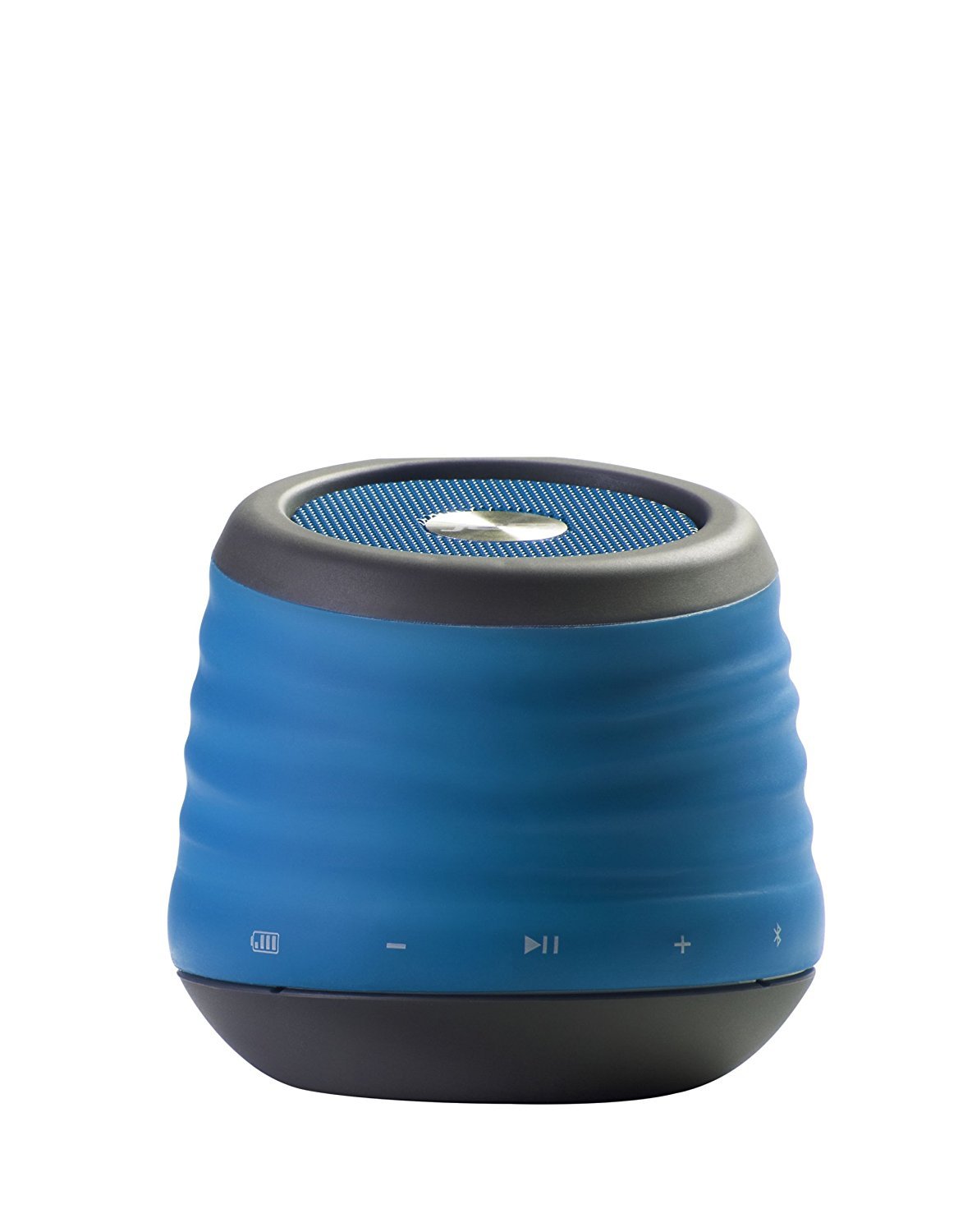
Image: The JAM XT Extreme Wireless Speaker in blue, featuring its durable design and integrated carabiner clip for portability.
מה יש בקופסה
- JAM XT Extreme Wireless Speaker (Model: HX-P430BL)
- כבל טעינה USB
- מדריך הוראות
הגדרה
1. טעינת הרמקול
Before initial use, fully charge your JAM XT Extreme speaker. Connect the included USB charging cable to the speaker's charging port and a compatible USB power source (e.g., computer, wall adapter). The LED indicator will show charging status. A full charge provides up to 8 hours of wireless play.

Image: Visual representation of the speaker's rechargeable battery, indicating its capacity for up to 8 hours of wireless playback.
2. הפעלה / כיבוי
Locate the power button on the bottom of the unit. Press and hold the power button for a few seconds to turn the speaker ON or OFF. A sound prompt will indicate the power status.

תמונה: תקריב view of the JAM XT Extreme speaker's base, highlighting the power button for easy access.
3. זיווג Bluetooth
- Ensure the speaker is powered ON and in pairing mode (indicated by a flashing LED).
- במכשיר שלך (סמארטפון, טאבלט, מחשב נייד), הפעל את Bluetooth וחפש מכשירים זמינים.
- Select "JAM XT Extreme" from the list of devices.
- Once paired, the speaker will emit a confirmation tone, and the LED will turn solid.
The speaker has a Bluetooth wireless range of up to 30 feet and is compatible with most Bluetooth-enabled devices, including iPhone, Android, iPad, and iPod.

Image: A visual representation of the speaker connecting wirelessly to a device via Bluetooth.
4. Line-In Connection
For devices without Bluetooth capability, use the line-in port on the speaker with a standard 3.5mm audio cable (not included) to connect your audio source.
הפעלת הרמקול
1. בקרות בסיסיות
- הפעל/השהה: Press the Play/Pause button to start or stop audio playback.
- עוצמת הקול מעלה/הנמכת: השתמשו בכפתורים '+' ו-'-' כדי לכוונן את עוצמת הקול.
- דלג על מסלול: Press and hold the '+' button to skip to the next track. Press and hold the '-' button to go to the previous track.
2. פונקציית רמקול
When connected via Bluetooth, the JAM XT Extreme speaker can be used as a speakerphone. Answering and ending calls can typically be done directly from your connected device.
3. שימוש בקליפס הקרבינר
The integrated fold-out carabiner clip allows for easy attachment to backpacks, bags, belt loops, or even hanging from a tree branch or tent for optimal sound projection and portability.

Image: The blue JAM XT Extreme speaker securely clipped to a backpack, showcasing its design for convenient outdoor use.

Image: The JAM XT Extreme speaker hanging from a tree branch, illustrating its adaptability for various outdoor settings.
תַחזוּקָה
1. ניקיון
The speaker is IP64 rated for splash, drop, and dirt resistance. To clean, gently wipe the exterior with a soft, damp cloth. Do not use harsh chemicals or abrasive cleaners. Ensure all port covers are securely closed before exposing the speaker to water or dirt.
2. טיפול בסוללה
To prolong the life of the rechargeable lithium-ion battery, avoid fully discharging it frequently. Recharge the speaker regularly, especially if it will not be used for an extended period. Store in a cool, dry place.
3. אחסון
When not in use, store the speaker in a dry environment away from extreme temperatures and direct sunlight. Ensure the carabiner clip is folded in or secured to prevent damage.
פתרון בעיות
- אין כוח: Ensure the speaker is fully charged. Connect to a power source and try turning it on again.
- לא ניתן להתאים באמצעות Bluetooth:
- Ensure Bluetooth is enabled on your device and the speaker is in pairing mode.
- קרב את הרמקול למכשיר שלך (במרחק של עד 30 מטרים).
- כבו והפעילו גם את הרמקול וגם את ה-Bluetooth של המכשיר שלכם.
- אם בוצעה התאמה בעבר, נסו 'לשכוח' את המכשיר בהגדרות ה-Bluetooth של הטלפון ולבצע התאמה מחדש.
- אין צליל:
- בדוק את עוצמת הקול הן ברמקול והן במכשיר המחובר.
- Ensure the speaker is correctly paired or connected via line-in.
- If using line-in, ensure the cable is fully inserted into both devices.
- איכות סאונד ירודה:
- קרב את הרמקול למכשיר שלך כדי לשפר את עוצמת אות ה-Bluetooth.
- ודא שאין מכשולים בין הרמקול למכשיר שלך.
- בדוק את מקור האודיו לאיתור בעיות איכות.
מפרטים
| תכונה | מִפרָט |
|---|---|
| מותג | Jam Jam |
| מספר דגם | HX-P430BL |
| שם הדגם | XT Extreme |
| טכנולוגיית קישוריות | בלוטות', USB |
| טכנולוגיה אלחוטית | בלוטות' |
| טווח בלוטות' | 30 רגל |
| רמקול כוח פלט מרבי | 3 וואט |
| מצב פלט שמע | סטריאו |
| חיי סוללה | Up to 8 hours of wireless play |
| מקור כוח | מופעל על סוללה (סוללת ליתיום יון אחת כלולה) |
| דירוג עמידות | IP64 (Splash proof, Drop proof, Dirt proof) |
| שיטת בקרה | לָגַעַת |
| משקל פריט | 8.8 אונקיות |
| צֶבַע | כְּחוֹל |
| תכונות מיוחדות | Carabiner Clip, Built-in Speakerphone, Portable |
אחריות ותמיכה
The JAM XT Extreme Wireless Speaker comes with a Limited Warranty. For detailed warranty information, product support, or to register your product, please visit the official Jam Audio Store or refer to the warranty card included with your purchase.