מָבוֹא
This manual provides comprehensive instructions for the operation and maintenance of your new Sharp Aquos LCD TV Remote Control, model RRMCGA535WJSA. This genuine Sharp remote transmitter is designed to provide seamless control over your compatible Sharp Aquos LCD TV models. Please read this manual thoroughly before use to ensure proper functionality and to maximize your viewניסיון.
מידע בטיחות
אנא הקפידו על אמצעי הזהירות הבאים:
- Do not expose the remote control to direct sunlight, high humidity, or extreme temperatures.
- הימנעו מהפלת השלט רחוק או מחשיפתו לפגיעות חזקות.
- Do not attempt to disassemble or modify the remote control. This may void the warranty and cause damage.
- הרחק סוללות מהישג ידם של ילדים. אם נבלע, פנה לטיפול רפואי מיידי.
- יש להשליך סוללות משומשות בהתאם לתקנות המקומיות. אין לשרוף.
תוכן החבילה
ודא שכל הפריטים נמצאים בחבילה:
- Sharp Aquos LCD TV Remote Control (Model: RRMCGA535WJSA)
- מדריך הוראות (מסמך זה)
הערה: סוללות בדרך כלל אינן כלולות ויש לרכוש אותן בנפרד.
המוצר נגמרview
Familiarize yourself with the buttons and features of your remote control.

איור 1: חזית View של שלט רחוק
This image displays the front of the Sharp Aquos remote control, showing all primary buttons including power, input selection, channel, volume, numeric keypad, and navigation controls. The Sharp and Aquos logos are visible at the bottom.
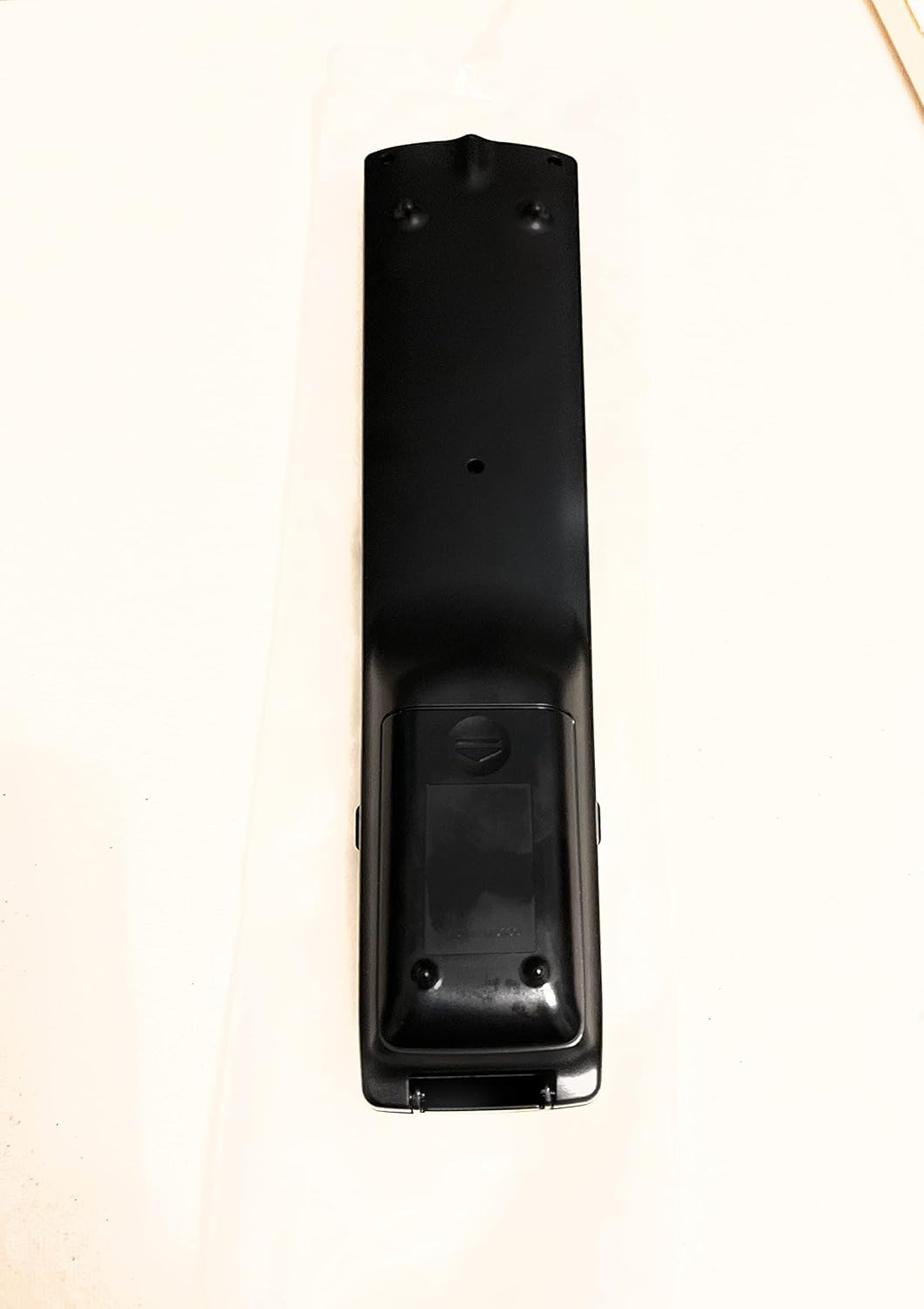
איור 2: אחורה View של שלט רחוק
This image shows the rear side of the Sharp Aquos remote control, highlighting the smooth, ergonomic design and the battery compartment cover.

Figure 3: Remote Control with Battery Compartment Open
This image illustrates the Sharp Aquos remote control with its battery compartment cover slid open, revealing the space for battery insertion.

Figure 4: Close-up of Hidden Panel
This close-up image shows the lower section of the Sharp Aquos remote control with its hinged panel opened, revealing additional function buttons such as SLEEP, AUDIO, AV MODE, and CC (Closed Caption).
פונקציות כפתור:
| לַחְצָן | פוּנקצִיָה |
|---|---|
| כּוֹחַ | מפעיל או מכבה את הטלוויזיה. |
| קלט / מקור | בוחר את מקור הקלט (למשל, HDMI, AV, Component). |
| CH +/- | מעלה או מוריד את ערוץ הטלוויזיה. |
| VOL +/- | מכוונן את עוצמת הקול. |
| לְהַשְׁתִיק | משתיק או מבטל את השתקת צליל הטלוויזיה. |
| תַפרִיט | Opens the TV's on-screen menu. |
| לְהַכנִיס | מאשר בחירות בתוך התפריט. |
| חיצי ניווט (למעלה/למטה/שמאלה/ימינה) | ניווט בין אפשרויות התפריט. |
| EXIT / RETURN | יציאה מהתפריט הנוכחי או חזרה למסך הקודם. |
| מקלדת מספרית (0-9) | מזין ישירות את מספרי הערוצים. |
| לִישׁוֹן (under hidden panel) | Sets the TV to turn off automatically after a set period. |
| שֶׁמַע (under hidden panel) | Selects audio modes or tracks. |
| AV MODE (under hidden panel) | Adjusts picture and sound settings for different content types. |
| כתוביות (CC) (under hidden panel) | Turns closed captions on or off. |
הגדרה
התקנת סוללה:
- אתר את תא הסוללות בגב השלט רחוק (ראה איור 2).
- Slide the battery compartment cover downwards to open it (refer to Figure 3).
- Insert two (2) AAA batteries (not included), ensuring the positive (+) and negative (-) terminals align correctly with the indicators inside the compartment.
- החלק את מכסה תא הסוללה בחזרה למקומו עד שיישמע נקישה בטוחה.
הערה: יש להשתמש תמיד בסוללות חדשות מאותו סוג. אין לערבב סוללות ישנות וחדשות, או סוגים שונים של סוללות.
הוראות הפעלה
פעולה בסיסית:
- הפעלה/כיבוי: הקש על כּוֹחַ button to turn your Sharp Aquos TV on or off.
- בקרת עוצמת הקול: הקש על VOL+ כפתור להגברת עוצמת הקול ו כרך - להפחתת עוצמת הקול.
- בחירת ערוץ: השתמש ב- CH + or CH - buttons to change channels sequentially. Alternatively, use the numeric keypad to directly enter a channel number.
- בחירת מקור קלט: הקש על קֶלֶט or מָקוֹר button to cycle through available input sources (e.g., HDMI 1, HDMI 2, AV, Component).
- לְהַשְׁתִיק: הקש על לְהַשְׁתִיק button to temporarily silence the TV audio. Press again to restore sound.
תפריט ניווט:
- הקש על תַפרִיט button to display the TV's on-screen menu.
- השתמש ב- חיצי ניווט (Up, Down, Left, Right) to move through menu options.
- הקש על לְהַכנִיס button to select a highlighted option or confirm a setting.
- הקש על יְצִיאָה or לַחֲזוֹר button to close the menu or go back to the previous menu level.
Advanced Functions (Hidden Panel):
Some advanced functions are located under a hinged panel at the bottom of the remote control (refer to Figure 4). Gently open this panel to access buttons such as:
- לִישׁוֹן: מגדיר טיימר לכיבוי אוטומטי של הטלוויזיה.
- שֶׁמַע: Adjusts audio settings or selects audio tracks.
- AV MODE: Cycles through preset picture and sound modes (e.g., Standard, Movie, Game).
- כתוביות (CC): מפעיל או מכבה כתוביות.
תַחזוּקָה
ניקוי:
לניקוי השלט רחוק, נגבו אותו בעדינות בעזרת מטלית רכה ויבשה. אין להשתמש בחומרי ניקוי נוזליים, חומרי ניקוי שוחקים או ממסים כימיים, מכיוון שאלה עלולים לפגוע במשטח או ברכיבים הפנימיים.
החלפת סוללה:
Replace batteries when the remote control's response becomes sluggish or stops working. Follow the battery installation steps outlined in the "Setup" section. Always replace both batteries at the same time.
פתרון בעיות
| בְּעָיָה | סיבה אפשרית | פִּתָרוֹן |
|---|---|---|
| השלט רחוק לא עובד. | סוללות מתות או שהוכנסו בצורה שגויה. | החליפו סוללות בחדשות, תוך הקפדה על קוטביות נכונה (+/-). |
| טווח השלט רחוק גרוע. | Weak batteries; obstruction between remote and TV; infrared sensor on TV is blocked. | Replace batteries. Ensure no objects are blocking the line of sight between the remote and the TV's IR sensor. |
| כפתורים ספציפיים לא מגיבים. | Dirt or debris under the button; internal malfunction. | Clean the remote control. If the issue persists, the remote may require replacement. |
| הטלוויזיה לא מגיבה לשום פקודות של השלט. | TV is unplugged or turned off; TV's IR sensor is faulty. | Ensure the TV is powered on and plugged in. Test with another remote if available. Consult TV's manual for IR sensor location. |
מפרטים
| תכונה | פְּרָט |
|---|---|
| מספר דגם | RRMCGA535WJSA |
| מותג | חַד |
| מכשירים תואמים | Sharp Aquos LCD Televisions (various models, see product title for list) |
| טכנולוגיית קישוריות | אינפרא אדום (IR) |
| מקור כוח | 2 x סוללות AAA (לא כלולות) |
| מידות (בערך) | 8.8 x 2.4 x 0.9 אינץ' (מידות חבילה) |
| משקל (בערך) | 4 אונקיות |
| תכונה מיוחדת | Ergonomic design, Hidden function panel |
אחריות ותמיכה
כתב ויתור משפטי:
This item is provided in new condition. Please note that this item is offered "as is" as it is past its original manufacturer's warranty period. Any implied warranties are disclaimed to the fullest extent permitted by law.
תמיכת לקוחות:
For further assistance or inquiries regarding your Sharp Aquos LCD TV, please refer to your television's original instruction manual or visit the official Sharp support website. For issues specifically with this replacement remote control, please contact the seller from whom it was purchased.


