1. הקדמה
This manual provides essential information for the safe and efficient operation of your Panasonic VIERA TC-P55GT50 55-Inch Full HD 3D Plasma TV. Please read these instructions thoroughly before using your television and retain them for future reference. The TC-P55GT50 features a 55-inch 1080p display, 600Hz refresh rate, Full HD 3D capabilities, an Infinite Black Pro Panel, and built-in VIERA Connect Wi-Fi for smart functionality.
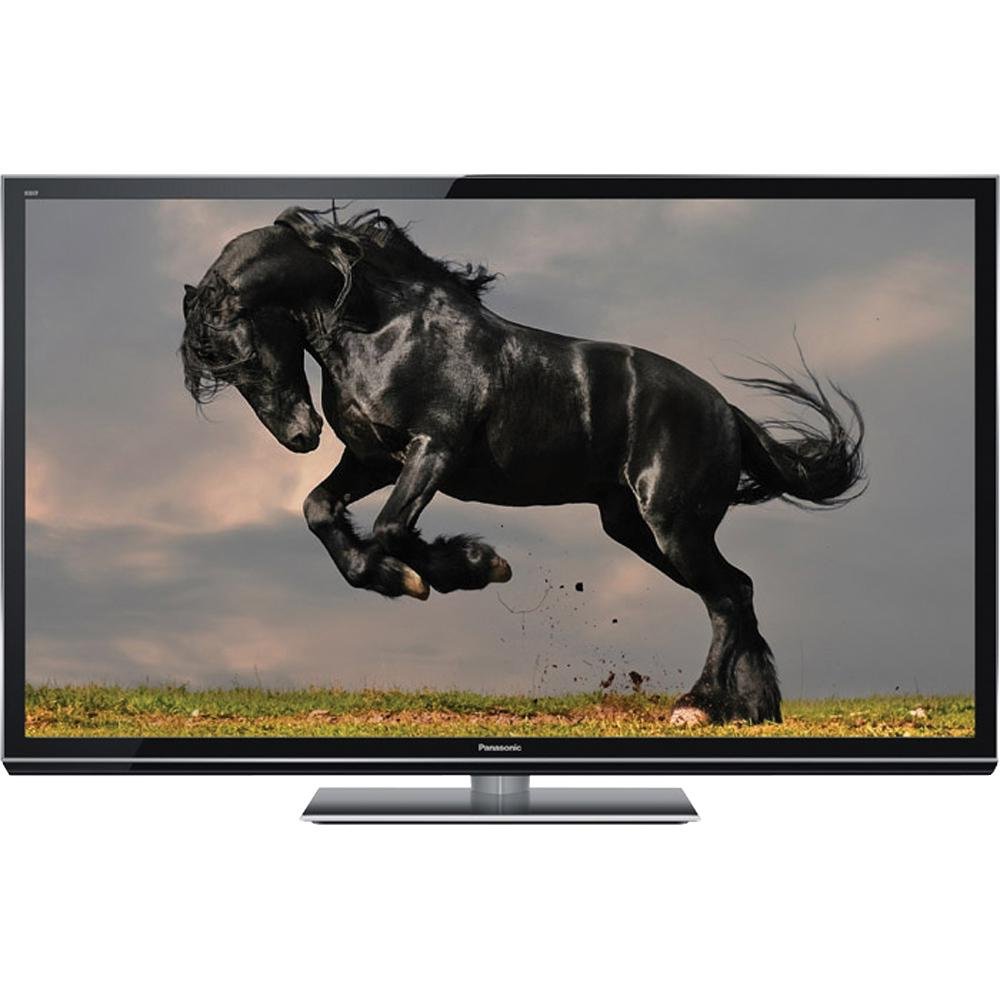
Image 1.1: The Panasonic VIERA TC-P55GT50 Plasma TV displayed in a living room setting, showcasing its slim design and large screen.
2. מידע בטיחות
Observe the following safety precautions to prevent damage to the television and ensure personal safety.
- מקור כוח: Connect the TV only to an AC 120 V, 60 Hz power supply. Do not overload power outlets.
- אוורור: Ensure adequate ventilation around the TV. Do not block ventilation openings. Maintain a minimum distance of 10 cm (4 inches) from walls and other objects.
- מיקום: Place the TV on a stable, level surface. Avoid placing it in direct sunlight, near heat sources, or in areas with high humidity or dust.
- נוזל ולחות: אין לחשוף את הטלוויזיה לגשם או לחות. אין להניח חפצים מלאים בנוזלים, כגון אגרטלים, על הטלוויזיה.
- ניקוי: נתקו את כבל החשמל לפני הניקוי. השתמשו במטלית רכה ויבשה. אין להשתמש בחומרי ניקוי נוזליים או בחומרי ניקוי בתרסיס.
- בטיחות ילדים: This product includes a Child Safety Guide. Follow its recommendations to prevent tip-over accidents.
3. מה בקופסה
Verify that all the following items are included with your Panasonic VIERA TC-P55GT50 TV:
- Panasonic VIERA TC-P55GT50 Plasma TV
- שְׁלַט רָחוֹק
- כבל מתח AC
- Pedestal (TV Stand)
- מדריך למשתמש (מסמך זה)
- מדריך בטיחות ילדים
- מדריך להתחלה מהירה
- כרטיס רישום מוצר (ארה"ב)
- 2 סוללות AA (לשלט רחוק)
4. התקנה
4.1. Pedestal Assembly
Carefully place the TV screen-down on a soft, clean cloth on a flat surface. Attach the pedestal to the TV using the provided screws, ensuring it is securely fastened. Refer to the Quick Start Guide for detailed diagrams.
4.2. התקני חיבור
Connect your external devices such as Blu-ray players, cable/satellite boxes, and gaming consoles to the TV's input ports (HDMI, Component, etc.).
- HDMI: For high-definition video and audio. Use HDMI cables for best quality.
- אנטנה/כבל: Connect an antenna or cable TV line to the RF input.
- יציאת קול: השתמש ביציאת השמע הדיגיטלית האופטית לחיבור לסאונד בר או למערכת קולנוע ביתית.
תמונה 4.2: תקריב view of the side of the Panasonic VIERA TC-P55GT50, illustrating the various input and output ports available for connecting external devices.
4.3. הפעלה ראשונית והגדרת רשת
- חבר את כבל החשמל AC לטלוויזיה ולאחר מכן לשקע בקיר.
- לחץ על כפתור ההפעלה בשלט רחוק או בטלוויזיה.
- פעל לפי ההוראות שעל המסך כדי לבחור את השפה והמדינה שלך ולבצע סריקת ערוצים ראשונית.
- For internet features, navigate to the Network Settings menu. Select your Wi-Fi network and enter the password. The TV supports VIERA Connect for accessing online services.
5. הוראות הפעלה
5.1. פונקציות טלוויזיה בסיסיות
- כּוֹחַ: הקש על כּוֹחַ button on the remote to turn the TV on or off.
- כֶּרֶך: השתמש ב- VOL +/- כפתורים לכוונון עוצמת הקול.
- עָרוּץ: השתמש ב- CH +/- לחצנים לשינוי ערוצים.
- קֶלֶט: הקש על קֶלֶט button to select connected devices (HDMI 1, HDMI 2, etc.).
- תַפרִיט: הקש על תַפרִיט button to access picture, sound, and other settings.
5.2. VIERA Connect (Smart Features)
VIERA Connect provides access to various internet services and applications. Ensure your TV is connected to the internet.
- הקש על VIERA Connect לחצן בשלט הרחוק שלך.
- Navigate through the available applications using the arrow buttons.
- Select an application (e.g., YouTube, Hulu Plus, Netflix) and press OK כדי להפעיל אותו.
- המובנה web browser allows for general internet browsing.
5.3. Full HD 3D Viewing
Your TC-P55GT50 supports Full HD 3D content. Active 3D glasses (sold separately) are required for 3D viewing.
- Play 3D content from a compatible source (e.g., 3D Blu-ray player).
- Put on your active 3D glasses. The TV should automatically detect the 3D signal and activate 3D mode.
- If 3D mode does not activate automatically, press the 3D button on your remote control and select the appropriate 3D format.
- Adjust 3D settings (depth, viewpoint) via the Picture menu if desired.
6. תחזוקה
6.1. ניקוי המסך
To clean the plasma screen, first turn off the TV and unplug the power cord. Gently wipe the screen with a soft, dry, lint-free cloth. For stubborn marks, lightly dampen the cloth with water or a specialized screen cleaner designed for plasma displays. Do not apply pressure or use abrasive materials.
6.2. ניקוי הארון
Wipe the TV cabinet with a soft, dry cloth. Do not use strong detergents, waxes, or solvents as they can damage the finish.
6.3. Preventing Image Retention (Burn-in)
Plasma displays can exhibit temporary image retention if static images are displayed for extended periods. To minimize this:
- Avoid displaying static images (e.g., channel logos, video game HUDs, computer desktop) for more than a few hours.
- Use the TV's built-in pixel orbiter or screen saver functions if available.
- Regularly watch varied content to help clear any temporary image retention.
7. פתרון תקלות
לפני פנייה לתמיכת הלקוחות, נסה את הפתרונות הבאים לבעיות נפוצות:
| בְּעָיָה | סיבה / פתרון אפשרי |
|---|---|
| אין כוח |
|
| אין תמונה, אבל יש קול |
|
| אין קול, אבל יש תמונה |
|
| Cannot connect to Wi-Fi / Internet |
|
| Image retention (temporary burn-in) |
|
8. מפרטים
Key technical specifications for the Panasonic VIERA TC-P55GT50 Plasma TV:
| תכונה | פְּרָט |
|---|---|
| מספר דגם | TC-P55GT50 |
| גודל מסך | 55 אינץ' (אלכסון) |
| טכנולוגיית תצוגה | פְּלַסמָה |
| הַחְלָטָה | 1080p (1920 x 1080) |
| קצב רענון | 600Hz Sub-field Drive |
| יכולת 3D | Full HD 3D (Active Shutter) |
| קישוריות | Wi-Fi מובנה |
| שירותי אינטרנט | VIERA Connect (Skype, FOX Sports, SHOUTcast, AccuWeather, Hulu Plus, MLB.tv, Pandora, Youtube) |
| מידות מוצר (ללא מעמד) | 50.6-Inch (W) x 14.1-Inch (H) x 1.7-Inch (D) |
| מידות מוצר (עם מעמד) | 50.6-Inch (W) x 32.3-Inch (H) x 14.1-Inch (D) |
| משקל פריט | 59.6 פאונד |
| רכיבים כלולים | Remote Control, AC Power Cord, Pedestal, Owner's Manual, Child Safety Guide, Quick Start Guide, Product Registration Card (U.S.A.), 2 x AA Batteries |
9. אחריות ותמיכה
This product is covered by the manufacturer's warranty. The seller offers no additional warranty beyond the remainder of the original manufacturer's warranty. For specific warranty terms, please refer to the Product Registration Card or contact Panasonic customer support directly.
For technical assistance, troubleshooting beyond this manual, or warranty claims, please contact Panasonic customer support. Contact information can typically be found on the Panasonic official website or on the Product Registration Card included with your TV.


