
מָבוֹא
The Vanco 281442 HDMI 4x2 Matrix Selector Switch is designed to connect up to four HDMI audio/video source devices to two independent HDMI displays. This device ensures high-quality, uncompressed digital video and surround sound audio transmission without signal loss. It supports 3D content when connected to compatible devices and high-definition resolutions up to 1080p. The switch is compliant with the DDWG standard for HDMI monitors and H.D.C.P. (High-Bandwidth Digital Content Protection).
תכונות מפתח כוללות:
- וִידֵאוֹ ampרוחב פס של liifier: 2.25 Gbps
- Input connector type: (4) HDMI (19 pin - type A) female
- Output connector type: (2) HDMI (19 pin - type A) female
- IR remote control port
- ספק כוח: 5V DC
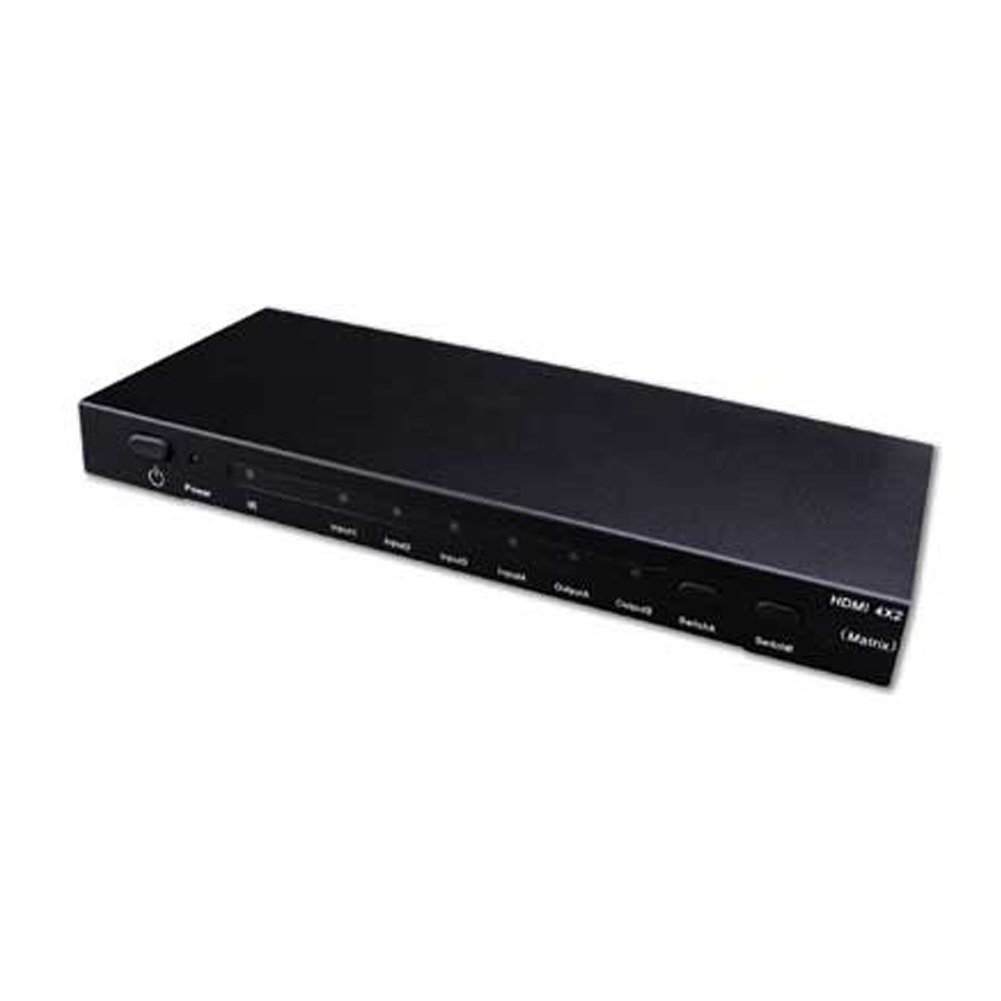
Image showing the Vanco 281442 HDMI 4x2 Matrix Selector Switch, a device designed to connect multiple HDMI sources to multiple HDMI displays.
הוראות התקנה
- כיבוי מכשירים: Ensure all HDMI source devices (e.g., Blu-ray player, game console, cable box) and HDMI display devices (e.g., TV, projector) are powered off before making connections.
- חבר מקורות HDMI: Connect up to four HDMI source devices to the HDMI input ports (labeled INPUT 1-4) on the Vanco 281442 switch using high-quality HDMI cables.
- חיבור צגי HDMI: Connect your two HDMI display devices to the HDMI output ports (labeled OUTPUT A and OUTPUT B) on the Vanco 281442 switch using high-quality HDMI cables.
- חבר מתאם מתח: Plug the included 5V DC power adapter into the DC 5V port on the switch, then plug the adapter into a standard electrical outlet.
- הפעלה של התקנים: Power on your HDMI display devices first, then power on your HDMI source devices.
- אמת חיבור: The switch should automatically detect the connected devices. You can now proceed to the operation section to select your desired input and output combinations.
הוראות הפעלה
The Vanco 281442 HDMI 4x2 Matrix Selector Switch can be operated using the front panel push-buttons or the included IR remote control.
בקרת לוח קדמי:
- בחירת קלט: Use the 'INPUT' buttons (1, 2, 3, 4) to select which of the four HDMI sources is routed to the active output.
- בחירת פלט: Use the 'OUTPUT A' and 'OUTPUT B' buttons to independently select which input is displayed on each respective output. For example, you can select Input 1 for Output A and Input 2 for Output B simultaneously.
תפעול שלט רחוק:
The included IR remote control provides the same functionality as the front panel buttons, allowing for convenient operation from a distance. Point the remote control towards the IR receiver window on the front panel of the switch.
- כפתורי קלט (1-4): Selects the corresponding HDMI input source.
- Output A/B Buttons: Assigns the currently selected input to Output A or Output B.
מפרטים
| מספר דגם | 281442 |
| מידות המוצר | 13 x 12 x 4 אינץ' |
| משקל פריט | 2.5 פאונד |
| יַצרָן | ואנקו |
| סוג מחבר | HDMI |
| מכשירים תואמים | צג, מקרן |
| סוג כבל | HDMI |
| וִידֵאוֹ Ampרוחב פס חיים יותר | 2.25 Gbps |
| מחברי קלט | (4) HDMI (19 pin - type A) female |
| מחברים פלט | (2) HDMI (19 pin - type A) female |
| ספק כוח | 5V DC |
תַחזוּקָה
To ensure the longevity and optimal performance of your Vanco 281442 HDMI 4x2 Matrix Selector Switch, follow these maintenance guidelines:
- ניקוי: Use a soft, dry cloth to clean the exterior of the unit. Avoid using abrasive cleaners, solvents, or strong detergents, as these can damage the finish or internal components.
- אוורור: ודאו שהיחידה ממוקמת באזור מאוורר היטב כדי למנוע התחממות יתר. אין לחסום פתחי אוורור.
- ניהול כבלים: Avoid excessive bending or pulling of HDMI cables, which can damage the connectors or internal wiring.
- ספק כוח: Use only the provided 5V DC power adapter. Using an incorrect power supply can damage the device.
- אִחסוּן: אם מאחסנים את המכשיר לתקופה ממושכת, נתקו אותו מהחשמל ואחסנו אותו במקום קריר ויבש, הרחק מאור שמש ישיר וטמפרטורות קיצוניות.
פתרון בעיות
If you encounter issues with your Vanco 281442 HDMI 4x2 Matrix Selector Switch, refer to the following common troubleshooting steps:
- אין אות בתצוגה:
- Ensure all HDMI cables are securely connected to both the source devices, the switch, and the display devices.
- Verify that the correct input source is selected on the matrix switch for the desired output.
- Check that the display device is set to the correct HDMI input.
- Try bypassing the switch by connecting an HDMI source directly to a display to confirm the source and display are working correctly.
- Power cycle all devices (source, switch, display) by unplugging them from power for a few seconds and then plugging them back in.
- אות מהבהב או לסירוגין:
- Replace HDMI cables with higher quality or shorter cables, especially for longer runs or high-resolution signals.
- Ensure the power adapter is firmly connected and providing stable power to the switch.
- בדוק אם קיימות הפרעות אפשריות ממכשירים אלקטרוניים אחרים.
- רזולוציה או יחס גובה-רוחב שגויים:
- Ensure your source device's output resolution is compatible with your display device.
- Some display devices may require manual adjustment of aspect ratio or scaling settings.
- If using HDMI extenders, ensure they are compatible and functioning correctly, as they can sometimes interfere with EDID communication.
- השלט הרחוק לא עובד:
- בדוק את הסוללות בשלט והחלף אותן במידת הצורך.
- Ensure there are no obstructions between the remote control and the IR receiver on the switch.
- Make sure you are within the effective range and angle of the IR receiver.
אחריות ותמיכה
Specific warranty information for the Vanco 281442 HDMI 4x2 Matrix Selector Switch is not provided within this manual. For detailed warranty terms, technical support, or service inquiries, please refer to the documentation included with your purchase or visit the official Vanco webאֲתַר.