מָבוֹא
Welcome to the Greenlee DM-810A True RMS Digital Multimeter user manual. This document provides essential information for the safe and effective operation, maintenance, and troubleshooting of your device. The DM-810A is designed for accurate measurement of AC/DC voltage, AC/DC current, resistance, capacitance, frequency, and continuity, making it a versatile tool for electrical professionals.
מידע בטיחות
כדי להבטיח הפעלה ושירות בטוחים של המונה, עקוב אחר הוראות אלה. אי קיום אזהרות אלה עלול לגרום לפציעה קשה או למוות.
- Always read and understand the entire instruction manual before using the meter.
- אין לחרוג ממגבלות הקלט המרביות עבור אף פונקציה.
- היזהר בעת עבודה עם כרךtagמעל 30V AC RMS, 42V שיא, או 60V DC. נפחים אלהtagהם מהווים סכנת הלם.
- Always use the proper terminals, function, and range for your measurements. The DM-810A features a Beep-Jack audible and visible warning to guard against improper A and mA terminal plug-in.
- Inspect test leads for damaged insulation or exposed metal before each use. Replace if damaged.
- אין להשתמש במד הסוכר אם הוא נראה פגום או אם המארז פתוח.
- ודא שמכסה הסוללה סגור היטב לפני ההפעלה.
- Adhere to local and national safety codes. Use personal protective equipment (PPE) such as approved safety glasses and electrically insulated gloves when necessary.
המוצר נגמרview
This section identifies the key parts and controls of your Greenlee DM-810A multimeter.

איור 1: חֲזִית view of the Greenlee DM-810A Digital Multimeter, showing the display, function selector dial, and input jacks.
- לְהַצִיג: Large LCD for clear readings, often with dual display capability.
- חוגת בורר פונקציות: Used to select the desired measurement function (e.g., V~, V-, A~, A-, Ω, CAP, Hz, Continuity).
- שקעי קלט:
- COM: קלט משותף (שלילי) עבור כל המדידות.
- VΩHz: קלט חיובי עבור נפחtage, מדידות התנגדות, תדר וקיבול.
- mAμA: קלט חיובי עבור מיליampכאן ומיקרוampמדידות זרם.
- A: קלט חיובי עבור ampמדידות זרם.
- כפתורים:
- לִבחוֹר: Toggles between functions on a single dial position (e.g., AC/DC voltagה. דיודה/רציפות).
- טווח: Manually selects measurement range or returns to auto-ranging.
- △: Delta function for relative measurements.
- לְהַחזִיק: מקפיא את קריאת התצוגה הנוכחית.
הגדרה
התקנת סוללה
The Greenlee DM-810A requires batteries for operation. Refer to the back of the meter for the battery compartment. Use a screwdriver to open the compartment, insert the specified batteries (typically AA or 9V, check the compartment label), observing correct polarity, and then securely close the cover.
חיבור מובילי מבחן
ודאו תמיד שחוטי הבדיקה מחוברים כראוי לפני ביצוע מדידות.
- הכנס את כבל הבדיקה השחור לתוך COM שקע קלט (משותף).
- Insert the red test lead into the appropriate positive input jack based on the measurement you intend to make:
- עבור כרךtage, resistance, capacitance, or frequency, use the VΩHz ג'ֵק.
- עבור מיליampere or microampere current, use the mAμA ג'ֵק.
- עֲבוּר ampere current, use the A ג'ֵק.
- The meter's Beep-Jack feature will provide an audible and visible alert if the function selector is set to a current measurement (A or mA) but the test lead is incorrectly plugged into a voltage/resistance jack, or vice-versa. This helps prevent damage to the meter and ensures correct setup.
הוראות הפעלה
This section details how to perform various measurements with your DM-810A multimeter.
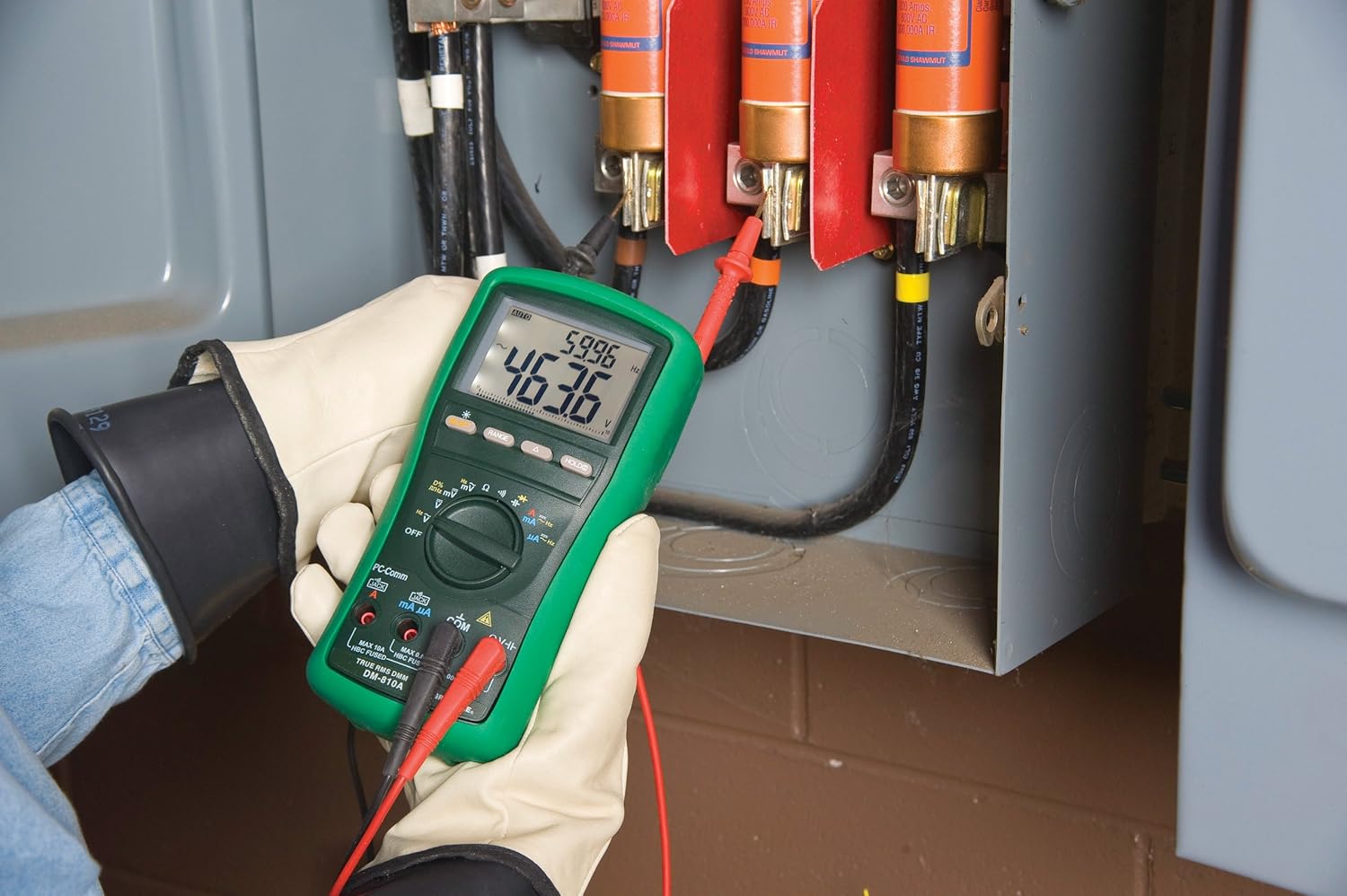
איור 2: The Greenlee DM-810A Digital Multimeter being used to take measurements within an electrical panel, demonstrating practical application.
מדידת AC/DC כרךtage
- Set the function selector to V~ (AC Voltagה) או V- (DC Voltage). Use the SELECT button to toggle if both are on one position.
- חבר את המוליך השחור למבחן COM והמוליך האדום לבדיקה VΩHz.
- חברו את גלאי הבדיקה במקביל על פני המעגל או הרכיב המיועד למדידה.
- קרא את הכרךtagערך e בתצוגה.
מדידת זרם AC/DC
חָשׁוּב: Current measurements require the meter to be connected in series with the circuit. Ensure the circuit is de-energized before connecting the meter.
- שחרר את האנרגיה של המעגל.
- Set the function selector to A~ (AC Current) or A- (DC Current), or mA~ / mA-.
- חבר את המוליך השחור למבחן COM. Connect the red test lead to mAμA for small currents or A for larger currents (up to 10A). The Beep-Jack warning will activate if leads are in the wrong jacks for the selected function.
- Open the circuit where the current is to be measured and connect the meter in series.
- הפעל מחדש את המעגל וקרא את ערך הזרם.
- De-energize the circuit before disconnecting the meter.
מדידת התנגדות (Ω)
- De-energize the circuit or component.
- Set the function selector to Ω.
- חבר את המוליך השחור למבחן COM והמוליך האדום לבדיקה VΩHz.
- חבר את חיישן הבדיקה לרוחב הרכיב.
- קרא את ערך ההתנגדות.
Measuring Capacitance (CAP)
- ודא שהקבל פרוק לחלוטין לפני המדידה.
- Set the function selector to CAP.
- חבר את המוליך השחור למבחן COM והמוליך האדום לבדיקה VΩHz.
- חבר את חיישן הבדיקה בין הדקי הקבל.
- קרא את ערך הקיבול.
Measuring Frequency (Hz)
- Set the function selector to Hz.
- חבר את המוליך השחור למבחן COM והמוליך האדום לבדיקה VΩHz.
- חבר את חיישן הבדיקה על פני מקור האות.
- קרא את ערך התדר.
מבחן המשכיות
- De-energize the circuit or component.
- Set the function selector to the continuity symbol (often shared with diode test, use SELECT to toggle).
- חבר את המוליך השחור למבחן COM והמוליך האדום לבדיקה VΩHz.
- חבר את חיישןי הבדיקה לרוחב נתיב המעגל או הרכיב.
- צפצוף קולי מציין רציפות (התנגדות נמוכה). התצוגה תציג את ערך ההתנגדות.
תַחזוּקָה
ניקוי
נגב את המונה עם מודעהamp מטלית וחומר ניקוי עדין. אין להשתמש בחומרים שוחקים או ממסים. יש לוודא שהמד יבש לחלוטין לפני השימוש.
החלפת סוללה
When the battery indicator appears on the display, replace the batteries immediately to ensure accurate readings. Follow the battery installation steps outlined in the Setup section.
החלפת נתיך
If the current measurement functions cease to work, the internal fuses may need replacement. Refer to the meter's internal diagram (usually accessible by opening the battery compartment or back casing) for fuse specifications and replacement instructions. Always replace fuses with those of the specified type and rating to maintain safety and performance.
פתרון בעיות
This section provides solutions for common issues encountered during the operation of your DM-810A multimeter.
| בְּעָיָה | סיבה אפשרית | פִּתָרוֹן |
|---|---|---|
| אין תצוגה או תצוגה עמומה | סוללות מתות או חלשות | החלף סוללות. |
| קריאות שגויות | Incorrect function/range selected; Damaged test leads; External interference | Verify function and range; Inspect and replace test leads; Move away from strong electromagnetic fields. |
| מדידת הזרם לא עובדת | Blown fuse; Incorrect lead connection | Check and replace fuses; Ensure leads are in the correct A or mA jacks. |
| Beep-Jack warning active | Test leads connected to incorrect input jacks for the selected function | Adjust test lead connections to match the selected function on the dial. |
| בדיקת רציפות לא מצפצפת | מעגל פתוח; התנגדות גבוהה | Ensure the circuit is closed; Check for breaks in the circuit or component. |
מפרט טכני
The following table outlines the key technical specifications for the Greenlee DM-810A Digital Multimeter.
| תכונה | עֵרֶך |
|---|---|
| מותג | גרינלי |
| דֶגֶם | DM-810A |
| סוג מדידה | מודד דיגיטלי אמיתי RMS |
| מקור כוח | מופעל על סוללה |
| סִגְנוֹן | דִיגִיטָלי |
| משקל פריט | 16 גרם (1 קילו) |
| מידות המוצר (L x W x H) | 10 x 10 x 12 אינץ' |
| הסמכות | CE, CSA, UL |
| UPC | 783310087434 |
אחריות ותמיכה
מידע על אחריות
The Greenlee DM-810A Digital Multimeter comes with a אחריות יצרן לשנהאחריות זו מכסה פגמים בחומרים ובביצוע בשימוש רגיל. אנא שמור את הוכחת הרכישה שלך לצורך תביעות אחריות.
תמיכת לקוחות
For technical assistance, warranty service, or to inquire about replacement parts, please contact Greenlee customer support. Refer to the official Greenlee webאתר או אריזת המוצר לקבלת פרטי הקשר העדכניים ביותר.


