מָבוֹא
תודה על הרכישהasing the GPX DH300B 1080p Upconversion DVD Player with HDMI. This device is designed to enhance your viewing experience by upconverting standard definition DVDs to near high-definition resolutions (720p, 1080i, or 1080p) for compatible HDTVs. It supports a variety of disc formats, including DVD, DVD+/-R/RW, CD, CD-R/RW, and JPEG CDs, and features multiple audio and video output options for versatile connectivity.
תוכן החבילה
אנא ודאו שכל הפריטים המפורטים להלן כלולים בחבילה שלכם:
- GPX DH300B DVD Player with built-in AC power cable
- Full-function Remote Control (requires 2 AAA batteries - not included)
- כבל אודיו/וידאו RCA
- מדריך למשתמש (מסמך זה)
- תעודת אחריות
המוצר נגמרview
פקדי לוח קדמי
The front panel of your GPX DH300B DVD Player provides essential controls for basic operation:

איור 1: חזית view of the GPX DH300B DVD Player, showing the disc tray, control buttons, and USB port.
- מגש דיסקים: Insert DVDs or CDs here.
- כפתור פתיחה/סגירה: פתיחה וסגירה של מגש התקליטורים.
- לחצן הפעלה/השהה: מתחיל או משהה את השמעת הדיסק.
- לחצן עצור: עוצר את השמעת הדיסק.
- לחצן הפעלה: מפעיל או מכבה את היחידה.
- יציאת USB: For playing media from a USB flash drive.
חיבורי לוח אחורי
The rear panel offers various ports for connecting the DVD player to your television or audio system:

איור 2: אחורי view of the GPX DH300B DVD Player, highlighting the HDMI, S-video, composite video, coaxial digital audio, and RCA stereo audio outputs.
- יציאת HDMI: For digital audio and video connection to an HDTV. Supports 720p, 1080i, 1080p upconversion.
- פלט S-Video: For video connection to a TV.
- פלט וידאו מרוכב (RCA צהוב): For standard definition video connection.
- פלט אודיו דיגיטלי קואקסיאלי: For digital audio connection to a compatible audio receiver.
- RCA Stereo Audio Output (Red/White): For analog stereo audio connection.
הגדרה
1. חיבור לטלוויזיה
Choose the appropriate connection method based on your television's available inputs:
HDMI Connection (Recommended for HDTVs)
- ודא שגם נגן ה-DVD וגם הטלוויזיה כבויים.
- חבר קצה אחד של כבל HDMI (לא כלול) ל- HDMI OUT יציאה בגב נגן ה-DVD.
- חבר את הקצה השני של כבל ה-HDMI לשקע HDMI IN יציאת הטלוויזיה שלך.
- הפעילו את הטלוויזיה ובחרו את כניסת ה-HDMI המתאימה באמצעות השלט הרחוק של הטלוויזיה.
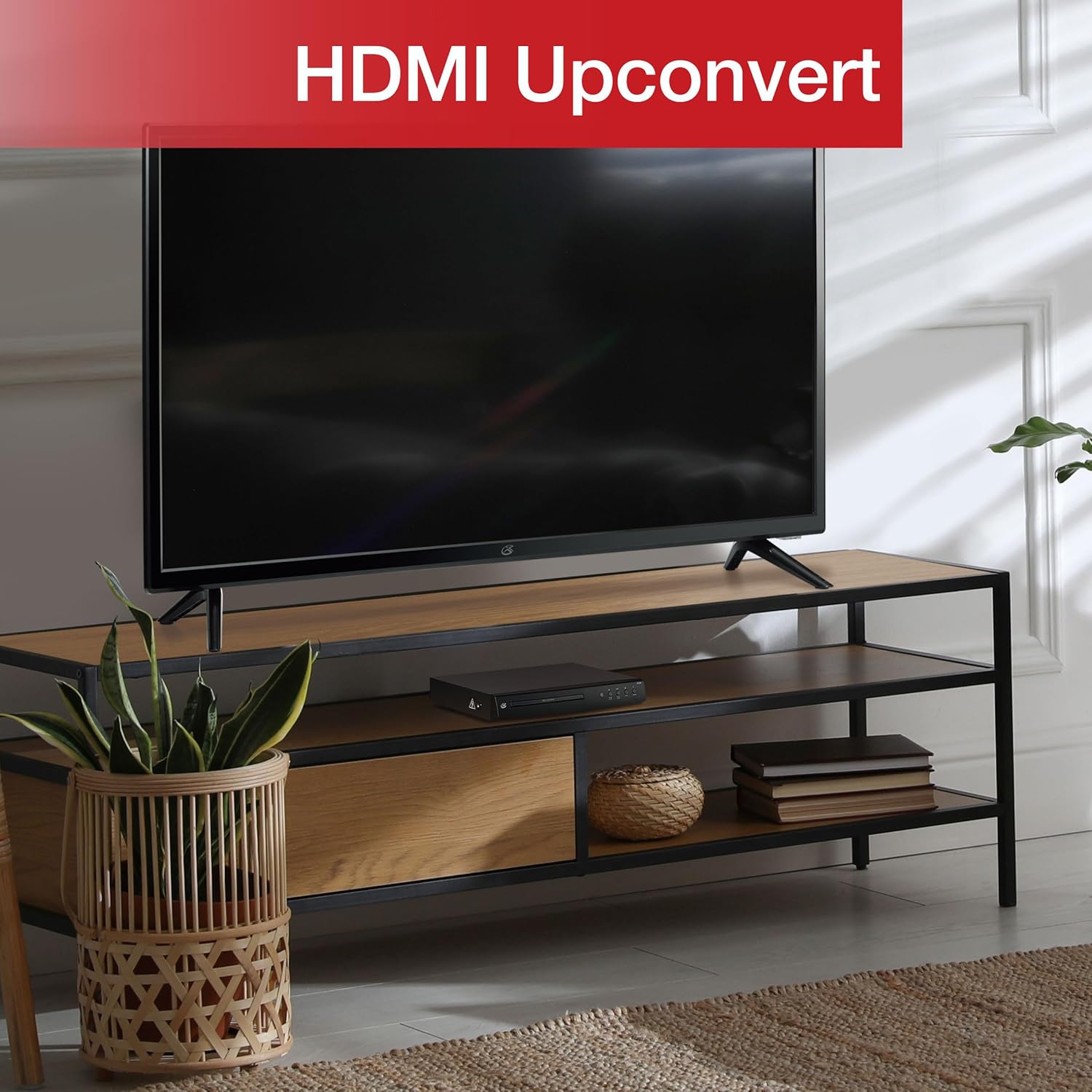
Figure 3: The GPX DH300B DVD Player connected to a television, demonstrating HDMI upconversion capabilities.
RCA Composite Video Connection
- ודא שגם נגן ה-DVD וגם הטלוויזיה כבויים.
- Connect the yellow plug of the RCA audio/video cable to the וידיאו אאוט (yellow) port on the DVD player.
- Connect the red and white plugs of the RCA audio/video cable to the יציאת אודיו R (אדום) ו יציאת אודיו L (white) ports on the DVD player.
- Connect the other ends of the RCA cables to the corresponding וידאו ב ו AUDIO IN (R/L) ports on your television.
- Power on your TV and select the corresponding AV input.
2. חיבור חשמל
The DVD player has a built-in AC power cable. Plug this cable into a standard 120V AC wall outlet.
3. התקנת סוללת שלט רחוק
The remote control requires two AAA batteries (not included). Open the battery compartment on the back of the remote and insert the batteries, ensuring correct polarity (+/-).
הוראות הפעלה
1. הפעלה / כיבוי
הקש על כּוֹחַ button on the front panel of the DVD player or on the remote control to turn the unit on or off.
2. השמעת דיסק
- Power on the DVD player and your television.
- הקש על פתח/סגור בלוח הקדמי או בשלט רחוק כדי לפתוח את מגש הדיסק.
- Place a DVD or CD onto the disc tray with the label side facing up.
- הקש על פתח/סגור button again to close the disc tray. The player will begin loading the disc.
- Playback should start automatically. If a menu appears, use the arrow buttons on the remote to navigate and the OK לחצן לבחירה.
- השתמש ב- הפעל/השהה ו לְהַפְסִיק כפתורים לבקרת השמעה.

Figure 4: The GPX DH300B DVD Player, indicating its DVD playback capability.

Figure 5: The GPX DH300B DVD Player, indicating its CD playback capability.
3. השמעת USB
The GPX DH300B supports media playback from a USB flash drive. Insert your USB drive into the USB port on the front panel. Use the remote control to navigate the on-screen menu and select your desired media files (e.g., JPEG images).
4. On-Screen Display (OSD) and Settings
The multi-language on-screen display allows you to adjust various video and audio settings. Press the הגדרה button on the remote control to access the setup menu. Use the arrow buttons to navigate and OK כדי לאשר את הבחירות.
5. פונקציות שלט רחוק
The included full-function remote control provides comprehensive control over the DVD player. Key functions include:

Figure 6: A user operating the GPX DH300B DVD Player with its remote control.
- הפעלה/כיבוי
- פתח/סגור את מגש התקליטורים
- Play, Pause, Stop, Fast Forward, Rewind
- Chapter Skip (Next/Previous)
- בקרת עוצמת הקול
- Setup Menu Access
- Navigation (Arrow buttons, OK)
- Subtitle, Audio, Angle selection
תַחזוּקָה
ניקוי היחידה
Wipe the exterior of the DVD player with a soft, dry cloth. Do not use liquid cleaners or abrasive materials, as they may damage the finish.
ניקוי דיסקים
Wipe discs from the center outwards with a soft, lint-free cloth. Avoid touching the playback surface of the disc. Do not use solvents such as benzene, thinners, or commercially available cleaners, as they may damage the disc.
פתרון בעיות
| בְּעָיָה | סיבה אפשרית | פִּתָרוֹן |
|---|---|---|
| אין כוח | כבל חשמל לא מחובר; שקע לא פעיל. | Ensure power cable is securely plugged into a working outlet. |
| אין תמונה | Video cable not connected; incorrect TV input selected. | Check video cable connections (HDMI or RCA). Select the correct input source on your TV. |
| אין קול | Audio cable not connected; TV/receiver volume too low or muted. | Check audio cable connections (HDMI or RCA). Adjust volume on TV/receiver. Ensure not muted. |
| דיסק לא מתנגן | הדיסק מלוכלך, שרוט או בפורמט לא תואם. | Clean the disc. Try a different disc. Ensure the disc format is supported (DVD, CD, JPEG CD). |
| השלט רחוק לא עובד | סוללות מתות או שהוכנסו בצורה שגויה; חסימה בין השלט לנגן. | Replace batteries, ensuring correct polarity. Remove any obstructions. Ensure remote is pointed at the player. |
מפרטים
- דֶגֶם: DH300B
- מדיה נתמכת: DVD, DVD+/-R/RW, CD, CD-R/RW, JPEG CD
- פלט וידאו: HDMI (720p, 1080i, 1080p upconversion), S-Video, Composite Video
- פלט שמע: Coaxial Digital Audio, RCA Stereo Audio (2-channel)
- יחסי גובה-רוחב: 16:9, 4:3LB, 4:3PS
- מאפיינים מיוחדים: Progressive Scan, Multi-language On-Screen Display
- דרישות חשמל: 120V AC
- מידות: 10.24 x 8.07 x 1.85 אינץ' בערך
- מִשׁקָל: בערך 2.38 פאונד
אחריות ותמיכה
For detailed warranty information and customer support, please refer to the warranty card included in your product packaging or visit the official GPX webאתר. שמור את הוכחת הרכישה שלך עבור כל תביעת אחריות.


