מָבוֹא
This manual provides essential instructions for the safe and effective use of your CONTAX T3 Black Titan 35mm Point & Shoot Film Camera. Please read this manual thoroughly before operating the camera and retain it for future reference.
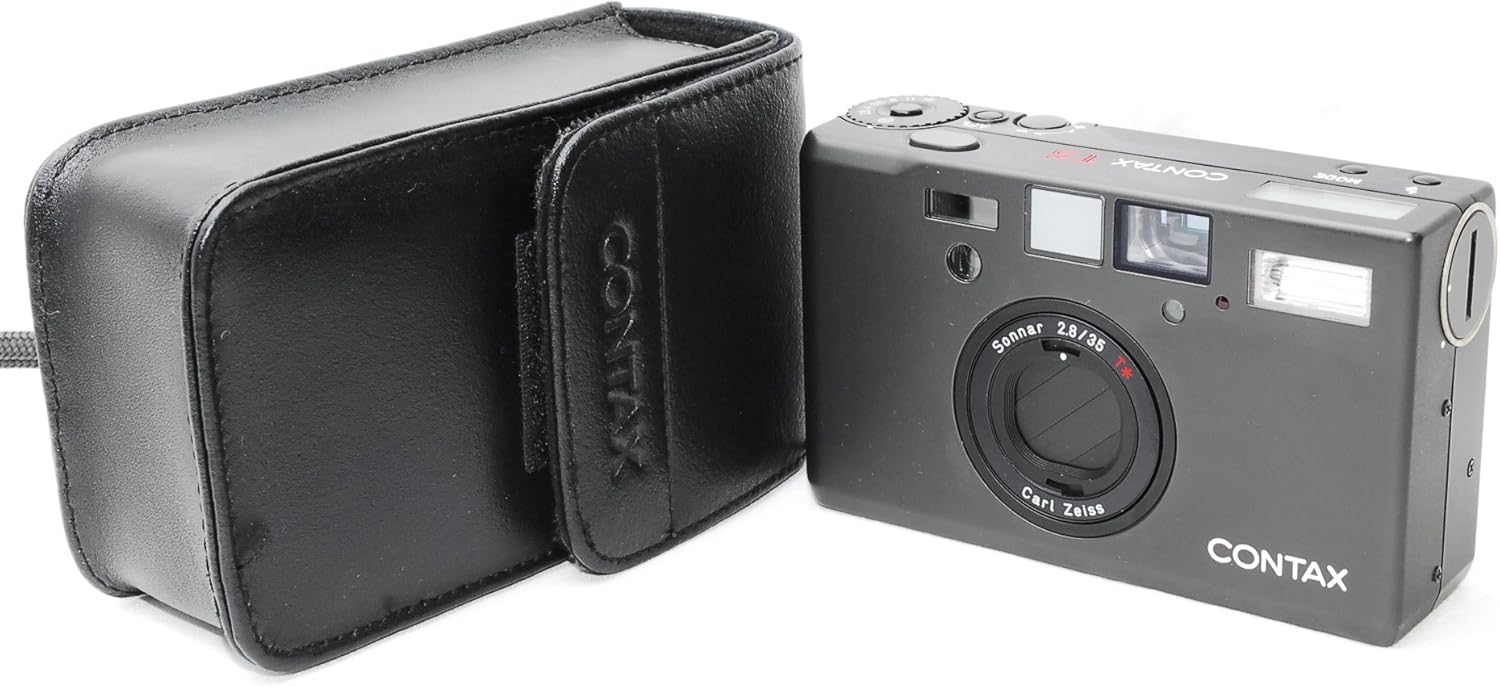
Figure 1: CONTAX T3 Camera with Case. This image displays the compact CONTAX T3 camera alongside its protective black leather case, highlighting its portability and design.
1. התקנה
1.1 התקנת סוללה
The CONTAX T3 requires a specific battery type for operation. Locate the battery compartment cover, typically on the bottom of the camera. Open the cover, insert the battery according to the polarity indicators, and securely close the cover.

Figure 2: Camera Bottom View. This image shows the underside of the CONTAX T3 camera, where the battery compartment is located, along with the tripod mount.
1.2 טעינת סרטים
- Open the camera back cover by sliding the release latch.
- Insert a new 35mm film cartridge into the film chamber on the left side.
- Pull the film leader across to the take-up spool on the right, ensuring it engages with the sprocket teeth.
- Close the camera back cover firmly until it clicks into place. The camera will automatically advance the film to the first frame.

Figure 3: Open Film Compartment. This image displays the CONTAX T3 with its back cover open, showing the film chamber on the left and the take-up spool on the right, ready for film loading.

Figure 4: Film Compartment Interior. A detailed view of the film compartment, highlighting the film pressure plate and the mechanism for film advancement, crucial for proper film loading.
2. הפעלת המצלמה
2.1 הפעלה/כיבוי
To power on the camera, slide the power switch, usually located near the shutter button. The lens will extend, and the display will activate. To power off, slide the switch again; the lens will retract.

Figure 5: Top Controls. This image shows the top panel of the CONTAX T3, featuring the power switch, shutter release button, and the mode dial for various camera settings.

Figure 6: Display and Buttons. A close-up of the camera's top LCD display and adjacent control buttons, used for adjusting settings like flash mode and self-timer.
2.2 צילום בסיסי
- התמקדות: The camera features Contrast Detection Autofocus. Half-press the shutter button to activate autofocus and lock the focus.
- חשיפה: The CONTAX T3 uses automatic exposure control with Center Weighted metering. The camera will set the appropriate aperture and shutter speed.
- שחרור תריס: Fully press the shutter button to take a photograph.

Figure 7: Camera Front View. This image shows the front of the CONTAX T3 camera with its Carl Zeiss Sonnar 35mm f/2.8 lens, the autofocus sensor, and the built-in flash.

Figure 8: Lens Detail. A close-up view of the Carl Zeiss Sonnar 35mm f/2.8 lens, highlighting its markings and optical elements, which are central to the camera's image quality.
2.3 Viewמוֹצֵא
The CONTAX T3 features an optical viewfinder for composing your shots. Look through the viewfinder to frame your subject. Indicators within the viewfinder may provide information such as focus confirmation and flash status.

Figure 9: Camera Back View. This image shows the rear of the CONTAX T3, prominently featuring the optical viewfinder for precise shot composition and the film door.
2.4 מצבי פלאש
The built-in flash offers various modes, including Auto and Off. Use the mode button (refer to Figure 6) to cycle through available flash settings. The camera will automatically determine flash usage in Auto mode based on ambient light conditions.
2.5 טיימר עצמי
Activate the self-timer function via the control buttons (refer to Figure 6). Once activated, pressing the shutter button will initiate a delay (typically 10 seconds) before the photograph is taken, allowing the photographer to be included in the shot.
3. תחזוקה
3.1 ניקוי
- השתמש במטלית רכה ונטולת סיבים כדי לנקות את גוף המצלמה.
- For the lens, use a specialized lens cleaning solution and cloth. Avoid touching the lens surface with bare hands.
- שמרו על תא הסרטים נקי מאבק ופסולת.
3.2 אחסון
Store the camera in a cool, dry place, away from direct sunlight and extreme temperatures. If storing for an extended period, remove the battery to prevent leakage.
4. פתרון תקלות
- המצלמה לא נדלקת: בדוק את התקנת הסוללה וודא שהסוללה טעונה מספיק.
- Film does not advance: Ensure the film leader is properly engaged with the take-up spool and the camera back is securely closed.
- הפלאש לא פועל: Verify that the flash mode is not set to "Off" and that ambient light conditions require flash.
- תמונות מטושטשות: Ensure the autofocus has locked onto the subject before fully pressing the shutter button. Check for proper camera stability during exposure.
5. מפרטים
| תכונה | פְּרָט |
|---|---|
| מותג | קונטקס |
| שם הדגם | T3 |
| סוג עדשה | Carl Zeiss Sonnar 35mm f/2.8 |
| טכנולוגיית פוקוס אוטומטי | זיהוי ניגודיות |
| תיאור מדידה | מרכז משוקלל |
| בקרת חשיפה | אוֹטוֹמָטִי |
| מצבי פלאש | כיבוי אוטומטי |
| טיימר עצמי | 10 שניות |
| סוג סרט | 35 מ"מ |
| חומר גוף | טִיטָן |
6. אחריות ותמיכה
For information regarding warranty coverage and technical support, please refer to the documentation provided at the time of purchase or contact your authorized Contax dealer. Specific warranty terms may vary by region and retailer.