
1. הקדמה
The Monster TVLink 300 wireless TV headphones are designed to provide a personal audio experience for television viewing. This system includes comfortable over-ear headphones and a transmitter charging base, allowing for clear, synchronized sound without disturbing others. The headphones feature Bluetooth 5.3 for stable connectivity and a long battery life for extended listening sessions.
2. תכולת החבילה
אנא ודא שכל הפריטים נמצאים בחבילה שלך:
- אוזניות אלחוטיות Monster TVLink 300
- בסיס טעינת המשדר
- כבל שמע אופטי
- כבל אודיו 3.5 מ"מ AUX
- כבל מתאם RCA
- כבל טעינה USB-C
- מדריך למשתמש

Image: Components of the Monster TVLink 300 system, including headphones, charging base, and various audio cables.
3. המוצר נגמרview
Familiarize yourself with the main components and controls of your Monster TVLink 300 headphones and transmitter base.
Image: Labeled diagram of the headphones and transmitter base, indicating buttons, ports, and indicator lights.
אוזניות
- כפתור הפעלה/כיבוי: מפעיל או מכבה את האוזניות.
- כפתור הגברת עוצמת הקול: Increases audio volume. Also functions as 'previous song' in Bluetooth mode.
- לחצן להורדת עוצמת הקול: Decreases audio volume. Also functions as 'next song' in Bluetooth mode.
- Multi-function button (MFB): Controls playback (play/pause), answers/ends calls.
- יציאת טעינה USB-C: For direct charging of headphones.
- נורית חיווי: מציג את מצב החשמל והחיבור.
- פון Wi you מיקרופון מובנה לשיחות.
בסיס טעינת המשדר
- יציאת טעינה USB-C: Powers the transmitter base.
- קלט אופטי: Connects to TV via optical cable.
- Aux-in port: Connects to TV via 3.5mm AUX cable.
- נורת חיווי LED: Shows connection status and charging status.
- ממשק טעינה: For automatic charging of headphones when placed on the base.
4. הוראות התקנה
Follow these steps to set up your Monster TVLink 300 system:
- Power the Transmitter Base: Connect the USB-C charging cable to the transmitter base and plug the other end into a power adapter (not included) or a USB port on your TV. The LED indicator on the base will light up.
- התחבר לטלוויזיה שלך: בחר אחת משיטות חיבור האודיו הבאות:
- אופטי (מומלץ): Connect the optical audio cable from the transmitter's optical input to your TV's optical audio output (often labeled 'Digital Audio Out' or 'Optical Out'). Ensure your TV's audio output is set to 'PCM' format if necessary.
- AUX: Connect the 3.5mm AUX audio cable from the transmitter's Aux-in port to your TV's 3.5mm audio output (headphone jack).
- RCA: If your TV has RCA audio outputs (red and white ports), use the RCA adapter cable with the 3.5mm AUX cable to connect to the transmitter's Aux-in port.
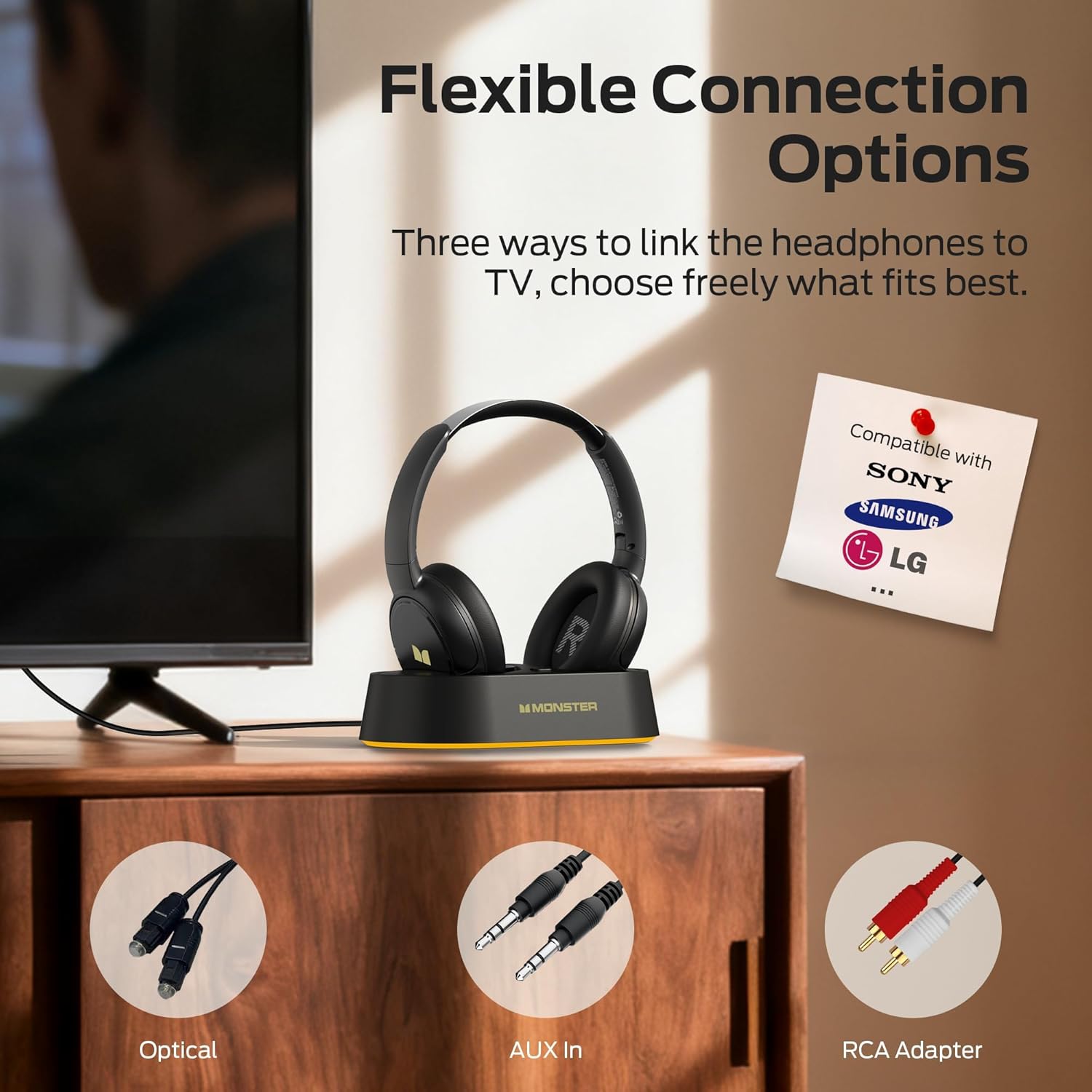
Image: Flexible connection options for the transmitter base, including Optical, AUX, and RCA.
- טען את האוזניות: Place the headphones onto the transmitter charging base. Ensure the charging contacts align. The headphone indicator light will show charging status. A full charge provides up to 45 hours of playback.
- הפעלת אוזניות: Press and hold the On/Off button on the headphones until the indicator light illuminates. The headphones will automatically connect to the transmitter base.
Once connected, audio from your TV will be transmitted wirelessly to your headphones.
5. הוראות הפעלה
5.1 פעולה בסיסית
- הפעלה/כיבוי: Press and hold the On/Off button on the headphones for approximately 3 seconds.
- בקרת עוצמת הקול: Use the Volume Up (+) and Volume Down (-) buttons on the headphones to adjust the listening volume.
- חיבור אוטומטי: After initial setup, the headphones will automatically connect to the transmitter base when powered on and within range.
5.2 טעינה
To charge the headphones, simply place them onto the transmitter charging base. The headphones will begin charging automatically. The indicator light on the headphones will show charging status (e.g., red for charging, off or blue for fully charged, refer to specific LED behavior in the quick start guide if available). You can also charge the headphones directly using a USB-C cable connected to their USB-C port.
5.3 Bluetooth Mode (Independent Use)
The headphones can also be used independently via Bluetooth 5.3 with other devices like smartphones or tablets.
- צִמוּד: With the headphones powered off, press and hold the On/Off button for approximately 5-7 seconds until the indicator light flashes rapidly (indicating pairing mode).
- לְחַבֵּר: On your device, enable Bluetooth and select "Monster TVLink 300" from the list of available devices.
- בקרת השמעה: Use the Multi-function button (MFB) for play/pause, and the Volume Up/Down buttons for next/previous track.

Image: The Monster TVLink 300 system demonstrating compatibility with various devices including TV, laptop, and smartphone.
6. תחזוקה
טיפול נכון מבטיח את אורך החיים והביצועים של האוזניות שלכם:
- ניקוי: Use a soft, dry cloth to clean the headphones and transmitter base. Do not use abrasive cleaners or solvents.
- אִחסוּן: When not in use, store the headphones on the charging base or in a cool, dry place. The foldable design allows for compact storage.
- טיפול בסוללה: כדי לשמור על תקינות הסוללה, הימנעו מפריקת האוזניות באופן מלא לעתים קרובות. טען אותן באופן קבוע, גם אם אינן בשימוש למשך תקופות ממושכות.
- הימנע מלחות: הרחק את המכשיר ממים ולחות מוגזמת.
7. פתרון תקלות
אם נתקלת בבעיות, עיין בפתרונות הנפוצים הבאים:
| בְּעָיָה | סיבה אפשרית | פִּתָרוֹן |
|---|---|---|
| אין צליל מהאוזניות. | Headphones not powered on or not connected. TV audio output settings incorrect. Cables loose or incorrect. | Ensure headphones are powered on and charged. Check that the transmitter base is powered and connected to the TV. Verify TV audio output is set to the correct source (e.g., PCM for optical). Re-seat all audio cables. |
| Audio lag or delay. | Interference or distance from transmitter. | Ensure headphones are within optimal range of the transmitter. Minimize obstacles between headphones and transmitter. |
| Headphones not charging on base. | Improper placement on base. Base not powered. Dirty charging contacts. | Ensure headphones are correctly seated on the base and contacts align. Verify the transmitter base is powered. Clean charging contacts on both headphones and base with a dry cloth. |
| Cannot pair headphones via Bluetooth. | האוזניות אינן במצב צימוד. בלוטות' של המכשיר כבוי. | Ensure headphones are powered off, then press and hold the On/Off button for 5-7 seconds to enter pairing mode. Verify Bluetooth is enabled on your device. |
8. מפרטים
| תכונה | פְּרָט |
|---|---|
| שם הדגם | מונסטר TVLink 300 |
| טכנולוגיית קישוריות | אלחוטי (Bluetooth) |
| גרסת בלוטות' | 5.3 |
| מיקום אוזניים | מעל אוזן |
| גורם צורה | מעל אוזן |
| חיי סוללה | עד 45 שעות |
| מכשירים תואמים | טֵלֶוִיזִיָה |
| תכונות נוספות | מתקפל |
| שקע אוזניות | אין ג'ק |
| צֶבַע | שָׁחוֹר |
| יַצרָן | מִפלֶצֶת |
| מידות החבילה | 21.3 x 19.8 x 8.4 ס"מ; 680 גרם |
9. אחריות ותמיכה
למידע על אחריות ותמיכת לקוחות, אנא עיינו בכרטיס האחריות המצורף לאריזת המוצר או בקרו באתר הרשמי של Monster. webאֲתַר. שמור את קבלה הרכישה שלך לתביעות אחריות.