
מָבוֹא
Thank you for choosing the PUSOKEI Single Ear Bluetooth Headset. This manual provides detailed instructions for the proper setup, operation, and maintenance of your device. Please read this manual thoroughly before use to ensure optimal performance and longevity of your headset.
תוכן החבילה
ודא שכל הפריטים המפורטים להלן נמצאים בחבילה שלך:
- 1 x Bluetooth Earphone
- 1 x Earphone Charging Case
- 2 x Ear Tips (different sizes)
- 1 x USB Adapter (Dongle)
- מדריך למשתמש אחד (מסמך זה)
- 1 x כבל טעינה USB

Image: All components included in the PUSOKEI Single Ear Bluetooth Headset package.
המוצר נגמרview
The PUSOKEI Single Ear Bluetooth Headset is designed for clear communication and comfort. Key features include:
- Bluetooth V6.1: לחיבורים אלחוטיים יציבים ומהירים.
- ENC Dual Microphone Noise Cancellation: Filters background noise for clear calls.
- עמידות במים IPX6: מגן מפני התזות וזיעה.
- Rotatable Earpiece and Ear Hook: Allows wearing on either left or right ear with adjustable fit.
- כפתור רב-תכליתי (MFB): For call management and media control.
- לחצני עוצמת הקול: For adjusting audio levels and track navigation.
רכיבי ובקרות של האוזניות
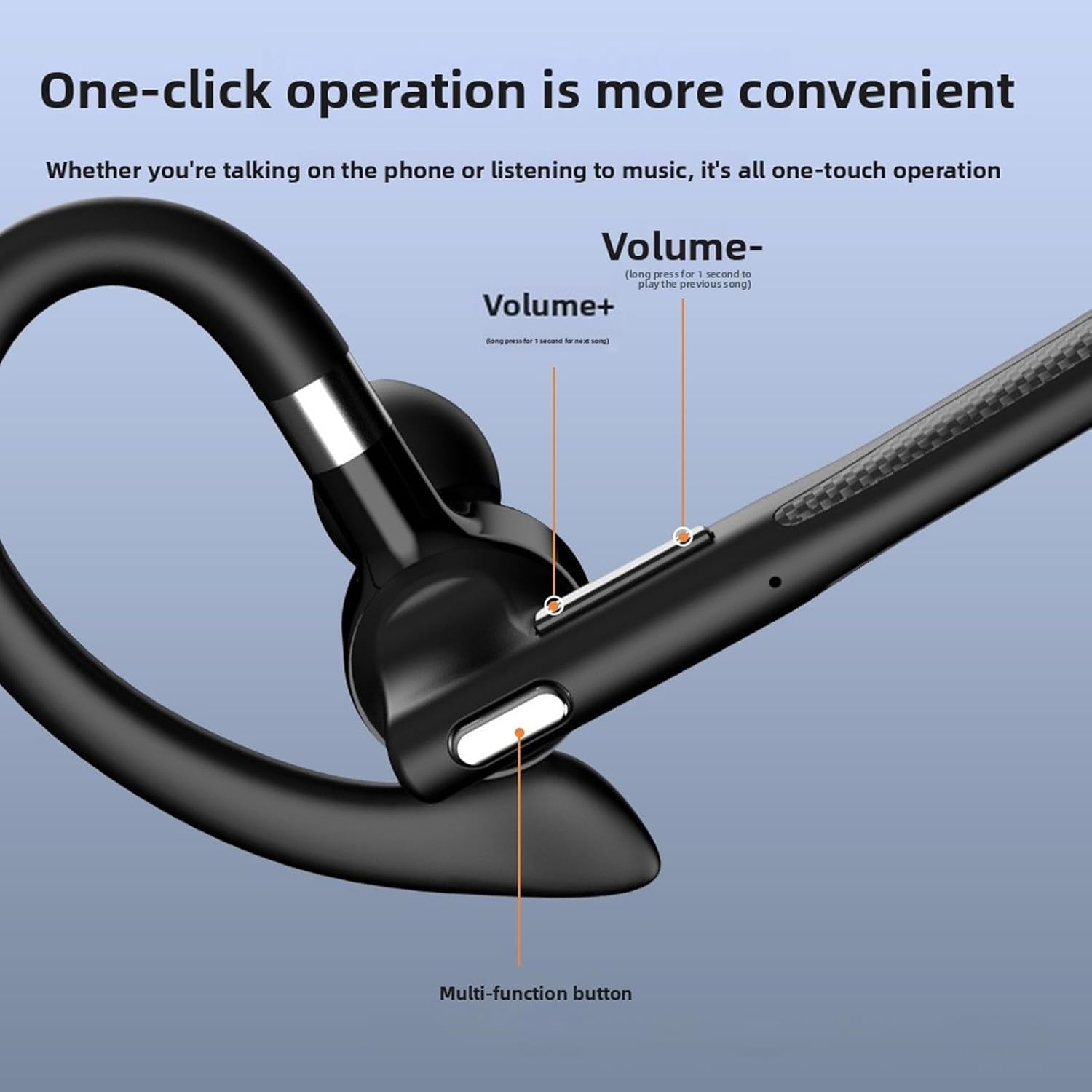
תמונה: מפורט view of the headset's control buttons, including Volume +/-, and the Multi-function button.
- עוצמת הקול + מקש: Short press to increase volume. Long press for 1 second to play the next song.
- עוצמת קול - מקש: Short press to decrease volume. Long press for 1 second to play the previous song.
- כפתור רב-תכליתי (MFB): Used for power on/off, answering/ending calls, playing/pausing music, and activating voice assistant.
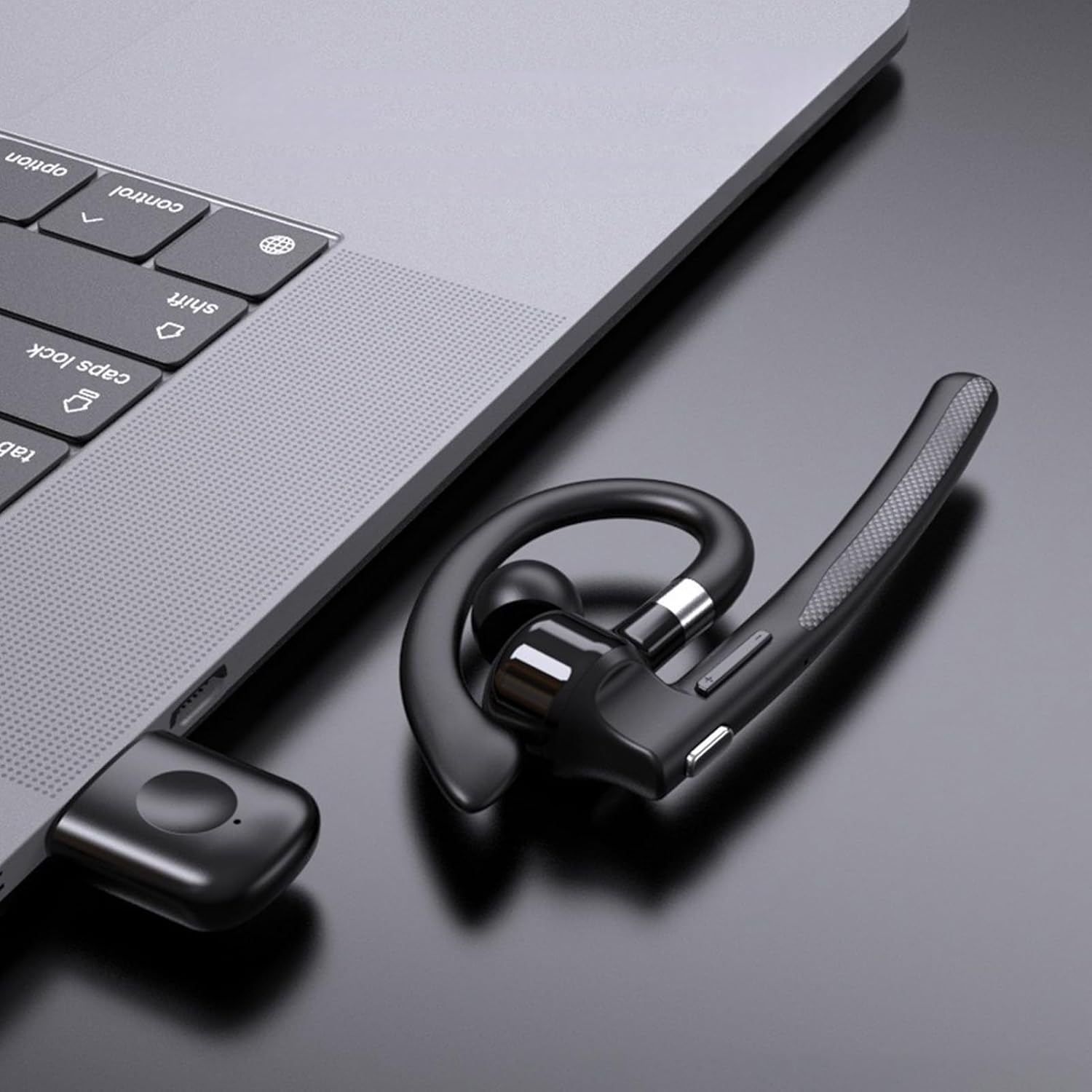
Image: Illustration of the headset's rotatable earpiece and ear hook for left or right ear wearing.
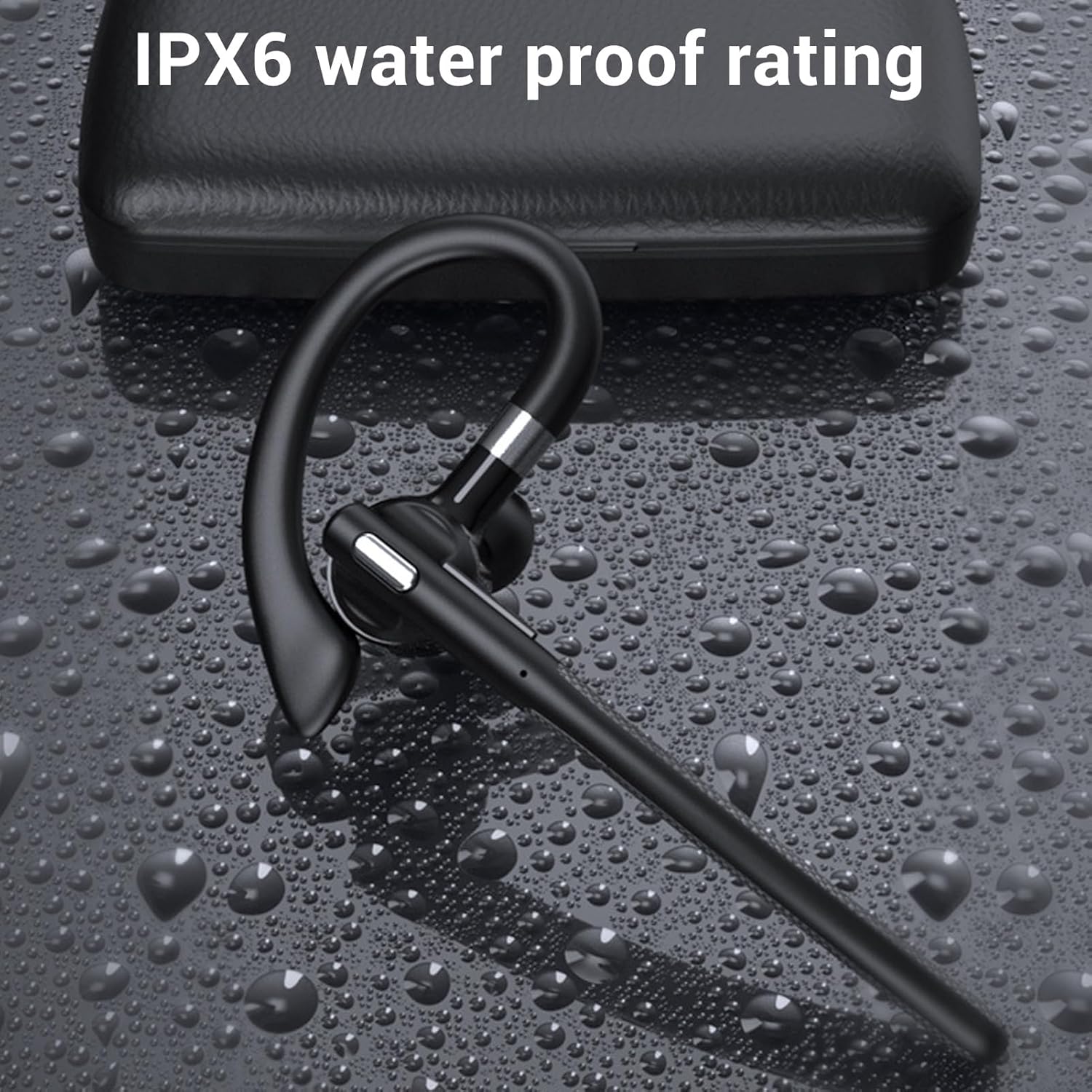
Image: The headset demonstrating its IPX6 water resistance.

Image: The headset highlighting its ENC Dual Microphone Noise Cancellation feature.
הגדרה
1. טעינת האוזניות ומארז הטעינה
לפני השימוש הראשון, טען במלואו גם את האוזניות וגם את מארז הטעינה.
- הנח את האוזניות במארז הטעינה.
- חבר את כבל הטעינה מסוג USB למארז הטעינה ולמקור חשמל (למשל, יציאת USB של המחשב, מתאם קיר).
- The LED display on the charging case will indicate the charging status. Ensure both are fully charged for optimal battery life.
2. הפעלה / כיבוי
- הפעלה: Press and hold the Multi-function Button (MFB) for approximately 3 seconds until you hear a voice prompt or see an indicator light.
- כיבוי: Press and hold the MFB for approximately 5 seconds until you hear a voice prompt or see an indicator light turn off.
3. Bluetooth Pairing (Without USB Dongle)
To connect the headset directly to your phone, tablet, or other Bluetooth-enabled device:
- וודא שהאוזנייה כבויה.
- Press and hold the MFB for about 5-7 seconds until the indicator light flashes red and blue alternately, indicating pairing mode.
- במכשיר שלך, עבור להגדרות Bluetooth והפעל את Bluetooth.
- חפש available devices and select "YYK 526 USB" from the list.
- Once connected, the indicator light on the headset will flash blue slowly.
4. Connecting with USB Dongle (For PC/Laptop)
The USB dongle provides a stable connection for computers, especially those without built-in Bluetooth or for enhanced stability.
- Plug the USB adapter (dongle) into an available USB port on your computer.
- Power on the headset (if not already on). The headset will automatically attempt to connect to the dongle.
- Once connected, the indicator light on the headset will flash blue slowly, and the dongle's indicator light will be solid blue.
- On your computer's sound settings, ensure the PUSOKEI headset is selected as the input and output device.

Image: Headset, smartphone, and laptop with USB dongle demonstrating pairing capabilities.
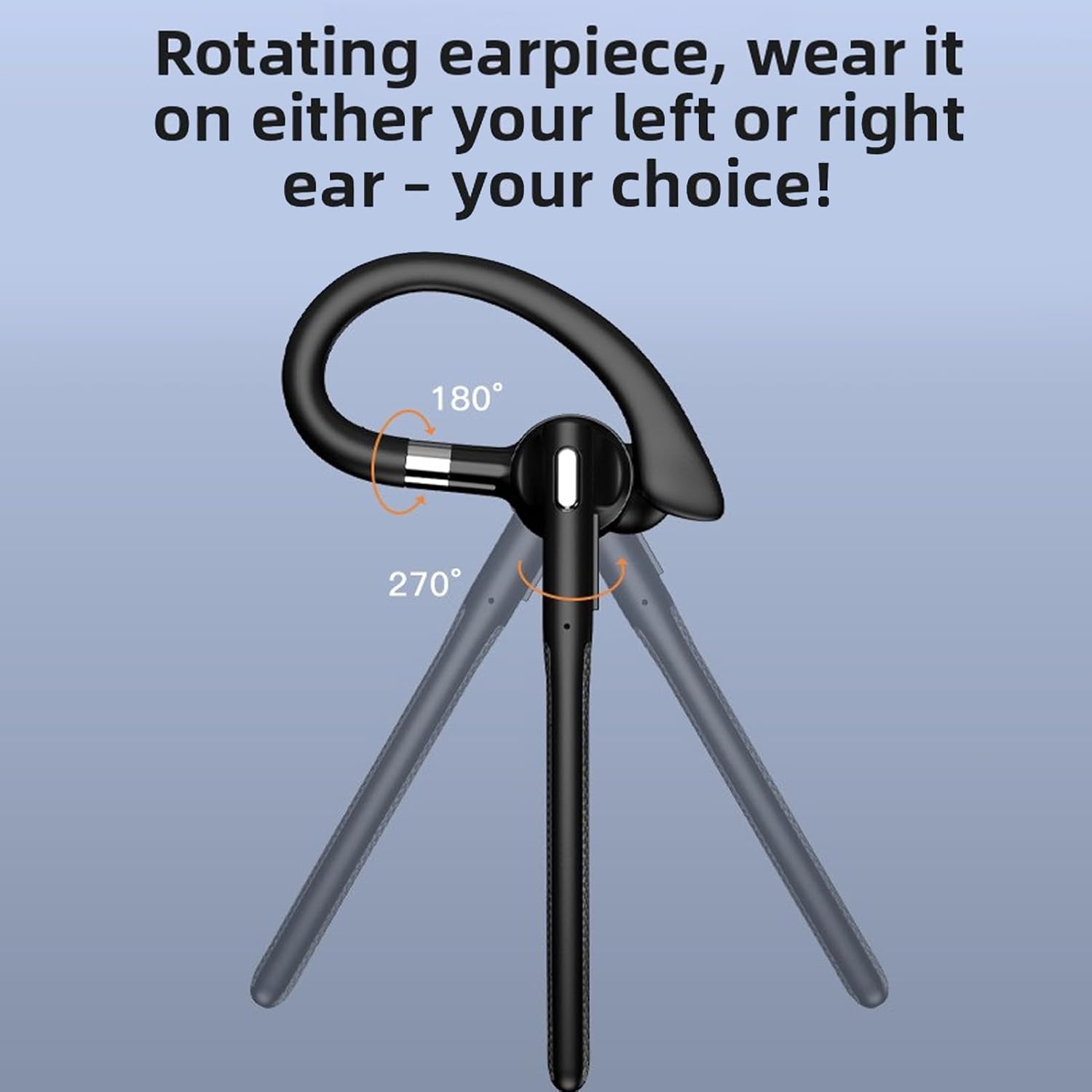
Image: The headset and USB dongle connected to a laptop.
הוראות הפעלה
לובש את האוזניות
The headset features a rotatable earpiece and ear hook for comfortable wear on either your left or right ear.
- Adjust the ear hook to fit comfortably over your ear.
- Rotate the earpiece to position the speaker inside your ear canal and the microphone boom towards your mouth.
- Ensure a snug fit for optimal sound quality and microphone performance.
ניהול שיחות
- תשובה לשיחה: לחיצה קצרה על ה-MFB.
- סיום שיחה: לחיצה קצרה על מקש MFB במהלך שיחה.
- דחה שיחה: Long press the MFB for 2 seconds during an incoming call.
- השתק/בטל השתקה: During a call, short press the MFB twice to mute or unmute the microphone.
- חיוג חוזר למספר האחרון: לחץ פעמיים על מקש MFB כאשר אינך בשיחה.
השמעת מוסיקה
- הפעל/השהה: לחיצה קצרה על ה-MFB.
- הרצועה הבאה: Long press the Volume + button for 1 second.
- רצועה קודמת: Long press the Volume - button for 1 second.
בקרת עוצמת הקול
- הגדל את עוצמת הקול: לחיצה קצרה על כפתור עוצמת קול +.
- הפחת עוצמת הקול: לחיצה קצרה על כפתור עוצמת הקול -.
עוזר קולי
- הפעל את Assistant Voice: Triple-press the MFB when not on a call.
תַחזוּקָה
ניקוי
ניקוי קבוע מסייע בשמירה על ביצועי האוזניות וההיגיינה שלהן.
- Wipe the headset and charging case with a soft, dry, lint-free cloth.
- ללכלוך עיקש, השתמש מעט דamp מטלית עם סבון עדין, ולאחר מכן לנגב יבש מיד.
- אין להשתמש בחומרי ניקוי שוחקים, אלכוהול או ממסים כימיים.
- The headset has an IPX6 water-resistant rating, meaning it can withstand splashes and sweat. Do not submerge it in water.
אִחסוּן
- כאשר אינן בשימוש, אחסנו את האוזניות בנרתיק הטעינה שלהן כדי להגן עליהן ולשמור עליהן טעונות.
- יש לאחסן במקום קריר ויבש, הרחק מטמפרטורות קיצוניות ואור שמש ישיר.
טיפול בסוללה
- To preserve battery life, charge the headset and case regularly, even if not used frequently.
- הימנעו מפריקה מלאה של הסוללה למשך פרקי זמן ממושכים.
פתרון בעיות
אם נתקלת בבעיות עם האוזניות שלך, עיין בפתרונות הנפוצים הבאים:
האוזניות לא נדלקות
- Ensure the headset is charged. Place it in the charging case and connect the case to power.
- Press and hold the MFB for at least 3 seconds.
לא ניתן להתאים למכשיר
- ודא שהאוזניות נמצאות במצב צימוד (נוריות חיווי אדומות וכחולות מהבהבות לסירוגין).
- Make sure Bluetooth is enabled on your device and it is within 10 meters (33 feet) of the headset.
- Forget/delete "YYK 526 USB" from your device's Bluetooth list and try pairing again.
- הפעל מחדש את האוזניות ואת המכשיר שלך.
אין סאונד או איכות סאונד ירודה
- בדוק את עוצמת הקול הן באוזניות והן במכשיר המחובר.
- ודא שהאוזניות מחוברות כראוי למכשיר שלך. בצע התאמה מחדש במידת הצורך.
- If using the USB dongle, ensure it is securely plugged in and the headset is selected as the audio device in your computer's sound settings.
- התקרב למכשיר שלך כדי למנוע הפרעות או יציאה מהטווח.
- נסה להשמיע אודיו מאפליקציה או מקור אחר.
המיקרופון לא עובד
- Ensure the microphone is not muted (double-press MFB during a call to toggle mute).
- Check your device's settings to ensure the headset is selected as the input (microphone) device.
- ודא שזרוע המיקרופון ממוקמת בצורה נכונה לכיוון הפה שלך.
מפרטים
| סוג פריט | אוזניות בלוטות' |
| דֶגֶם | PUSOKEIxkopsj7mg5 |
| חוֹמֶר | ABS |
| גרסת בלוטות' | V6.1 |
| תמיכה בלוטות' | A2DP/AVDTP/AVRCP/RFCOMM/HSP/SPP |
| מרחק קבלה | כ. 10m / 32.81ft |
| שם בלוטות' | YYK 526 USB |
| רצועת תדרים | 2.402GHz - 2.480GHz |
| עכבת רמקול | 32Ω±10% |
| רגישות למיקרופון | -84dBm |
| דירוג הוכחת מים | IPX6 |
| סוללת אוזניות | Built-in Polymer Lithium-ion Battery (Capacity: 40mAh) |
| סוללת מארז טעינה | Built-in Polymer Lithium-ion Battery (Capacity: 500mAh) |
| זמן דיבור | עד 50 שעות |
| זמן המתנה | עד 200 שעות |
| מִשׁקָל | Approx. 0.39 oz (earpiece only) |
מידע על אחריות
This PUSOKEI product is covered by a manufacturer warranty for 90 days from the date of purchase. This warranty covers manufacturing defects and workmanship. It does not cover damage caused by misuse, accidents, unauthorized modifications, or normal wear and tear.
אנא שמור את הוכחת הרכישה שלך עבור תביעות אחריות.
תְמִיכָה
For further assistance, technical support, or warranty inquiries, please contact your retailer or refer to the official PUSOKEI webאתר ליצירת קשר.
When contacting support, please have your product model number (PUSOKEIxkopsj7mg5) and proof of purchase readily available.