
1. הקדמה
Thank you for choosing the WOSPORTS 90mm Aperture Refractor Telescope. This telescope is designed for both beginners and experienced astronomy enthusiasts, offering clear and detailed views of celestial objects and terrestrial landscapes. With its 90mm aperture and 600mm focal length, it gathers ample light for bright, high-contrast images. This manual provides essential information for assembly, operation, maintenance, and troubleshooting to ensure optimal performance and enjoyment of your telescope.
2. רכיבי מוצר מעלview
Before assembly, please ensure all components listed below are present in your package. Refer to the diagram for visual identification.
- צינור טלסקופ
- חצובה מתכווננת
- טלסקופ 3x24
- עינית 25 מ"מ
- עינית 10 מ"מ
- 3x עדשת Barlow
- 45° Diagonal Mirror
- מתאם טלפון
- מגש אביזר
- תיק נשיאה
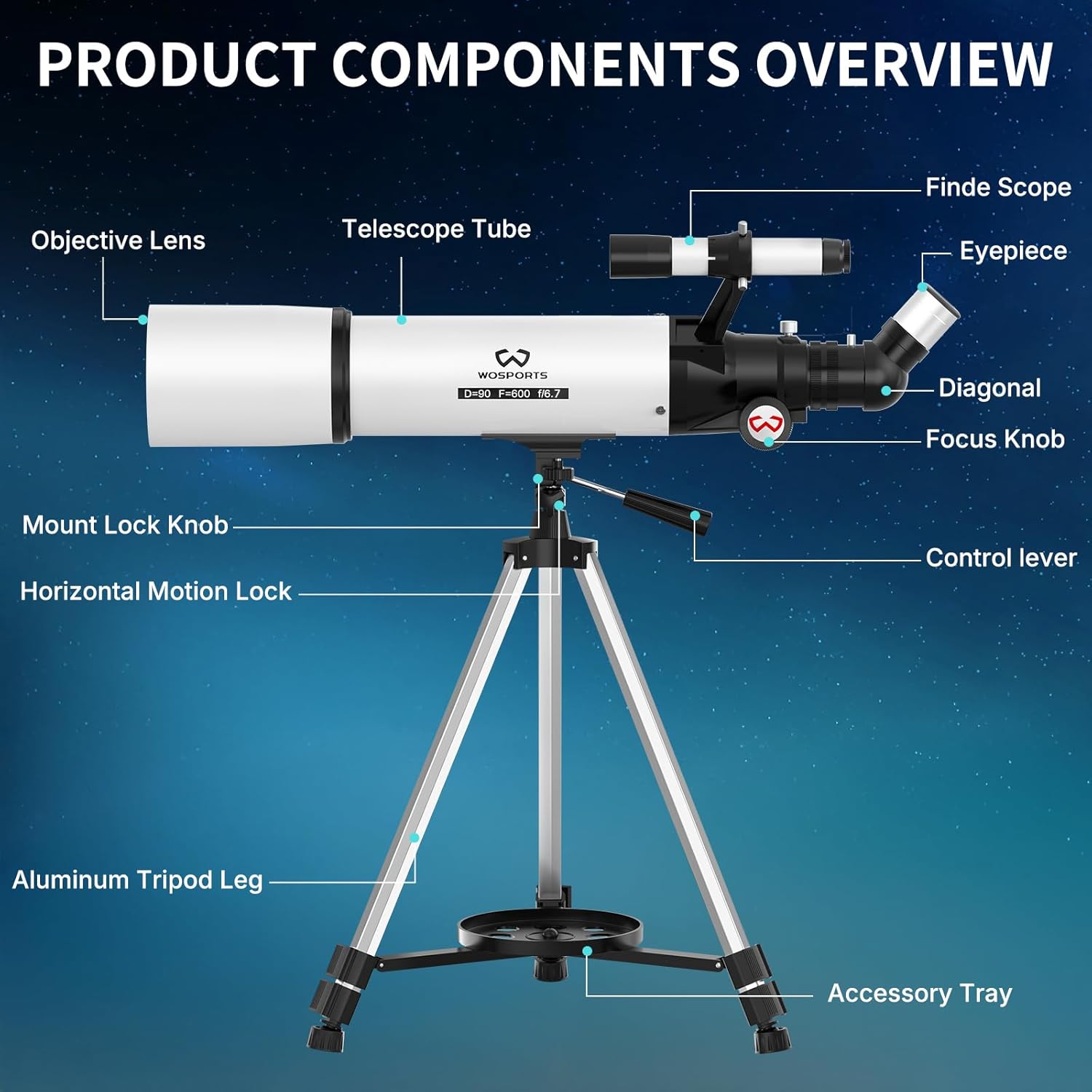
איור 2.1: מעלview of Telescope Components
3. הוראות התקנה
Follow these steps to assemble your WOSPORTS telescope. No special tools are required.
- התקינו את החצובה: Extend the aluminum tripod legs to your desired height (between 29-49 inches) and secure them. Ensure the tripod is stable on a flat surface. Attach the accessory tray to the center brace of the tripod.
- חבר את צינור הטלסקופ: Carefully place the telescope tube onto the tripod mount. Align the mounting screws with the holes on the telescope tube and tighten the mount lock knob to secure it.
- התקן את טווח החיפוש: Slide the 3x24 finderscope into its bracket on the telescope tube and tighten the small screws to hold it in place.
- הכנס את המראה האלכסונית: Remove the dust cap from the focuser tube. Insert the 45° diagonal mirror into the focuser and secure it with the small thumbscrew. The diagonal mirror provides an upright image for comfortable viewing.
- הכנסת עינית: Choose an eyepiece (start with the 25mm eyepiece for a wider field of view and lower magnification). Insert it into the diagonal mirror and secure it with the thumbscrew.
- חבר את מתאם הטלפון (אופציונלי): If you wish to capture photos or videos, attach the phone adapter to an eyepiece. Secure your smartphone in the adapter and align its camera lens with the eyepiece.

Figure 3.1: Attaching the Phone Adapter

Figure 3.2: Adjustable Tripod Features
4. הפעלת הטלסקופ
Operating your WOSPORTS telescope involves locating objects, adjusting magnification, and focusing for clear views.
4.1 Using the Finder Scope
The 3x24 finderscope helps you quickly locate objects before viewing them through the main telescope. It has a wider field of view than the main telescope.
- Point the main telescope roughly towards the target area.
- Look through the finderscope and adjust the telescope's position until the target is centered in the finderscope's crosshairs.
- Once centered in the finderscope, the object should be visible in the main telescope's eyepiece.

Figure 4.1: Finder Scope and Diagonal Mirror
4.2 כוונון ההגדלה
Your telescope comes with two eyepieces (25mm and 10mm) and a 3x Barlow lens, offering various magnification levels:
- עינית 25 מ"מ: מספק הגדלה של פי 24. אידיאלי לראייה רחבה views and locating objects.
- עינית 10 מ"מ: Provides 60x magnification. Suitable for more detailed observations.
- 3x Barlow Lens + 25mm Eyepiece: מספק הגדלה של פי 72.
- 3x Barlow Lens + 10mm Eyepiece: Provides 180x magnification. Ideal for observing fine details on the Moon or planets.
To change magnification, simply swap eyepieces or insert the 3x Barlow lens between the diagonal mirror and the eyepiece. Always start with the lowest magnification (25mm eyepiece) to find your target, then switch to higher magnifications for more detail.

Figure 4.2: Magnification Options
4.3 מיקוד
ברגע שאובייקט נמצא בפנים view, rotate the focus knob slowly until the image appears sharp and clear. Fine-tune the focus for optimal clarity.
4.4 Terrestrial Viewing
The 45° diagonal mirror ensures that images are upright, making the telescope suitable for terrestrial observations such as bird watching or landscape viewing.
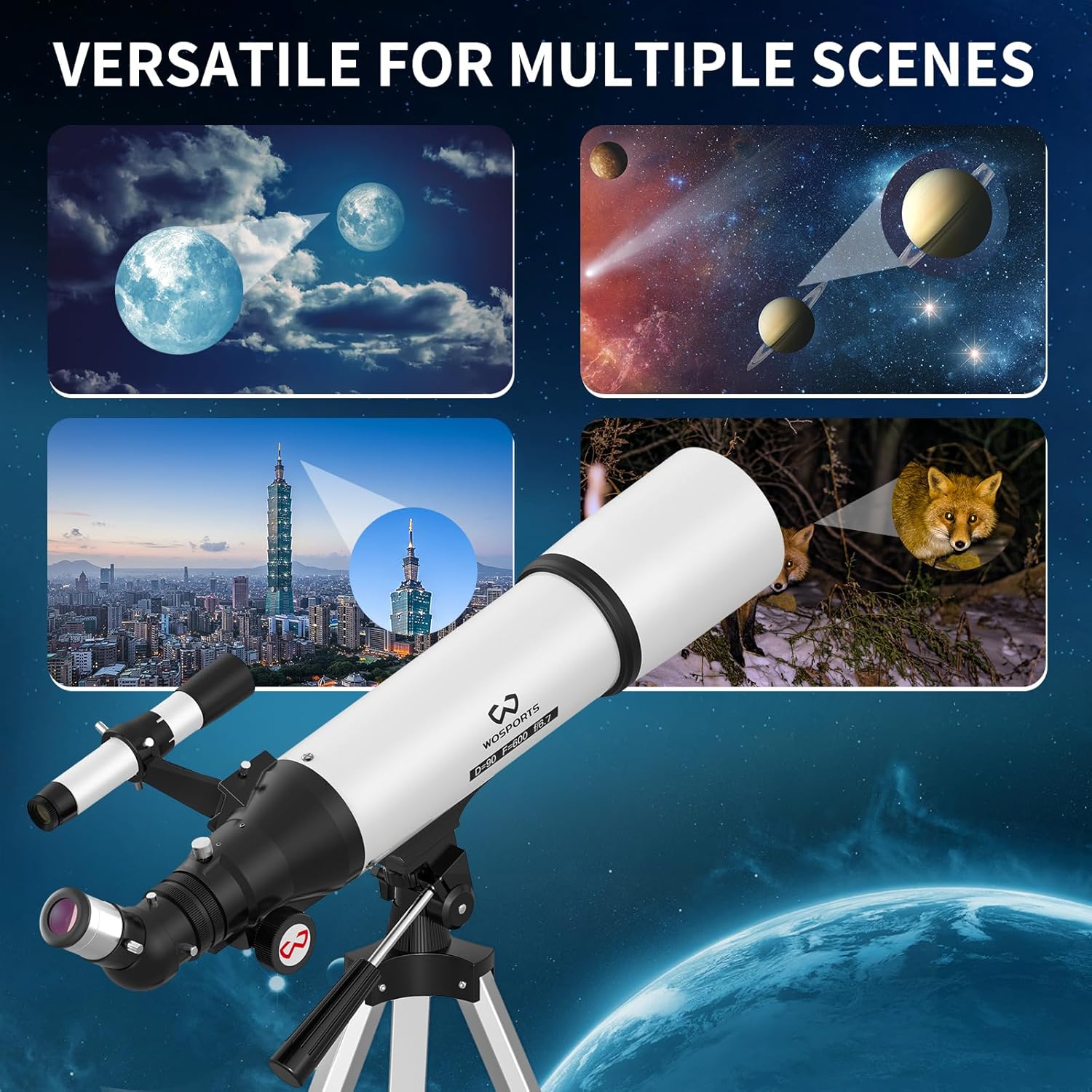
איור 4.3: רב-תכליתי Viewing Applications
5. תחזוקה
טיפול ותחזוקה נאותים יאריכו את חייו וביצועיו של הטלסקופ שלכם.
- ניקוי אופטיקה: Use a soft, lint-free cloth specifically designed for optical lenses. Gently wipe the objective lens and eyepieces. For stubborn smudges, use a small amount of optical cleaning fluid on the cloth, not directly on the lens. Avoid touching optical surfaces with your fingers.
- הגנה מפני אבק: Always keep dust caps on the objective lens and eyepieces when not in use. Store the telescope in its carrying case to protect it from dust and moisture.
- אִחסוּן: Store the telescope in a cool, dry place, away from direct sunlight and extreme temperatures.
- חלקים מכניים: Periodically check all screws and knobs to ensure they are securely tightened. Do not over-tighten.
6. פתרון תקלות
אם נתקלתם בבעיות עם הטלסקופ שלכם, עיינו בבעיות הנפוצות ובפתרונות הבאות:
| בְּעָיָה | סיבה אפשרית | פִּתָרוֹן |
|---|---|---|
| התמונה מטושטשת או לא בפוקוס | Improper focus adjustment | כוונן את כפתור המיקוד באיטיות עד שהתמונה חדה. |
| Cannot see anything through the eyepiece | Dust caps are still on Wrong eyepiece inserted Object not centered | Remove all dust caps. Ensure an eyepiece is correctly inserted. Use the finderscope to center the object. |
| התמונה הפוכה או הפוכה | Diagonal mirror not used (for terrestrial viewing) | Ensure the 45° diagonal mirror is correctly installed for upright images. Astronomical viewing naturally shows inverted images. |
| Difficulty locating objects | Finder scope not aligned Using too high magnification | Align the finderscope with the main telescope. Start with the 25mm eyepiece for a wider field of view. |
| Unstable image | חצובה לא יציבה Wind or vibrations | Ensure tripod legs are fully extended and locked on a firm surface. Avoid windy conditions. |
7. מפרטים
Key technical specifications for the WOSPORTS 90mm Refractor Telescope:
- מותג: WOSPORTS
- שם הדגם: 90600TS
- קוטר עדשה אובייקטיבית: 90 מילימטרים
- אורך מוקד: 600 מ"מ
- אורך צינור אופטי: 900 מילימטרים
- עיניות: 10 מ"מ ו-25 מ"מ
- עדשת בארלו: 3x
- הגדלה מרבית: 180X
- Finderscope: רפלקס 3x24
- תושבת טלסקופ: הר אלטאזימוט
- מידות המוצר: 22" D x 8" W x 4" H
- סוג מיקוד: פוקוס ידני
- שִׁכבָה: Fully Multi-coated Optics
- שדה של View: 2 מעלות
- קוטר תלמיד יציאה: 3.75 מילימטרים
8. אחריות ותמיכה
WOSPORTS is committed to providing high-quality products and excellent customer service.
- אַחֲרָיוּת: This product comes with a 1-year manufacturer's warranty, extendable to 24 months.
- אחריות להחזר כספי: תיהנו מאחריות להחזר כספי תוך 30 יום מיום הרכישה.
- תמיכת לקוחות: Our dedicated customer support team is available 24/7 to provide technical assistance and answer any questions you may have.
For technical support or warranty inquiries, please contact us at: wosportsservice@gmail.com