
1. הקדמה
The Monster Mission 350 is a versatile wireless gaming headset designed for an immersive audio experience across various platforms. It features dual connectivity options (2.4GHz wireless and Bluetooth 6.0), a detachable microphone, and comfortable over-ear design. This manual provides instructions for setup, operation, maintenance, and troubleshooting to ensure optimal use of your headset.
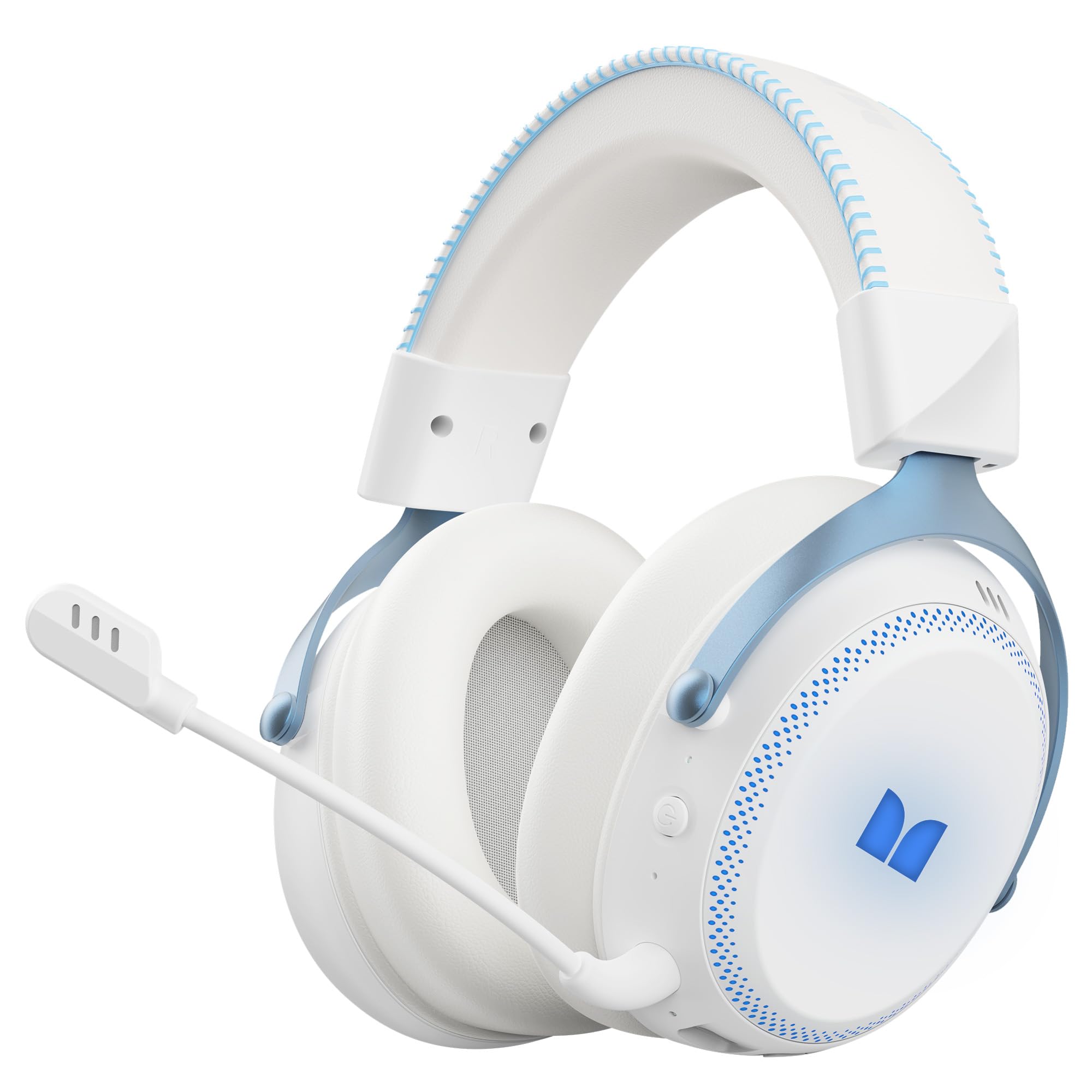
איור 1.1: The Monster Mission 350 headset providing 7.1 surround sound, allowing users to pinpoint audio cues like gunshots, explosions, vehicle sounds, and enemy footsteps for an immersive gaming experience.
2. תכולת החבילה
אנא בדקו את החבילה עבור הפריטים הבאים:
- Monster Mission 350 Wireless Gaming Headset x1
- 2.4GHz USB Wireless Dongle x1
- Detachable Microphone x1
- כבל טעינה USB x1
- כבל שמע 3.5 מ"מ x1
- מדריך למשתמש x1
3. המוצר נגמרview
הכירו את הרכיבים והפקדים של אוזניות Monster Mission 350 שלכם.
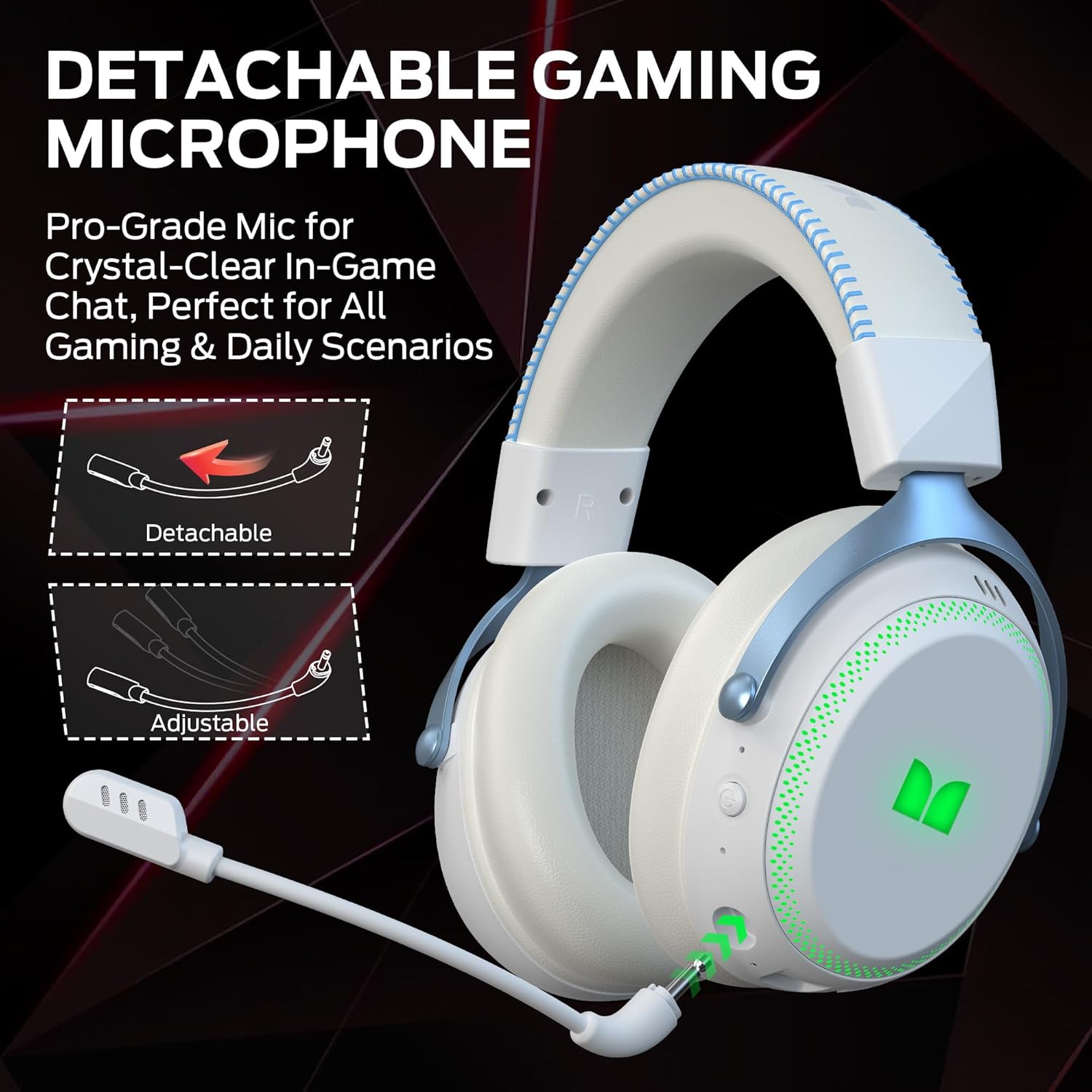
איור 3.1: The headset features a detachable and adjustable gaming microphone, designed for clear in-game communication and versatile use in various scenarios.

איור 3.2: The headset includes customizable RGB lighting effects on the earcups, allowing users to personalize their gaming setup and enhance the aesthetic appeal.
Headset Controls (Refer to diagram in physical manual for exact placement)
- לחצן הפעלה: לחץ והחזק להפעלה/כיבוי.
- גלגל נפח: מכוונן את רמת פלט השמע.
- לחצן השתקת מיקרופון: מפעיל/מכבה את המיקרופון.
- כפתור תאורת RGB: Cycles through lighting modes or turns RGB off.
- שקע שמע 3.5 מ"מ: עבור חיבור קווי.
- יציאת טעינה USB-C: לטעינת האוזניות.
4. התקנה
4.1. טעינת האוזניות
Before first use, fully charge the headset. Connect the USB charging cable to the headset's USB-C port and the other end to a USB power source (e.g., computer, wall adapter). The charging indicator light will show charging status and turn off or change color when fully charged. A full charge takes approximately 2 hours.
4.2. חיבור באמצעות רשת אלחוטית 2.4GHz
This method provides a low-latency connection ideal for gaming.
- Insert the 2.4GHz USB wireless dongle into an available USB port on your gaming console, desktop, or laptop.
- Power on the Monster Mission 350 headset.
- The headset should automatically connect to the dongle. A status indicator light on the headset will confirm the connection.
- Adjust audio settings on your device to ensure the headset is selected as the input and output device.
4.3. התחברות באמצעות בלוטות'
השתמש ב-Bluetooth לחיבור למכשירים ניידים, טאבלטים או מכשירים אחרים התומכים ב-Bluetooth.
- Power on the Monster Mission 350 headset.
- Press and hold the Bluetooth pairing button (refer to physical manual for location) until the indicator light flashes, indicating pairing mode.
- On your device, go to Bluetooth settings and search for "Monster Mission 350".
- Select the headset to pair. The indicator light on the headset will become solid when connected.
4.4. Connecting via 3.5mm Audio Cable
For wired connections to devices with a 3.5mm audio jack, or when the battery is depleted.
- חבר קצה אחד של כבל השמע 3.5 מ"מ לשקע השמע 3.5 מ"מ של האוזניות.
- Connect the other end to the 3.5mm audio output on your device.
- The headset will operate in passive mode, and power is not required for audio playback.

איור 4.1: The Monster Mission 350 supports dual audio connections, featuring Bluetooth 6.0 for mobile devices and a dedicated 2.4GHz wireless dongle for low-latency gaming on compatible platforms.
5. הוראות הפעלה
5.1. הפעלה/כיבוי
Press and hold the Power button for approximately 3 seconds to turn the headset on or off. An audible prompt or indicator light will confirm the status.
5.2. בקרת עוצמת הקול
Rotate the Volume wheel located on the earcup to increase or decrease the audio volume.
5.3. שימוש במיקרופון
Attach the detachable microphone to the designated port on the headset. Press the Microphone Mute button to toggle the microphone on or off. The microphone can be adjusted for optimal positioning.
5.4. בקרת תאורת RGB
Press the RGB Lighting button to cycle through different lighting effects or to turn the RGB lighting off. This feature allows for customization of the headset's appearance.
5.5. Battery Life and Indicators
The headset provides approximately 70 hours of battery life for general use, or 45 hours with RGB lights continuously on. A low battery indicator will alert you when charging is required.

איור 5.1: The Monster Mission 350 headset offers extended battery performance, with a 2-hour charge providing up to 90 hours of gaming, 45 hours with RGB lights active, or 70 hours for calls.
6. תחזוקה וטיפול
טיפול נכון מבטיח את אורך החיים והביצועים של האוזניות שלכם.
- ניקוי: Use a soft, dry cloth to clean the headset. For earcups, gently wipe with a slightly damp מטלית במידת הצורך, ואפשרו לה להתייבש לחלוטין באוויר לפני השימוש. הימנעו מכימיקלים חזקים או מחומרים שוחקים.
- אִחסוּן: יש לאחסן את האוזניות במקום קריר ויבש, הרחק מאור שמש ישיר וטמפרטורות קיצוניות.
- עמידות במים: האוזניות הן לֹא עמיד במים. יש להימנע מחשיפה לנוזלים.
- טיפול בסוללה: To maintain battery health, avoid fully discharging the battery frequently. Charge the headset regularly, even if not in use for extended periods.

איור 6.1: The Monster Mission 350 headset is designed for all-day comfort, featuring comfortable memory foam earcups, an adjustable headband, and soft, breathable earpads to reduce fatigue during extended use.
7. פתרון תקלות
If you encounter issues with your Monster Mission 350 headset, refer to the following common problems and solutions:
| בְּעָיָה | פתרון אפשרי |
|---|---|
| האוזניות לא נדלקות. | ודא שהאוזניות טעונות במלואן. לחץ והחזק את לחצן ההפעלה למשך 3-5 שניות. |
| אין צליל או עוצמת קול נמוכה. | Check headset volume wheel. Verify device's audio output settings. Ensure headset is properly connected (2.4GHz dongle, Bluetooth, or 3.5mm cable). |
| המיקרופון לא עובד. | Ensure microphone is securely attached and not muted. Check device's input settings to confirm the headset microphone is selected. |
| לא ניתן להתחבר דרך תדר אלחוטי 2.4GHz. | Ensure the USB dongle is fully inserted. Try a different USB port. Power cycle both the headset and the device. |
| לא ניתן לבצע צימוד דרך בלוטות'. | Ensure headset is in pairing mode. Turn off and on Bluetooth on your device. Forget the device from your Bluetooth list and try pairing again. |
| נורות RGB לא עובדות. | Press the RGB Lighting button to cycle through modes. Ensure the headset has sufficient battery charge. |
8. מפרטים
Detailed technical specifications for the Monster Mission 350 Wireless Gaming Headset:
| תכונה | פְּרָט |
|---|---|
| מספר דגם | משימת מפלצות 350 |
| טכנולוגיית קישוריות | 2.4GHz Wireless, Bluetooth 6.0, 3.5mm Jack |
| טווח אלחוטי | Up to 33 Feet (Bluetooth) |
| גודל מנהל התקן שמע | נהג דינמי 55 מ"מ |
| עַכָּבָּה | 32 אוהם |
| רְגִישׁוּת | 120 dB |
| מיקום אוזניים | מעל אוזן |
| חומר המארז | Leather (earpads) |
| חיי סוללה | Up to 70 Hours (general use), 45 Hours (with RGB lights on) |
| זמן טעינת הסוללה | בערך 2 שעות |
| סוג בקרה | Button Control (Push Button, Siri compatible) |
| מכשירים תואמים | Gaming Consoles, Desktops, Tablets, Laptops, Cellphones |
| משקל פריט | 0.54 קילוגרם |
| רמת עמידות במים | לא עמיד במים |

איור 8.1: The Monster Mission 350 headset is equipped with a 55mm dynamic driver, engineered to deliver clear and powerful audio performance for gaming and multimedia.
9. מידע על אחריות
The Monster Mission 350 Wireless Gaming Headset comes with a אחריות ל-3 חודשים מתאריך הרכישה. אחריות זו מכסה פגמי ייצור בשימוש רגיל. היא אינה מכסה נזק שנגרם כתוצאה משימוש לרעה, תאונות, שינויים לא מורשים או בלאי רגיל. אנא שמור את הוכחת הרכישה שלך לצורך תביעות אחריות.
10. תמיכת לקוחות
For further assistance, technical support, or warranty inquiries, please refer to the contact information provided with your product packaging or visit the official Monster website. When contacting support, please have your product model number (Monster Mission 350) and proof of purchase readily available.