
1. הקדמה
This manual provides essential information for setting up, operating, maintaining, and troubleshooting your Redmi A7 Pro 5G smartphone. Please read this guide thoroughly to ensure optimal performance and longevity of your device.
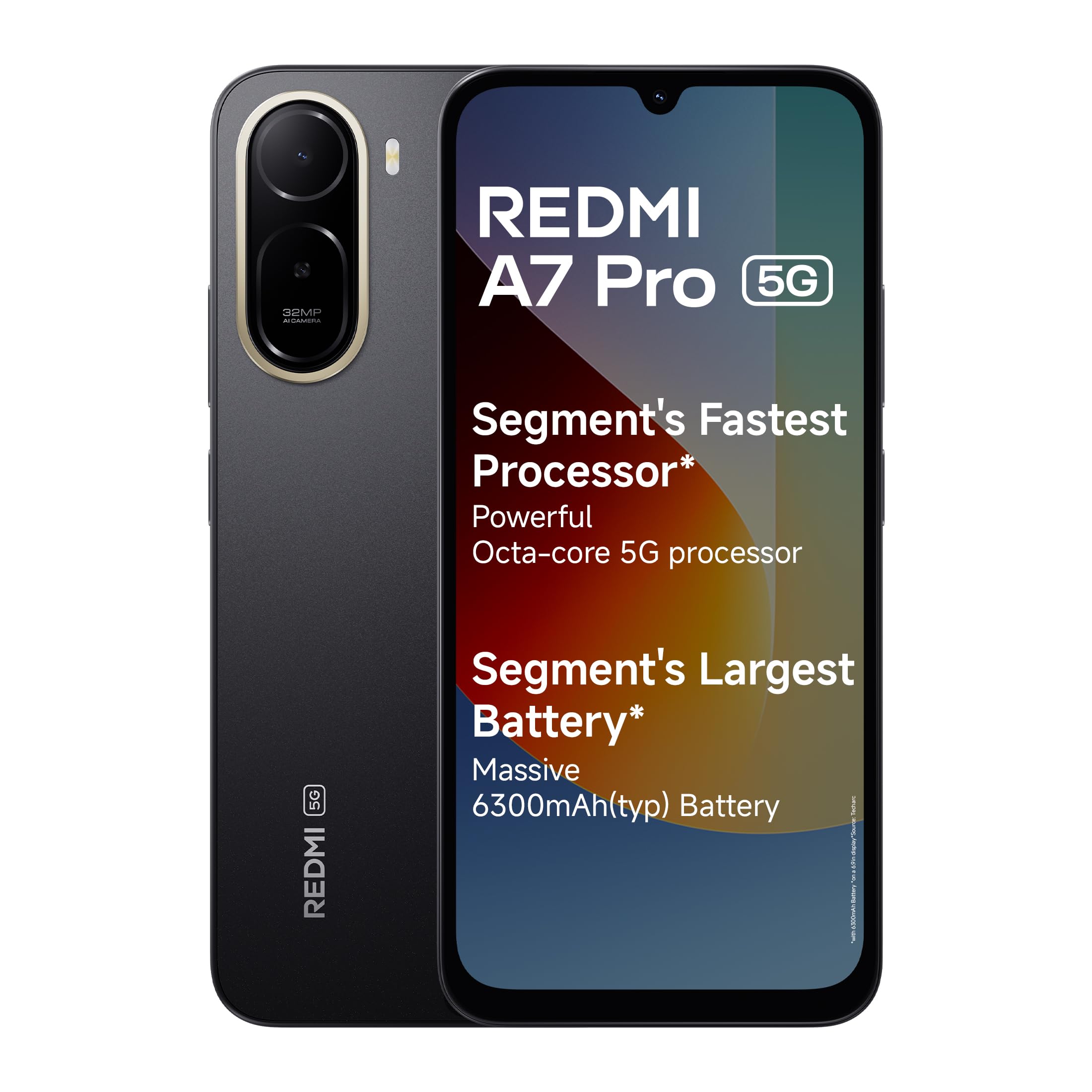
Image: Redmi A7 Pro 5G smartphone, showcasing its design and camera setup.
2. מה בקופסה
ודא שכל הפריטים נמצאים באריזת המוצר שלך:
- Redmi A7 Pro 5G Smartphone
- מַטעֵן
- כבל USB מסוג C
- כלי הוצאת סים
- תעודת אחריות
- מדריך למשתמש (מסמך זה)
3. התקנה
3.1 הכנסת כרטיס ה-SIM
- אתר את מגש כרטיס ה-SIM בצד המכשיר.
- הכנס את כלי הוצאת ה-SIM לחור הקטן שליד המגש ולחץ בחוזקה עד שהמגש ייצא החוצה.
- הנח את כרטיס/י הננו-סים ו/או כרטיס ה-microSD במגש כאשר המגעים הזהובים פונים כלפי מטה. ודא שהם מכוונים נכון.
- דחף בעדינות את המגש בחזרה לתוך המכשיר עד שייכנס למקומו בנקישה.
3.2 הפעלה ראשונית והתקנה
- לחץ והחזק את כפתור ההפעלה עד להופעת הלוגו של Redmi.
- פעל לפי ההוראות שעל המסך כדי לבחור את השפה והאזור שלך ולהתחבר לרשת Wi-Fi.
- היכנס באמצעות חשבון גוגל שלך או צור חשבון חדש.
- Set up a screen lock (PIN, pattern, or password) and fingerprint recognition for enhanced security.
3.3 טעינת המכשיר
Connect the USB Type-C cable to the charging port at the bottom of the phone and the other end to the provided charger. Plug the charger into a power outlet. The device supports 15W quick charging.
4. הפעלת המכשיר שלך
4.1 תצוגה
The Redmi A7 Pro 5G features a large 17.53cm (6.9-inch) display with a 120Hz adaptive refresh rate for smooth visuals. It is TUV certified for eye comfort.

Image: The Redmi A7 Pro 5G display, emphasizing its size and smooth refresh rate.
4.2 ביצועים
Powered by an Octa-core 5G processor, the device delivers stable performance for daily tasks and multitasking.

Image: Visual representation of the Octa-core 5G processor.
4.3 סוללה
The Redmi A7 Pro 5G is equipped with a 6300mAh battery. It supports 15W quick charging and 7.5W wired reverse charging, allowing you to share power with other compatible devices.

Image: Illustration of the phone's large battery capacity and charging features.
4.4 מצלמה
Capture moments with the 32MP AI Dual Camera on the rear and an 8MP selfie shooter. Features include:
- Ultra HD Mode: For clear, detailed shots.
- מצב דיוקן: Creates natural background blur.
- סקיי בינה מלאכותית: Automatically adjusts sky colors and brightness.
- AI Beauty Selfie: Enhances facial features for selfies.

Image: Close-up of the Redmi A7 Pro 5G's dual AI camera system.
4.5 אודיו
Experience enhanced audio with 200% Volume Boosted Speakers, designed to provide clear sound even in noisy environments.

תמונה: פנימי view highlighting the phone's speaker system.
4.6 תוכנה ותכונות
The device runs on Android 16 with Xiaomi HyperOS 3, offering a smooth and interconnected experience. Key software features include:
- HyperIsland: A dynamic notification and interaction area.
- גוגל ג'מיני: Your AI assistant for various tasks.
- הקף בעיגול לחיפוש: חפש any image, video, or text on your screen by circling it.
- Call Sync: Seamlessly pick up calls on connected tablets or laptops.
- Network Sync: Automatically connect your tablet to your phone's hotspot.
- Shared Clipboard: Copy and paste content instantly across connected Xiaomi devices.

Image: Xiaomi HyperOS 3 overview.

Image: Demonstrating Google Gemini and Circle to Search functionalities.
4.7 Security and Durability
The Redmi A7 Pro 5G features IP52-rated protection against dust and splashes. A side-mounted fingerprint sensor provides quick and secure access to your device.

Image: Redmi A7 Pro 5G highlighting its durability features.
5. תחזוקה
5.1 ניקוי המכשיר שלך
- השתמש במטלית רכה ונטולת סיבים כדי לנגב את המסך והגוף.
- הימנעו משימוש בכימיקלים חזקים, חומרים שוחקים או תרסיסים.
- שמרו על יציאות נקיות מאבק ופסולת.
5.2 עדכוני תוכנה
בדוק באופן קבוע אם קיימים עדכוני תוכנה והתקן אותם כדי לוודא שהמכשיר שלך כולל את התכונות, תיקוני האבטחה ושיפורי הביצועים העדכניים ביותר. עבור אל הגדרות > אודות הטלפון > גרסת MIUI כדי לבדוק אם יש עדכונים.
5.3 טיפול בסוללה
- הימנעו מטמפרטורות קיצוניות, שכן הן עלולות לפגוע בחיי הסוללה.
- אין להשאיר את הטלפון בטעינה למשך פרקי זמן ממושכים לאחר שהגיע ל-100%.
- להשגת תקינות סוללה אופטימלית, נסו לשמור על רמת טעינה בין 20% ל-80%.
5.4 ניהול אחסון
נקה באופן קבוע דברים מיותרים files, cache, and uninstall unused applications to maintain optimal storage and performance. You can expand storage using a microSD card.
6. פתרון תקלות
If you encounter issues with your Redmi A7 Pro 5G, try the following steps:
6.1 המכשיר לא נדלק
- ודא שהסוללה טעונה. חבר את המטען והמתן מספר דקות לפני שתנסה להפעיל.
- לחץ והחזק את לחצן ההפעלה למשך 10-15 שניות לפחות כדי לאלץ הפעלה מחדש.
6.2 בעיות טעינה
- Check if the charger and cable are securely connected.
- Try using a different charger and cable to rule out accessory malfunction.
- ודא שפתח הטעינה נקי וללא פסולת.
6.3 App Performance and Lag
- סגור יישומים ברקע.
- Clear app cache (Settings > Apps > Manage apps > [App Name] > Clear cache).
- ודא שתוכנת המכשיר שלך מעודכנת.
- If issues persist, consider a factory reset (back up your data first).
6.4 בעיות קישוריות רשת
- הפעל מחדש את המכשיר שלך.
- הפעל וכבה את מצב טיסה.
- בדוק את הכנסת כרטיס ה-SIM.
- Reset network settings (Settings > Connection & sharing > Reset Wi-Fi, mobile networks & Bluetooth).
7. מפרטים
| תכונה | מִפרָט |
|---|---|
| מותג | רדמי |
| דֶגֶם | A7 Pro 5G |
| מַעֲרֶכֶת הַפעָלָה | Android 16, Xiaomi HyperOS |
| זיכרון RAM | 4 ג'יגה-בייט |
| קיבולת אחסון | 128 ג'יגה-בייט (ניתן להרחבה עד 128 ג'יגה-בייט) |
| גודל מסך | 17.53 Centimetres (6.9 inches) |
| הַחְלָטָה | 720 x 1600 |
| קצב רענון | 120 הרץ |
| סוג תצוגה | LCD |
| מצלמה אחורית | 32 MP (Dual Camera) |
| מצלמה קדמית | 8 מגה פיקסל |
| קיבולת סוללה | 6300 מיליamp שעות |
| טְעִינָה | 15W Quick Charging, 7.5W Wired Reverse Charging |
| חריץ לכרטיס SIM | סים כפול |
| סוג מחבר | USB סוג C |
| אבטחה ביומטרית | זיהוי טביעת אצבע |
| קישוריות רשת | 5G, בלוטות', Wi-Fi |
| משקל פריט | 210 גרם |
| מידות פריט | 17.2 x 7.9 x 0.8 סנטימטרים |
| עֲמִידוּת | הגנה בדירוג IP52 |
8. מידע על אחריות
The Redmi A7 Pro 5G comes with a אחריות יצרן לשנה עבור המכשיר מיום הרכישה. אביזרים המצורפים לאריזה, כולל סוללות, מכוסים על ידי אחריות יצרן ל-6 חודשים מתאריך הרכישה.
Please retain your proof of purchase for warranty claims. For detailed terms and conditions, refer to the warranty card included in your product box.
9. תמיכה
For further assistance, technical support, or service inquiries, please contact Redmi customer service. You can find contact details on the official Redmi website or through the support section in your device settings.
Manufacturer Contact Information: BYD INDIA PRIVATE LIMITED, DEVELOPED PLOT NO.OZ-7,SIPCOT ORAGADAM, SRIPERUMBUDUR (TK) KANCHEEPURAM DISTRICT 602105 TAMIL NADU., Xiaomi Technology India Pvt Ltd.
Importer Contact Information: Xiaomi Technology India Private Limited, Building Orchid. Block E, Embassy Tech Village, Marathahalli Outer Ring Road, Devarabisanahalli, Bengaluru 560103.

Image: Information on Redmi's service and support.