
1. המוצר נגמרview
The boAt Airdopes 148 Gen 2 are True Wireless Stereo (TWS) earbuds designed for an immersive audio experience. They feature a long-lasting battery, advanced microphone technology for clear calls, and a low-latency mode for gaming. This manual provides instructions for setting up, operating, and maintaining your earbuds.
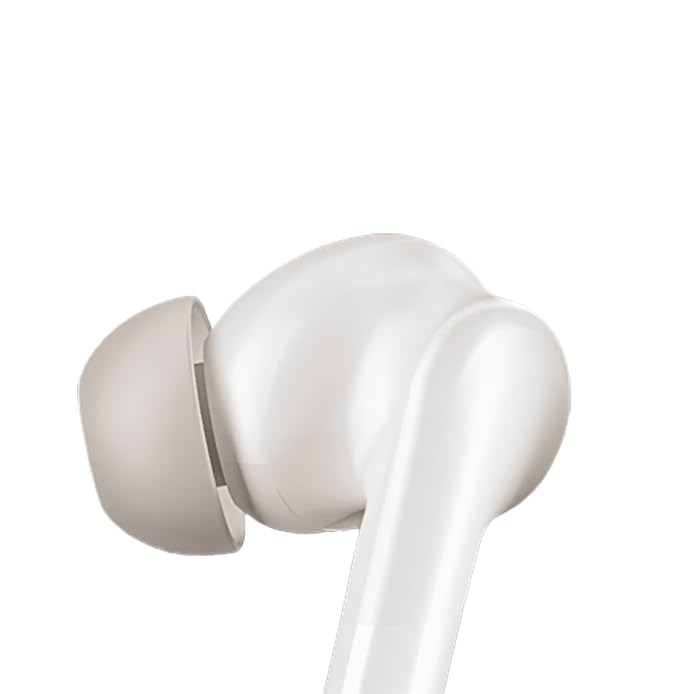
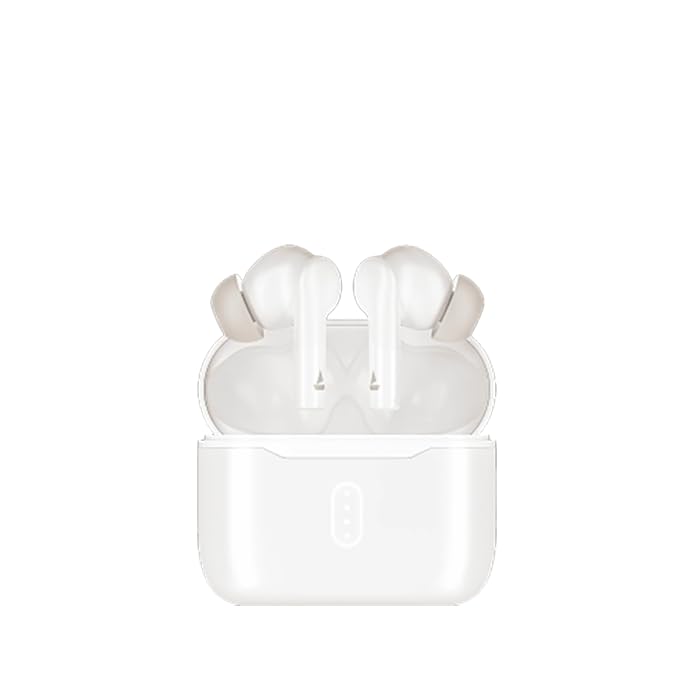
Image: boAt Airdopes 148 Gen 2 earbuds shown with their charging case.
2. מה בקופסה
אנא בדקו את תוכן החבילה כדי לוודא שכל הפריטים נמצאים:
- boAt Airdopes 148 Gen 2 Earbuds (Left and Right)
- נרתיק טעינה
- כבל טעינה USB
- Additional Ear Cushions (various sizes)
- מדריך למשתמש
3. הוראות התקנה
3.1 טעינה ראשונית
לפני השימוש הראשון, טען את האוזניות ואת נרתיק הטעינה במלואן.
- הכנס את שני האוזניות לתוך מארז הטעינה.
- חבר את כבל הטעינה מסוג USB ליציאת הטעינה במארז ולמקור חשמל.
- The indicator lights on the case will show charging status. Once fully charged, the lights may change or turn off.

Image: The boAt Airdopes 148 Gen 2 charging case with earbuds inserted, illustrating the charging process.
3.2 Pairing with Your Device (Insta Wake N' Pair)
The Airdopes 148 Gen 2 feature Insta Wake N' Pair (IWP) technology for seamless connection.
- פתח את המכסה של מארז הטעינה. האוזניות יידלקו אוטומטית ויכנסו למצב התאמה.
- אפשר Bluetooth בטלפון החכם או במכשיר אחר.
- חפש "Airdopes 148 Gen 2" in the list of available Bluetooth devices.
- בחר בו כדי להתחבר. לאחר החיבור, תשמע הנחיה קולית.
Note: The earbuds will automatically connect to the last paired device when the case lid is opened, if Bluetooth is enabled on the device.

Image: A visual representation of key features including Bluetooth v5.4 and Insta Wake N' Pair technology.
4. הוראות הפעלה
4.1 פקדי מגע
The Airdopes 148 Gen 2 feature intuitive touch controls on each earbud:
- הפעל/השהה: הקשה אחת על אחת האוזניות.
- הרצועה הבאה: הקש פעמיים על האוזניה הימנית.
- רצועה קודמת: הקש פעמיים על האוזניה השמאלית.
- מענה/סיום שיחה: הקשה אחת על אחת האוזניות.
- דחה שיחה: לחיצה ארוכה (2 שניות) על כל אחת מהאוזניות.
- הפעל את Assistant Voice: הקש שלוש פעמים על כל אחת מהאוזניות.
- BEAST Mode On/Off: Long press (3 seconds) on the right earbud.
- Switch Dual EQs: Long press (3 seconds) on the left earbud.
4.2 BEAST Mode (Low Latency)
Activate BEAST Mode for an ultra-low latency audio experience, ideal for gaming and video streaming. This minimizes audio delay between your device and the earbuds.
- להפעיל: לחץ לחיצה ארוכה על האוזניה הימנית למשך 3 שניות.
- כדי לבטל את ההפעלה: Long press the right earbud for 3 seconds again.
4.3 Dual EQs
Switch between different sound profiles (e.g., Balanced, Bass) to suit your audio preference.
- To Switch: לחץ לחיצה ארוכה על האוזניה השמאלית למשך 3 שניות.
4.4 עוזר קולי
Access your device's voice assistant (e.g., Google Assistant, Siri) directly from the earbuds.
- להפעיל: הקש שלוש פעמים על כל אחת מהאוזניות.
4.5 Calling with ENx Technology
The earbuds feature Quad Mics with ENx Technology for clear voice calls by cancelling environmental noise.

Image: A user wearing an earbud, highlighting the Quad Mics with ENx Technology for enhanced call clarity.
4.6 חיי סוללה
The Airdopes 148 Gen 2 offer up to 48 hours of total playback time with the charging case. ASAP Charge provides 180 minutes of playback from just 10 minutes of charging.

Image: A graphic illustrating the impressive battery life of up to 48 hours and the fast charging capability.
5. תחזוקה
5.1 ניקוי
ניקוי קבוע מסייע לשמור על איכות הצליל והיגיינה.
- נגבו בעדינות את האוזניות ואת נרתיק הטעינה בעזרת מטלית רכה, יבשה ונטולת סיבים.
- הסירו את קצוות האוזניים ונקו אותם עם סבון עדין ומים, ולאחר מכן יבשו היטב לפני חיבורם מחדש.
- Use a cotton swab or a small, soft brush to carefully clean the speaker mesh and charging contacts.
תמונה: תקריב view of an earbud tip, showing the area that requires regular cleaning.
5.2 עמידות למים (IPX4)
The Airdopes 148 Gen 2 are IPX4 rated, meaning they are resistant to splashes of water and sweat. They are not designed for submersion in water.
- Avoid exposing the earbuds to heavy rain or submerging them in water.
- Dry the earbuds thoroughly if they get wet from sweat or splashes before placing them back in the charging case.
6. פתרון תקלות
If you encounter issues with your Airdopes 148 Gen 2, try the following solutions:
- אין בעיות סאונד/חיבור:
- ודאו שהאוזניות טעונות.
- ודא ש-Bluetooth מופעל במכשיר שלך.
- Forget "Airdopes 148 Gen 2" from your device's Bluetooth list and re-pair.
- הפעל מחדש את המכשיר שלך.
- אוזניה אחת לא עובדת:
- החזירו את שתי האוזניות למארז, סגרו את המכסה, המתינו מספר שניות ולאחר מכן פתחו שוב.
- ודא ששתי האוזניות טעונות.
- בעיות טעינה:
- בדוק את כבל הטעינה והמתאם.
- ודאו שמגעי הטעינה באוזניות ובמארז נקיים.
- ווליום נמוך:
- כוונן את עוצמת הקול גם במכשיר וגם באוזניות.
- Clean earbud speaker mesh.
7. מפרטים
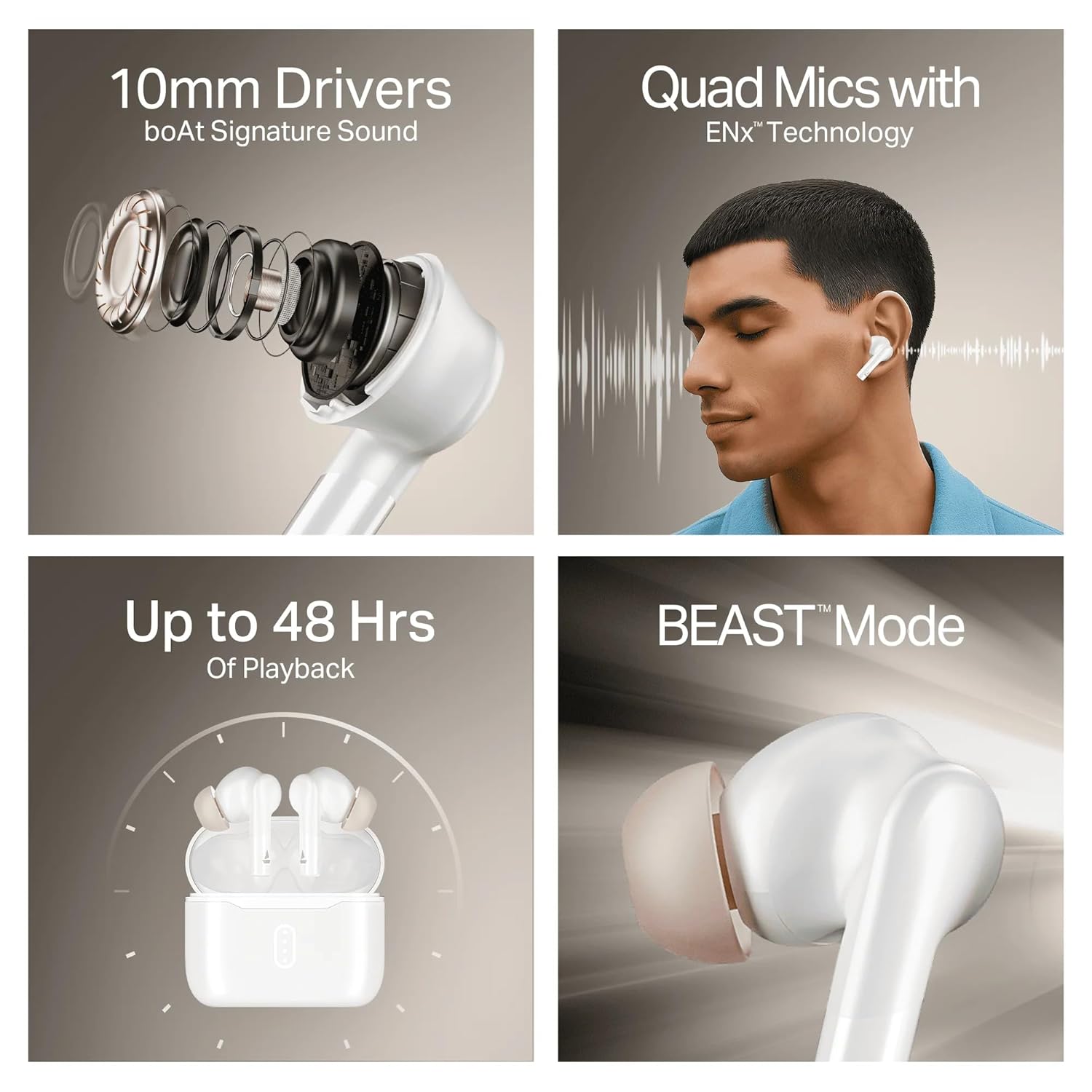
Image: A summary of key specifications and features of the Airdopes 148 Gen 2.
| תכונה | תֵאוּר |
|---|---|
| שם הדגם | Airdopes 148 Gen 2 |
| גרסת בלוטות' | 5.4 |
| זמן השמעה | עד 48 שעות (עם מארז טעינה) |
| טעינה בהקדם האפשרי | 10 דקות טעינה = 180 דקות נגינה |
| מיקרופונים | Quad Mics with ENx Technology |
| נהגים | 10 מ"מ |
| עמידות במים | IPX4 |
| Latency Mode | BEAST Mode (Ultra-low latency) |
| קישוריות | אַלחוּט |
| סוג בקרה | בקרת מגע |
| מכשירים תואמים | מחשבים ניידים, סמארטפונים, טאבלטים |
8. אחריות ותמיכה
8.1 מידע אחריות
The boAt Airdopes 148 Gen 2 comes with a 12 + 3 months manufacturer warrantyאנא שמור את הוכחת הרכישה שלך לצורך תביעות אחריות.
8.2 תמיכת לקוחות
For any support, queries, or warranty claims, please contact boAt customer service:
- אֶלֶקטרוֹנִי: info@imaginemarketingindia.com
- יַצרָן: אימג'ין מרקטינג בע"מ