
1. הקדמה
Thank you for choosing the FERM WTA1003 Digital Water Timer. This device is designed to automate your garden watering tasks, ensuring your plants receive consistent hydration. Please read this manual thoroughly before installation and operation to ensure proper use and longevity of the product.
2. הוראות בטיחות
- This device is intended for outdoor use with cold water only. Do not use with hot water or other liquids.
- Protect the device from freezing temperatures. Remove the timer from the faucet and store it indoors during winter to prevent damage.
- Do not immerse the timer in water. While it is IPX5 rated for water resistance, it is not designed for submersion.
- Ensure batteries are inserted correctly according to polarity markings. Remove batteries if the device will not be used for an extended period.
- הרחק מהישג ידם של ילדים.
3. תכולת החבילה
אנא בדקו את החבילה עבור הפריטים הבאים:
- FERM WTA1003 Digital Water Timer
- G3/4" (26.5 mm) faucet adapter
- G1/2" (21 mm) faucet adapter
- פילטר מתכתי
- Quick-connect hose fitting
- מדריך הוראות
Note: 2x AA batteries are not included and must be purchased separately.
4. התקנה
4.1 התקנת סוללה
- אתר את תא הסוללות בגב הטיימר.
- החלק את מכסה הסוללה פתוח.
- הכניסו שתי (2) סוללות אלקליין AA, תוך הקפדה על קוטביות נכונה (+/-).
- סגור היטב את מכסה הסוללה.
4.2 חיבור לברז
The timer is compatible with most outdoor threaded faucets. It includes adapters for G3/4" (26.5 mm) and G1/2" (21 mm) threads.
- Ensure the metallic filter is placed inside the timer's inlet connection. This prevents debris from entering the timer.
- Screw the appropriate faucet adapter (G3/4" or G1/2") onto your outdoor faucet.
- Attach the water timer to the faucet adapter by screwing it on firmly by hand. Do not overtighten.

תמונה 1: Assembly diagram of the water timer, showing the metallic filter, faucet connection, and hose quick-connect.
4.3 Connecting to Hose
- Attach your garden hose to the quick-connect fitting at the bottom of the water timer.
- ודא שהחיבור מאובטח כדי למנוע דליפות.
תמונה 2: The FERM WTA1003 water timer installed on a brick wall faucet, actively watering a garden area.
5. הוראות הפעלה
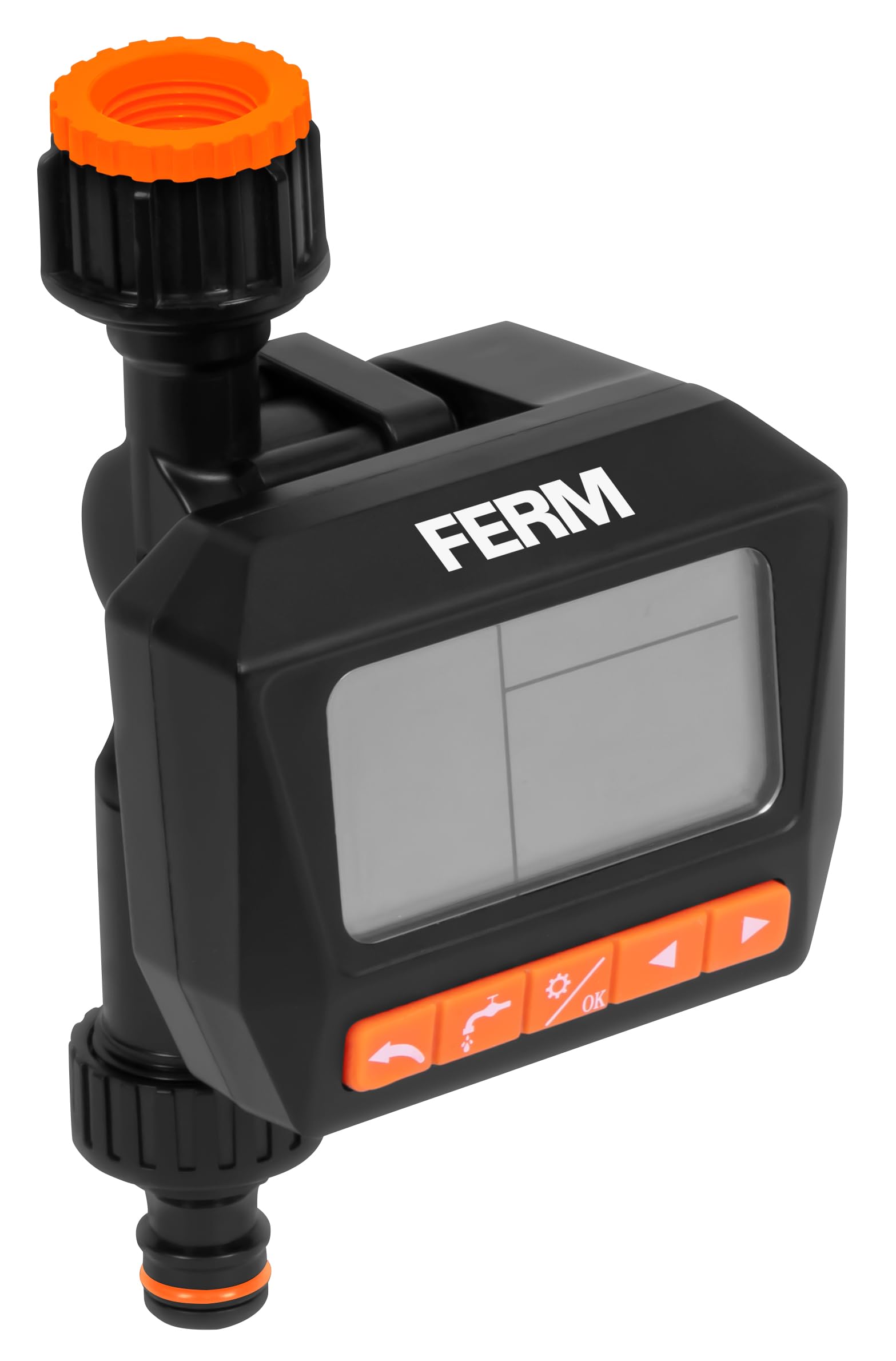
The FERM WTA1003 features a large, readable LCD screen for easy programming.
5.1 תכנות לוחות זמנים להשקיה
The timer allows for up to three watering programs per day or a weekly cycle. Watering duration can be set from 1 second to 99 minutes, and intervals from 1 hour to 15 days.
- הגדר זמן נוכחי: Use the 'TIME' button to set the current time and day.
- תוכנית 1 (P1): Press 'PROG' to enter program mode. Select P1. Set the start time, watering duration, and frequency (e.g., daily, specific days of the week, or interval).
- Program 2 (P2) & Program 3 (P3): Repeat the steps for P1 to set up additional watering schedules if needed.
- Review תוכניות: Use the 'PROG' button to cycle through and review your set programs.
- לְהַפְעִיל: Ensure the timer is in 'AUTO' mode for the programs to run automatically.
5.2 Manual Watering (OPEN Function)
The 'OPEN' function allows you to manually turn on the water without affecting your programmed schedules. This is useful for temporary watering or using the faucet for other purposes.
- Press the 'OPEN' button to start manual watering.
- Press 'OPEN' again to stop manual watering.
5.3 OFF Function
To temporarily disable all watering programs and manual operation, use the 'OFF' function.
- Press the 'OFF' button to stop all watering. The display will show 'OFF'.
- Press 'OFF' again to return to 'AUTO' mode and resume programmed watering.

תמונה 3: התכונה הסתיימהview with icons, highlighting watering intervals, multiple schedules, faucet compatibility, pressure range, and frost warning.
6. תחזוקה
6.1 ניקוי המסנן
Periodically check and clean the metallic filter located at the inlet of the timer to prevent blockages and ensure optimal water flow.
- פתחו את הטיימר מהברז.
- Remove the metallic filter.
- שטפו את המסנן תחת מים זורמים כדי להסיר כל פסולת שהצטברה.
- החזירו את המסנן הנקי וחברו מחדש את הטיימר לברז.
6.2 Winterization / Frost Protection
WARNING: Protect the timer from frost.
- Before the first frost, disconnect the water timer from the faucet and hose.
- הסר את הסוללות.
- Store the timer in a dry, frost-free location indoors.
7. פתרון תקלות
- אין זרימת מים: Check if the faucet is fully open. Ensure the metallic filter is not clogged. Verify battery charge.
- טיימר לא נדלק: בדוק את התקנת הסוללות וודא שהסוללות טריות.
- Leaks from connections: Ensure all connections are tightened securely. Check rubber washers for proper seating and damage.
- Programs not running: Ensure the timer is in 'AUTO' mode. Verify that the current time and program start times are set correctly.
- התצוגה ריקה או עמומה: החלף סוללות.
8. מפרטים
- דֶגֶם: WTA1003
- מותג: FERM
- טווח לחץ מים: 0.5 - 8 בר
- קצב זרימת המים: 15.8 - 21 liters per minute (depending on pressure)
- משך השקיה: שנייה אחת עד 1 דקות
- Watering Interval: שעה עד 15 ימים
- תוכניות: Up to 3 per day or weekly cycles
- Faucet Compatibility: G3/4" (26.5 mm) and G1/2" (21 mm)
- עמידות במים: IPX5
- מקור כוח: סוללות 2x AA (לא כלולות)
- חוֹמֶר: פלסטיק ABS
- מָקוֹר: סִין
9. אחריות ותמיכה
FERM products are manufactured to high-quality standards. For warranty information or technical support, please refer to the documentation provided with your purchase or contact your retailer. Keep your proof of purchase for any warranty claims.