
מָבוֹא
The Tiksounds X7 AI Translation Earbuds are designed to facilitate real-time language translation, music playback, and call management. These earbuds support 134 languages and feature multiple translation modes, Bluetooth 5.4 connectivity, and extended battery life. This manual provides instructions for proper setup, operation, and maintenance of your device.
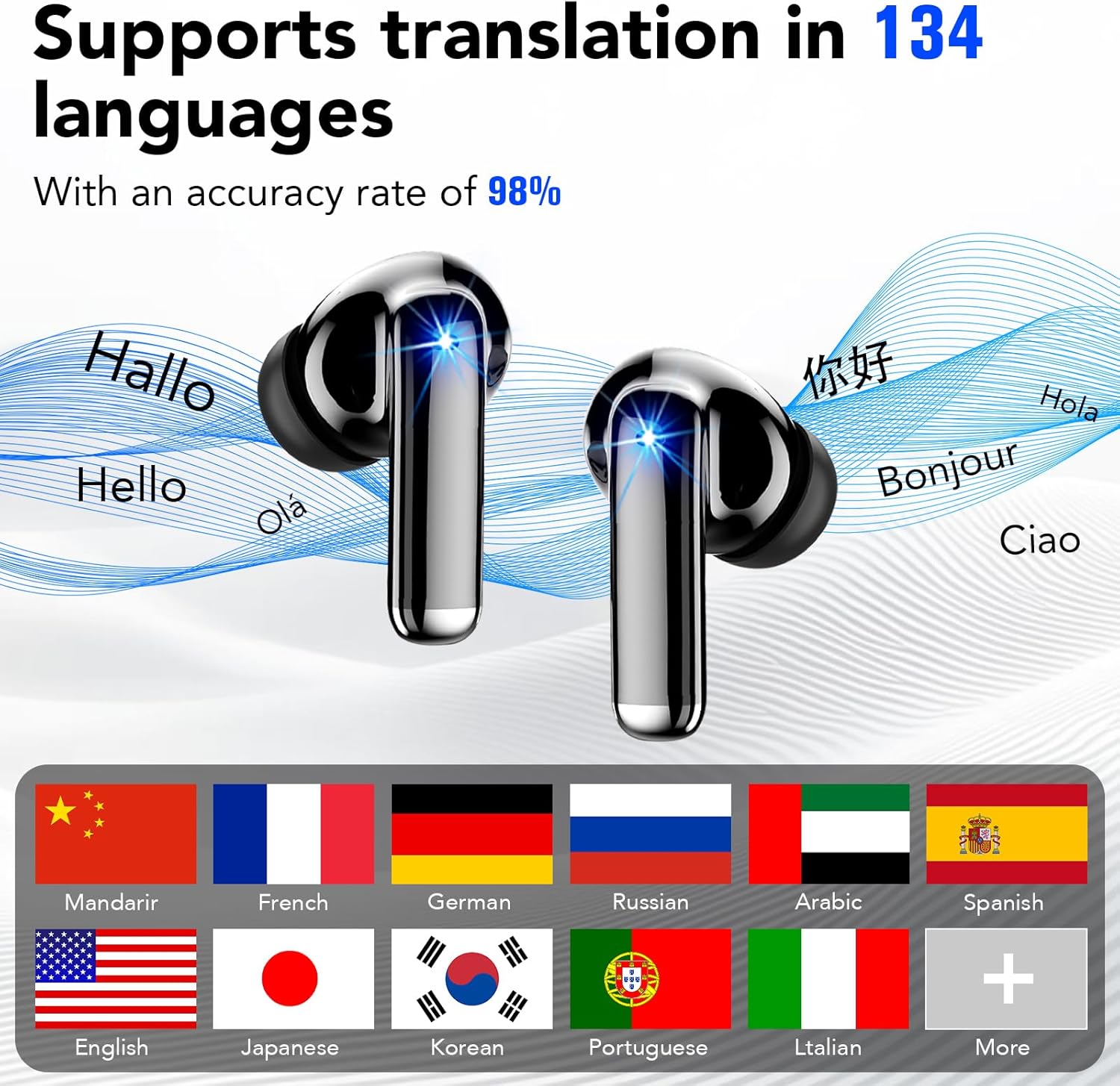
Image: Tiksounds X7 AI Translation Earbuds and charging case. The earbuds are black with a metallic sheen, shown next to their charging case which has an LED display.
מה יש בקופסה
ודא שכל הפריטים הבאים כלולים בחבילת המוצר שלך:
- Wireless Earbuds (Tiksounds X7)
- נרתיק טעינה
- Silicone Ear Tips (S, M, L)
- כבל USB מסוג C
- מדריך למשתמש

Image: The contents of the Tiksounds X7 package, neatly arranged. It includes the earbuds, charging case, various sizes of silicone ear tips, a USB-C charging cable, and the user manual.
הגדרה
1. טעינת האוזניות והמארז
Before first use, fully charge the earbuds and charging case. Connect the provided USB Type-C cable to the charging case and a power source. The LED digital display on the case will indicate the charging status and battery level.

Image: The Tiksounds X7 charging case open, showing the earbuds inside and the LED digital display indicating battery percentage. A USB-C cable is also shown.
2. Connecting to the "NebulaBuds" App
- הורד את האפליקציה: Download the "NebulaBuds" app from your device's app store (App Store for iOS or Google Play Store for Android).
- אפשר Bluetooth: ודא שה-Bluetooth מופעל בטלפון החכם שלך.
- זוג אוזניות: הוצא את האוזניות מתיק הטעינה. הם יכנסו אוטומטית למצב התאמה.
- התחברות דרך אפליקציה: Open the "NebulaBuds" app, navigate to the device connection interface, and select "Connect device". Follow the on-screen prompts to complete the connection.

Image: A four-panel graphic illustrating the steps to connect the earbuds to the "NebulaBuds" app, showing app download, Bluetooth pairing, and in-app connection confirmation.
הוראות הפעלה
מגע בפקדים
לאוזניות יש פקדי מגע חכמים למגוון פונקציות:
| פְּעוּלָה | פוּנקצִיָה |
|---|---|
| הקשה אחת | השמעה/השהיה של מוזיקה, מענה/סיום שיחה |
| הקש פעמיים (אוזניה שמאלית) | המסלול הקודם |
| הקש פעמיים (אוזניה ימנית) | המסלול הבא |
| לחיצה ארוכה (אוזניה שמאלית) | הורדת עוצמת הקול |
| לחיצה ארוכה (אוזניה ימנית) | הגברת עוצמת הקול |
| טריפל ברז | הפעלת עוזר קולי / דחיית שיחה |

Image: A visual representation of the touch control functions for the Tiksounds X7 earbuds, showing icons for voice answer, call management, volume, and track navigation.
מצבי תרגום
The earbuds support multiple translation modes via the "NebulaBuds" app:
- תרגום בזמן אמת: Utilizes simultaneous translation technology for instant language conversion. This mode supports 134 languages. Speak into your earbud, and the translation will be played back in the target language.
- תרגום שיחות אודיו ווידאו: Enables real-time language conversion during voice and video calls. This feature helps facilitate communication with individuals speaking different languages during online meetings or personal calls.
- Headphone + Phone Mode / Dual Ear Mode: Designed for quick two-way communication, such as ordering food or asking for directions. One person speaks into the phone, and the other listens via an earbud, or both use earbuds for direct conversation.
- תרגום תמונות: Use your phone's camera through the app to translate text from images, such as menus, street signs, or documents. This mode supports 102 languages.
- Meeting Recording / Voice Notes: Converts spoken language to text and can generate mind maps from recordings. This mode is suitable for international conferences or lectures, allowing for later review.
- מצב צ'אט של בינה מלאכותית: Powered by advanced AI models, this mode provides intelligent conversations, answers questions, and offers assistance for writing or creative tasks.

Image: A screenshot of the "NebulaBuds" app interface demonstrating the real-time translation feature, showing two-way language conversion.

Image: A screenshot of the "NebulaBuds" app interface showing the audio and video call translation feature, with a video call in progress and translated text displayed.

Image: Two individuals in a business setting, each wearing an earbud, demonstrating the face-to-face translation mode for direct communication.

Image: A smartphone displaying the photo translation feature, with text from a book being translated on the screen.

Image: A group of people in a meeting, with a smartphone screen showing the voice notes feature actively recording and transcribing speech.

Image: A screenshot of the "NebulaBuds" app displaying the AI Chat Mode, showing an AI assistant providing information and answering questions.
תַחזוּקָה
- ניקוי: יש לנקות באופן קבוע את האוזניות ואת מארז הטעינה בעזרת מטלית רכה, יבשה וללא סיבים. אין להשתמש בחומרי ניקוי שוחקים או ממסים.
- עמידות במים: The earbuds are IPX7 waterproof, meaning they can withstand immersion in up to 1 meter of water for 30 minutes. However, the charging case is not waterproof. Ensure earbuds are dry before placing them back in the charging case. Avoid exposing the charging case to liquids.
- אִחסוּן: אחסנו את האוזניות ואת נרתיק הטעינה במקום קריר ויבש, הרחק מאור שמש ישיר וטמפרטורות קיצוניות.
- טיפול בסוללה: כדי להאריך את חיי הסוללה, הימנעו מפריקה מלאה של הסוללה לעתים קרובות. טען את המכשיר באופן קבוע, גם אם אינו בשימוש למשך פרקי זמן ממושכים.

Image: A graphic illustrating the IPX7 waterproof rating and ergonomic design of the earbuds, with an individual wearing them comfortably.
פתרון בעיות
If you encounter issues with your Tiksounds X7 earbuds, refer to the following common problems and solutions:
- אוזניות לא מתחברות:
- ודאו שהאוזניות טעונות.
- כבה והפעל את ה-Bluetooth של הטלפון שלך.
- Place earbuds back in the case, close it, then reopen and try pairing again.
- Ensure the "NebulaBuds" app is installed and open.
- אי דיוק בתרגום:
- Ensure a stable internet connection for optimal performance.
- דבר בצורה ברורה ובקצב מתון.
- Minimize background noise.
- ודא ששפת המקור והיעד הנכונות נבחרו באפליקציה.
- אין צליל מהאוזניות:
- Check the volume level on your phone and the earbuds.
- ודא שהאוזניות מחוברות כראוי למכשיר שלך.
- נסה לחבר מחדש את האוזניות.
- האפליקציה לא עובדת:
- ודא שמערכת ההפעלה של הטלפון שלך מעודכנת.
- Update the "NebulaBuds" app to the latest version.
- Restart the app or your phone.
שאלות נפוצות (שאלות נפוצות)
- Q: Is there a subscription fee?
- A: No subscription is required. All core features are free to use permanently after pairing your earbuds with the "NebulaBuds" app.
- ש: אילו שפות נתמכות?
- A: The earbuds support 134 international languages, including English, Chinese, and German, covering most commonly used languages for travel, business, and study.
- Q: How accurate is the translation?
- A: Powered by advanced AI speech recognition and machine translation, the device delivers high accuracy for daily conversations and travel scenarios, with an accuracy rate of up to 98%.
מפרטים
| תכונה | פְּרָט |
|---|---|
| מותג | טיקסאונדים |
| מספר דגם | X7 |
| צֶבַע | שָׁחוֹר |
| מיקום אוזניים | אין אוזן |
| טכנולוגיית קישוריות | אלחוטי (Bluetooth) |
| גרסת בלוטות' | 5.4 |
| רמת עמידות במים | IPX7 (אוזניות בלבד) |
| חיי סוללה (אוזניות) | 6-8 שעות בטעינה בודדת |
| חיי סוללה כוללים (עם מארז) | עד 40 שעות |
| זמן טעינה | משוער. 1.5 שעות לטעינה מלאה |
| שיטת בקרה | לָגַעַת |
| שפות נתמכות | 134 (Real-Time Translation, AI Chat, Voice Notes) |
| Supported Languages (Photo Translation) | 102 |
| Supported Languages (Audio/Video Call) | 21 |
אחריות ותמיכה
מידע על אחריות: המוצר מגיע עם אחריות ל-1 שנים. אנא שמור את הוכחת הרכישה שלך לצורך תביעות אחריות.
תמיכת לקוחות: For further assistance, technical support, or warranty inquiries, please refer to the contact information provided in the physical user manual included with your product or visit the official Tiksounds webאֲתַר.