
1. הקדמה
The OnRetul V100 is a professional OBD2 diagnostic scanner tool designed to assist vehicle owners and technicians in quickly identifying and resolving engine-related issues. This device supports a wide range of OBD2-compliant vehicles manufactured since 1996, providing essential functions such as reading and clearing diagnostic trouble codes (DTCs), viewing live data streams, performing I/M readiness tests, and more. This manual provides detailed instructions for the proper use and maintenance of your V100 scanner.
2. מידע בטיחות
Always observe safety precautions when working on a vehicle. Improper use of diagnostic equipment can lead to personal injury or damage to the vehicle. Please read and follow these guidelines:
- ודא שהרכב חונה על משטח ישר כאשר בלם החניה מופעל.
- ללבוש הגנה מתאימה לעיניים.
- אין ללבוש בגדים רחבים או תכשיטים שעלולים להיתפס בחלקים נעים.
- שמור מטף כיבוי בקרבת מקום.
- Never connect or disconnect the scanner while the ignition is on or the engine is running.
- הימנע ממגע עם רכיבי מנוע חמים או חלקים נעים.
- Do not operate the scanner in wet conditions.
3. המוצר נגמרview
The OnRetul V100 scanner features a compact design with a clear display and intuitive button layout for easy operation. It connects directly to your vehicle's OBD-II port.
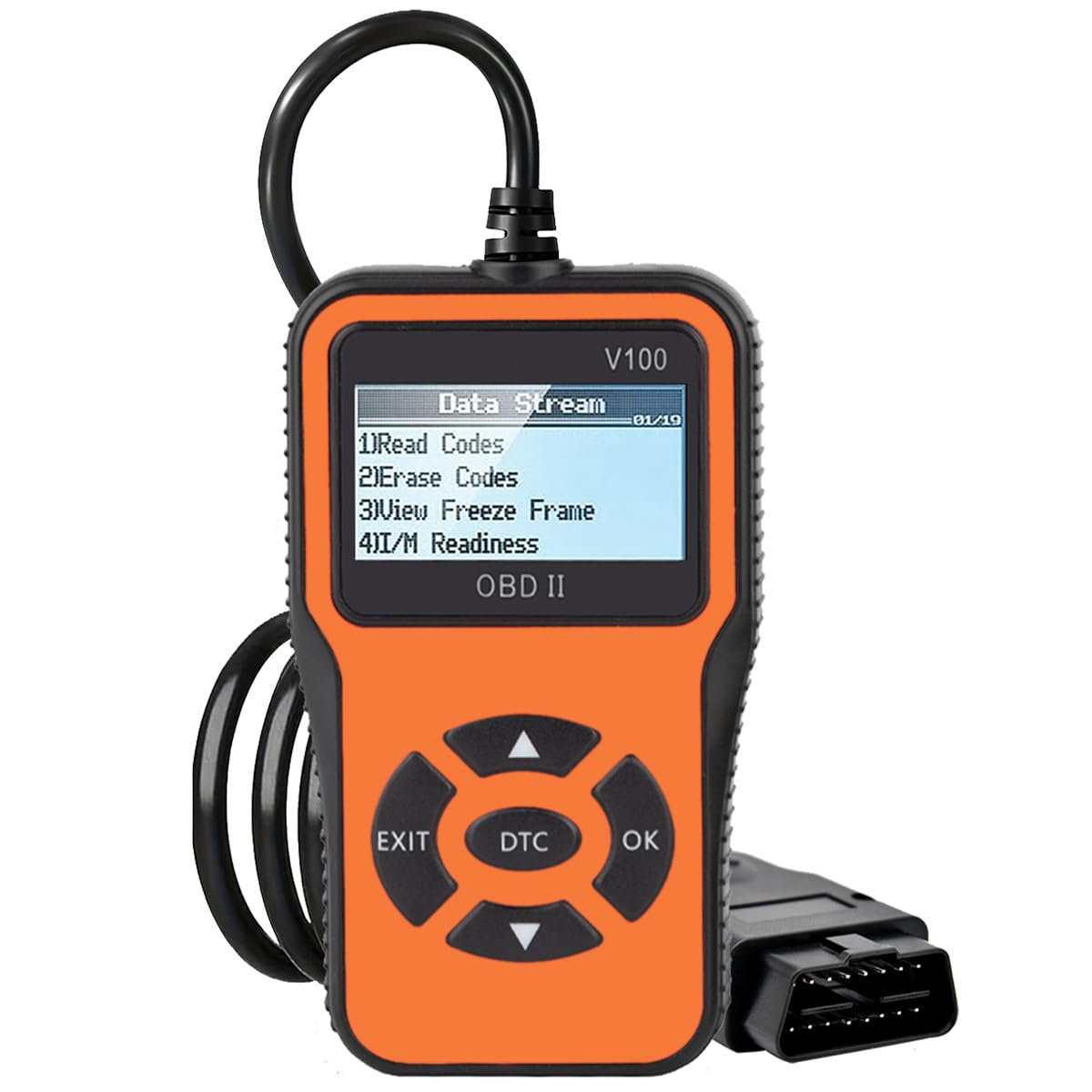
איור 3.1: OnRetul V100 OBD2 Scanner showing its main display and function icons.
3.1. רכיבי מכשיר
- תצוגת LCD בגודל 2.2 אינץ': מציג מידע אבחוני, תפריטים ותוצאות.
- כבל מחבר OBD-II: מחבר את הסורק ליציאת OBD-II של הרכב.
- לחצני ניווט: חצים למעלה, למטה, שמאלה וימינה לניווט בתפריט.
- לחצן אישור: מאשר בחירות או כניסה לתפריטי משנה.
- לחצן יציאה: חזרה לתפריט הקודם או יציאה מפונקציה.
- לחצן DTC: Provides quick access to Diagnostic Trouble Code lookup.

איור 3.2: The V100 scanner's display showing the "Data Stream" menu with options like Read Codes, Erase Codes, View Freeze Frame, and I/M Readiness.
4. הגדרה וחיבור
Follow these steps to connect the OnRetul V100 scanner to your vehicle:
- אתר את מחבר קישור הנתונים (DLC) בעל 16 הפינים של הרכב. הוא נמצא בדרך כלל מתחת ללוח המחוונים בצד הנהג.
- ודא שההצתה של הרכב כבויה.
- Plug the V100 scanner's OBD-II connector cable firmly into the vehicle's DLC.
- Turn the vehicle's ignition to the ON position (engine off). The scanner will automatically power on and display the main menu.
If the scanner does not power on, check the connection to the DLC and ensure the vehicle's battery has sufficient charge.
5. הוראות הפעלה
The V100 scanner provides several diagnostic functions. Use the Up/Down arrow buttons to navigate through menu options and the OK button to select. The EXIT button returns to the previous screen.
5.1. קריאת קודי תקלה אבחון (DTC)
This function retrieves stored, pending, and permanent diagnostic trouble codes from the vehicle's engine control unit (ECU).
- From the main menu, select "Read Codes" and press OK.
- The scanner will display any detected DTCs. Use the Up/Down arrows to scroll through multiple codes.
- Each code will include a description to help identify the issue.
5.2. ארasinקודי תקלות אבחון (DTC)
This function clears all stored DTCs and turns off the Check Engine Light (MIL). פֶּתֶק: Clearing codes does not fix the underlying problem. The codes may reappear if the fault is not repaired.
- From the main menu, select "Erase Codes" and press OK.
- אשר את בחירתך כאשר תתבקש.
- The Check Engine Light should turn off, and all DTCs will be cleared from the ECU.
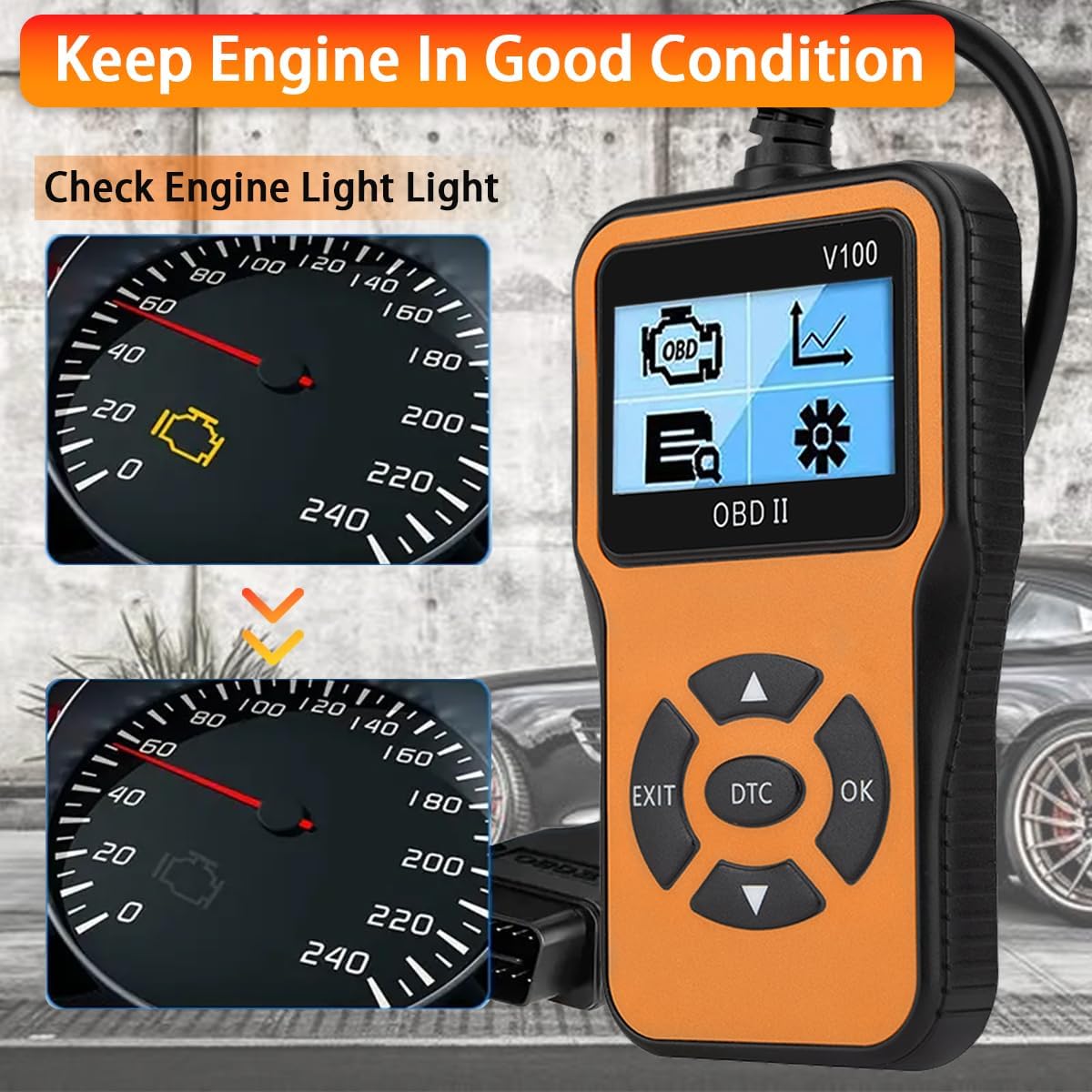
איור 5.1: The V100 scanner can help diagnose and clear the Check Engine Light, assisting in keeping the engine in good condition.
5.3. Viewזרם נתונים חי
This function displays real-time operational parameters from the vehicle's sensors and components, such as engine RPM, vehicle speed, coolant temperature, fuel system status, and O2 sensor readings.
- From the main menu, select "Live Data" and press OK.
- The scanner will display a list of available data parameters.
- Use the Up/Down arrows to scroll through the data. Some parameters may be displayed graphically.
5.4. בדיקת מוכנות I/M
I/M Readiness (Inspection/Maintenance Readiness) indicates whether the various emissions-related systems on the vehicle are operating correctly and have completed their self-tests. This is crucial for emission inspections.
- From the main menu, select "I/M Readiness" and press OK.
- The scanner will display the status of various monitors (e.g., Misfire Monitor, Fuel System Monitor, Comprehensive Component Monitor, O2 Sensor Monitor, EVAP System Monitor).
- A "OK" or "Complete" status indicates the monitor has run and passed. "INC" or "Incomplete" means the monitor has not yet completed its test cycle.

איור 5.2: The V100 scanner showing detailed I/M Readiness status and Freeze Frame data for exact diagnosis.
5.5. Viewing Freeze Frame Data
When an emission-related fault occurs, the ECU stores a "freeze frame" of vehicle operating conditions at the moment the fault was detected. This data can help diagnose intermittent problems.
- מהתפריט הראשי, בחר "View Freeze Frame" and press OK.
- The scanner will display parameters such as engine speed, vehicle speed, coolant temperature, and fuel pressure recorded at the time of the fault.
5.6. בדיקת DTC
The V100 includes a built-in database of over 10,000 Diagnostic Trouble Codes, allowing you to quickly search for code definitions without needing an internet connection.
- Press the dedicated "DTC" button on the scanner or select "DTC Lookup" from the menu.
- הזן את ה-DTC באמצעות לחצני הניווט.
- לחץ על אישור כדי view ההגדרה של הקוד.

איור 5.3: The V100 scanner's DTC Lookup feature, allowing users to search for code definitions directly on the device.
5.7. Battery & Alternator Check (Voltagבודק אלקטרוני)
While not a dedicated battery tester, the V100 can display the vehicle's battery voltage through the OBD-II port, providing an indication of the battery's readiness and the alternator's output.
- Access the "Live Data" menu.
- Look for a parameter labeled "Battery Voltage" or "System Voltagה."
- A healthy battery typically shows around 12.6V when the engine is off and 13.5V-14.5V when the engine is running (alternator charging).

איור 5.4: The V100 scanner connected to a vehicle, capable of checking battery and alternator readiness via the OBD-II port.
5.8. פונקציות אחרות
- מבחן חיישן O2: Retrieves O2 sensor monitoring test results for the most recently completed tests from the vehicle's on-board computer.
- בדיקת מערכת אידוי: מפעיל בדיקת דליפה עבור מערכת בקרת פליטות אידוי של הרכב.
- מידע על הרכב: Retrieves the Vehicle Identification Number (VIN), Calibration ID (CALID), and Calibration Verification Number (CVN) of the test vehicle.
6. תחזוקה
Proper maintenance ensures the longevity and reliable operation of your OnRetul V100 scanner.
- ניקוי: השתמש רך, דamp מטלית לניקוי הסורקasinז. אין להשתמש בחומרי ניקוי שוחקים או ממסים.
- אִחסוּן: אחסנו את הסורק בסביבה יבשה וקרירה, הרחק מאור שמש ישיר וטמפרטורות קיצוניות.
- טיפול בכבלים: Avoid bending or crimping the OBD-II cable excessively. Store it neatly to prevent damage.
7. פתרון תקלות
If you encounter issues with your V100 scanner, refer to the following common problems and solutions:
| בְּעָיָה | סיבה אפשרית | פִּתָרוֹן |
|---|---|---|
| הסורק לא נדלק. | Loose connection; vehicle ignition off; vehicle battery low. | Ensure the OBD-II cable is securely connected. Turn ignition to ON. Check vehicle battery. |
| "Link Error" or "No Communication" message. | Faulty connection; ignition off; non-OBD2 compliant vehicle; vehicle's ECU not responding. | Verify connection. Turn ignition to ON. Confirm vehicle is OBD2 compliant (1996+ US, 2002+ JP, 2008+ EU). Try on another vehicle. |
| Codes cannot be cleared. | Ignition not on; underlying fault still present. | Ensure ignition is ON (engine off). Repair the fault causing the code before attempting to clear. |
| המסך קפוא או לא מגיב. | תקלה בתוכנה. | Disconnect the scanner from the vehicle, wait 10 seconds, then reconnect. |
8. מפרטים
| תכונה | פְּרָט |
|---|---|
| מותג | OnRetul |
| דֶגֶם | V100 |
| מקור כוח | חשמלי עם כבל (דרך יציאת OBD-II) |
| מידות המוצר (L x W x H) | 3.4 אינץ' x 3 אינץ' x 6 אינץ' |
| גודל מסך | 2.3 אינץ' |
| פרוטוקולים נתמכים | SAE J1850 PWM, SAE J1850 VPW, ISO9141-2, ISO14230-4 KWP, ISO15765-4 CAN |
| תאימות לרכב | OBD2 compliant vehicles (US 1996+, Japan 2002+, Europe 2008+) |
| רכיבים כלולים | Scanner unit, manual |
9. מידע על אחריות
OnRetul products are manufactured to high-quality standards. For specific warranty details regarding your V100 OBD2 Diagnostic Scanner Tool, please refer to the warranty card included in the product packaging or contact OnRetul customer support directly. Keep your purchase receipt as proof of purchase for any warranty claims.
10. תמיכת לקוחות
If you have any questions, require technical assistance, or encounter problems with your OnRetul V100 scanner, please contact our customer support team. We are committed to providing excellent service and will respond to your inquiries within 24 hours.
For support, please refer to the contact information provided in your product packaging or visit the official OnRetul webאֲתַר.