
1. הקדמה
Thank you for choosing the Cooler Master ELITE Gold 1000W Power Supply Unit. This manual provides essential information for the safe and efficient installation, operation, and maintenance of your new power supply. The ELITE Gold 1000W is designed for daily gaming and PC building enthusiasts, fully supporting the latest ATX 3.1 standard and offering flexible compatibility with RTX 50 series GPUs and future upgrades.
2. מידע בטיחות
Please read and understand all safety instructions before installing or operating this product. Failure to do so may result in personal injury or damage to the product or connected devices.
- סכנת התחשמלות: Do not open the power supply unit casinז. נפח גבוהtages are present inside, even when the unit is turned off. There are no user-serviceable parts inside.
- הארקה נכונה: Ensure the power supply is properly grounded using the provided power cord.
- אוורור: Do not block any ventilation openings of the power supply. Ensure adequate airflow around the unit to prevent overheating.
- לַחוּת: אין לחשוף את ספק הכוח למים או ללחות מוגזמת.
- מקור כוח: Connect the power supply only to a power source with the correct voltage and frequency as indicated on the unit's label.
- ניהול כבלים: Route cables carefully to avoid pinching or damage.
- טֶמפֶּרָטוּרָה: Operate the power supply within the specified temperature range (up to 40°C high-load environments).
3. תכולת החבילה
ודא שכל הפריטים נמצאים בחבילה שלך:
- Cooler Master ELITE Gold 1000W Power Supply Unit
- Modular Cable Set (including 12+4 Pin, ATX24 Pin, EPS 4+4 Pin, EPS 8 Pin, SATA + Peripheral 4 Pin connectors)
- AC Power Cord (A/JP cord)
- ברגי הרכבה
- מדריך למשתמש
4. התקנה והתקנה
Follow these steps to install your Cooler Master ELITE Gold 1000W Power Supply Unit:
- הכן את המערכת שלך:
Before installation, ensure your computer is completely powered off and unplugged from the wall outlet. Discharge any residual power by pressing the power button a few times.
- Install the PSU into the PC Case:
Position the ELITE Gold 1000W PSU into the designated power supply bay in your PC case. The compact design (under 150mm) facilitates easy installation in various PC cases. Secure the PSU with the provided mounting screws.

Image: The Cooler Master ELITE Gold 1000W Power Supply Unit installed within a computer chassis, viewed from above, highlighting its compact form factor and top-mounted fan grill.
- חיבור כבלים מודולריים:
The ELITE Gold 1000W features a full modular design. Connect only the necessary cables to the power supply unit first. Refer to the labels on the PSU for correct connector types (e.g., 10P MB, 18P MB, 8P PCI-E/CPU, 12V-2x6, 6P SATA/HDD).

תמונה: מפורט view of the Cooler Master ELITE Gold 1000W Power Supply Unit's modular cable interface, clearly showing labeled ports for various component connections such as motherboard, CPU, PCIe, and SATA/HDD.

Image: The Cooler Master ELITE Gold 1000W Power Supply Unit with its full suite of modular cables securely connected and neatly routed, demonstrating the full modular design.
- חיבור לרכיבים:
- לוח אם: חבר את כבל ה-ATX בעל 24 פינים ללוח האם שלך.
- מעבד: Connect the 4+4 pin or 8-pin EPS cable(s) to your motherboard's CPU power connector(s).
- כרטיס מסך (GPU): Connect the appropriate PCIe power cables (e.g., 8-pin, 12+4 pin for ATX 3.1/PCIe Gen 5.1) to your graphics card(s). This unit is optimized for RTX 50 series GPUs.
- התקני אחסון: חבר כבלי חשמל SATA לכונני SSD, כונני HDD וכוננים אופטיים שלך.
- ציוד היקפי: Connect peripheral 4-pin cables to any other devices requiring power.
- חבר מתח AC:
Connect the provided AC power cord to the power supply unit and then to a grounded wall outlet. Ensure the power switch on the PSU is in the OFF position before connecting to the wall outlet.
5. הוראות הפעלה
לאחר התקנה מוצלחת, בצע את השלבים הבאים כדי להפעיל את המערכת שלך:
- הפעלה:
Flip the power switch on the back of the power supply unit to the ON (I) position.
- הפעלת מערכת:
Press the power button on your computer case to start your system. The ELITE Gold 1000W will provide stable and efficient power, thanks to its 80 Plus Gold certification and quiet, long-life rifle bearing fan.
- כיבוי:
To power off your system, shut down your operating system normally. For complete power disconnection, flip the power switch on the back of the power supply unit to the OFF (O) position and unplug the AC power cord.
6. תחזוקה
תחזוקה נאותה מבטיחה את אורך החיים והביצועים האופטימליים של יחידת ספק הכוח שלך.
- ניקוי אבק: יש לנקות מעת לעת אבק ממאוורר ספק הכוח ומסורגי האוורור באמצעות אוויר דחוס. יש לוודא שהמערכת כבויה ומנותקת מהחשמל לפני הניקוי.
- אוורור: ודא שיש זרימת אוויר מספקת במארז המחשב ושכניסת ויציאת המאוורר של ספק הכוח אינם חסומים.
- בדיקת כבלים: Regularly check all modular cables for any signs of wear, fraying, or damage. Replace damaged cables immediately.
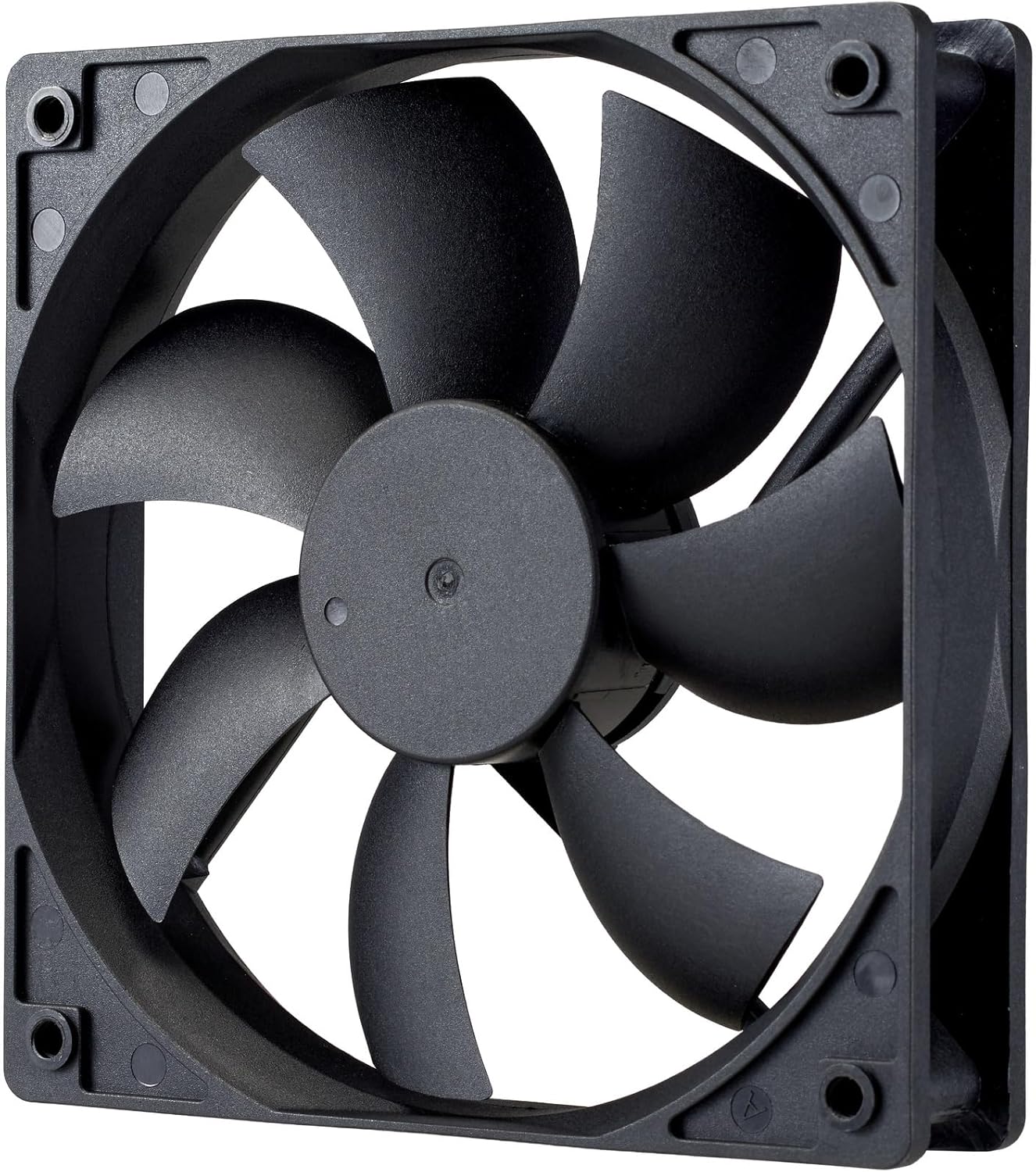
תמונה: תקריב view of the power supply's cooling fan, featuring five blades designed for efficient airflow and quiet operation.
7. פתרון תקלות
If you encounter issues with your power supply, refer to the following troubleshooting steps:
- אין כוח:
- ודא שכבל החשמל AC מחובר היטב הן לספק הכוח והן לשקע בקיר.
- Verify that the power switch on the back of the PSU is in the ON (I) position.
- Check all modular cables (24-pin ATX, EPS, PCIe) are firmly seated in both the PSU and the respective components.
- בדוק את שקע הקיר עם מכשיר אחר כדי לוודא שהוא תקין.
- חוסר יציבות מערכת/כיבויים אקראיים:
- Ensure adequate ventilation within your PC case to prevent overheating.
- ודא שדרישות החשמל של המערכת שלך אינן עולות על קיבולת 1000W של ספק הכוח.
- בדוק אם יש חיבורי כבלים רופפים.
- רעשים חריגים:
- A quiet rifle bearing fan is designed for minimal noise. If you hear unusual grinding or rattling, ensure no cables are obstructing the fan.
- If the noise persists, contact Cooler Master support.
If these steps do not resolve the issue, please contact Cooler Master customer support for further assistance.
8. מפרטים
Detailed technical specifications for the Cooler Master ELITE Gold 1000W Power Supply Unit:
| שם הדגם | ELITE Gold |
| מספר דגם היצרן | MPX-A005-AFAG-BJP |
| מותג | מאסטר קריר |
| פלט וואטtage | 1000 וואט |
| הסמכה 80 פלוס | זָהָב |
| גרסת ATX | ATX 3.1 |
| גרסת PCIe | PCIe Gen 5.1 |
| גורם צורה | ATX |
| עיצוב כוח | מודולרי מלא |
| סוגי מחברים | 12+4 Pin, ATX24 Pin, EPS 4+4 Pin, EPS 8 Pin, SATA + Peripheral 4 Pin |
| מספר המעריצים | 1 (Rifle Bearing Fan) |
| קלט מקסימלי כרךtage | 240 וולט (AC) |
| מינימום קלט כרךtage | 100 וולט (AC) |
| מידות המוצר (L x W x H) | 14 x 15 x 8.6 ס"מ |
| משקל המוצר | 2230 גרם |
| טמפרטורת הפעלה | עד 40 מעלות צלזיוס |

תמונה: למעלה view of the Cooler Master ELITE Gold 1000W Power Supply Unit, showcasing its branding and honeycomb-patterned ventilation.

Image: The official 80 PLUS GOLD certification logo, indicating high power efficiency.
9. אחריות ותמיכה
The Cooler Master ELITE Gold 1000W Power Supply Unit comes with a אחריות לשנה מתאריך הרכישה. אחריות זו מכסה פגמים בחומרים ובעבודה בשימוש רגיל.
For technical support, warranty claims, or further assistance, please visit the official Cooler Master website or contact your local Cooler Master distributor. Please have your product model number (MPX-A005-AFAG-BJP) and proof of purchase ready when contacting support.