
1. הקדמה
Thank you for choosing the Picun G2 Wireless Gaming Headset. This manual provides detailed instructions for setting up, operating, and maintaining your headset to ensure optimal performance and an immersive gaming experience. Please read this manual thoroughly before use.
מה יש בקופסה
- 1 x Picun G2 Wireless Gaming Headset
- 1 x USB-A & Type-C 2-in-1 Wireless Dongle
- כבל טעינה 1 x USB-C
- כבל שמע 1 x 3.5 מ"מ
- 1 x מדריך למשתמש
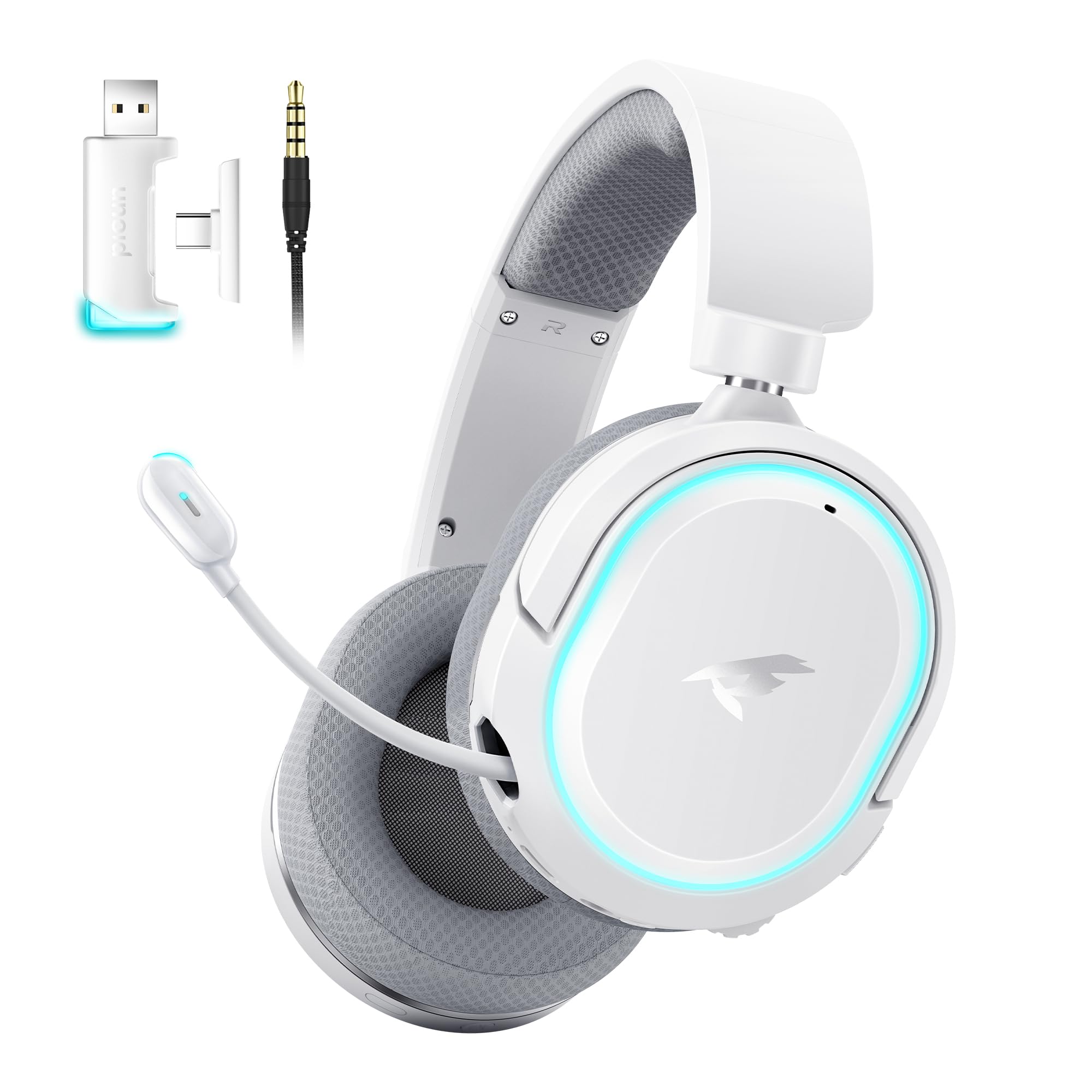
Image: Picun G2 Wireless Gaming Headset (Grey)
2. המוצר נגמרview
Familiarize yourself with the various components and controls of your Picun G2 headset.

Image: Headset Controls Diagram
- 7.1 Mode Light Control: Button to activate/deactivate 7.1 virtual surround sound and control RGB lighting.
- יציאת טעינה: USB-C port for charging the headset.
- יציאת שמע 3.5 מ"מ: For wired connection using the included 3.5mm audio cable.
- לחצן הפעלה: Press and hold to power on/off. Short press for play/pause in Bluetooth mode.
- גלגל נפח: Scroll up or down to adjust the volume.
- השתקת מיקרופון: Slide switch to mute or unmute the microphone.
3. הגדרה וחיבור
3.1 טעינת האוזניות
Before first use, fully charge the headset using the provided USB-C charging cable. Connect the USB-C end to the headset's charging port and the USB-A end to a power source (e.g., computer USB port, USB wall adapter).
3.2 Connecting via 2.4GHz Wireless (Dongle)
For ultra-low latency gaming on PC, PS5, PS4, or Nintendo Switch (docked mode):
- Insert the 2.4GHz USB-A/Type-C dongle into an available USB port on your device.
- הפעל את האוזניות. הן יתחברו אוטומטית לדונגל.
- Ensure the headset is selected as the audio output and input device in your device's sound settings.
3.3 חיבור באמצעות בלוטות' 5.4
For wireless connection to smartphones, tablets, and other Bluetooth-enabled devices:
- With the headset powered off, press and hold the Power Button until the LED indicator flashes blue and red, indicating pairing mode.
- On your device, enable Bluetooth and search for "Picun G2".
- Select "Picun G2" to pair. The LED will turn solid blue once connected.
3.4 Connecting via 3.5mm Wired
For universal compatibility with devices featuring a 3.5mm audio jack:
- חבר קצה אחד של כבל השמע 3.5 מ"מ ליציאת השמע 3.5 מ"מ של האוזניות.
- Connect the other end to your device's 3.5mm audio jack.
- Note: Microphone functionality may vary or be unavailable in wired mode depending on the device.

Image: Multiple Connection Options
4. הוראות הפעלה
4.1 הפעלה/כיבוי
- הפעלה: לחץ והחזק את לחצן ההפעלה למשך 3 שניות.
- כיבוי: לחץ והחזק את לחצן ההפעלה למשך 3 שניות.
4.2 בקרת עוצמת הקול
- סובב את ה גלגל עוצמת קול upwards to increase volume.
- סובב את ה גלגל עוצמת קול downwards to decrease volume.
4.3 Microphone Usage (Retractable ENC Noise-Canceling Mic)
- Extend/Retract Mic: Gently pull out or push in the microphone from the left earcup.
- השתק/בטל השתקה: השתמש ב- השתקת מיקרופון slide switch located on the earcup.

Image: Retractable ENC Noise-Canceling Microphone
4.4 7.1 Virtual Surround Sound Activation
- הקש על 7.1 Mode Light Control button to toggle 7.1 virtual surround sound on or off.
- The RGB lighting will indicate the status of the 7.1 mode.

Image: 7.1 Surround Sound Activation
5. מידע על הסוללה
The Picun G2 headset offers extended battery life for prolonged usage.
- Up to 100 hours playtime in Bluetooth mode (RGB off).
- Approximately 42-45 hours playtime via 2.4GHz wireless (RGB on).
- טעינה מלאה אורכת בדרך כלל 2-3 שעות.
- The headset supports charging while in use.

Image: Battery Life and Charging
6. נוחות ועיצוב
The Picun G2 is designed for comfort during extended gaming sessions.
- סרט מתכוונן לראש: Customize the fit for various head sizes.
- אוזניים מסתובבות: Allows for flexible positioning and storage.
- Soft Memory Sponge Cushions: Breathable fabric earcups and headband provide comfort and reduce pressure.

Image: Comfort Features
7. פתרון תקלות
If you encounter any issues with your Picun G2 headset, please refer to the following common solutions:
| בְּעָיָה | פִּתָרוֹן |
|---|---|
| אין קול מהאוזניות |
|
| המיקרופון לא עובד |
|
| Cannot connect via 2.4GHz wireless |
|
| לא ניתן להתחבר באמצעות Bluetooth |
|
| חיי סוללה קצרים |
|
8. מפרטים
| תכונה | פְּרָט |
|---|---|
| מותג | פיקון |
| שם הדגם | Picun-G2 |
| טכנולוגיית קישוריות | אלחוטי 2.4GHz, בלוטות' 5.4, חיבור חוטי 3.5 מ"מ |
| מיקום אוזניים | מעל אוזן |
| סוג מנהל התקן שמע | דרייבר דינמי (40 מ"מ) |
| עַכָּבָּה | 32 אוהם |
| טווח תדרים | 20 הרץ - 20,000 הרץ |
| חביון שמע | 5 Milliseconds (2.4GHz) |
| גרסת בלוטות' | 5.4 |
| טווח בלוטות' | 10 מטר |
| חיי סוללה | Up to 100 Hours (Bluetooth, RGB off) / 42-45 Hours (2.4GHz, RGB on) |
| זמן טעינה | 2-3 שעות |
| מִיקרוֹפוֹן | Retractable ENC Noise-Canceling Omnidirectional Mic |
| מכשירים תואמים | PC, Mac, Laptop, Desktop, Phone, Pad, Tablet, PlayStation 4/5/pro/Slim, Gaming Consoles, Switch, Nintendo Switch (microphone invalid on Switch via 3.5mm) |
| חוֹמֶר | ABS, Breathable Fabric, PC, Soft Memory Sponge Cushions |
| תכונות נוספות | 7.1 Virtual Surround Sound, RGB Lighting, Adjustable Headband, Rotatable Earcups |
9. אחריות ותמיכה
9.1 מידע אחריות
The Picun G2 Wireless Gaming Headset comes with a אחריות לשנה מתאריך הרכישה. אחריות זו מכסה פגמי ייצור ומבטיחה שהמוצר נקי מפגמים בחומר ובביצוע תחת שימוש רגיל. אנא שמור את הוכחת הרכישה שלך לצורך תביעות אחריות.
האחריות אינה מכסה:
- נזק שנגרם כתוצאה משימוש לרעה, התעללות, תאונה או רשלנות.
- תיקון או שינוי לא מורשים.
- בלאי רגיל.
9.2 תמיכת לקוחות
For technical assistance, warranty claims, or any questions regarding your Picun G2 Wireless Gaming Headset, please contact Picun customer support through the following channels:
- אֶלֶקטרוֹנִי: support@picun.com (לְשֶׁעָבַרample, actual email not provided)
- Webאֲתַר: Visit the official Picun webאתר לשאלות נפוצות ומשאבי תמיכה.
Please have your model number (Picun-G2) and proof of purchase ready when contacting support.