
מָבוֹא
This manual provides comprehensive instructions for the Baseus Bass BH1 Lite Wireless Headphones. Please read this guide carefully to ensure proper use, optimal performance, and longevity of your device. Keep this manual for future reference.
המוצר נגמרview
The Baseus Bass BH1 Lite headphones are designed to deliver an immersive audio experience with advanced features for comfort and convenience.
תכונות מפתח
- אודיו ברזולוציה גבוהה עם LDAC: Experience ultra-clear, lossless sound quality with Hi-Res and Hi-Res Wireless certifications, supporting LDAC for 3 times more data transmission than standard Bluetooth codecs.
- סופרבס 2.0: Enjoy rich, impactful bass and detailed clarity, enhanced by biocellulose diaphragms and dynamic drivers.
- Cloud-Like Comfort: Designed for all-day wear with soft memory foam earcups, contoured shells, and a breathable headband, adapting ergonomically to your head.
- זמן משחק מורחב: Up to 80 hours of continuous playback on a single charge. A 10-minute quick charge provides 8 hours of listening.
- שיחות ברורות: Equipped with AI-powered voice boost, directional sound sensor, and ENC (Environmental Noise Cancellation) for clear calls in noisy environments.
- קישוריות אלחוטית חלקה: Bluetooth 6.0 technology ensures lag-free, ultra-fast, and stable audio streaming with enhanced audio quality and ultra-low latency.
- Adjustable & Portable Design: Features an adjustable headband, resilient soft cushions, and 120° rotatable earcups for easy storage and portability.
רכיבי מוצר

Image: Lightweight CloudComfort Design. This image illustrates the lightweight design and soft earcups of the Baseus Bass BH1 Lite headphones, emphasizing comfort for extended wear.

Image: Super Bass Hit Technology. א מפורט view of the headphone's internal driver components, highlighting the Super Bass Hit technology for rich, natural sound with ultimate clarity.
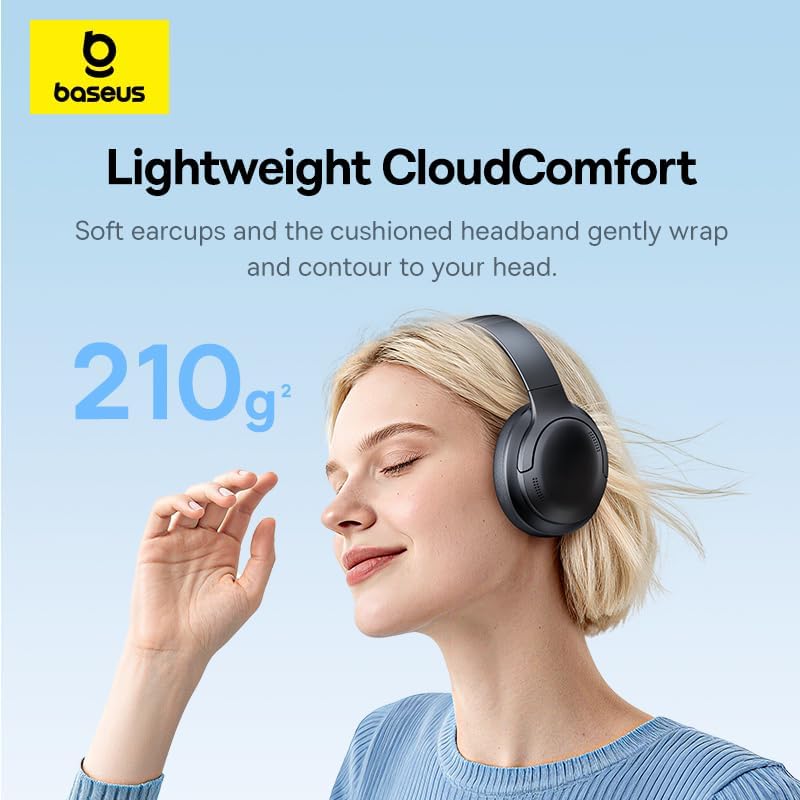
Image: 80-Hour Week-Long Playtime. This image showcases the impressive 80-hour battery life, with an additional note about Baseus Rapid Charge providing 8 hours of playtime from a 10-minute charge.

Image: Crystal-Clear Calls. This image highlights the AI-Powered Voice Boost, Directional Sound Sensor, and ENC features that contribute to clear call quality.
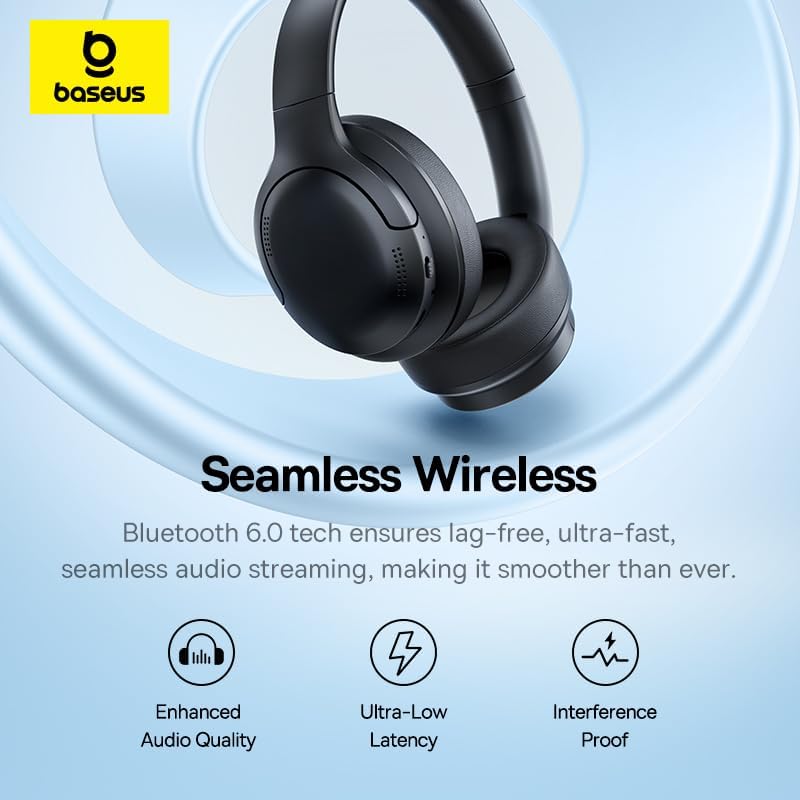
Image: Seamless Wireless Connectivity. This image illustrates the benefits of Bluetooth 6.0 technology, including enhanced audio quality, ultra-low latency, and interference-proof connection.

Image: Adjustable & Portable Design. This image demonstrates the adjustable headband, resilient soft cushions, and 120° rotatable earcups, emphasizing the headphones' portability and ergonomic design.
הגדרה
1. טעינת האוזניות
Before first use, fully charge your Baseus Bass BH1 Lite headphones. Use the provided USB-C cable to connect the headphones to a power source (e.g., computer USB port, wall adapter).
- טעינה מלאה מספקת עד 80 שעות של נגינה.
- A quick 10-minute charge can provide approximately 8 hours of listening time.
- מחוון ה-LED יציג את מצב הטעינה (למשל, אדום לטעינה, כחול/כבוי לטעינה מלאה).
2. זיווג Bluetooth
- הפעלה: לחץ והחזק את לחצן ההפעלה באוזניות עד שנורית ה-LED תהבהב בכחול ואדום, המציינת מצב צימוד.
- הפעל בלוטות': במכשיר שלך (סמארטפון, טאבלט, מחשב), הפעל את Bluetooth.
- תבחר מכשיר: In your device's Bluetooth settings, search for "Baseus BH1 Lite" and select it to connect.
- אִשׁוּר: Once successfully paired, the LED indicator on the headphones will turn solid blue or off, and you may hear an audible confirmation.
- התחבר מחדש: האוזניות ינסו להתחבר מחדש באופן אוטומטי למכשיר האחרון שצומד לאחר הפעלתן.
הוראות הפעלה
בקרות בסיסיות
| פוּנקצִיָה | פְּעוּלָה |
|---|---|
| הפעלה/כיבוי | לחץ והחזק את לחצן ההפעלה. |
| הפעל/השהה | Single press the Multi-function button (often the Power button or a dedicated play/pause button). |
| הגברת עוצמת הקול | לחץ על לחצן עוצמת הקול +. |
| הורדת עוצמת הקול | לחץ על כפתור עוצמת הקול -. |
| המסלול הבא | Press and hold Volume + (or double-tap Multi-function button, refer to specific model instructions if available). |
| המסלול הקודם | Press and hold Volume - (or triple-tap Multi-function button, refer to specific model instructions if available). |
| מענה/סיום שיחה | לחיצה אחת על כפתור הרב-תכליתי במהלך שיחה נכנסת. |
| דחה שיחה | לחץ והחזק את לחצן הרב-תכליתי במהלך שיחה נכנסת. |
| הפעל את עוזר הקולי | Double-press the Multi-function button (or specific button if available). |
Note: Specific button functions may vary slightly. Refer to the physical buttons on your headphones for exact layout.
פונקציות קריאה
The Baseus Bass BH1 Lite headphones feature ENC (Environmental Noise Cancellation) and 5 AI-powered microphones to ensure clear communication during calls, even in noisy environments.
- Ensure your headphones are connected to your phone via Bluetooth.
- Manage calls using the Multi-function button as described in the Basic Controls table.
תַחזוּקָה
תחזוקה נכונה מבטיחה את אורך החיים והביצועים האופטימליים של האוזניות שלכם.
- ניקוי: השתמשו במטלית רכה ויבשה לניקוי כיסויי האוזניים וקשת הראש. אין להשתמש בחומרי ניקוי שוחקים או ממסים.
- אִחסוּן: כאשר האוזניות אינן בשימוש, יש לאחסן אותן במקום קריר ויבש, הרחק מאור שמש ישיר וטמפרטורות קיצוניות. העיצוב המתקפל מאפשר אחסון קומפקטי.
- עמידות במים: The headphones are water-resistant. However, avoid submerging them in water or exposing them to heavy rain for extended periods. Dry thoroughly if they get wet.
- יציאת טעינה: שמרו על יציאת הטעינה USB-C נקייה מאבק ולכלוך.
פתרון בעיות
If you encounter any issues with your Baseus Bass BH1 Lite headphones, refer to the following common solutions:
| בְּעָיָה | פִּתָרוֹן |
|---|---|
| האוזניות לא נדלקות. | ודא שהאוזניות טעונות במלואן. חבר אותן למקור חשמל באמצעות כבל USB-C. |
| לא ניתן לבצע התאמה עם המכשיר. |
|
| אין צליל או עוצמת קול נמוכה. |
|
| איכות השיחה ירודה. |
|
| חיבור לסירוגין. |
|
מפרטים
| תכונה | פְּרָט |
|---|---|
| מותג | Baseus |
| שם הדגם | BH1 Lite |
| צֶבַע | שָׁחוֹר |
| מיקום אוזניים | Over-Ear |
| עַכָּבָּה | 64 אוהם |
| טכנולוגיית קישוריות | אלחוטי (בלוטות' 6.0) |
| גרסת בלוטות' | 6.0 |
| טווח בלוטות' | 10 מטר |
| בקרת רעש | Sound Isolation, Environmental Noise Cancellation (ENC) |
| תכונות מיוחדות | Noise Cancellation, Volume Control, Lightweight, Built-in Microphone, Water Resistant |
| רמת עמידות במים | אֲטִימוּת |
| מכשירים תואמים | Mobile Phones, Gaming Consoles, Desktops, Laptops, Telephones |
| חוֹמֶר | מתכת, פלסטיק |
| חיי סוללה | עד 80 שעות |
| יציאת טעינה | USB-C |
| הסמכת בדיקה חיצונית | אנטל |
אחריות ותמיכה
אַחֲרָיוּת: This product comes with a 1-year manufacturer's warranty from the date of purchase, covering defects in materials and workmanship. Please retain your proof of purchase for warranty claims.
תמיכת לקוחות: For technical assistance, warranty claims, or further inquiries, please contact Baseus customer support through their official website or the retailer where the product was purchased. Ensure you have your product model number (BH1 Lite) and purchase details ready.