
1. תחילת העבודה
1.1 מה בקופסה
Your EarFun Air Pro 4i package includes the following items:
- EarFun Air Pro 4i Wireless Earbuds
- נרתיק טעינה
- אוזניים (בגדלים שונים)
- כבל טעינה USB-C
- מדריך למשתמש
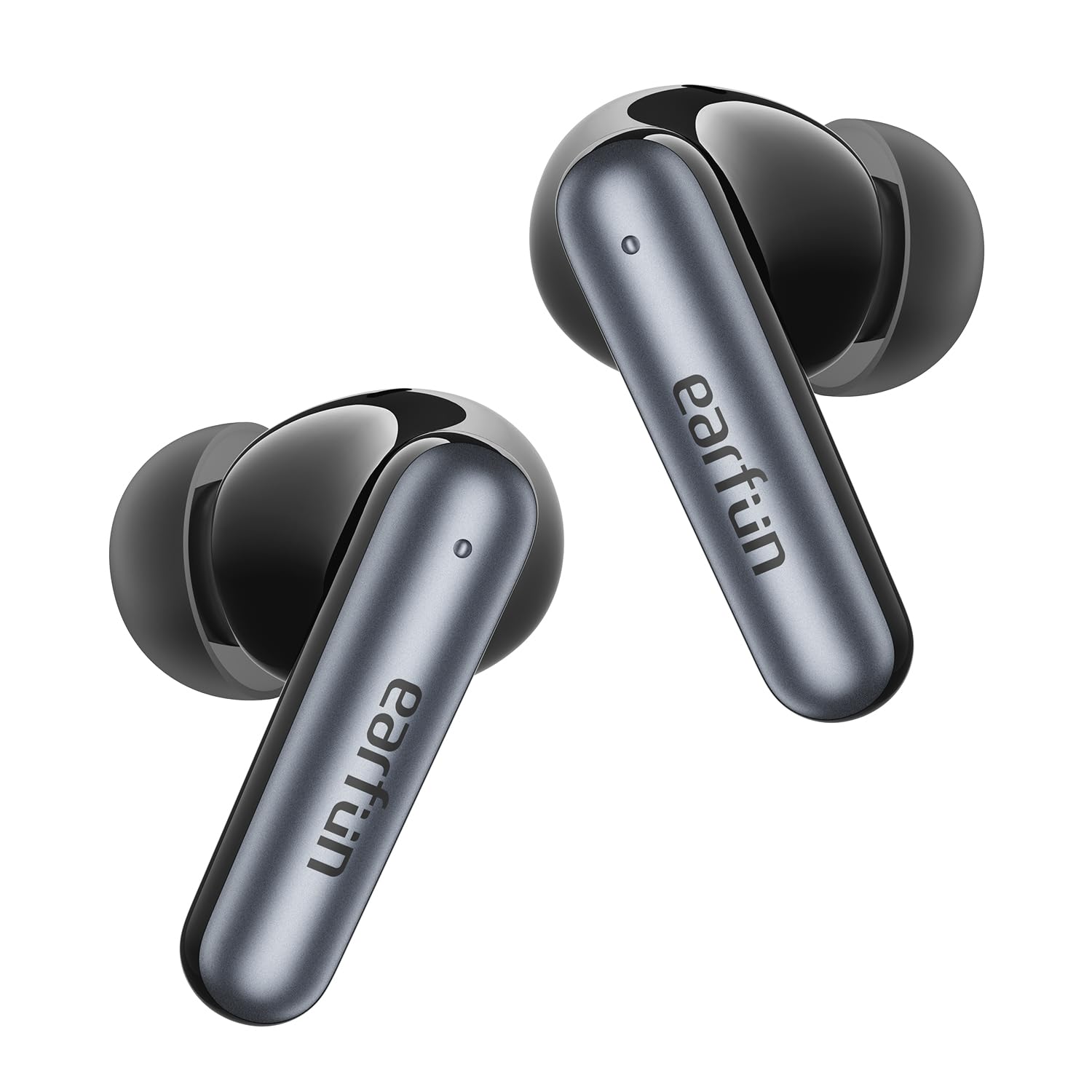
1.2 נגמר המוצרview
The EarFun Air Pro 4i earbuds are designed for high-quality audio with active noise cancellation. They feature an ergonomic design for a comfortable and secure fit, making them suitable for various activities.
2. התקנה
2.1 טעינת האוזניות והנרתיק
לפני השימוש הראשון, יש לטעון במלואן את האוזניות ואת נרתיק הטעינה.
- הנח את האוזניות במארז הטעינה.
- Connect the USB-C cable to the charging port on the case and a power source, or place the case on a compatible wireless charging pad.
- The LED indicator on the case will show charging status. A full charge provides up to 40 hours of playtime with the case (9.5 hours on a single charge in normal mode, 6.5 hours with ANC on).
2.2 ענידת האוזניות
For optimal sound quality and comfort, select the correct ear tips and ensure a proper fit.
- Choose the ear tips that best fit your ear canals. Different sizes are provided (XS/S/M/L/XL). Left and right ears may require different sizes.
- Insert the earbud into your ear and gently rotate it back and forth until it feels secure and forms a comfortable seal.

2.3 צימוד עם המכשיר שלך
The earbuds support Bluetooth 5.4 for stable connections and Google Fast Pair for seamless setup.
- התאמה ראשונה: Remove the insulating film from the earbuds. Place both earbuds back into the charging case and close the lid. Open the charging case, and the LED light on the case will flash green to indicate pairing mode.
- Activate Bluetooth on your phone or device and select "EarFun Air Pro 4i" from the list of available devices.
- חיבור רב נקודות: The earbuds can effortlessly connect to two devices at once, allowing instant switching between your phone and laptop.
- Google Fast Pair: For Android devices, simply open the charging case near your phone, and a pop-up will appear for quick pairing.
3. הוראות הפעלה
3.1 פקדי מגע
The earbuds feature intuitive touch controls for managing music, calls, and modes.
- הגבר קול: Tap once on the Right earbud (R).
- להנמיך קול: Tap once on the Left earbud (L).
- הפעל/השהה: Tap twice on either earbud (L/R).
- הרצועה הבאה: Tap three times on the Right earbud (R).
- רצועה קודמת: Tap three times on the Left earbud (L).
- Noise Cancelling/Ambient Sound/Normal Mode: Tap and hold for 2 seconds on the Left earbud (L).
- מענה/סיום שיחה: Tap twice on either earbud (L/R).
- Answer and Transfer Two Calls: Tap three times on either earbud (L/R).
- דחה שיחה: Tap and hold for 2 seconds on either earbud (L/R).
- עוזר קולי: Tap and hold for 2 seconds on either earbud (L/R).
3.2 ביטול רעשים אקטיבי (ANC) ומצב צליל סביבתי
The EarFun Air Pro 4i earbuds offer up to 50dB of active noise cancellation, adapting to your environment for an immersive listening experience. You can switch between Noise Cancelling, Ambient Sound, and Normal modes using the touch controls or the EarFun Audio app.

3.3 LDAC and Hi-Res Audio
Experience high-resolution audio with LDAC support and 11mm custom dynamic drivers, delivering rich, detailed sound and powerful bass. The 3D surround sound effect further enhances your audio journey.

אפליקציית שמע EarFun אחת
Customize your listening experience with the dedicated EarFun Audio app. Adjust the EQ, switch between noise cancelling modes, define touch control actions, and update firmware for optimal performance.

4. תחזוקה
4.1 ניקוי
Regular cleaning helps maintain optimal performance and extends the lifespan of your earbuds.
- Use an alcoholic cotton swab to clean the charging contacts of both the earbuds and the charging case. This removes sweat or stains that could prevent proper charging or connection.
- Gently clean the audio output ports with a cotton swab to remove earwax or dust, which may cause muffled sound. Regularly cleaning your ears is also important.
4.2 עמידות במים
The EarFun Air Pro 4i earbuds are IP55 rated, meaning they are resistant to dust and water splashes. This makes them suitable for workouts and outdoor activities, but they are not designed for submersion in water.

5. פתרון תקלות
If you encounter any issues with your EarFun Air Pro 4i earbuds, please refer to the following common solutions:
- אין צליל/איכות צליל ירודה: Ensure earbuds are properly seated in your ears and connected to your device. Check volume levels on both the earbuds and your device. Clean the audio output ports for any obstructions.
- בעיות זיווג: Make sure Bluetooth is enabled on your device. Ensure the earbuds are in pairing mode (flashing green LED). Try resetting the earbuds by placing them in the case, closing the lid, then opening and holding the button for 3 seconds to disconnect from previous devices.
- בעיות טעינה: Verify the USB-C cable is securely connected or the wireless charging pad is properly aligned. Clean the charging contacts on both the earbuds and the case.
- ANC לא עובד: Ensure ANC mode is activated via touch control or the EarFun Audio app.
- בעיות חיבור לאפליקציה: Ensure Bluetooth is active and the earbuds are connected to your phone. Update the EarFun Audio app to the latest version.
For further assistance, please consult the EarFun Audio app for firmware updates or visit the official EarFun support webאֲתַר.
6. מפרטים
| שם הדגם | EarFun Air Pro 4i |
| מספר דגם של פריט | TW230B |
| בקרת רעש | ביטול רעשים אקטיבי (עד 50dB) |
| טכנולוגיית קישוריות | אלחוטי (בלוטות' 5.4) |
| סוג מנהל התקן שמע | מנהל התקן דינמי |
| גודל מנהל התקן שמע | 11 מילימטרים |
| תגובת תדר | 20 KHz |
| חיי סוללה (אוזניות) | Up to 9.5 hours (Normal Mode), 6.5 hours (ANC On) |
| זמן משחק כולל עם כיסוי | Up to 40 hours (Normal Mode), 27 hours (ANC On) |
| טְעִינָה | USB-C, טעינה אלחוטית |
| מיקרופונים | 6 Mics AI ENC for Clear Calls |
| רמת עמידות במים | IP55 (עמיד בפני אבק ומים) |
| תכונות מיוחדות | Hi-Res Sound with LDAC, Multipoint Connection, Google Fast Pair, EarFun Audio App Support |
| משקל פריט | 1.69 אונקיות (48 גרם) |
| מידות המוצר | 2.36 x 1.97 x 1.22 אינץ' |
7. אחריות ותמיכה
EarFun products are designed and manufactured to the highest quality standards. In the unlikely event of a problem with your product, EarFun provides a warranty for your purchase. Please refer to the Warranty Card included in your package for specific terms and conditions.
For technical support, FAQs, or to register your product, please visit the official EarFun website or contact their customer service directly. You can also find helpful resources and the latest firmware updates through the EarFun Audio app.
תמיכה מקוונת: www.earfun.com/support