
1. הקדמה
Thank you for choosing the FREDEES Arched Display Cabinet. This manual provides essential information for the safe and efficient assembly, operation, and maintenance of your new cabinet. Please read all instructions carefully before beginning assembly and retain this manual for future reference.
2. מידע בטיחות
- יש להרכיב את הארון תמיד על משטח רך ונקי כדי למנוע שריטות.
- ודא שכל החלקים קיימים ולא ניזוקו לפני ההרכבה. אין להשתמש בחלקים פגומים.
- הרחיקו חלקים קטנים מהישג ידם של ילדים במהלך ההרכבה כדי למנוע סכנת חנק.
- ערכת נגד התהפכות: For safety, especially in households with children or pets, it is highly recommended to secure the display cabinet to the wall using the provided anti-tip kit. This prevents accidental tipping and enhances stability.

Image: Anti-Tip Kit Installation Diagram. This diagram illustrates the proper method for securing the cabinet to the wall using the anti-tip kit to prevent tipping.
3. תכולת החבילה
ודא שכל הרכיבים המפורטים להלן כלולים בחבילה שלך:
- Arch Display Cabinet x1
- Installation Package (Hardware) x1
- מדריך למשתמש x1
4. התקנה והרכבה
Assembly of the FREDEES Arched Display Cabinet is designed to be straightforward. Follow the step-by-step instructions provided in the included installation package. It is recommended to have a second person assist with lifting and positioning larger components.
4.1 מידות המוצר

Image: Product Dimensions. This image details the overall dimensions of the cabinet and individual shelf sizes.
4.2 מדפים מתכווננים
The cabinet features two adjustable shelves and two fixed shelves. The adjustable shelves can be moved up or down by 2.5 inches to accommodate items of various heights. To adjust, carefully remove the shelf, reposition the shelf pins to the desired height, and reinsert the shelf.

Image: Adjustable Shelves. This image highlights the flexibility of the shelves to customize storage space.
5. הוראות הפעלה
מערכת תאורת LED 5.1
Your display cabinet is equipped with integrated LED lighting offering three color modes: blue, white, and yellow. The lighting system also includes a smart human sensor for automatic operation.
- שינוי צבעי אור: Locate the control button on the side of the cabinet. Short press the button to cycle through the blue, yellow, and white light modes.
- Human Sensor: The built-in sensor automatically turns on the lights when a person is detected within approximately 1 meter and turns them off after 30 seconds of no detection.
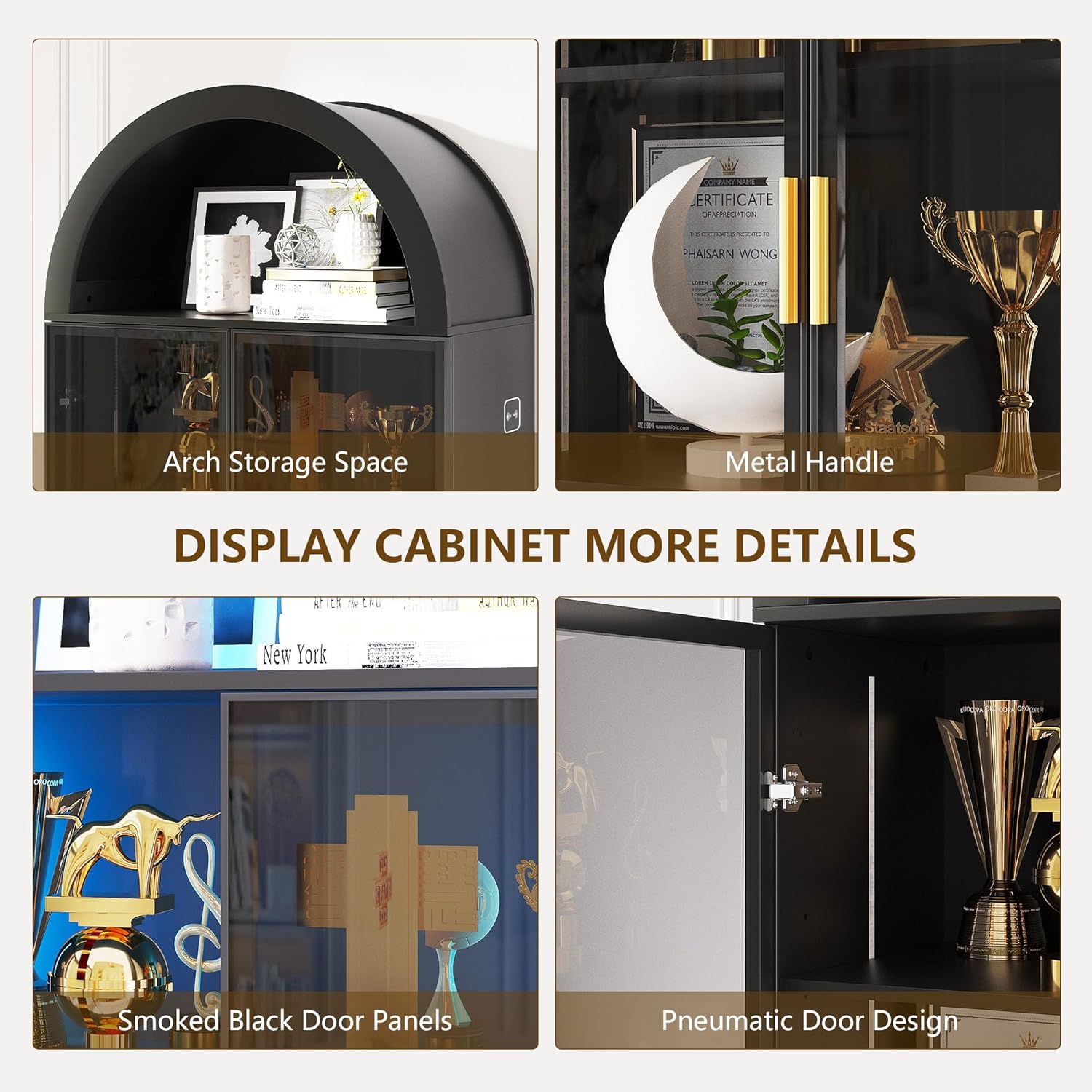
Image: LED Light Control. This image demonstrates the three available light colors and the control interface.

Image: Smart Human Sensor. This diagram explains how the human sensor activates and deactivates the cabinet lighting.
5.2 Smoked Black Acrylic Doors
The cabinet features smoked black acrylic doors with gold handles. These doors provide a modern aesthetic while allowing a subtle view of your displayed items. The doors can be opened and closed using the handles. If desired, the doors can be omitted during assembly for an open cabinet design.

Image: Smoked Black Acrylic Doors. This image provides a clear view of the cabinet's doors and handles.
6. תחזוקה
To ensure the longevity and appearance of your FREDEES Arched Display Cabinet, follow these maintenance guidelines:
- ניקוי: The cabinet's surface is waterproof and scratch-resistant. Wipe surfaces with a soft, damp בַּד. הימנע מחומרי ניקוי שוחקים או כימיקלים קשים שעלולים לפגוע בגימור.
- נִעוּר: Regularly dust the interior and exterior with a dry, soft cloth.
- צירי דלת: Periodically check door hinges for tightness and adjust if necessary to ensure smooth operation.
7. פתרון תקלות
If you encounter any issues with your display cabinet, refer to the following common troubleshooting tips:
- נורות LED לא עובדות:
- Ensure the power adapter is securely plugged into both the cabinet and a working electrical outlet.
- בדוק אם שקע החשמל תקין על ידי חיבור מכשיר אחר.
- Verify that the light control button is being pressed correctly to cycle through modes.
- דלתות לא נסגרות כראוי:
- Inspect hinges for any loose screws and tighten them.
- Ensure the cabinet is placed on a level surface. Uneven flooring can cause doors to misalign.
- חוסר יציבות בארון:
- Confirm all assembly screws are tightened.
- Ensure the anti-tip kit is correctly installed and secured to the wall.
For issues not covered here, please contact FREDEES customer support.
8. מפרטים
| תכונה | פְּרָט |
|---|---|
| מותג | FREDEES |
| מספר דגם | QM-97053-27 |
| צֶבַע | Arch-black |
| חוֹמֶר | עץ מהונדס |
| מידות המוצר | 13.78" D x 27.55" W x 76.77" H |
| משקל פריט | 80.7 פאונד |
| מספר מדפים | 6 (2 מתכווננים, 4 קבוע) |
| תכונות נוספות | 3-Color LED Lights, Human Sensor, Smoked Black Acrylic Doors, Arch Storage Space |
| נדרשת הרכבה | כֵּן |
9. אחריות ותמיכה
For warranty information or technical support, please refer to the contact details provided with your purchase documentation or visit the official FREDEES webאתר. שמור את קבלת הרכישה כהוכחת קנייה עבור כל תביעת אחריות.